

The following explains how to customize the lock screen background on client PCs by selecting a picture or video and adjusting the background blur effect.
- Navigate to Settings → Client Settings and in Appearance locate the Lock Screen section. (Figure 1)
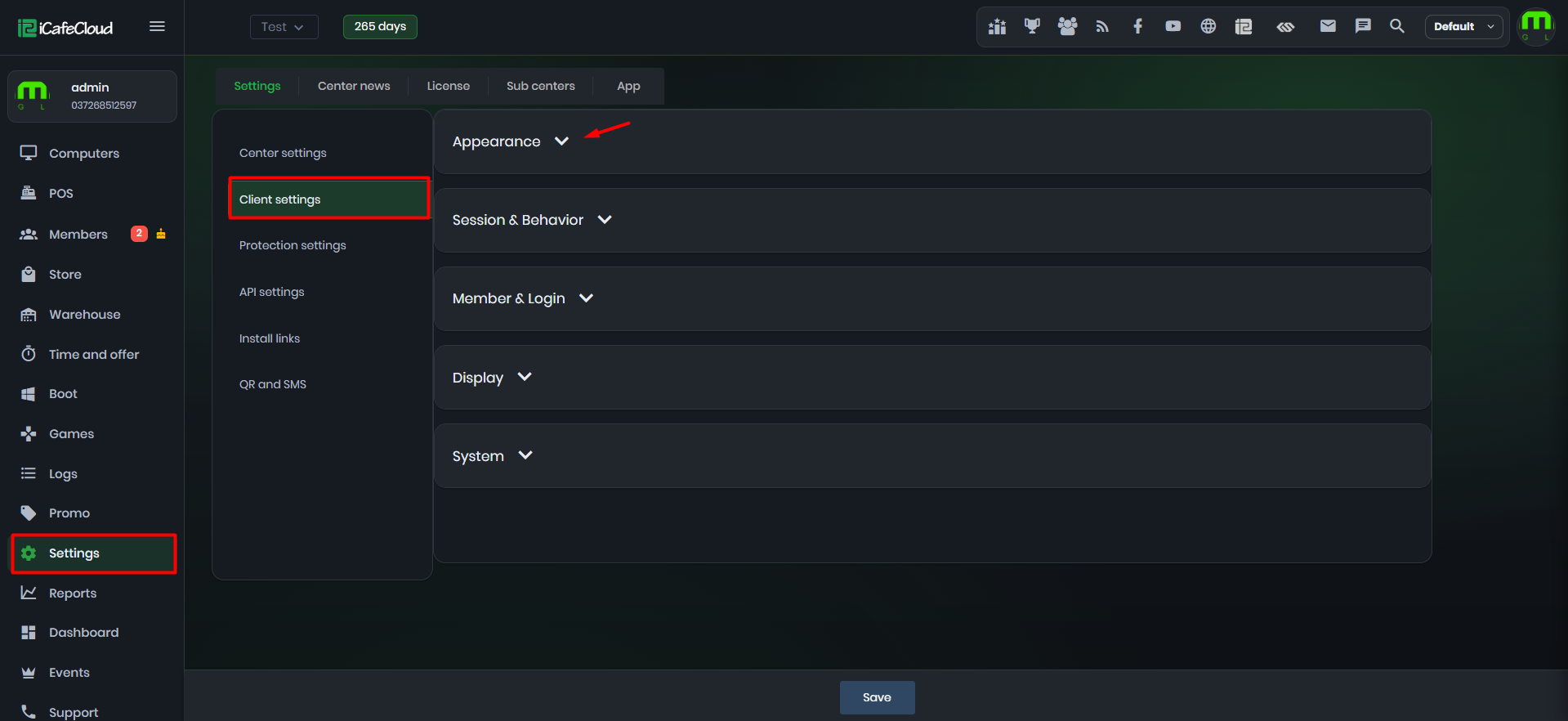
Figure 1
- Select Picture or Video, depending on the type of background you want to use. (Figure 2)
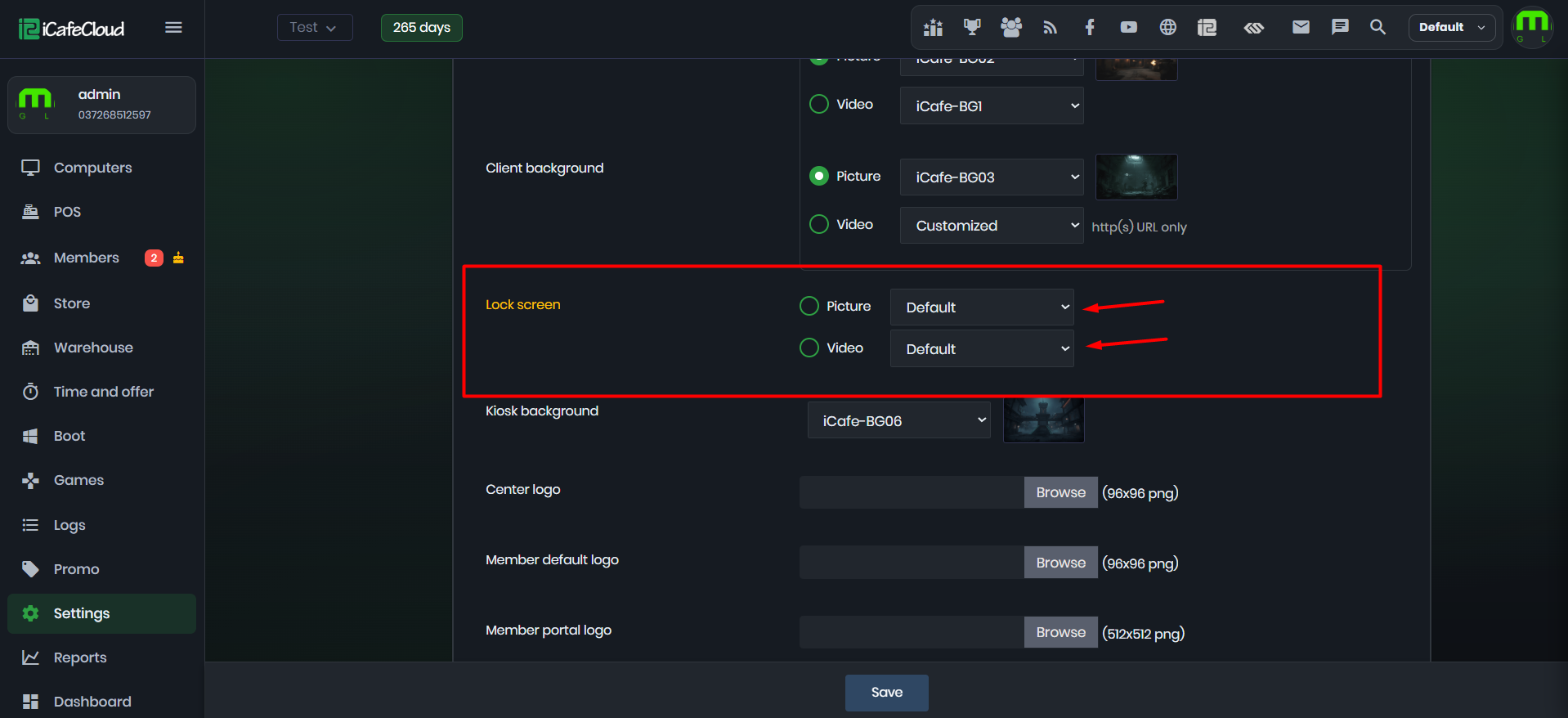
Figure 2
- Use the dropdown menu to select the desired background. A preview of the selected picture will be displayed next to the dropdown. (Figure 3)
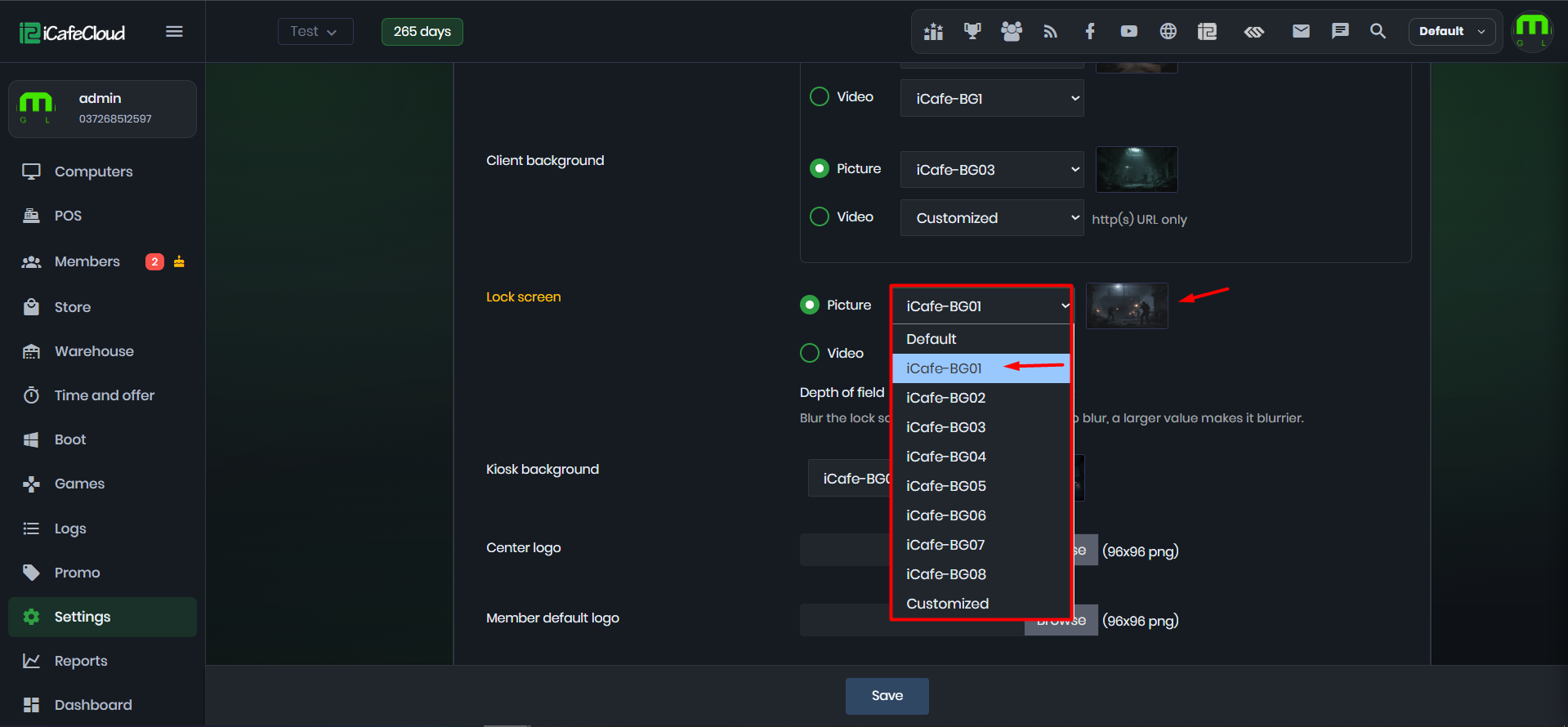
Figure 3
- Save the settings to apply the changes.
- Once saved, the selected background will be displayed when Lock PC is used.