

The following explains how to configure and manage the gender field for member accounts in iCafeCloud.
- To enable the gender field, navigate to the Members page - Settings, then enable the Gender option. (Figure 1)
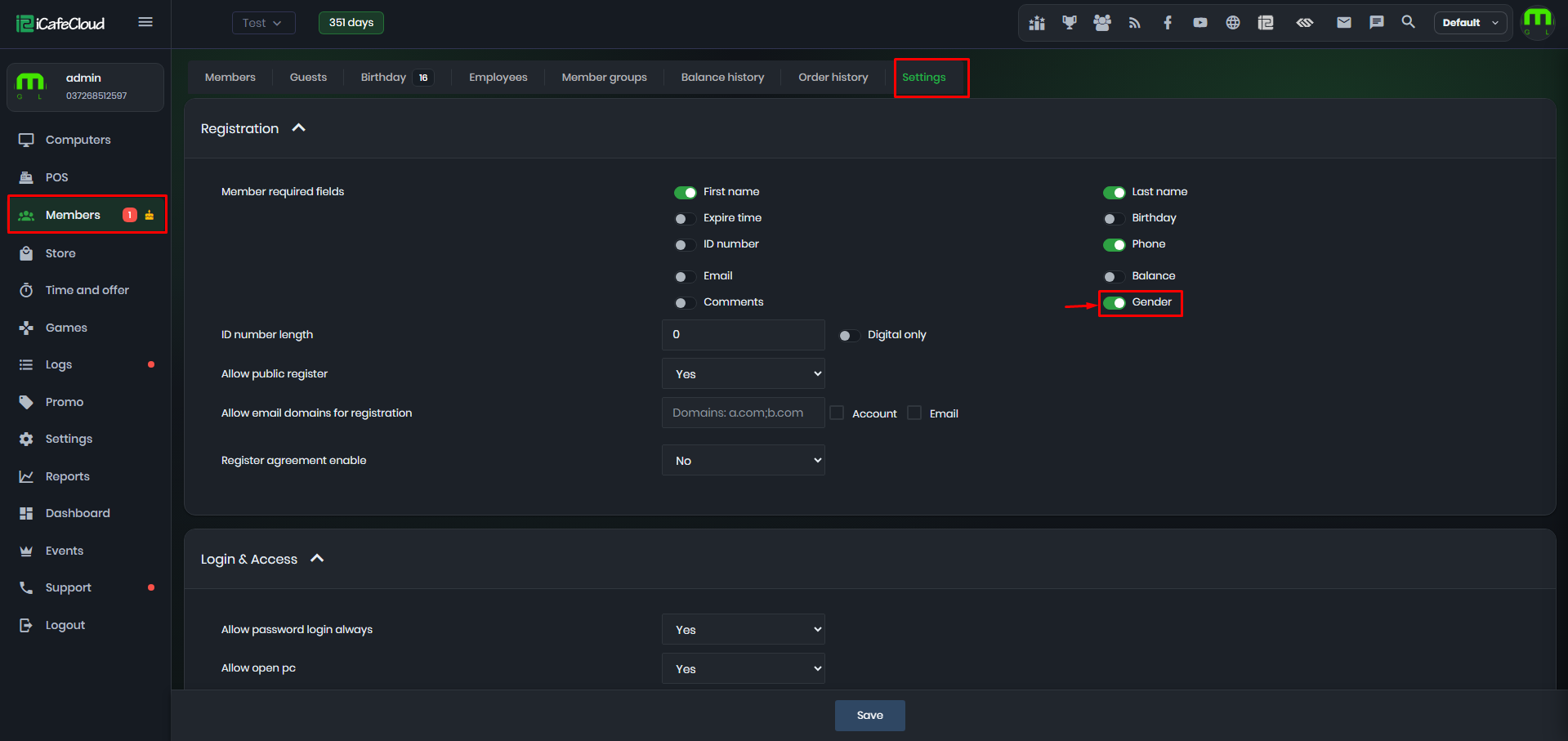
Figure 1
- When adding new member from CP, you can choose the member's gender. (Figure 2)
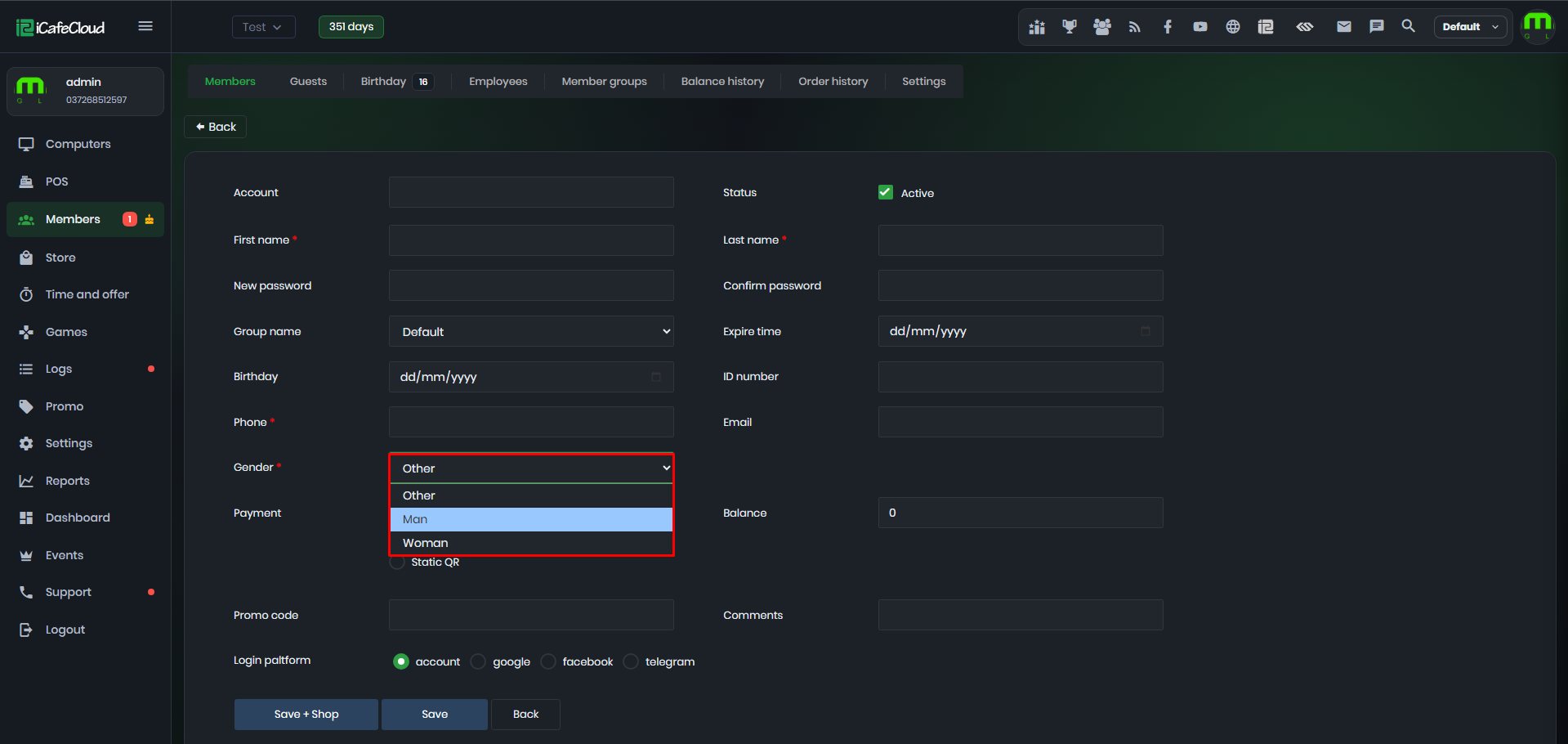
Figure 2
- You can view member genders on the Members page. (Figure 3)
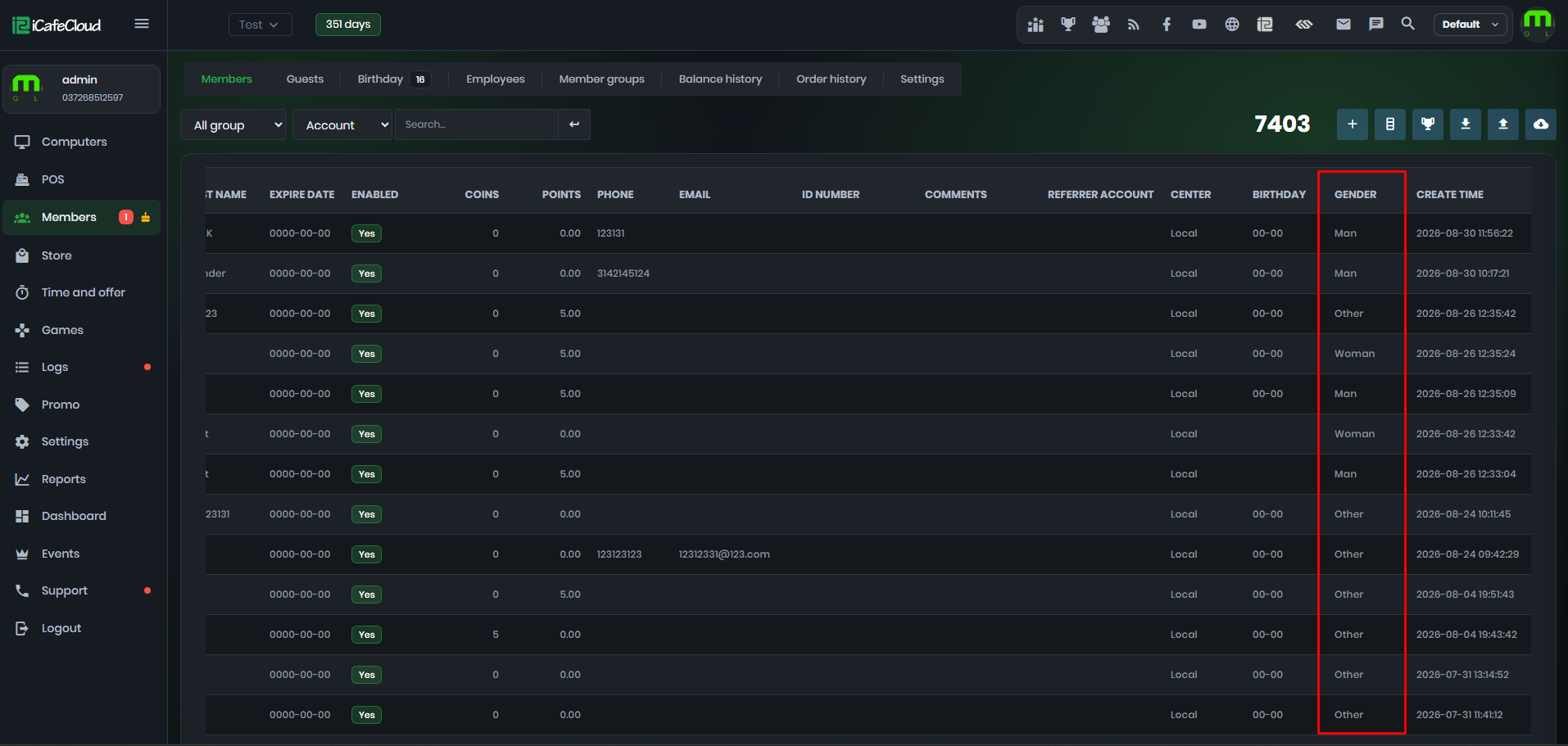
Figure 3
- If gender is enabled in settings, the customer will need to select their gender when registering on the client. (Figure 4)
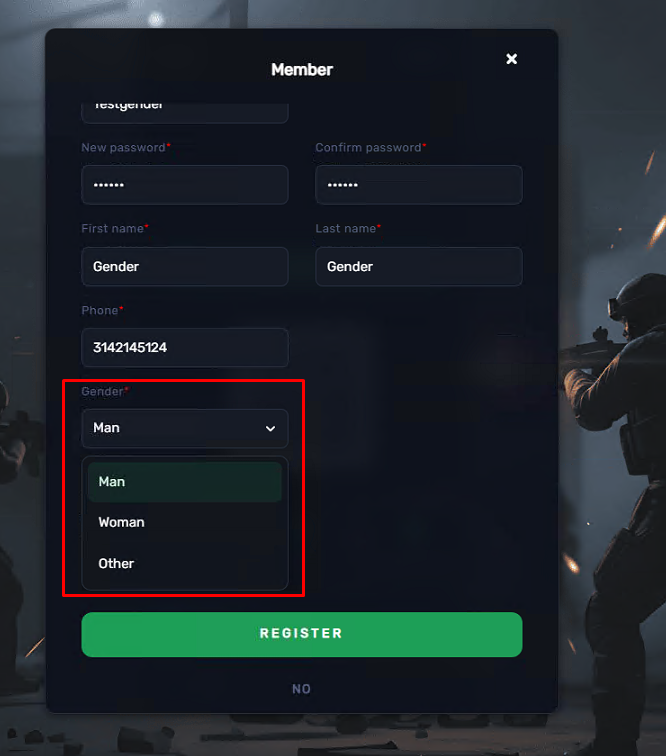
Figure 4