

The following explains how to create an IT Staff account and its permissions. IT Staff accounts have access only to the Boot page, where they can fully manage client PCs and perform diskless boot management tasks.
- Navigate to Members → Employees and click Add Staff. (Figure 1)
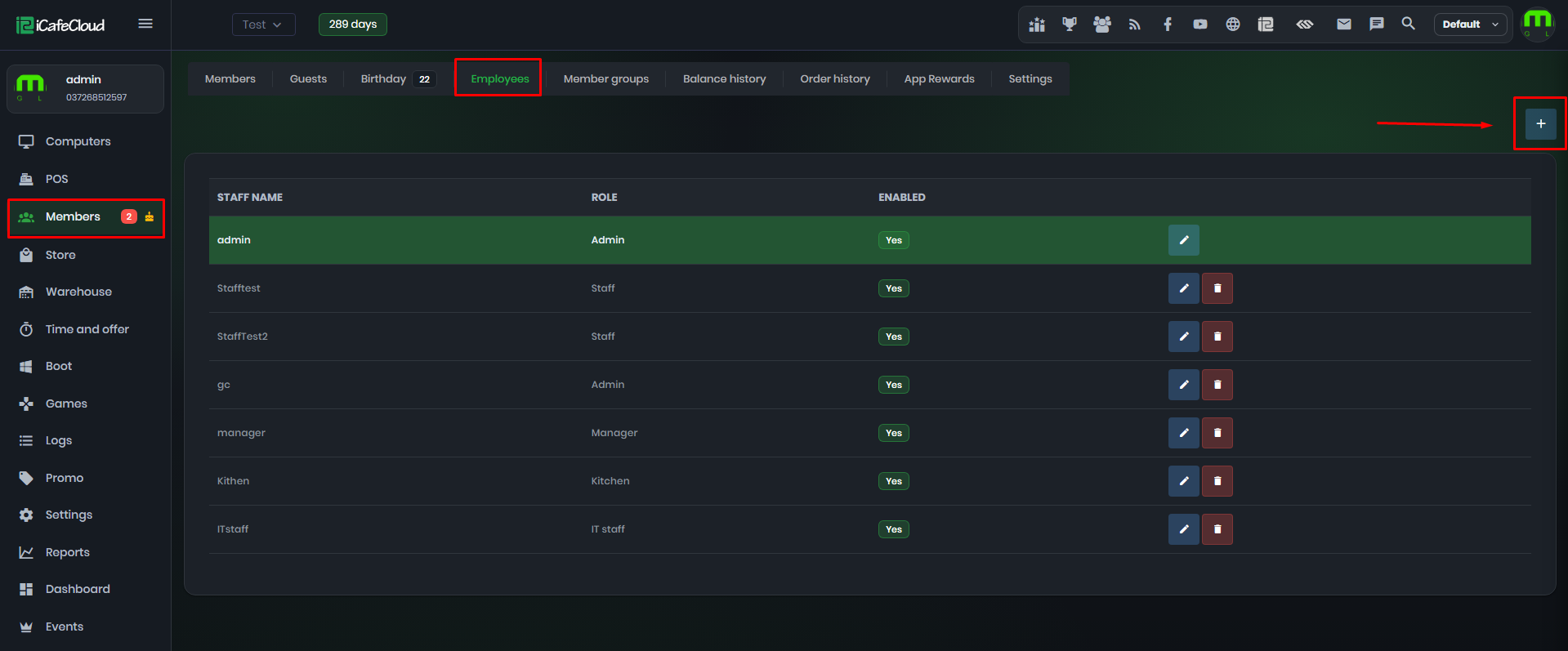
Figure 1
- Enter the name and password, select the role as IT Staff, then click Save. (Figure 2)
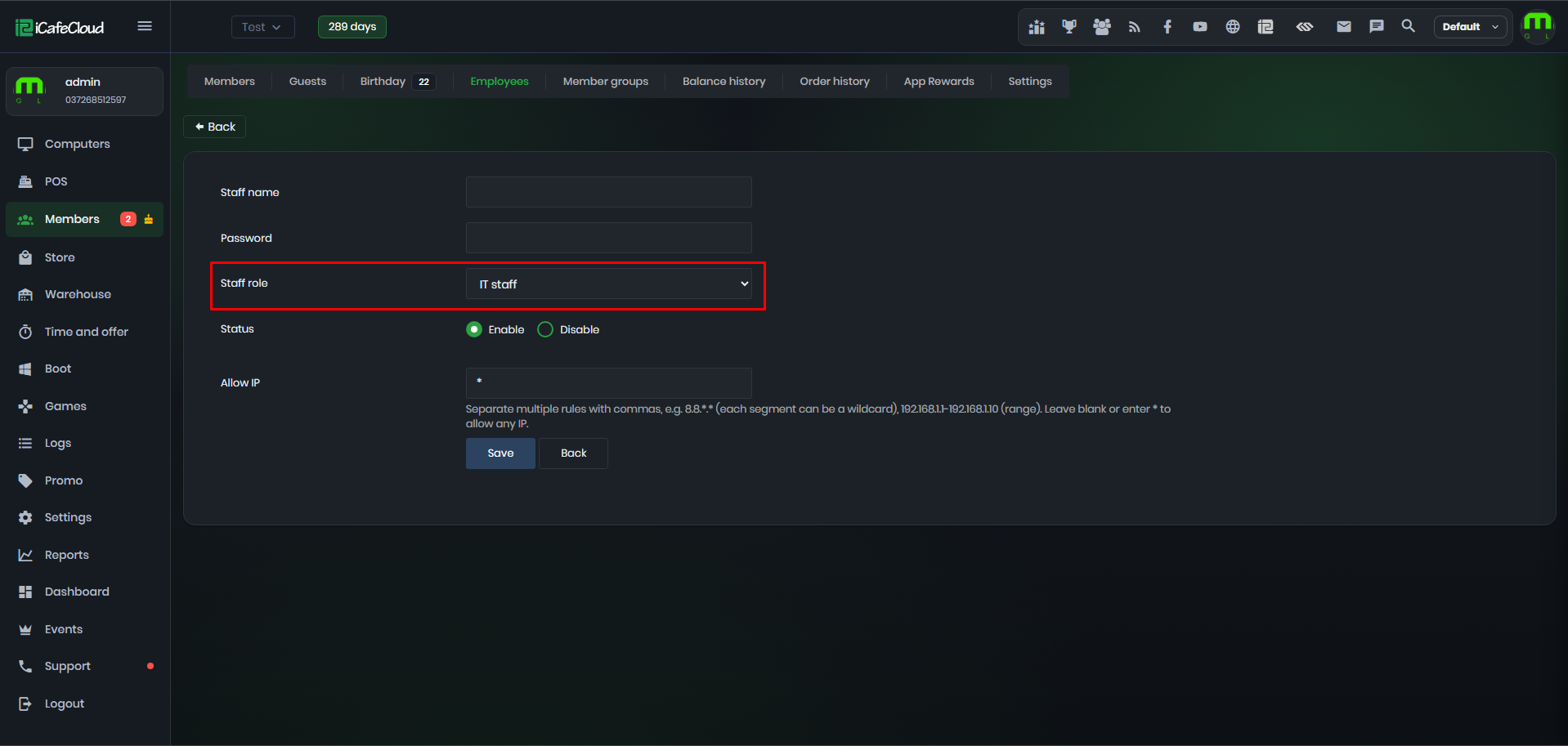
Figure 2
- IT Staff accounts have access only to the Boot page. (Figure 3)
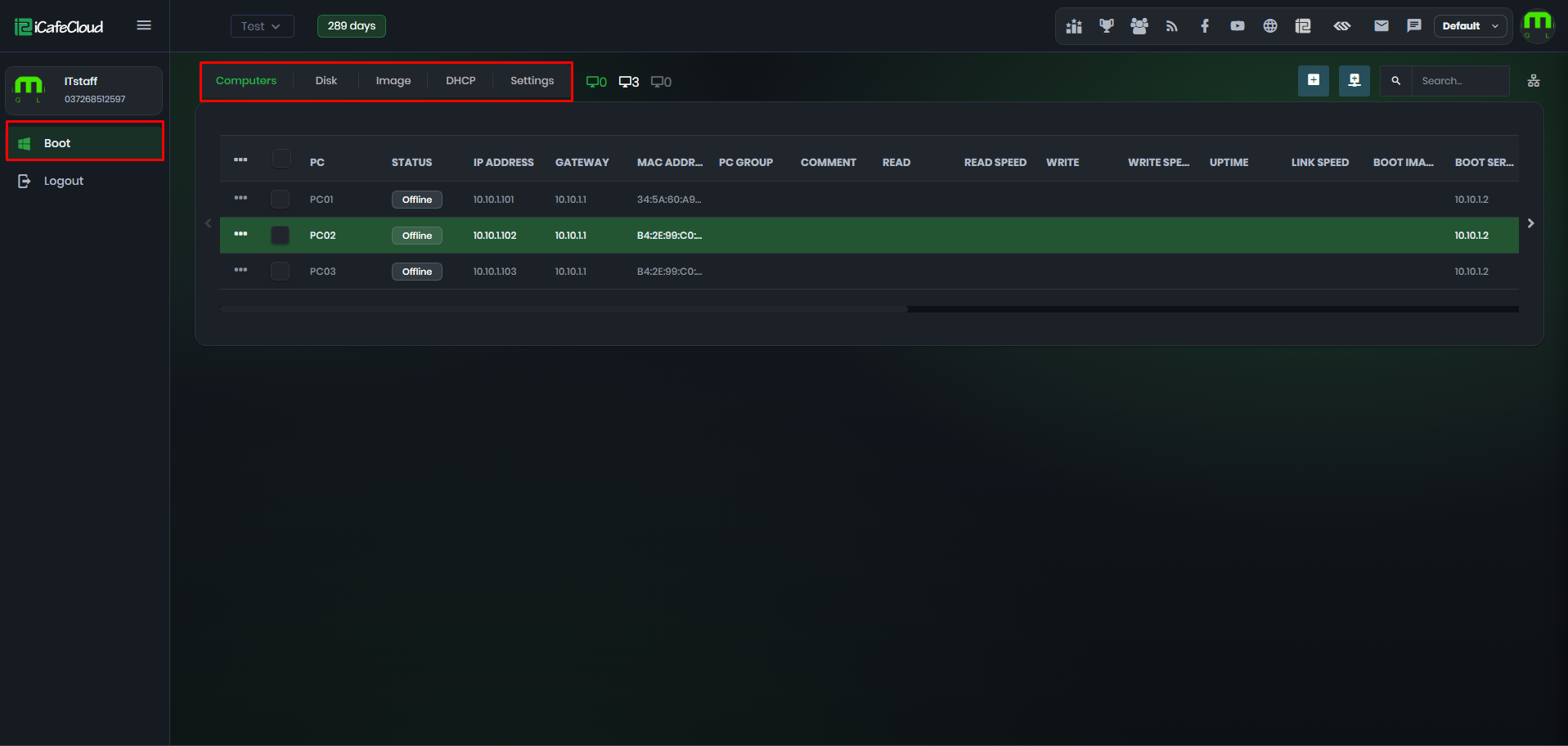
Figure 3
- Under the Boot page, IT Staff have full access to the following tabs:
- Computers – Manage client PCs and perform all available PC management actions, including super client and keep writeback function.
- Disk – Manage disks and disk-related configurations.
- Image – Manage boot images.
- DHCP – Manage DHCP settings and configurations.
- Settings – Access and manage all Boot-related settings.
- IT Staff cannot access other pages or sections of the Control Panel.
- IT Staff cannot edit the CCboot license email address or modify any other information related to the CCboot license.