

The following explains how to customize the background displayed in the Layout view by selecting one of the predefined images or using a customized background image..
- Navigate to Computers → Layout.
- Click the Edit layout (gear) button in the upper-right corner. (Figure 1)
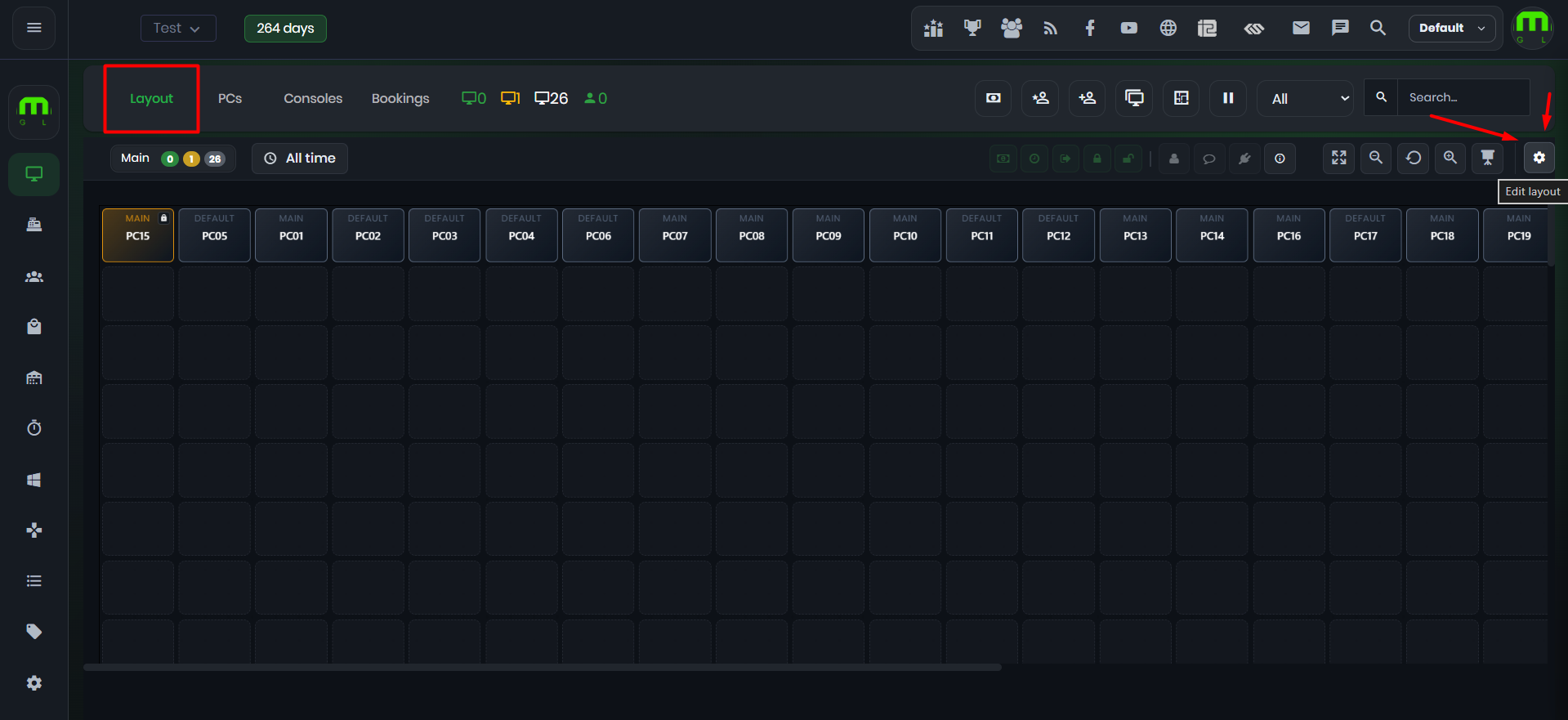
Figure 1
- Click the PC icon to open the dropdown menu and select the desired background image. You can choose from the available iCafe background images or select Customized. (Figure 2)
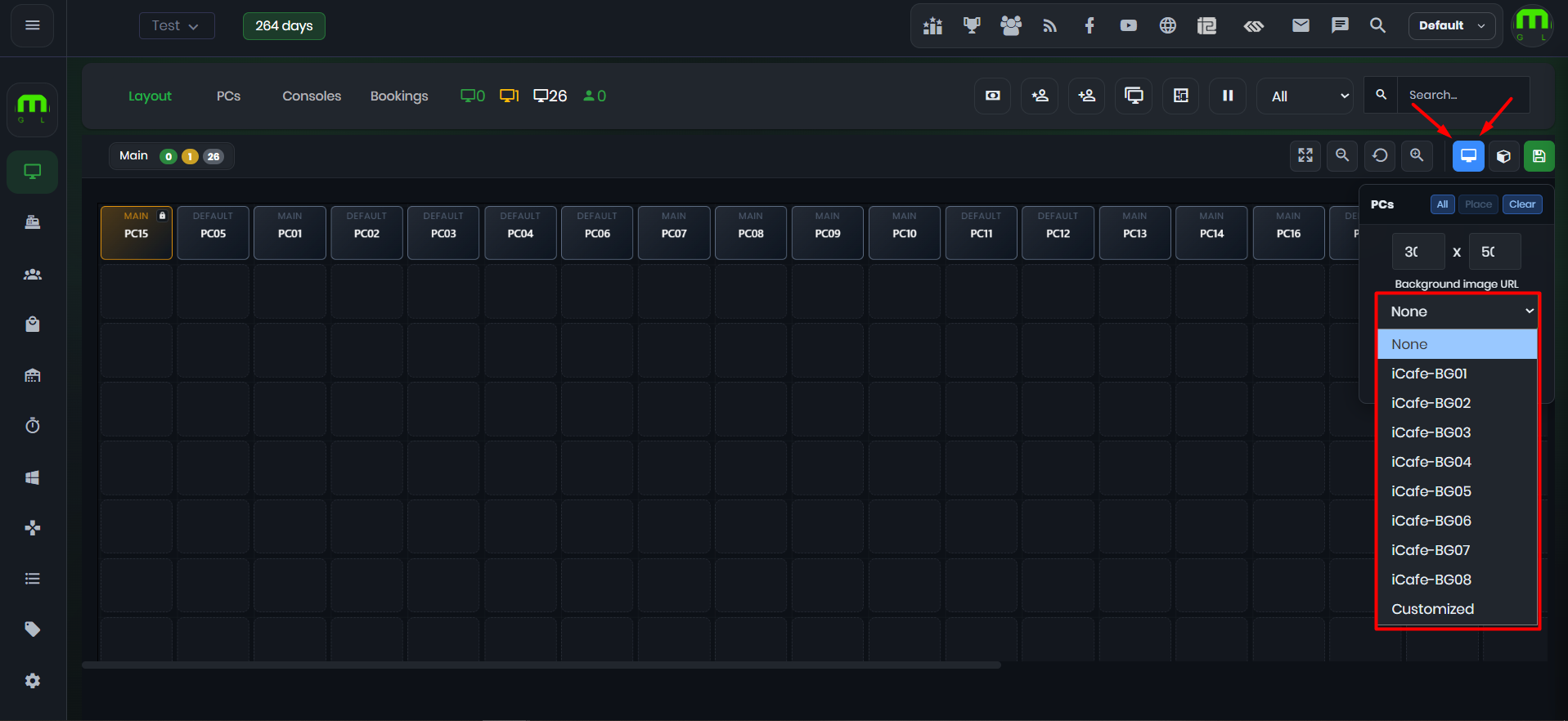
Figure 2
- After selecting an image, you can use Preview to view the selected background or Remove to remove it. Click the Save button (green floppy disk icon) in the upper-right corner to save the changes. (Figure 3)
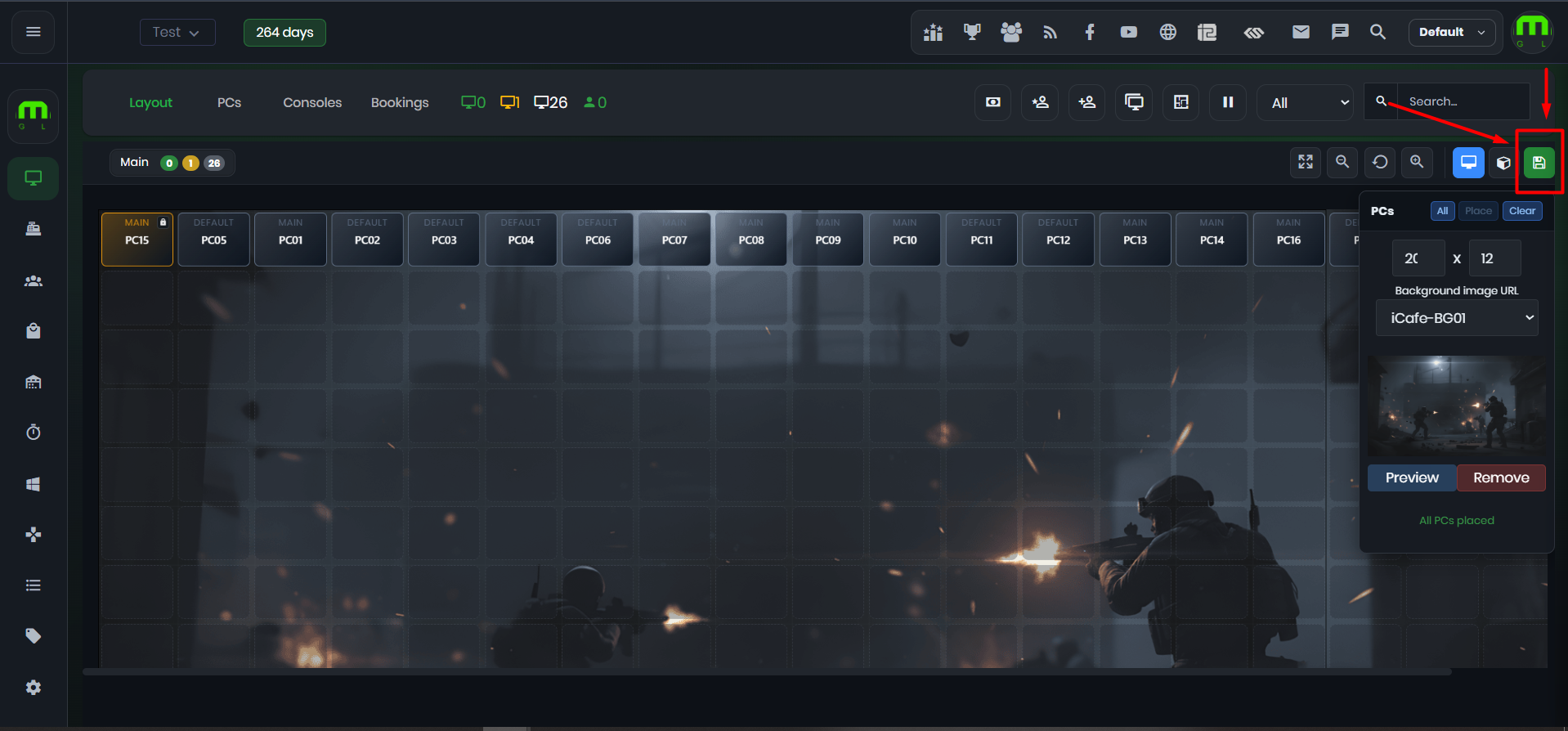
Figure 3
- After saving, the selected background will be displayed in the Layout screen. (Figure 4)
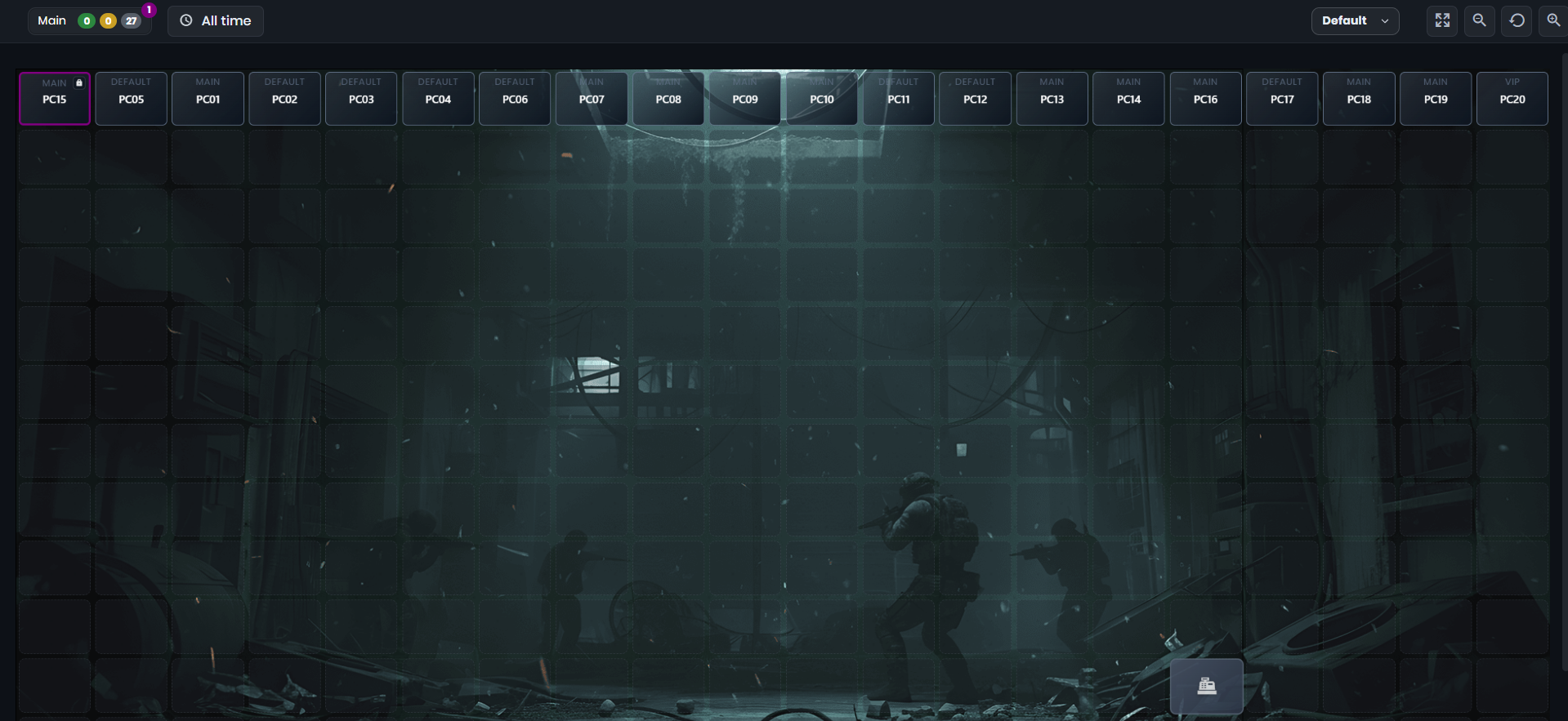
Figure 4