

The following guide explains how to enable or disable the Cash Panel for employees. The Cash Panel displays cash-related information during an employee’s shift.
- At the top of the iCafeClouds Control Panel, when you start a shift you can view the cash information for the current shift. (Figure 1)
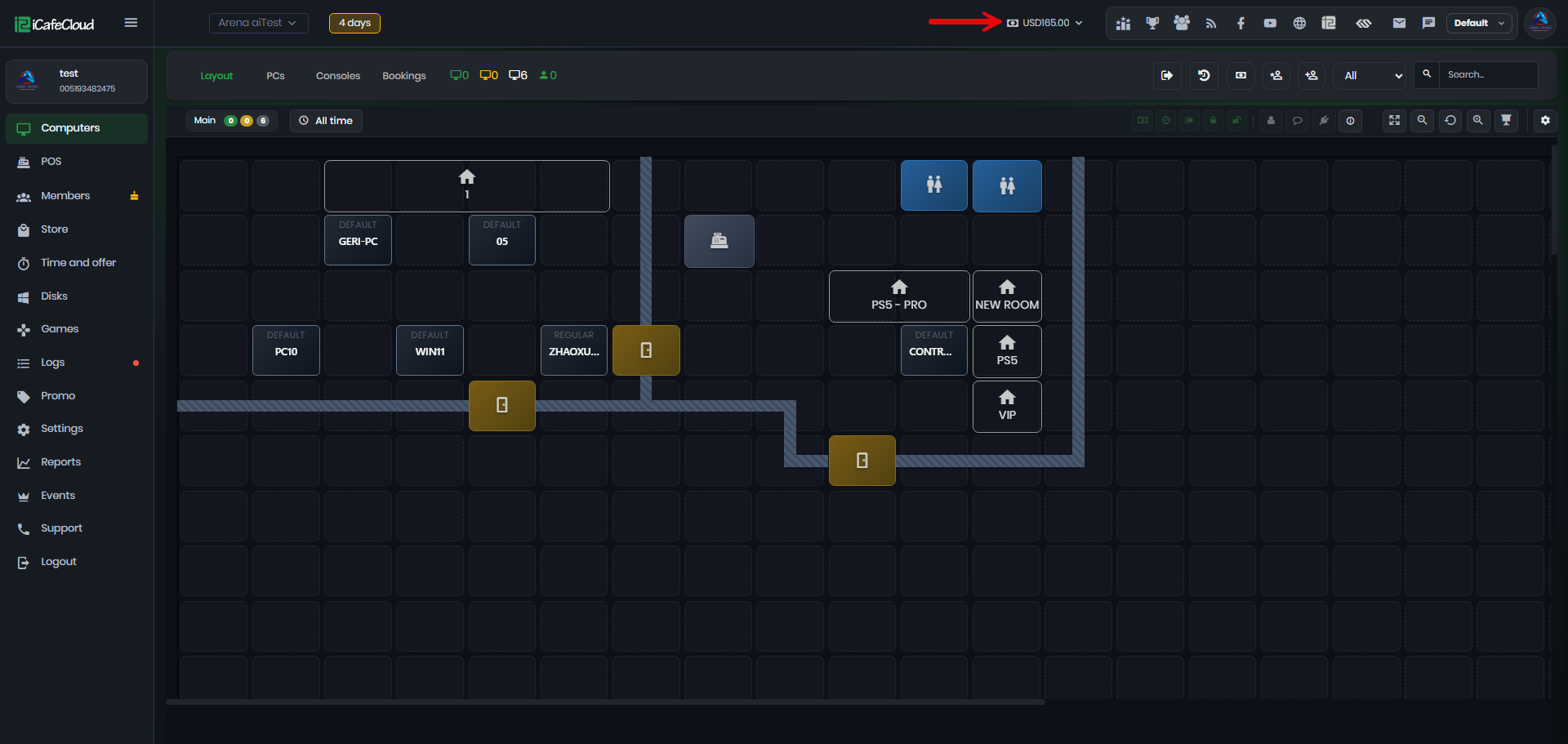
Figure 1
- You can choose to Show or Hide the Cash navigation from POS → Settings → Show Cash in Nav. .(Figure 2)
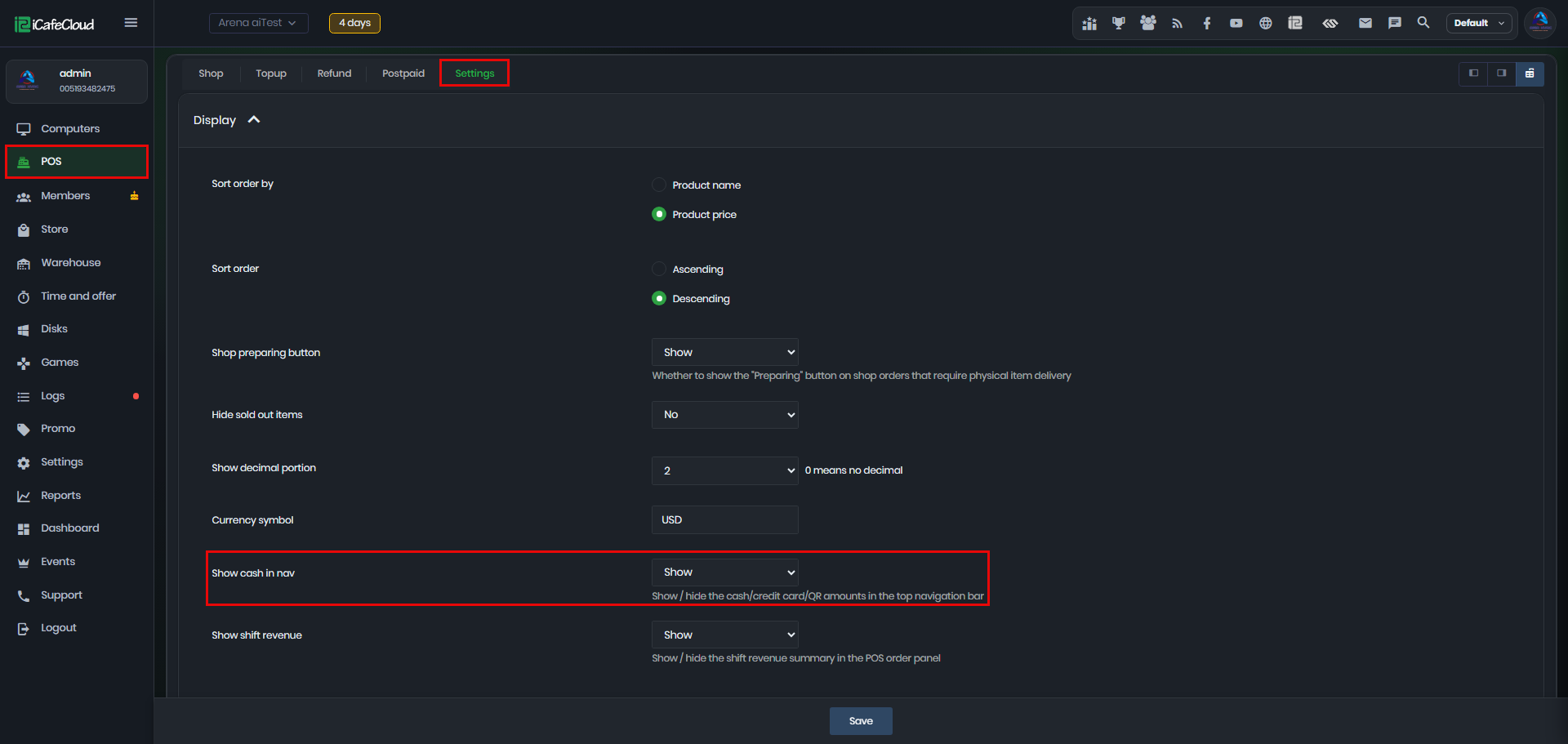
Figure 2
- When you click Cash Navigation, it will display a summary of the cash and payment information for the current shift, including:
Example:
Cash Drawer (Start): USD 1,000.00
Cash Sales (Gross): USD 165.00
Net Cash Collected: USD 165.00
Cash Drawer (End): USD 1,165.00
The summary also includes payment information for cash, credit card, and QR payments, giving employees a clear overview of the payments collected during the shift. (Figure 3)
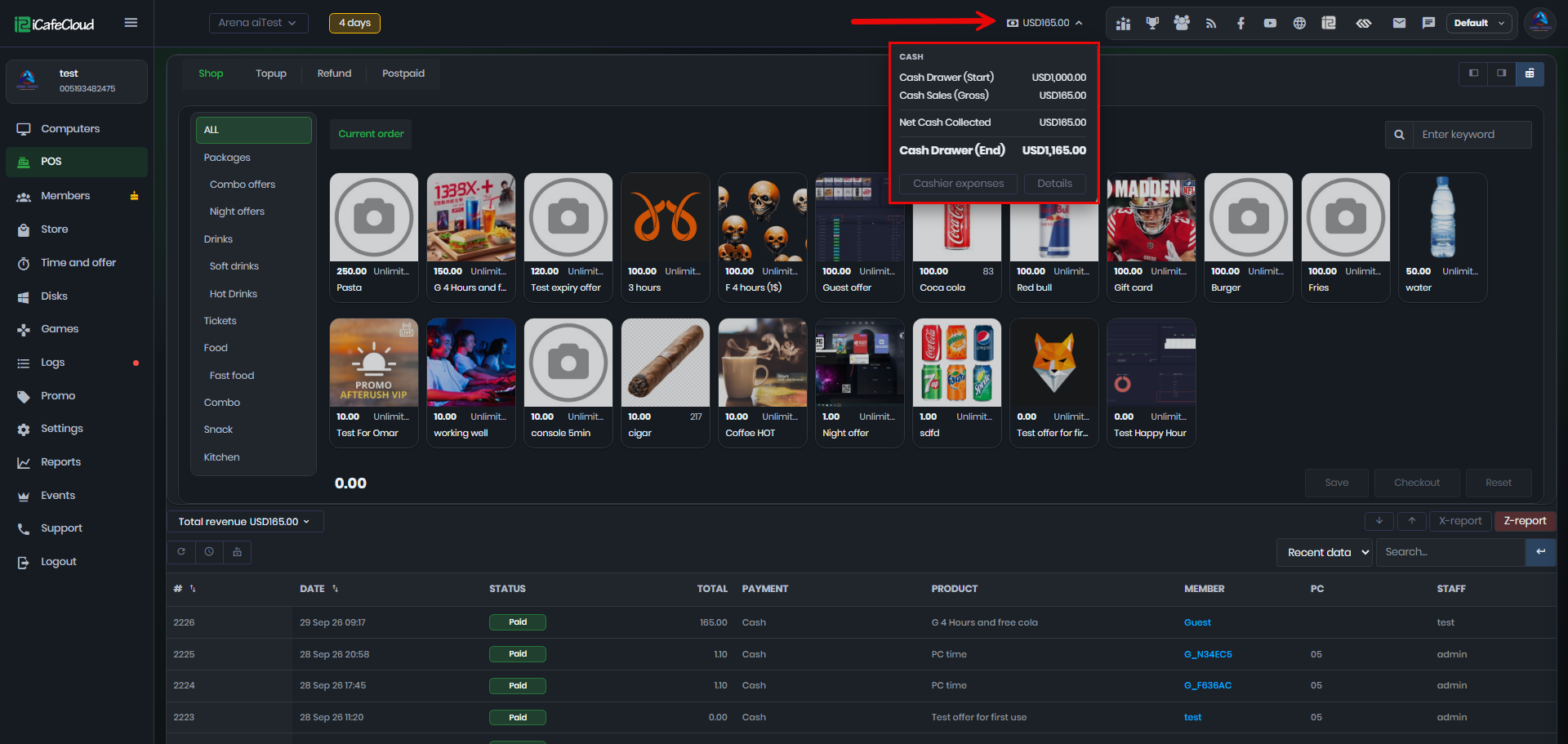
Figure 3
- You can also record Cashier Expenses to keep track of expenses made during the shift. (Figure 4)
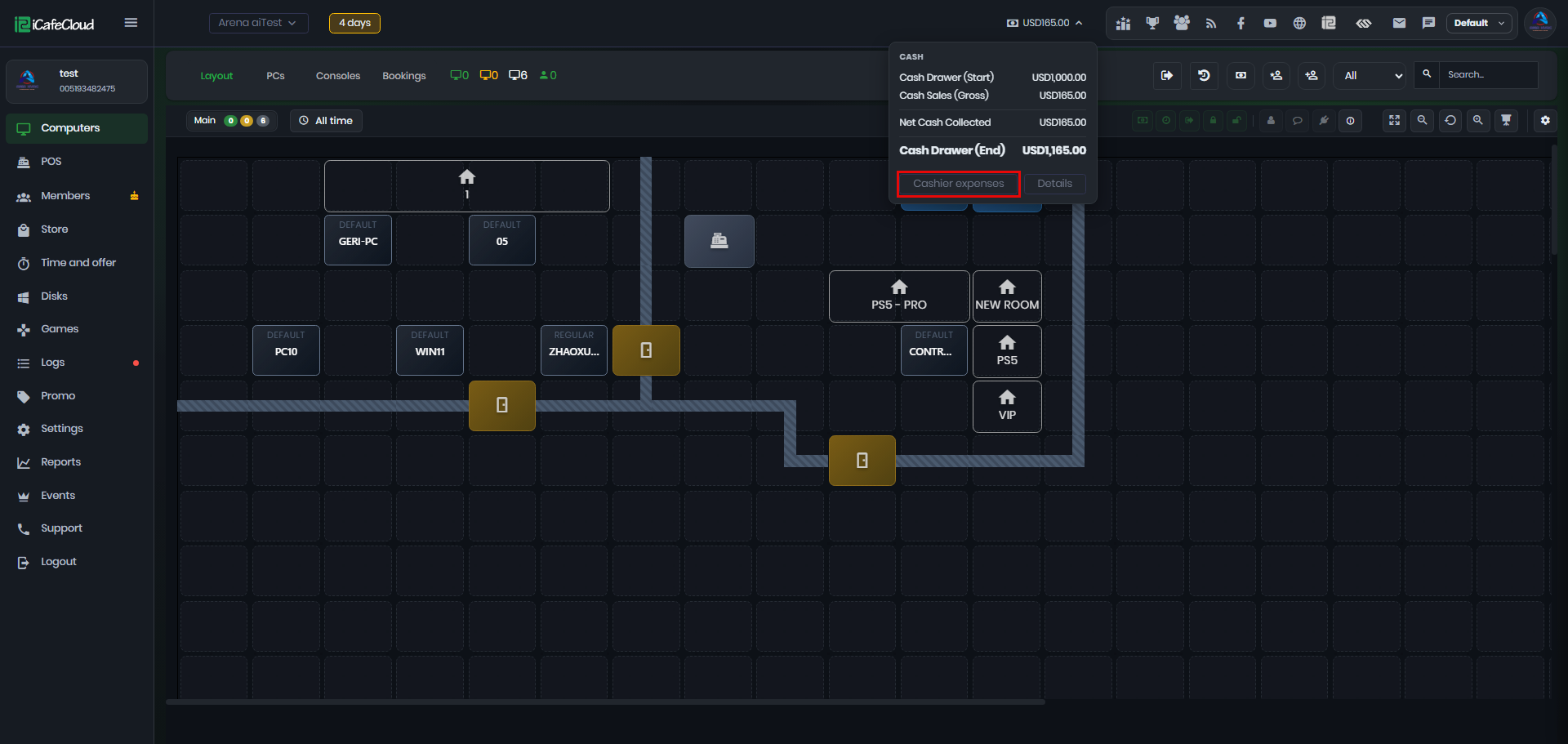
Figure 4
- You can also view the Shift Details, which provides a detailed summary of the current shift, similar to an X-Report. It gives you an overview of the sales, payments, cash movements, and other relevant shift information.(Figure 5)
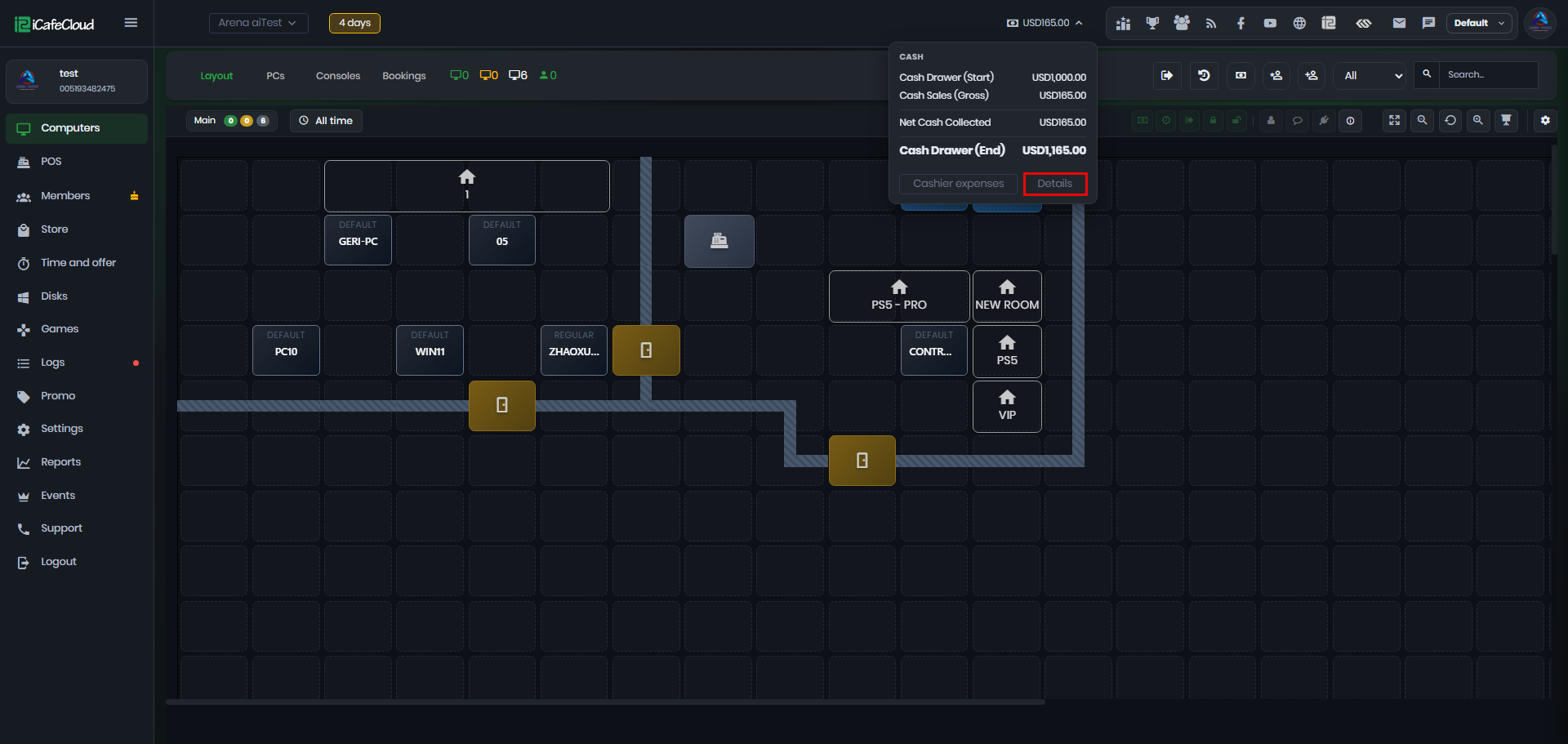
Figure 5