

The following guide explains how to pause a session timer when a player wants to take a break and resume it afterward without losing their remaining session time.
- Start a session any session will work. Then, right-click on the active session. A menu will appear with the Pause Session option. (Figure 1)
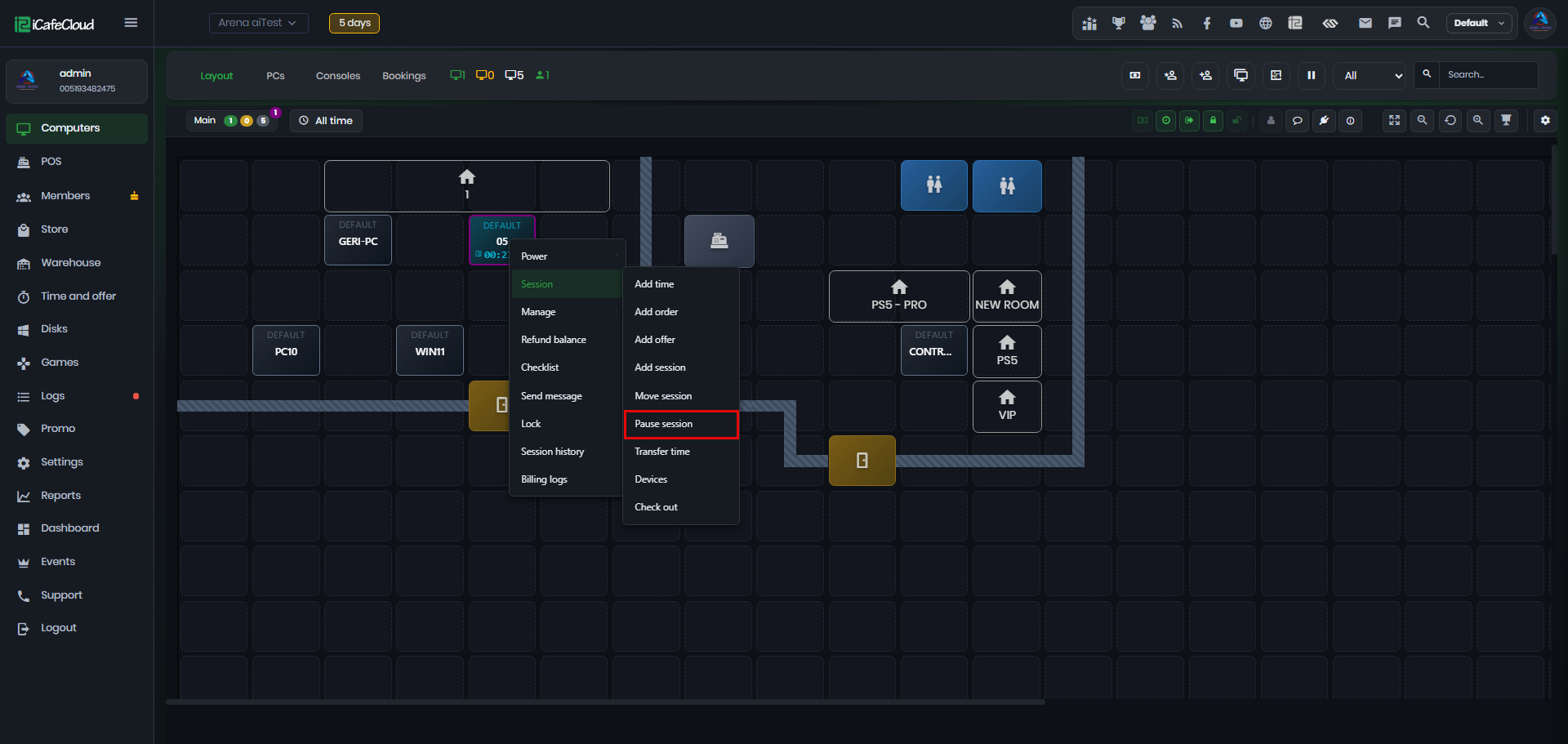
Figure 1
- Click Pause Session. A pop-up will appear asking you to provide a reason for pausing the session. Entering a reason is optional, so you can leave it blank if needed. (Figure 2)
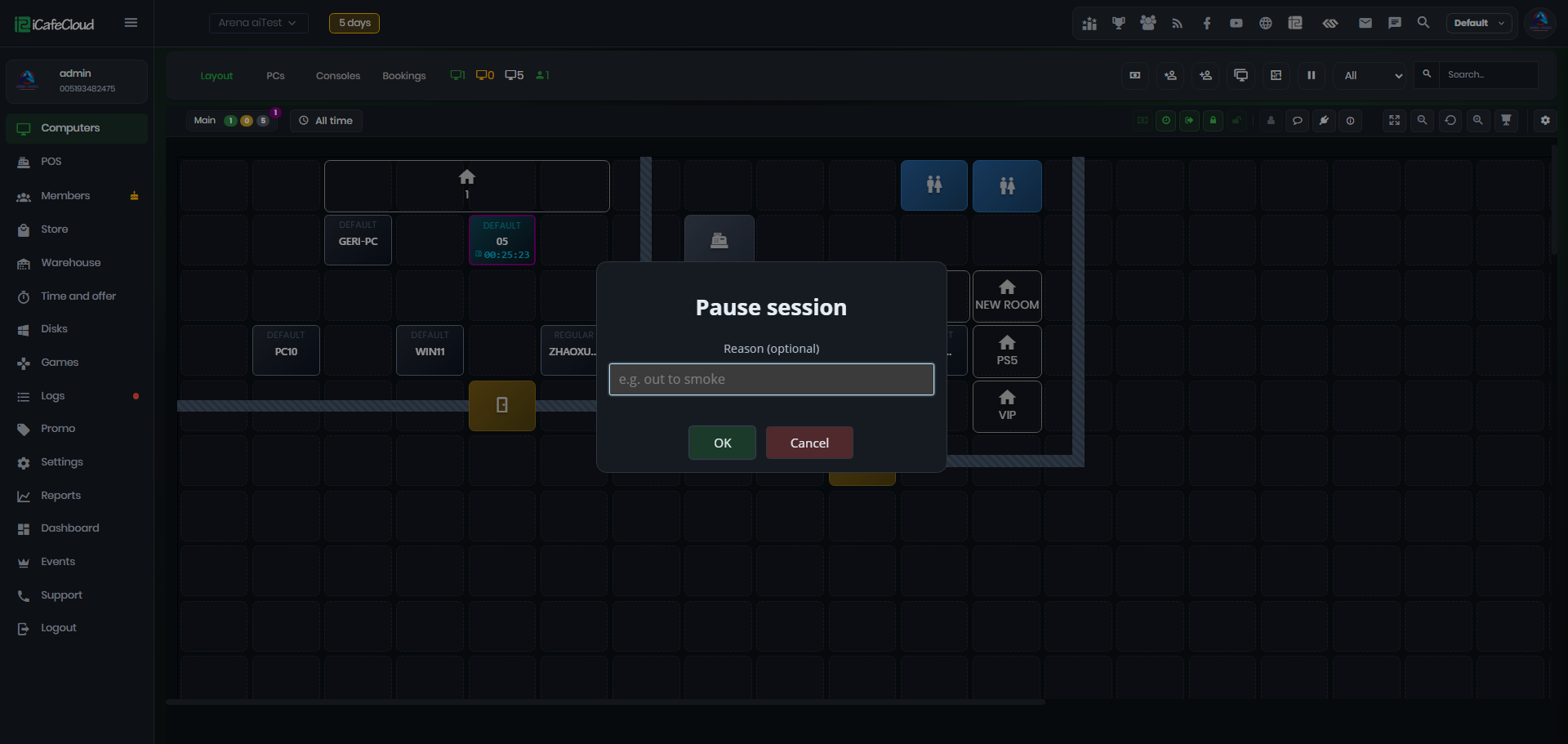
Figure 2
- Once confirmed, the session will display a small Pause icon, and the session timer will stop counting until the session is resumed. (Figure 3)
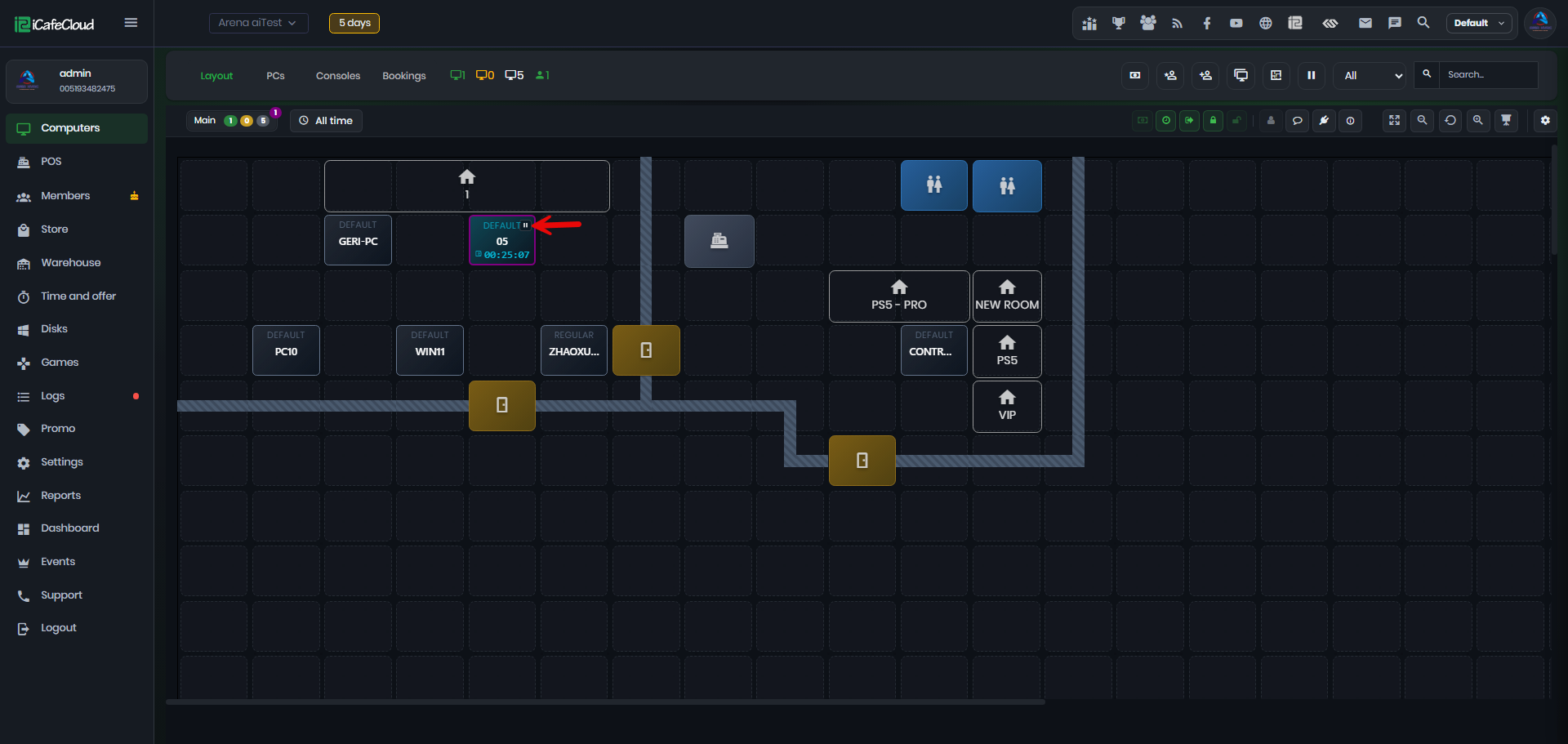
Figure 3
- On the client side, the iCafeMenu screen will be locked and display a Paused Session message while the session is paused. (Figure 4)

Figure 4
- Once the session is resumed, the timer will continue from where it was paused. This ensures the user does not lose any session time, and the client will be unlocked automatically.
- You can also check the Logs to see how many seconds the session was paused. (Figure 5)
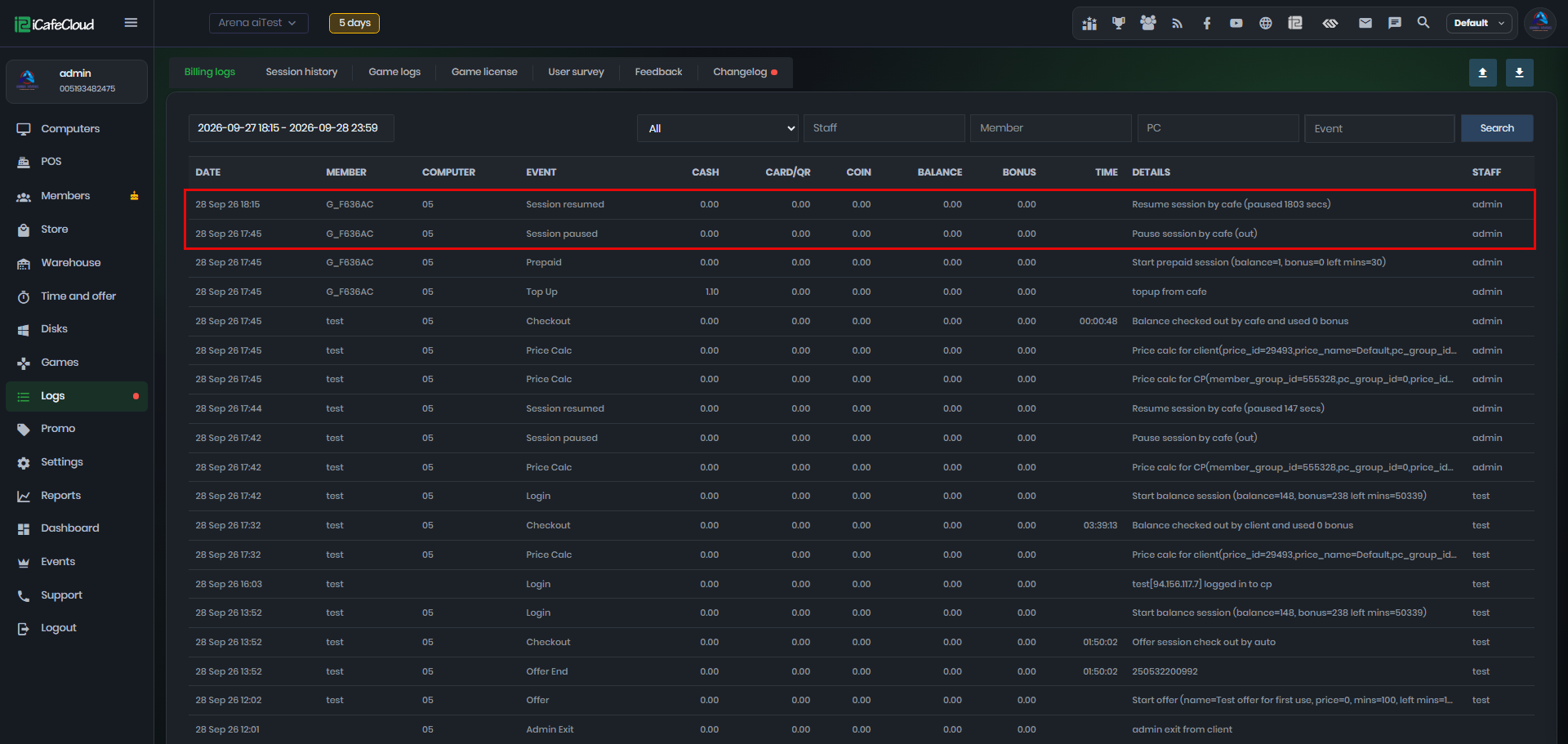
Figure 5
- This feature can be used by both Admins and Employees.