

The following explains how to set a minimum booking duration, ensuring that customers cannot book for less time than the duration specified in the settings.
- Navigate to Members → Settings, and enter the desired time in minutes for Min Booking Duration (Figure 1).
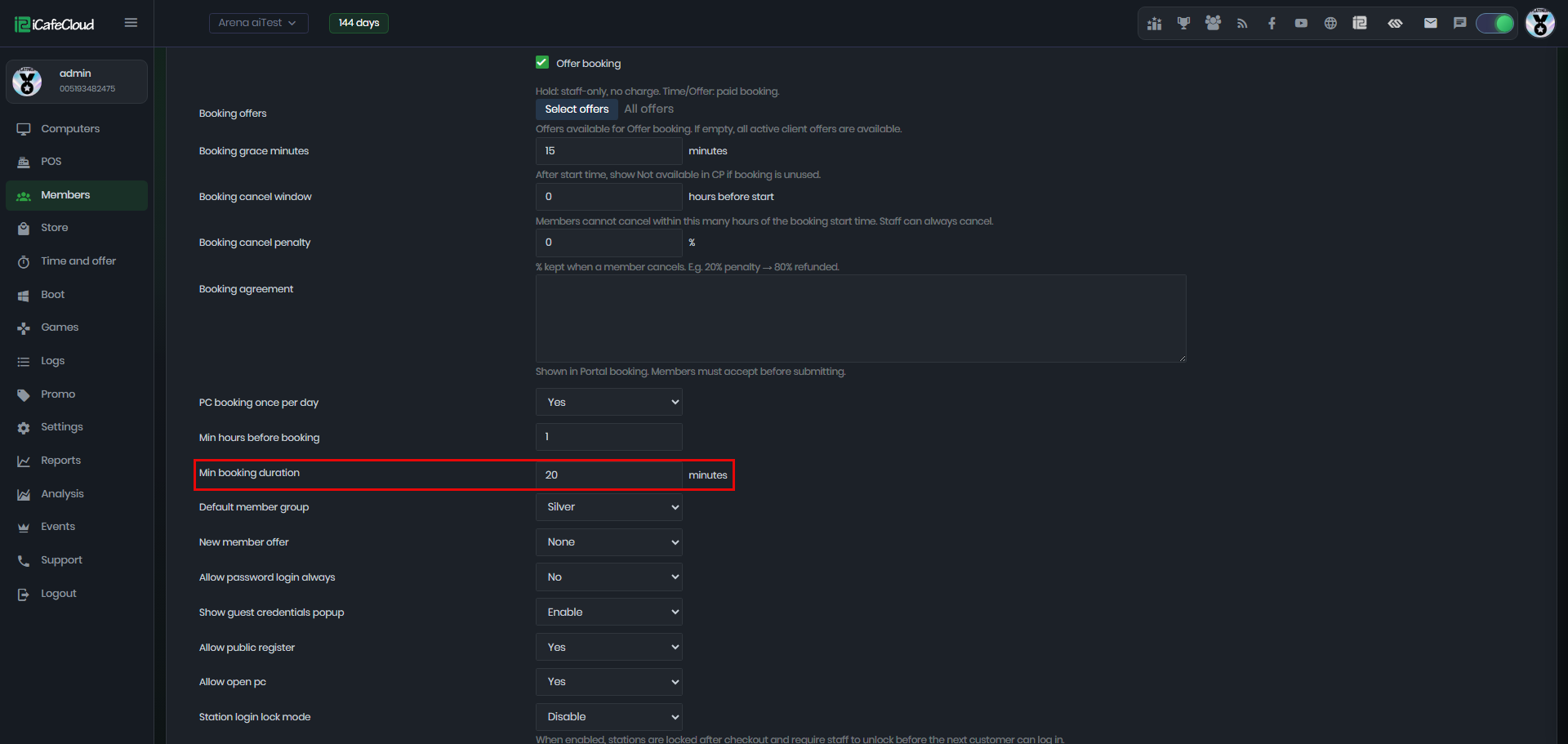
Figure 1
- If you attempt to book for less time than the minimum set in the settings, an error message will appear:
"Booking duration must be at least 20 minutes", where 20 minutes is the minimum duration configured. (Figure 2)
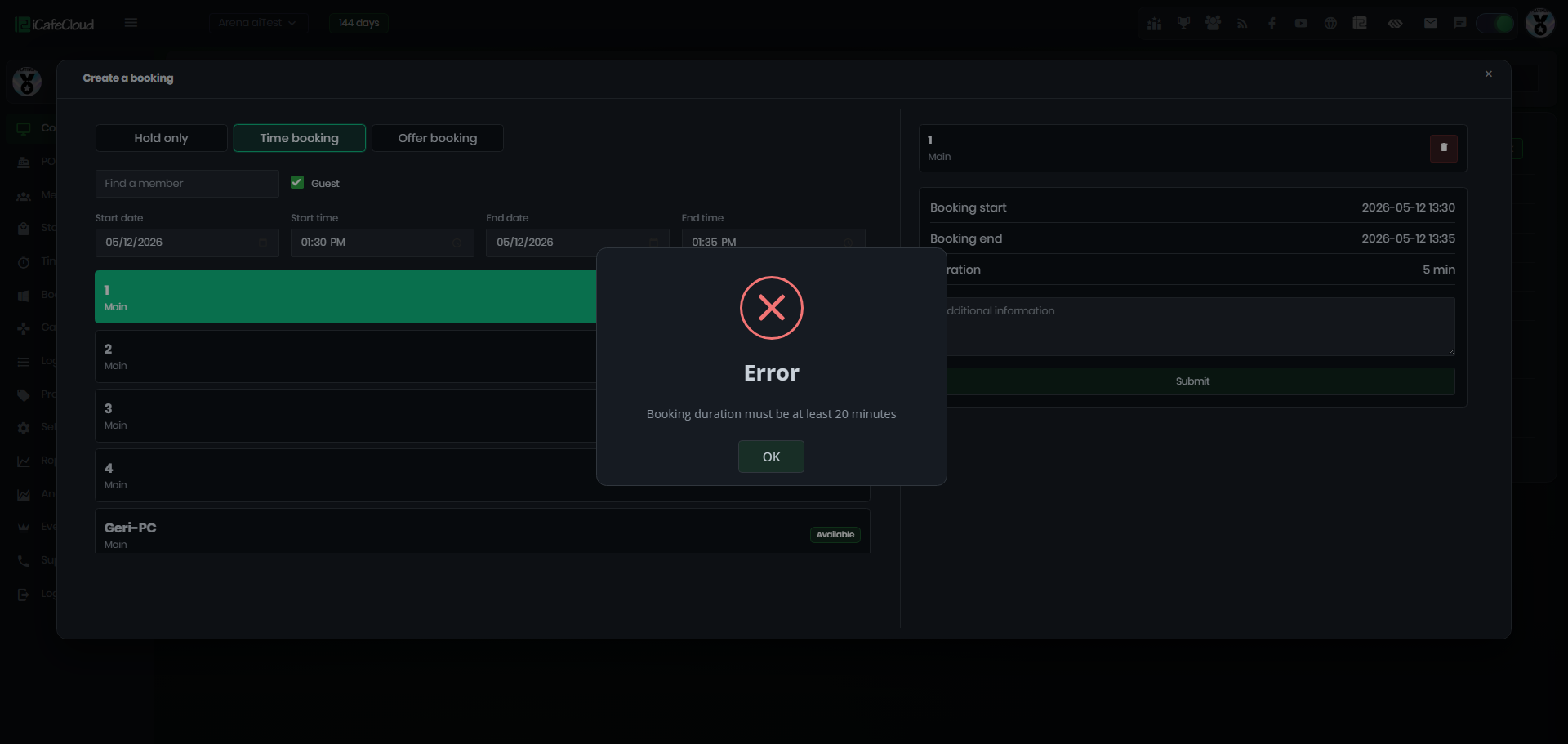
Figure 2