

The following explains how to use the Settings Search feature to quickly find and access any setting, eliminating the need to manually browse through multiple settings pages.
- At the top navigation bar of iCafeCloud, you will find the Search icon. (Figure 1)
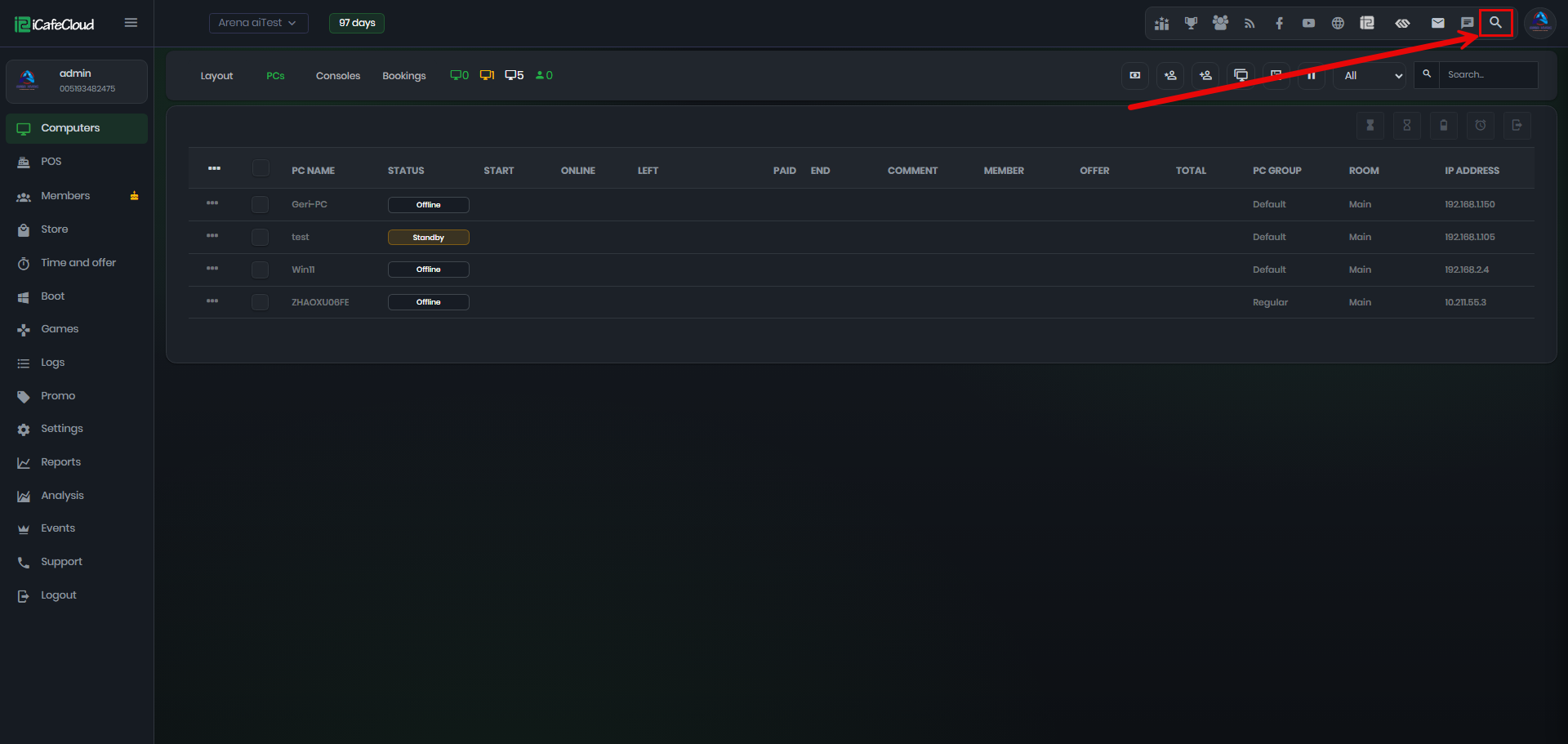
Figure 1
- Start typing a keyword, and the search will instantly display all settings that match the text entered so far, making it easy to find the option you need. (Figure 2)
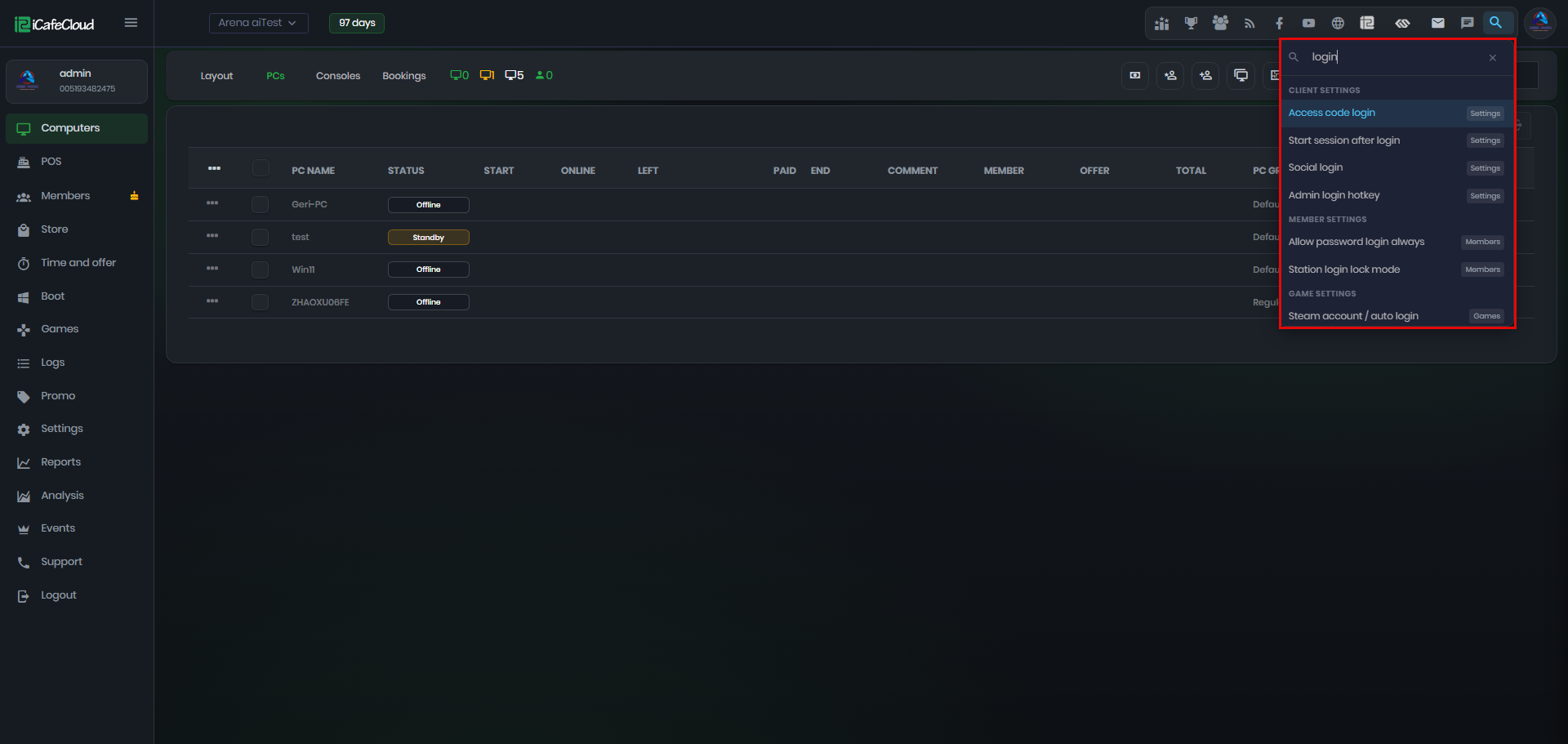
Figure 2
- Click any setting from the search results to be taken directly to its configuration page, making it quick and easy to locate the option you need. (Figure 3)
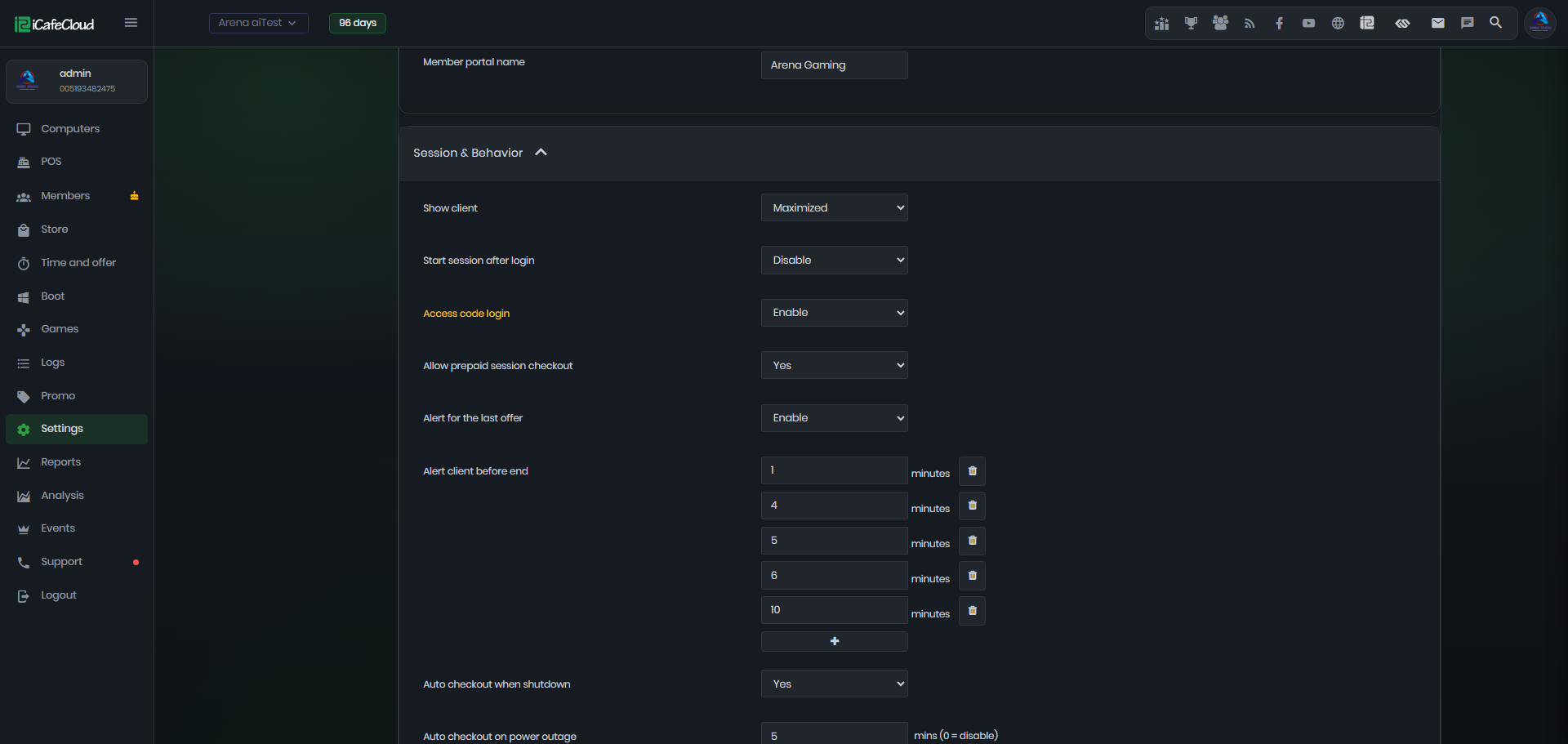
Figure 3