

The following explains how to switch between different time display options in the layout by choosing All Time, Offer Time, or Session Time, depending on the information you want to view.
- Navigate to Layout - at the top of the menu, you will find the All Time option, which displays the total available time from all sources. (Figure 1)
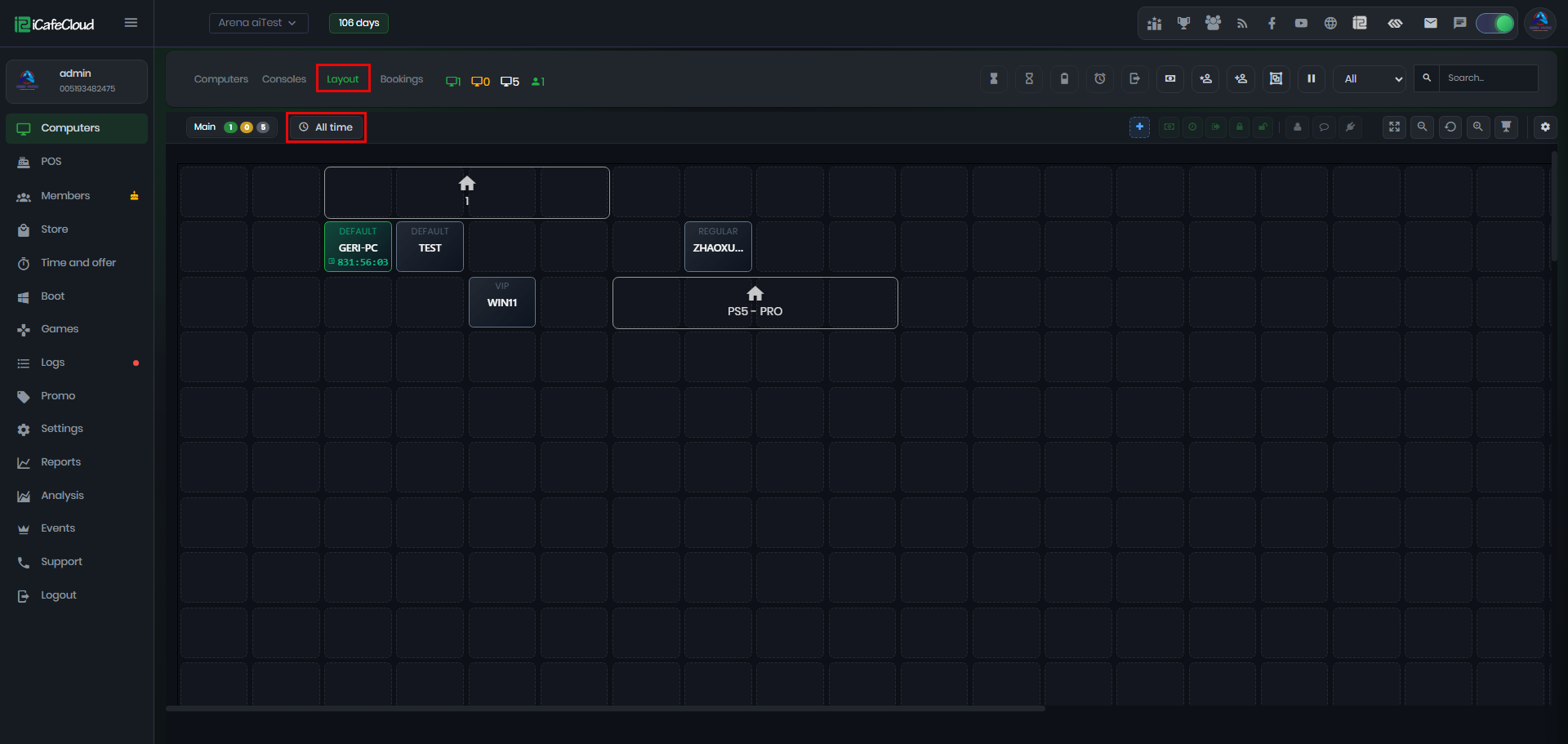
Figure 1
- Clicking on it will display all three available options: All Time, Offer Time, and Session Time (Figure 2).
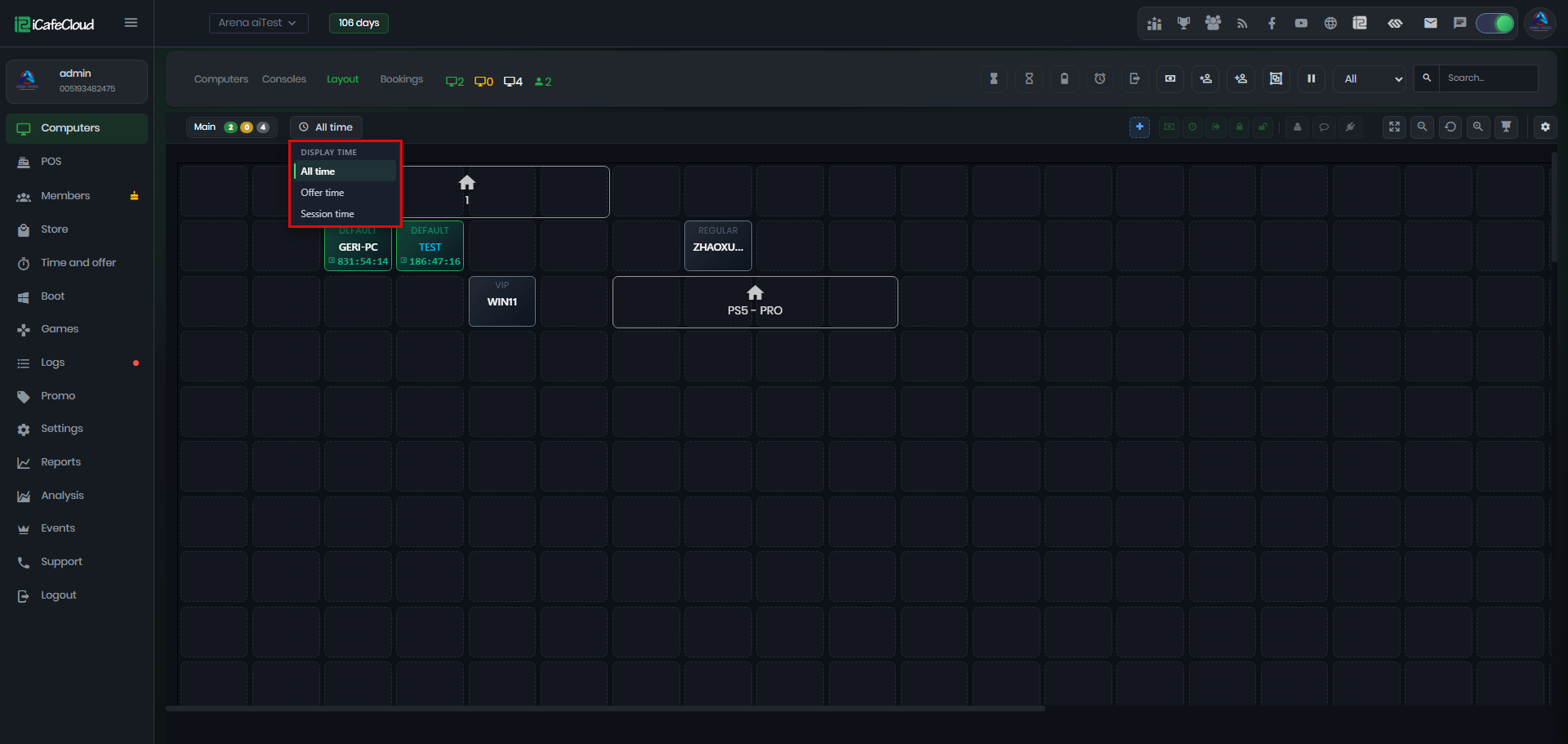
Figure 2
- If you change the display mode from All Time to Offer Time, all computers in the layout will show only the remaining offer time for each active session. (Figure 3)
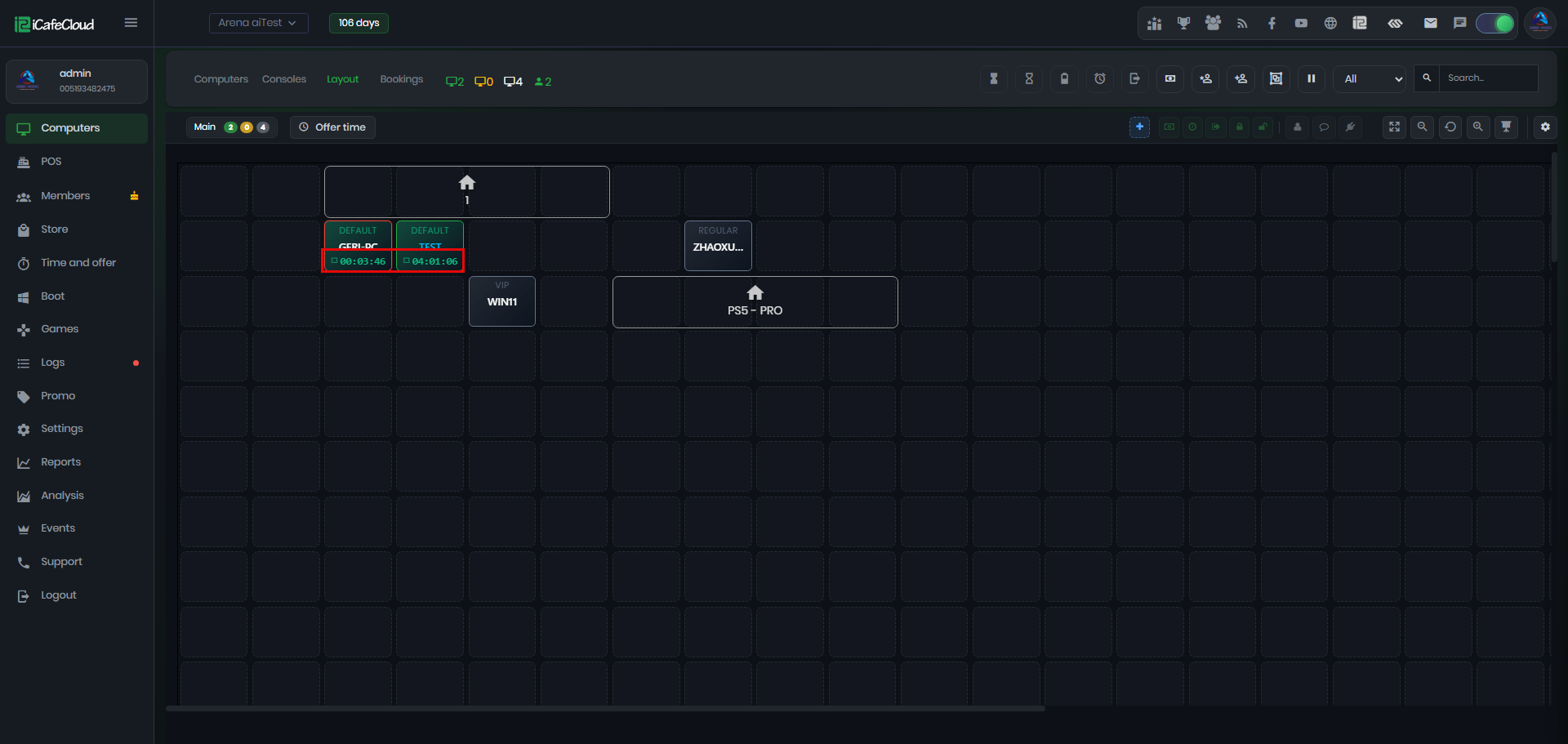
Figure 3
- Offer Time displays the remaining time of offers that are valid for the current PC group only. If a member has multiple offers assigned to different PC groups, only the remaining time of the offer(s) that match the current PC group will be displayed. (Figure 4)
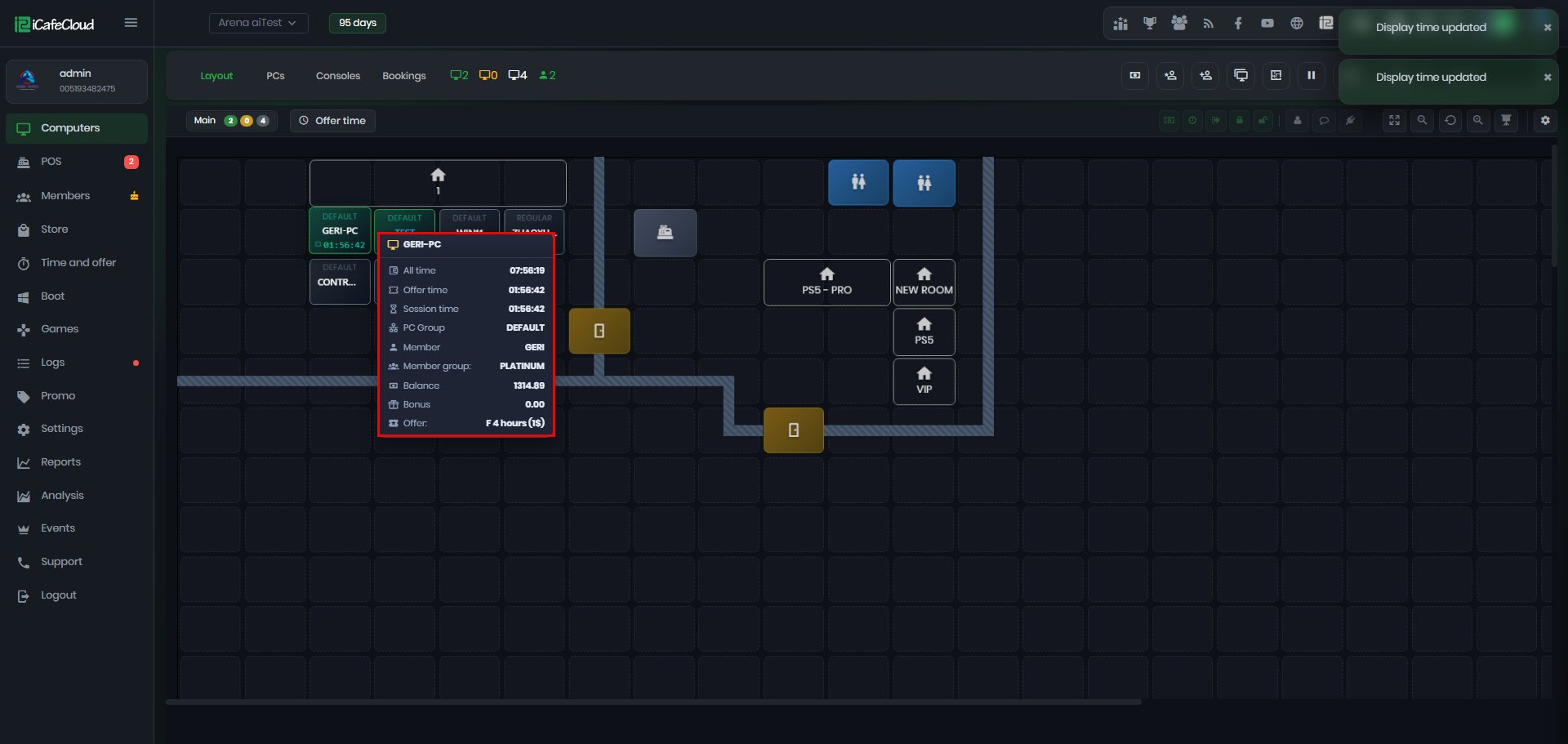
Figure 4
- Similarly, if you select Session Time, all computers in the layout will display only the remaining session time for each active session.