

The following section explains how to transfer the remaining time from one user to another. For example, if User 1 has unused time remaining and would like to transfer it to a friend, the steps below will guide you through the process.
- Navigate to POS → Settings, then scroll down to “Allow Transfer Time” and change the setting to “Yes.”(Figure 1)
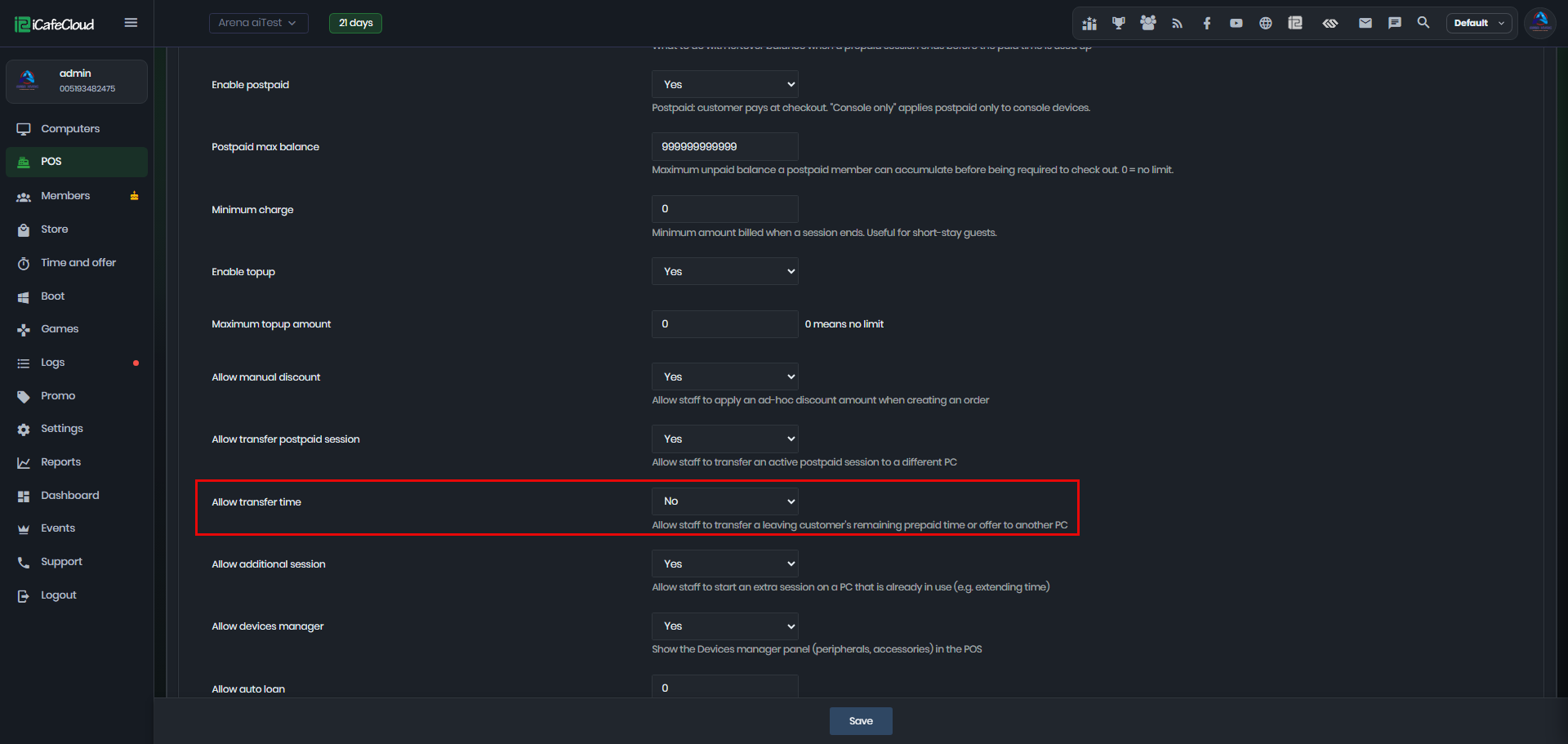
Figure 1
- On the Computers page, select the desired PC and right-click on it. You will see the “Transfer Time” option in the context menu. (Figure 2)
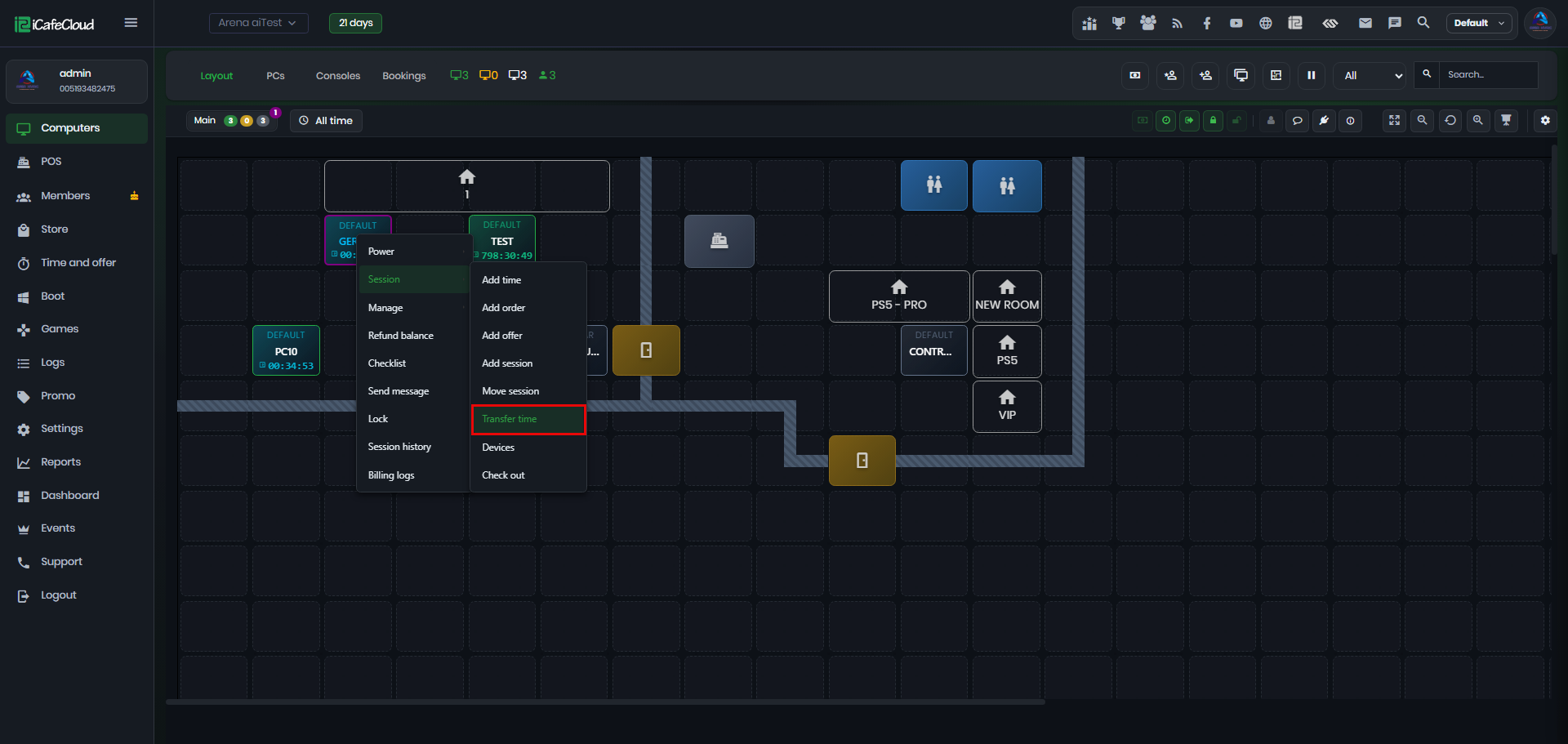
Figure 2
- Transfers are only possible between two active (online) PCs. (Figure 3)
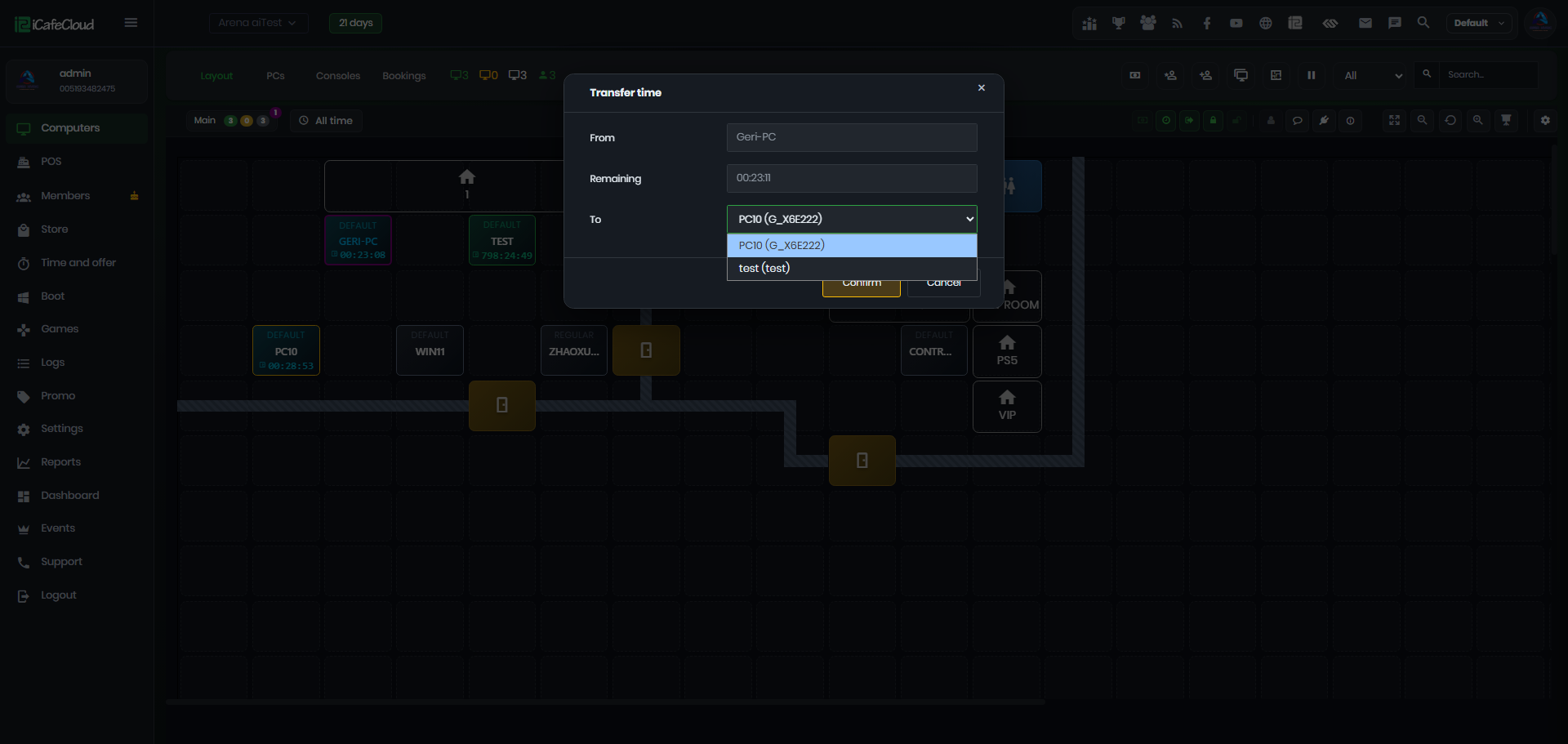
Figure 3
- A Guest can transfer their entire remaining balance or offer it to another user.
- A Member’s offer cannot be transferred.
- After the transfer is completed, the user is automatically checked out.(Figure 4)
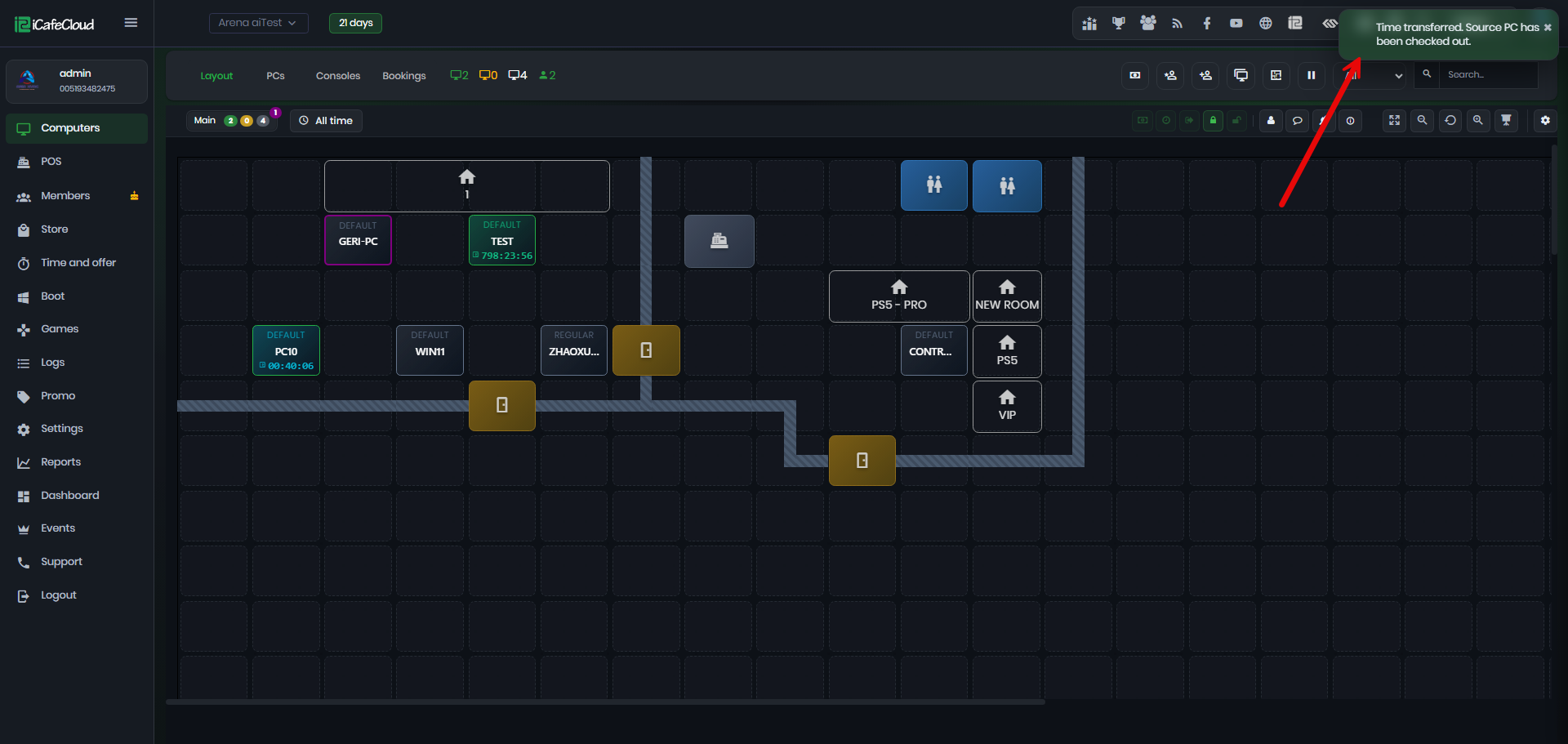
Figure 4