

The following section explains how to enable or disable decimal numbers, and how to configure between 1 to 3 decimal places on both the admin panel and the client side.
- Go to POS → Settings, then locate the Show Decimal Portion. Set the value from 0 to 3.
After selecting the desired value, click Save.(Figure 1)
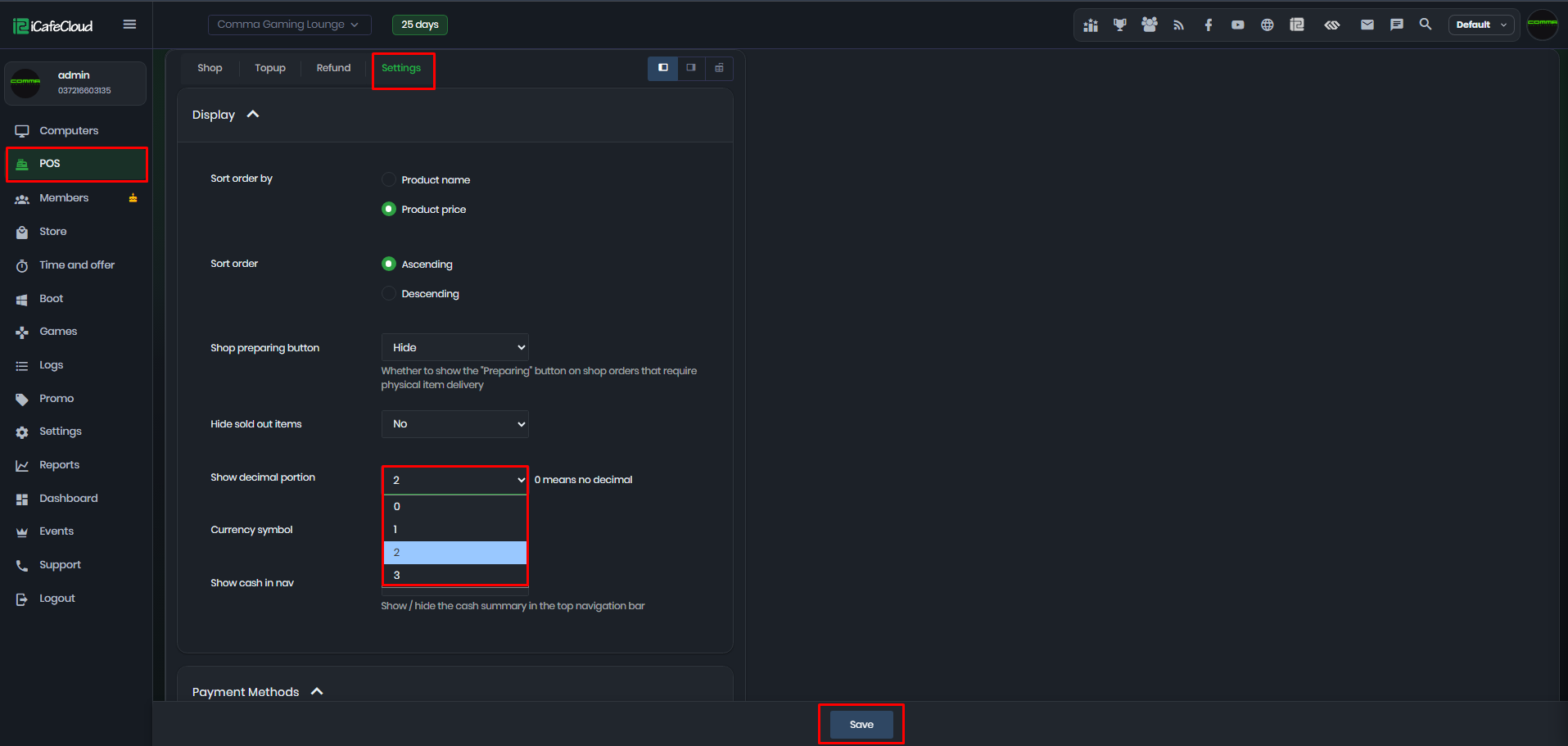
Figure 1
- Decimal values as below:
0 = no decimals (Example: 10)
1 = 1 decimal place (Example: 10.5)
2 = 2 decimal places (Example: 10.50)
3 = 3 decimal places (Example: 10.500) - Report page data with decimal enabled (Figure 2)
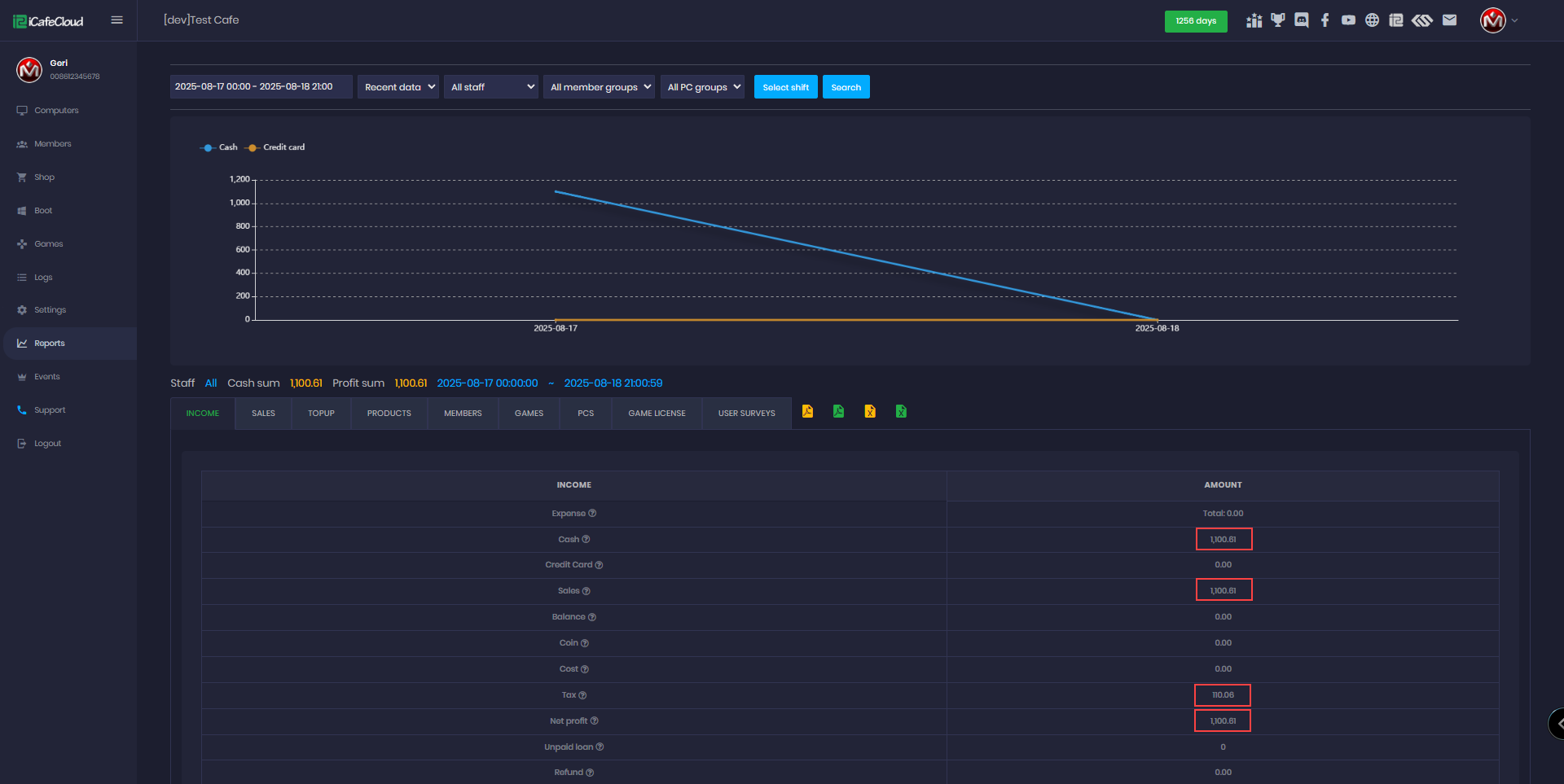
Figure 2
- Report page data with decimal disabled (Figure 3)
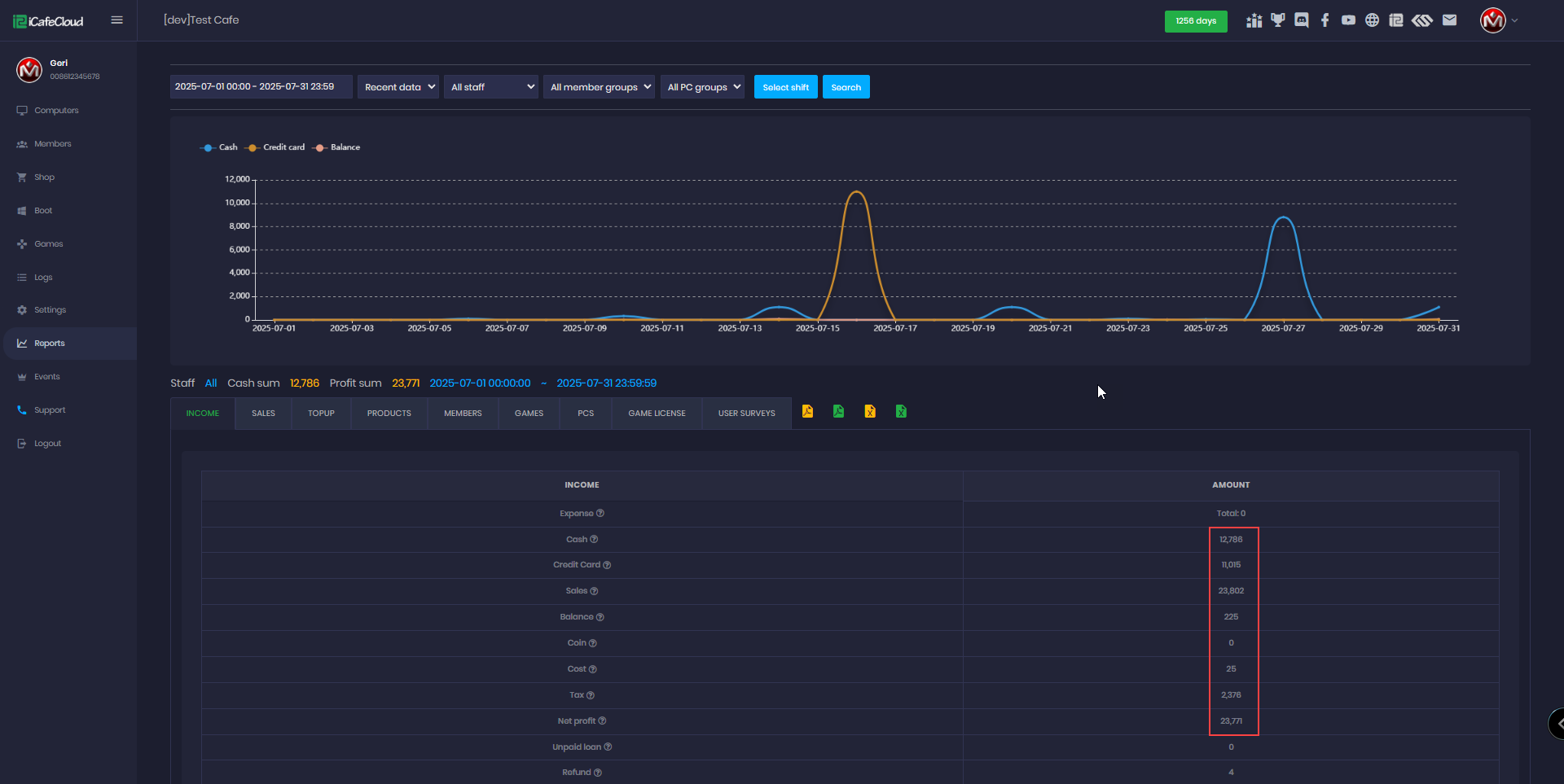
Figure 3