

The following explains the KKM payment integration architecture, where KKM acts as a middleware layer between the system and the card terminal. It enables credit card transactions by relaying payment requests and returning the final charged amount and status to the system.
- Open KKM admin and locate to equipment setup (Figure 1)
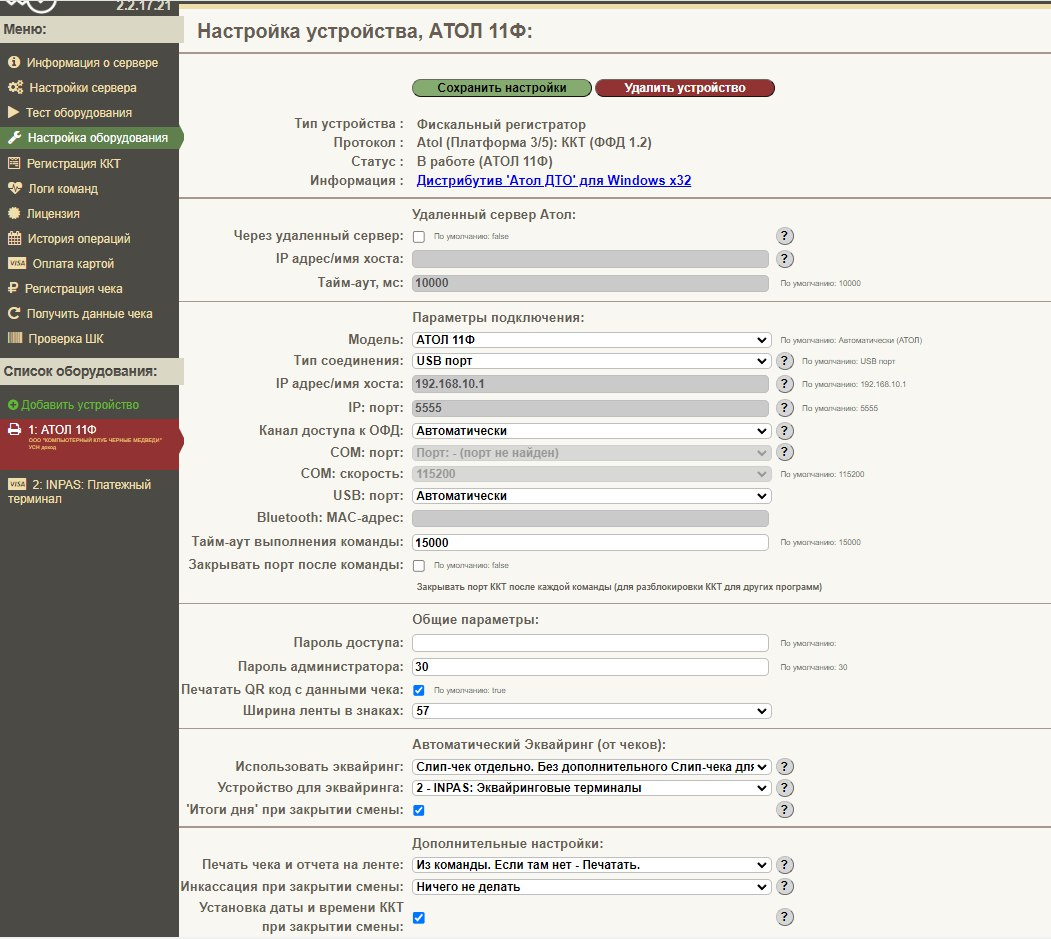
Figure 1
- Scroll down to “Automatic Acquiring (from checks)” Select the Acquiring option and payment withdrawal device (Figure 2)
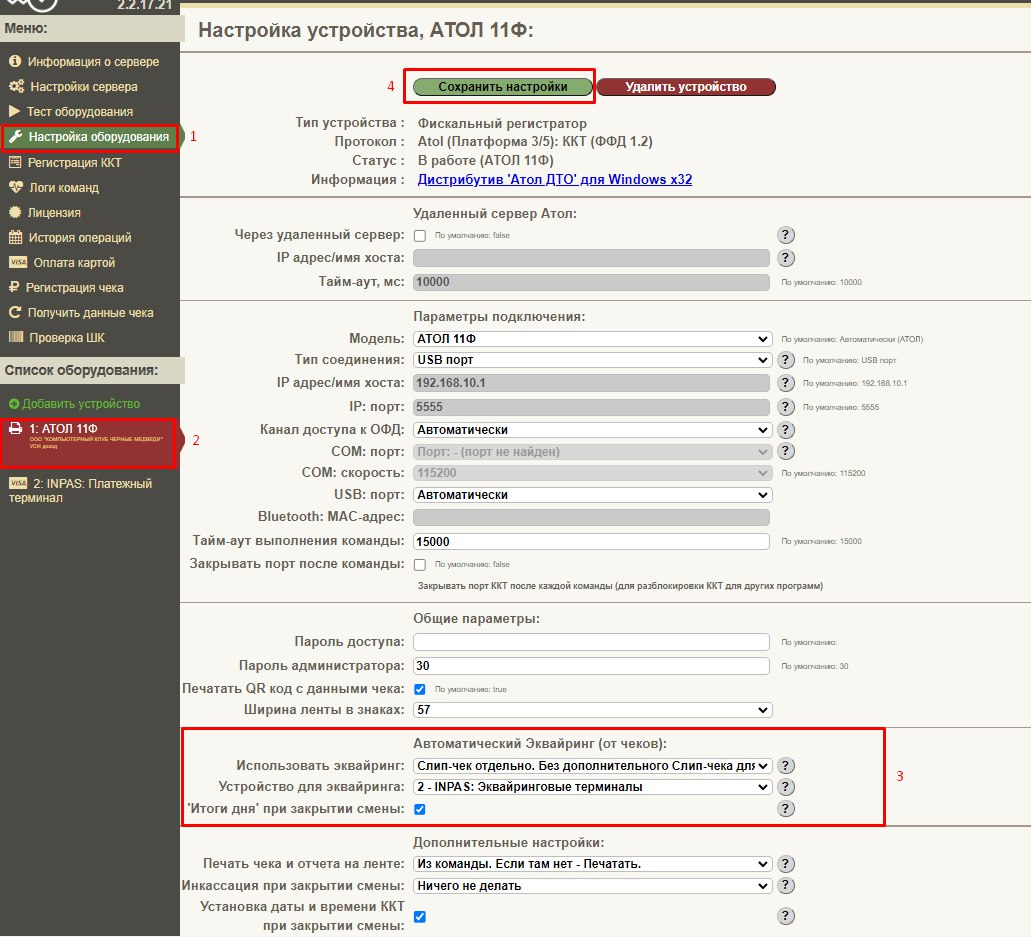
Figure 2
- Click save the settings and you are ready.
- In iCafeCloud, navigate to POS > Settings and set the Tax Printer option to KKM Web. (Figure 3)
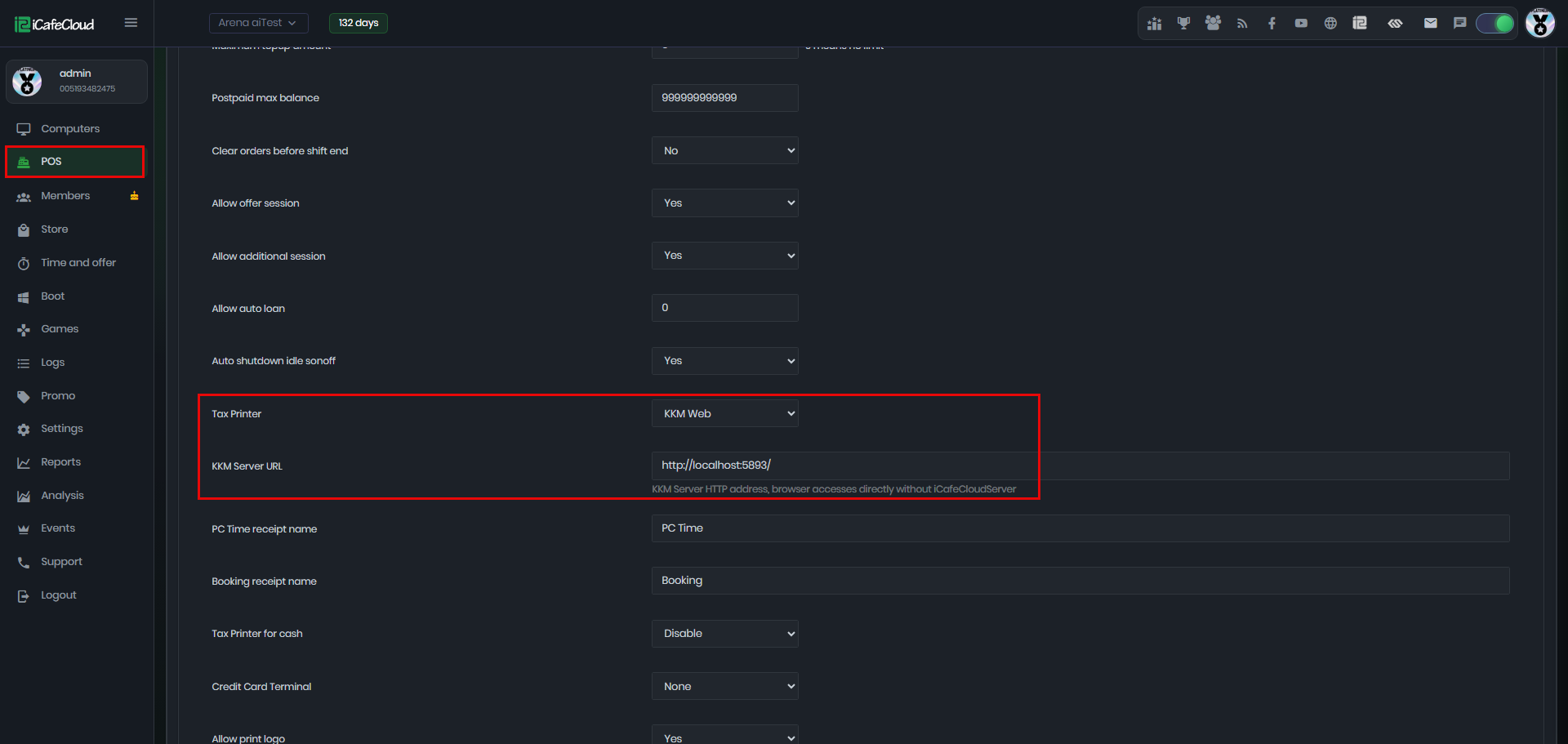
Figure 3
- Select the Credit Card option when processing transactions or purchases within the Admin Panel.(Figure 4)
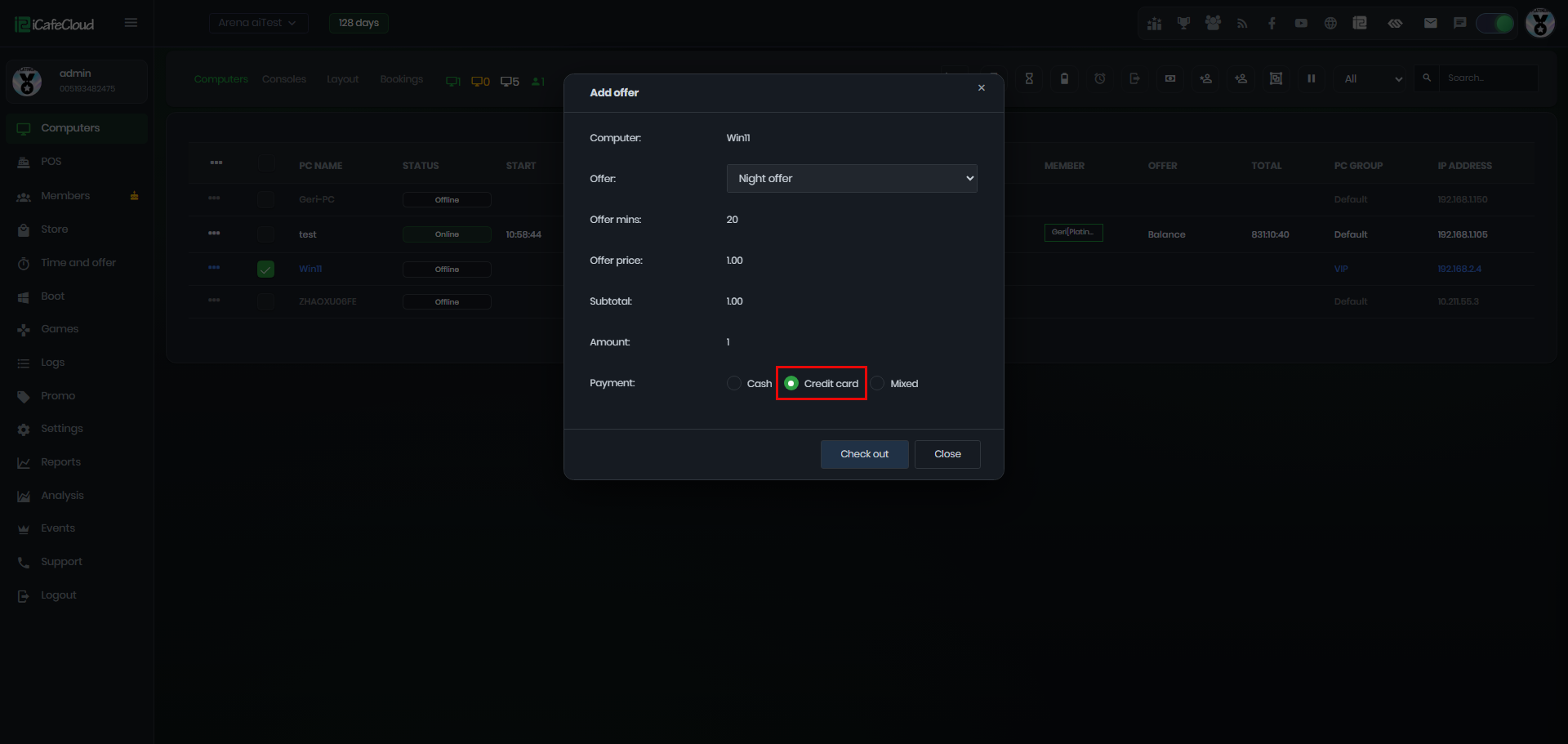
Figure 4
- During checkout, the system will display a processing status and automatically send the transaction data to KKM Web. (Figure 5)
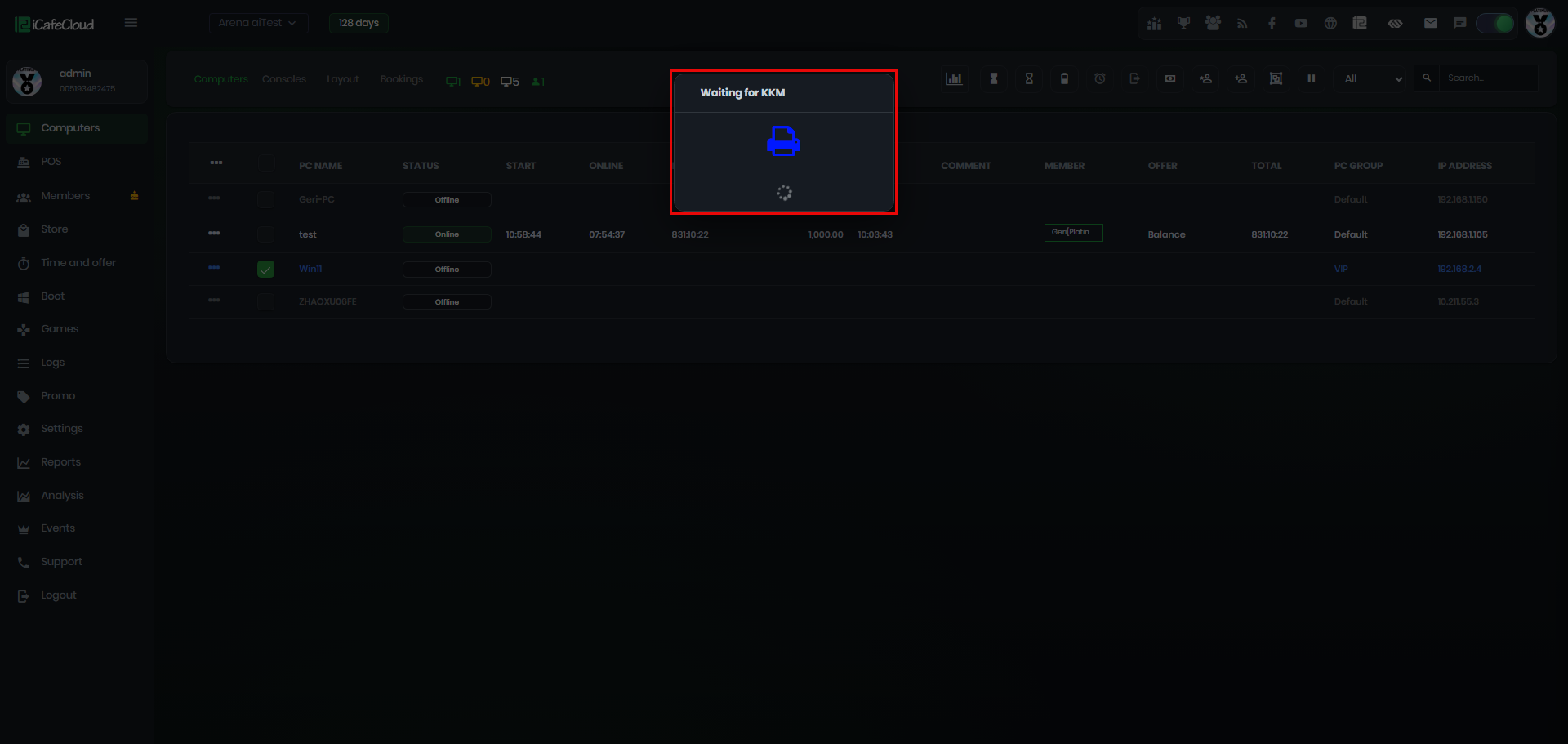
Figure 5
- Once the transaction is complete, the ticket will be generated on the KKM terminal, and the total amount will be displayed on the card register. (Figure 6)
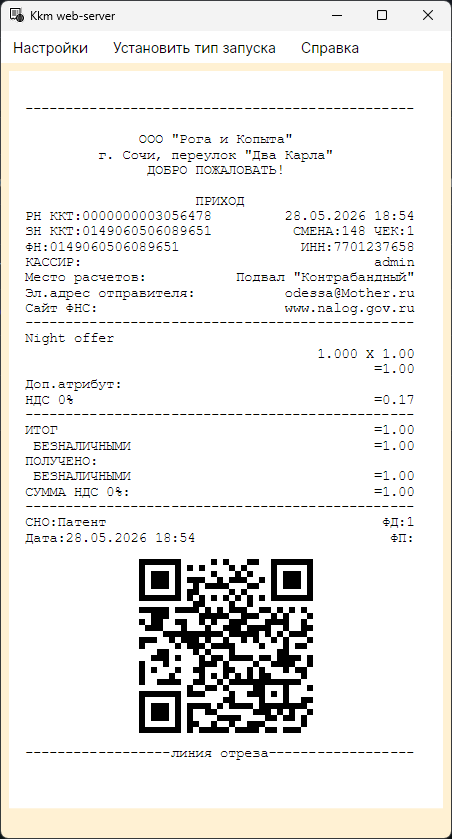
Figure 6
- If the KKM terminal is disconnected or cannot be reached, an error message will display and the transaction will fail. (Figure 7)
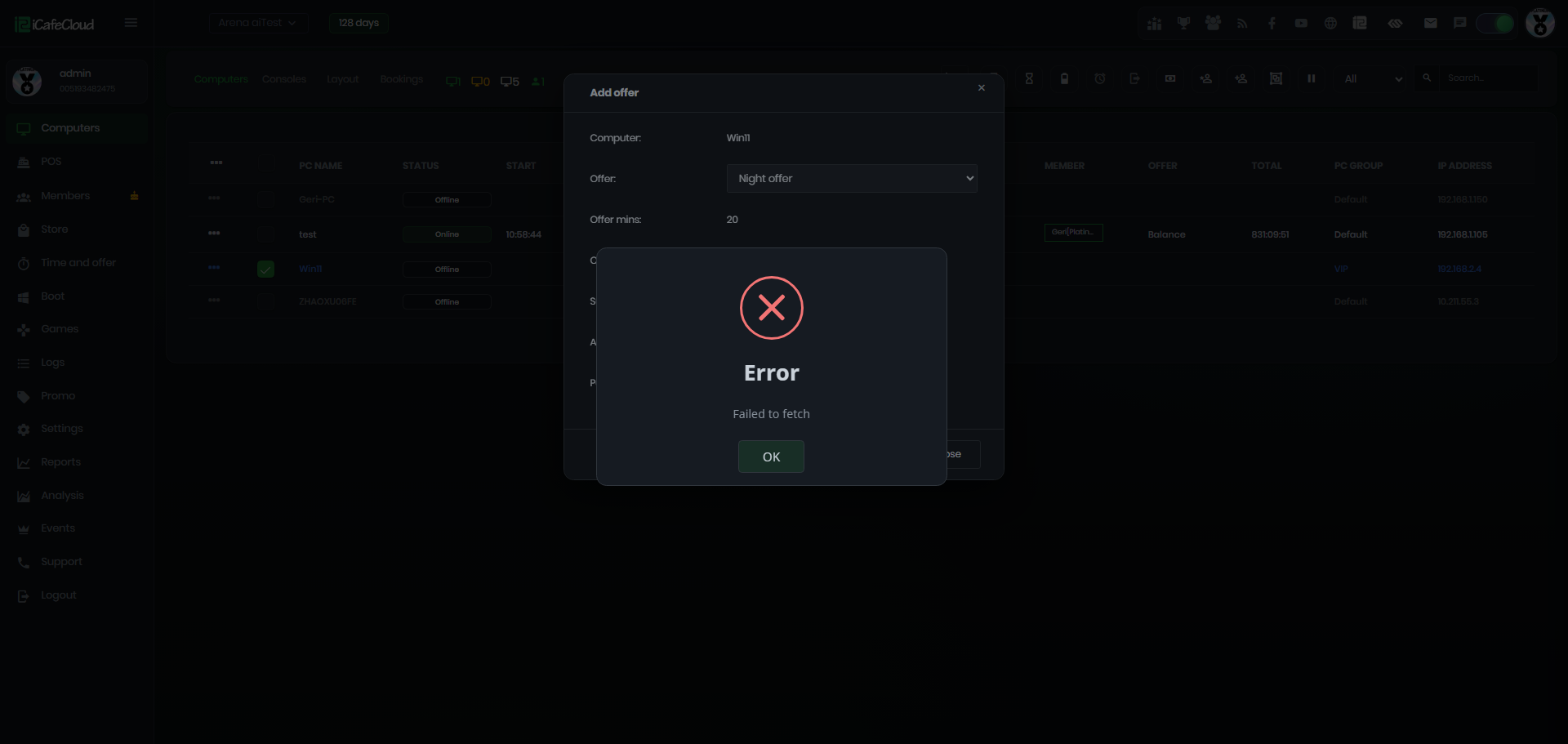
Figure 7
- If a credit card payment is processed through iCafeCloud, but the customer's card doesn't have enough balance, you can redo the process from KKM without needing to issue a refund.
Video of the Credit card in KKM
KKM Usage
- KKM (ККМ) is a server-based payment system that connects your bank’s acquiring terminal to facilitate card and QR code payments. The terminal, linked to your settlement account, handles all transactions through the KKM server.
- Payment Methods
Card Payment
Clients can tap or insert their card directly on the terminal.
Note: Card reads may occasionally fail, requiring multiple attempts.
QR Payment via SBP System
Clients can scan a QR code displayed on the terminal using their bank’s mobile app.
Limitations:
The process is slower than card payments.
Customers must open the banking app and scan the QR code, which can take up to a couple of minutes to complete. - Recommended Terminal Types
Preferred models: IPAX Q24 or Q25
Terminals should be connected via LAN cable for stable performance.
USB connections have shown less reliable operation. - Setup Notes
Configuration settings vary depending on terminal type, so follow the specific instructions for your model.
For optimal setup, follow these steps (screenshots can be used for guidance):
Connect terminal to LAN.
Ensure the terminal is registered with the bank’s acquiring system.
Link the terminal to the KKM server.
Test card and QR payments for reliability.