

The following explains how to reset member points for all accounts. This can be useful when a large number of points have accumulated over time and you want to clear all existing points and start a new points program from scratch.
- The Reset Points function is restricted to administrators only.
- Navigate to Members → Settings → Reset Member Points. Next to this option, click the Reset button to clear all accumulated member points that were earned from top-up transactions. (Figure 1)
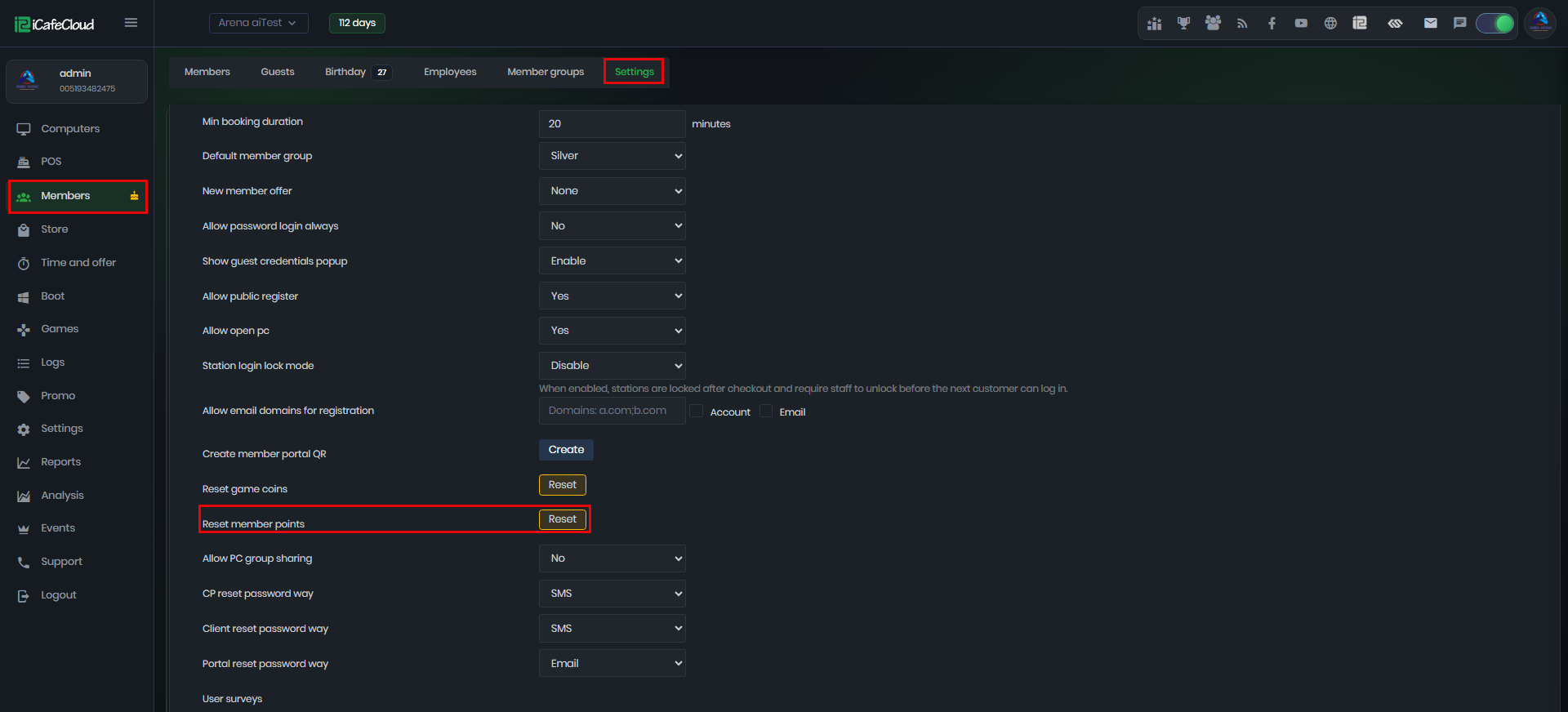
Figure 1
- Upon clicking the reset button, users will be prompted to confirm the reset process(Figure 2)
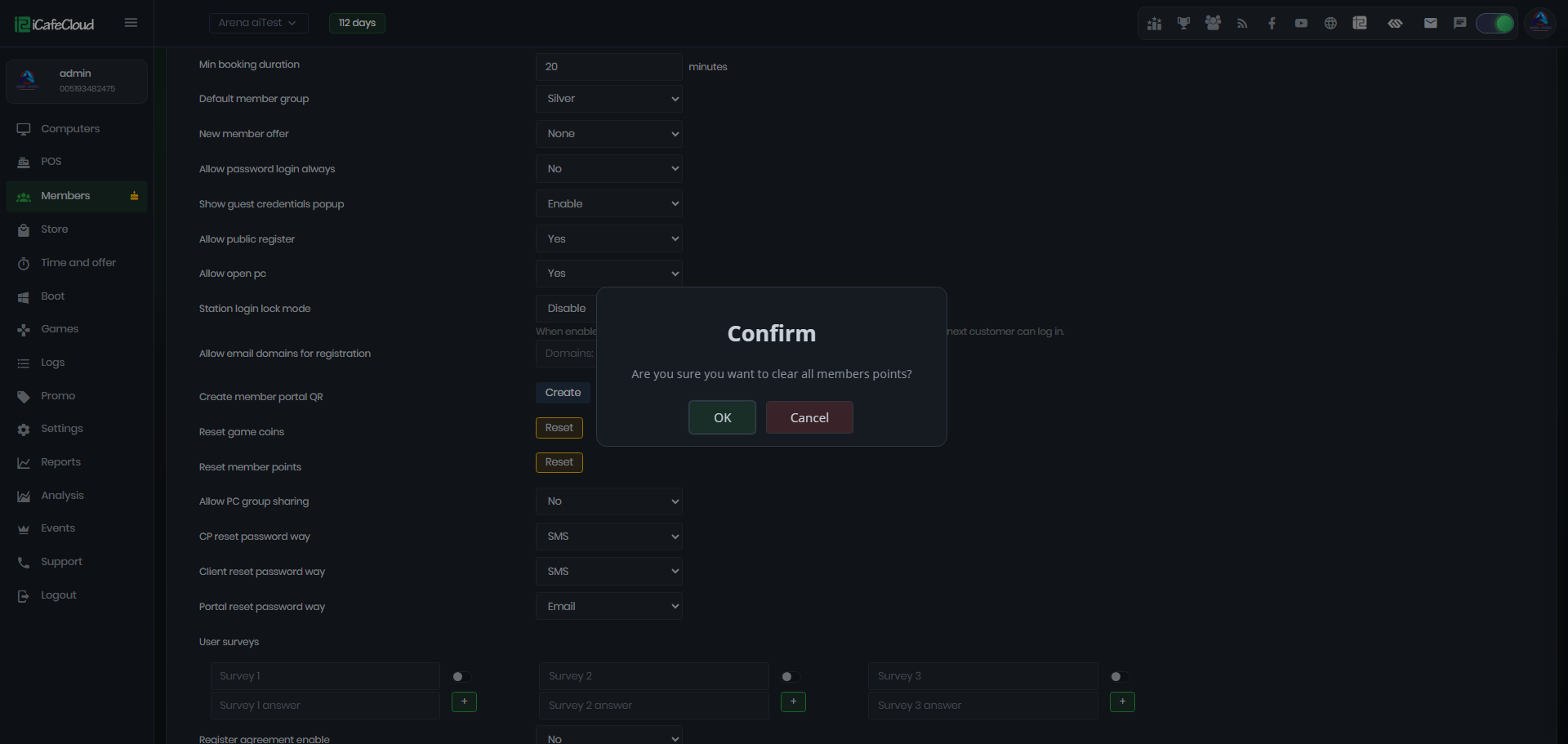
Figure 2
- Once confirmed, a new window will appear displaying the message "Success" indicating that the reset action has been completed successfully. (Figure 3)
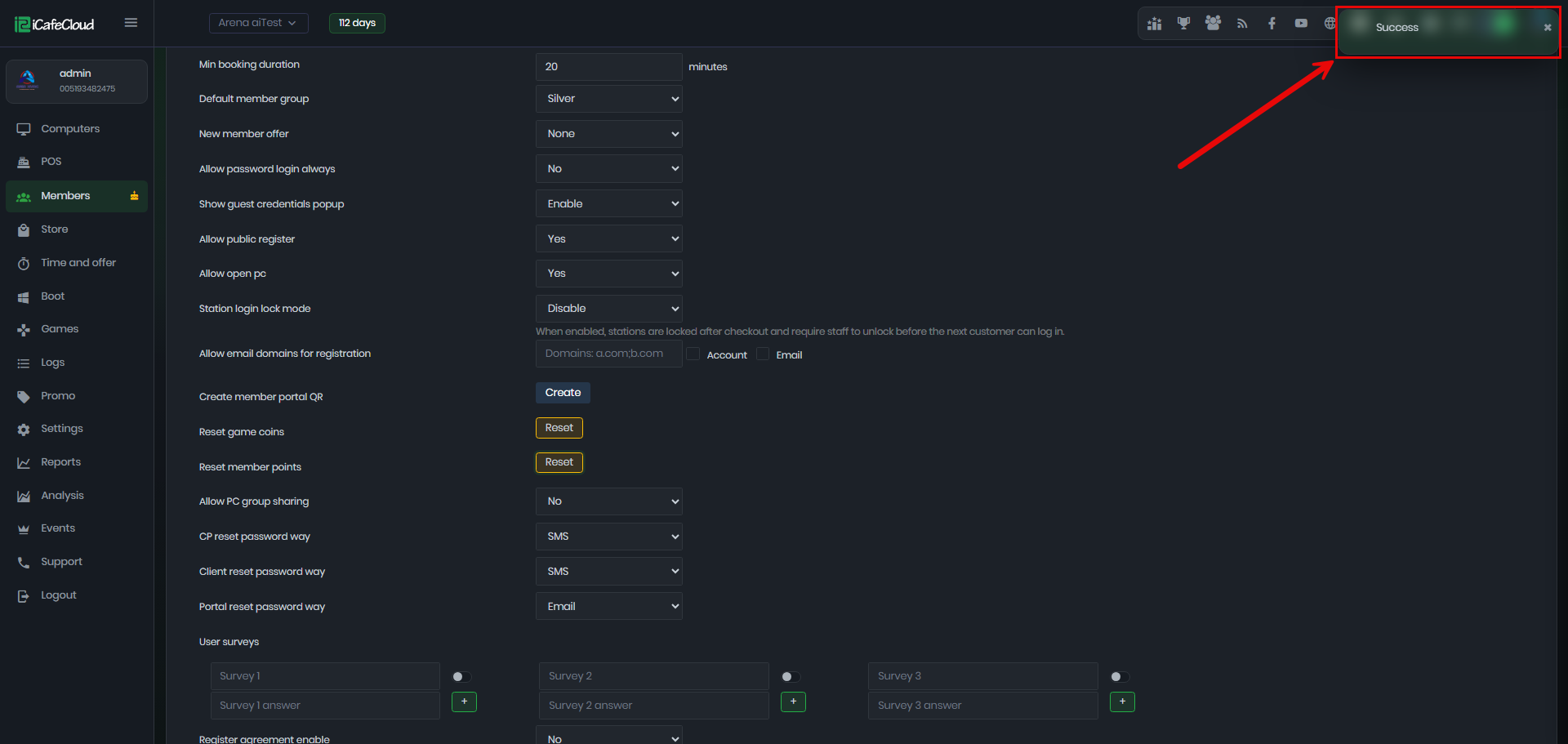
Figure 3
- Points can only be reset at the center where the action is started. If there are sub-centers activated, each sub-center must be reset individually. This ensures that the reset action applies specifically to each center or sub-center, and you need to manage licenses manually through their respective cloud panels.
- Logs are generated for each reset point action with the event labeled as “RESETPOINT”
- These logs provide a record of the reset activity for future reference and auditing purposes (Figure 4)
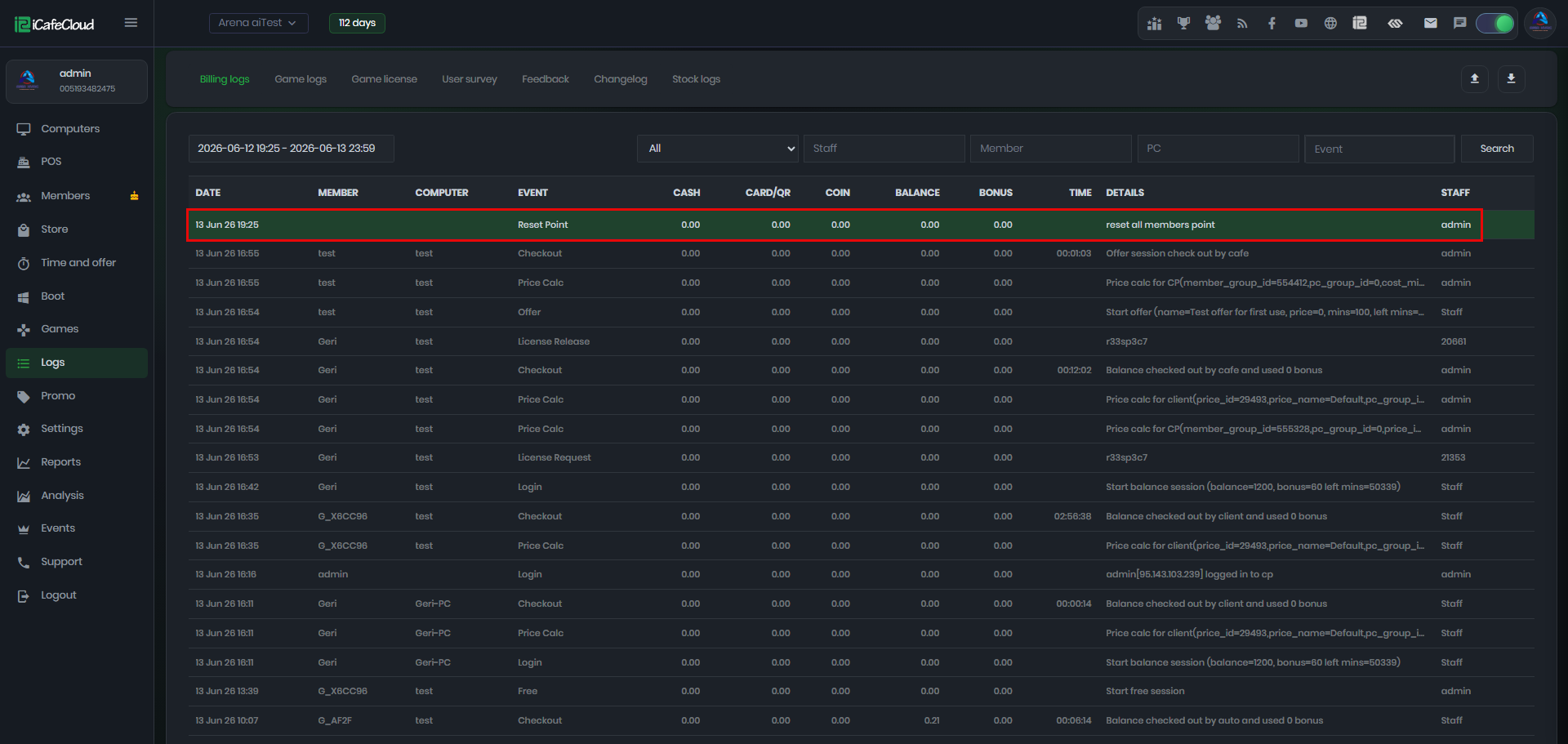
Figure 4