

Price buttons allow you to configure predefined time and money values that can be quickly selected when starting a Prepaid Session.
- To set the price buttons, Go to POS → Settings → Price button.(Figure 1 & 2).
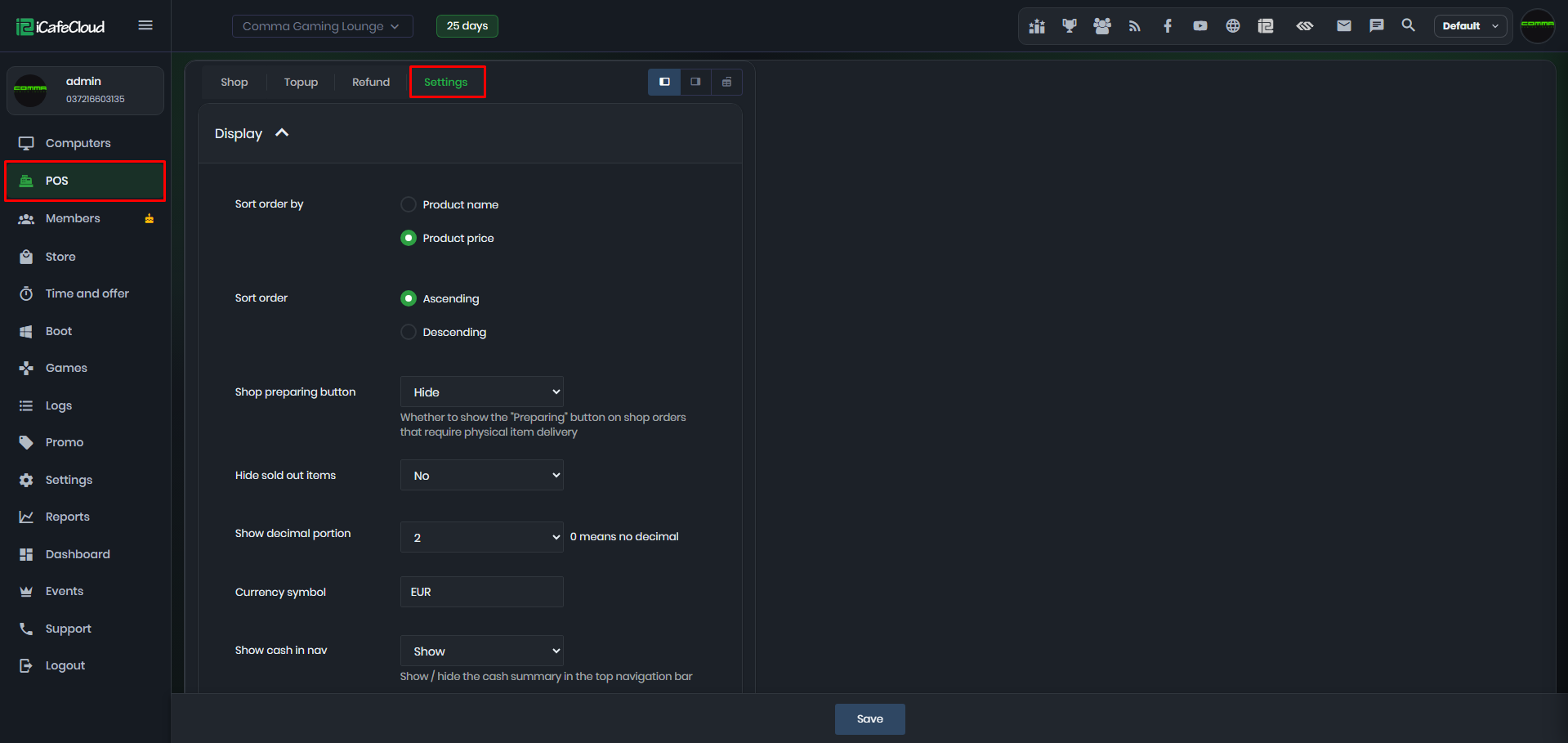
Figure 1
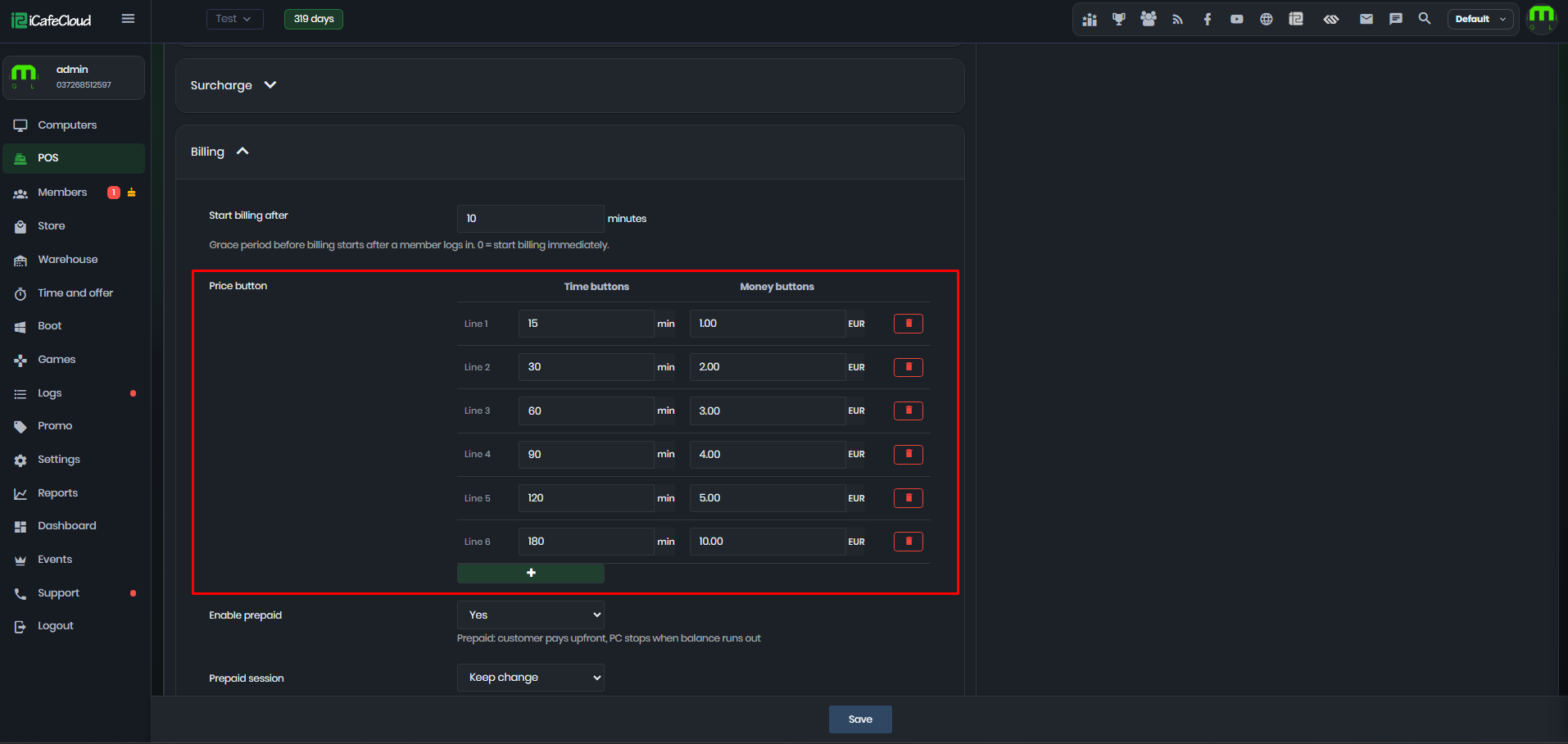
Figure 2
- Enter the desired values for the Time buttons and Money buttons. These buttons are configured independently and do not need to correspond to each other.
- To add a new button, click + and enter the desired value (Figure 3).
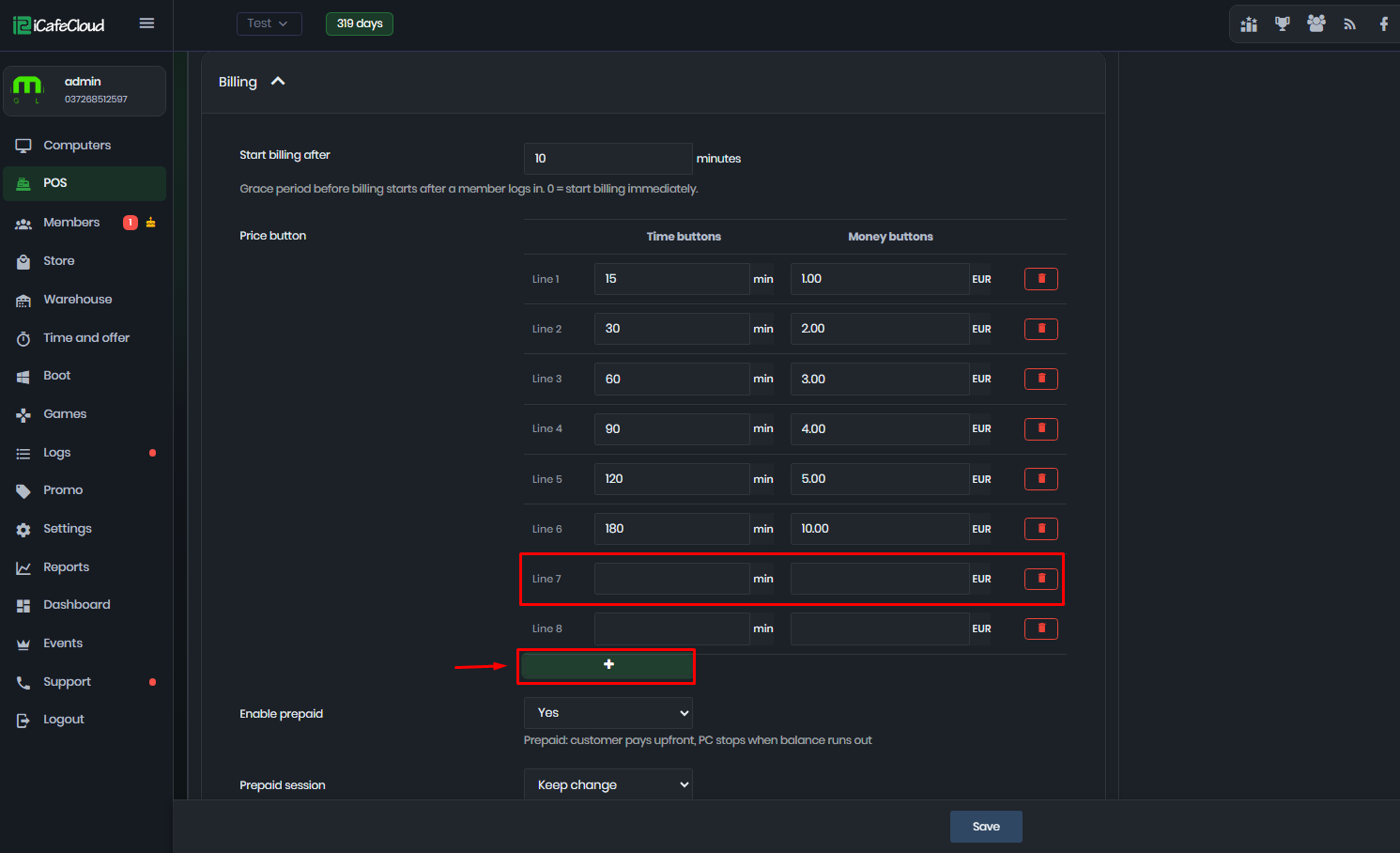
Figure 3
- To remove a button, click the trash icon next to it (Figure 4).
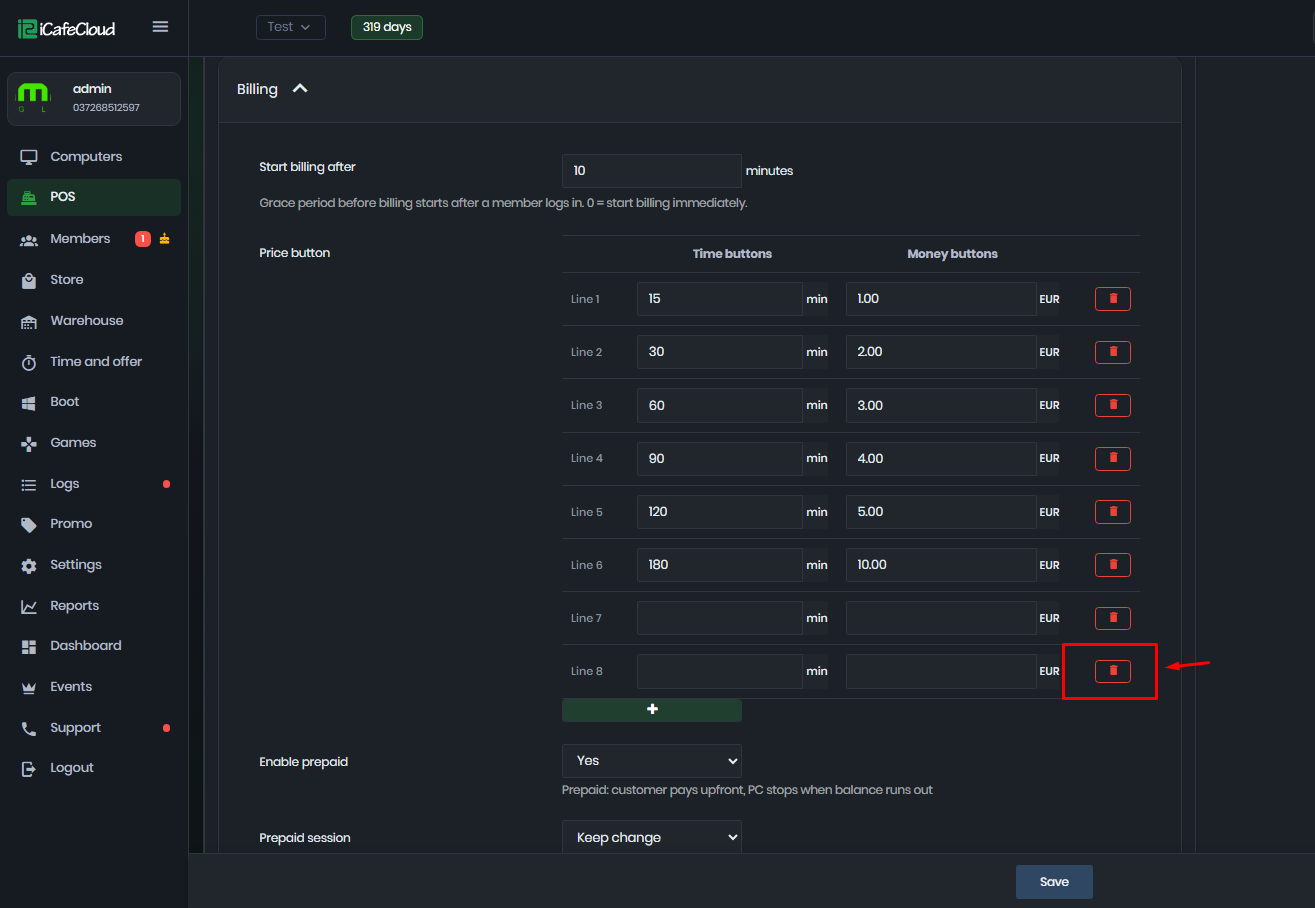
Figure 4
- The configured buttons will be available when starting a Prepaid Session and Add time.
- Now, when you try to start a “Prepaid Session” the buttons will be displayed (Figure 5).
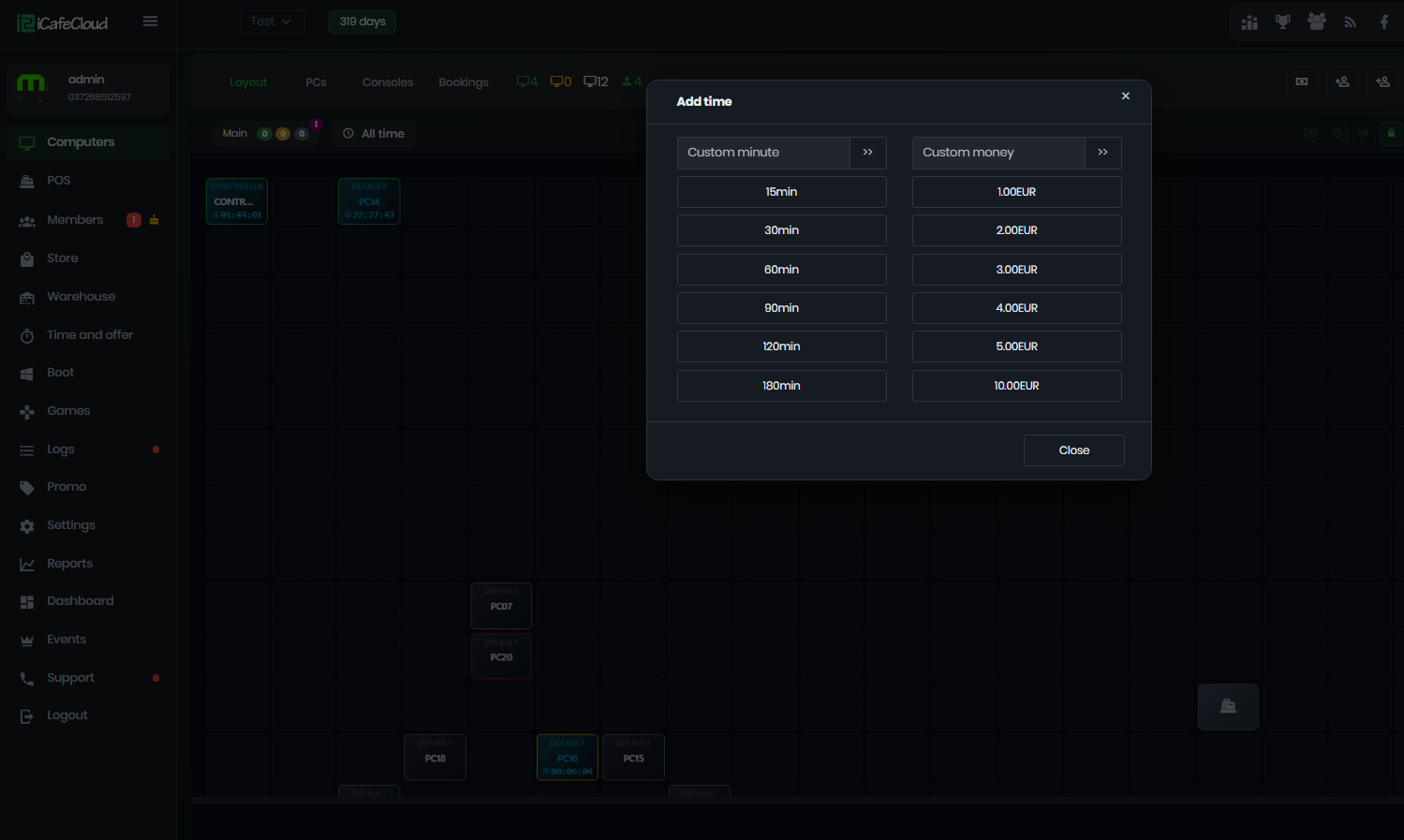
Figure 5
- You can choose from these buttons or enter customer time or money to start the “Prepaid Session” for the user.