

The following explains how to enable or disable specific payment methods for your center. iCafeCloud supports multiple payment options such as cash, credit card, balance, order by cash at client and mixed payments and you can customize which methods are available based on your needs.
- Go to POS -> Settings and select the payment methods with the check mark and click the “Save” button (Figure 1).
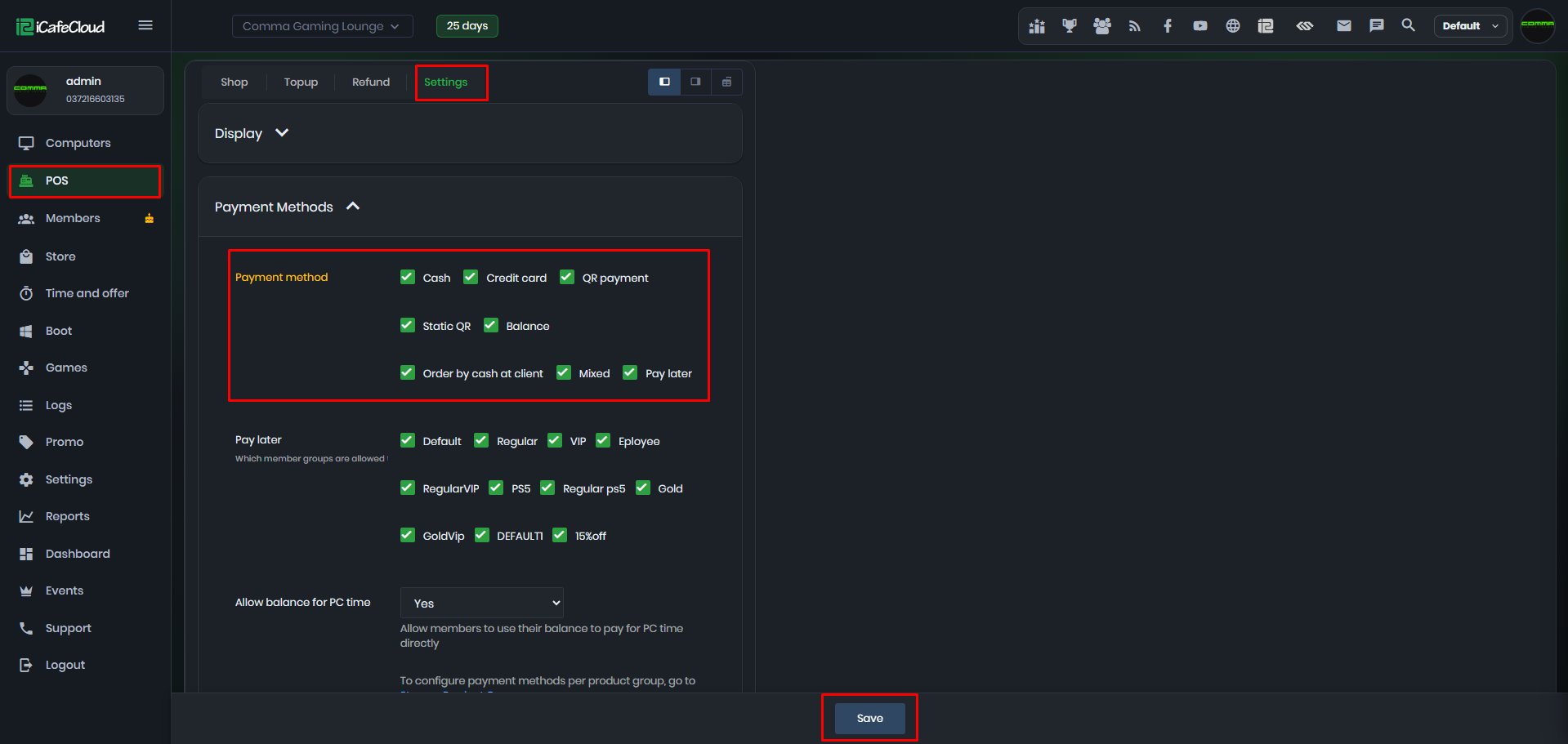
Figure 1
- You also need to configure payment methods within Product Groups, allowing you to specify which methods can be used by members and which by guests.
Mixed
- If Mixed Payment is enabled in the settings, it allows you to split a payment into two methods for example, paying part in cash and the rest by credit card. (Figure 2)
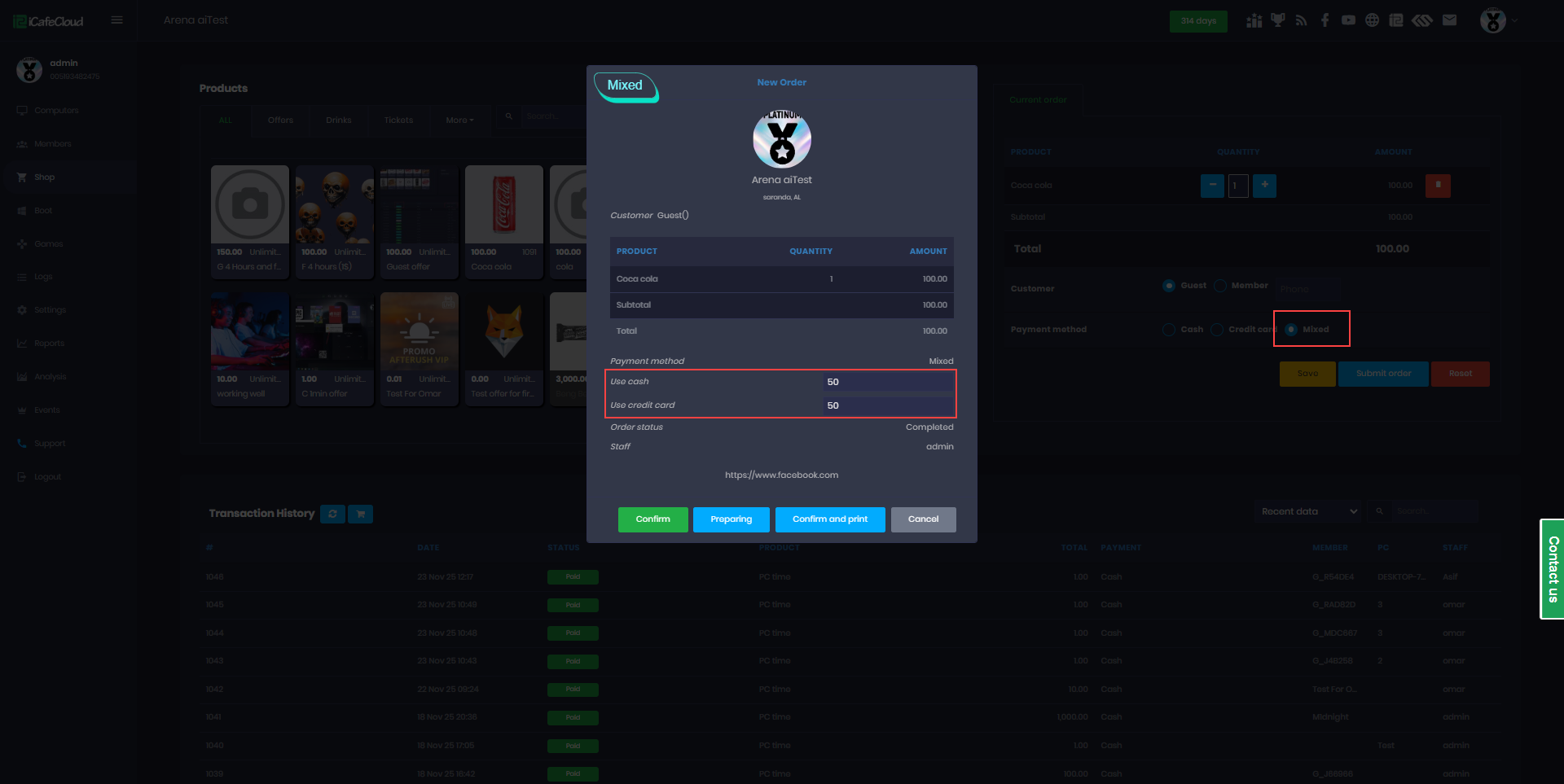
Figure 2
- Once you add the amount in one of the payment fields it will automatically calculate the other part based on the total amount.
- Transaction history will display the payment split into three parts: one entry for each payment method used and one entry showing the total amount paid. Only the main total entry can be refunded.
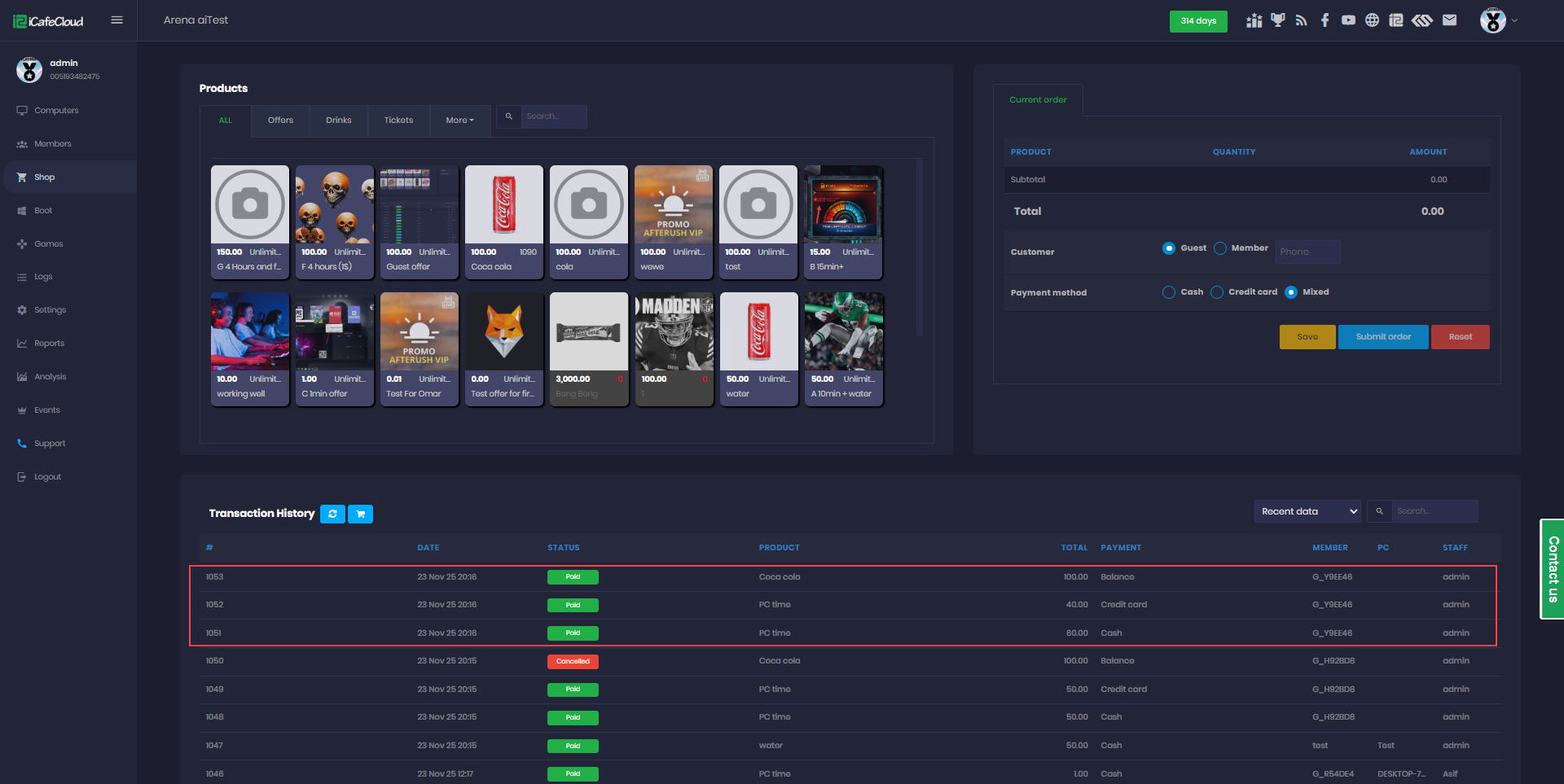
Figure 3
- You will find the Mixed Payment option available in both postpaid and prepaid sessions (Figure 4 & 5).
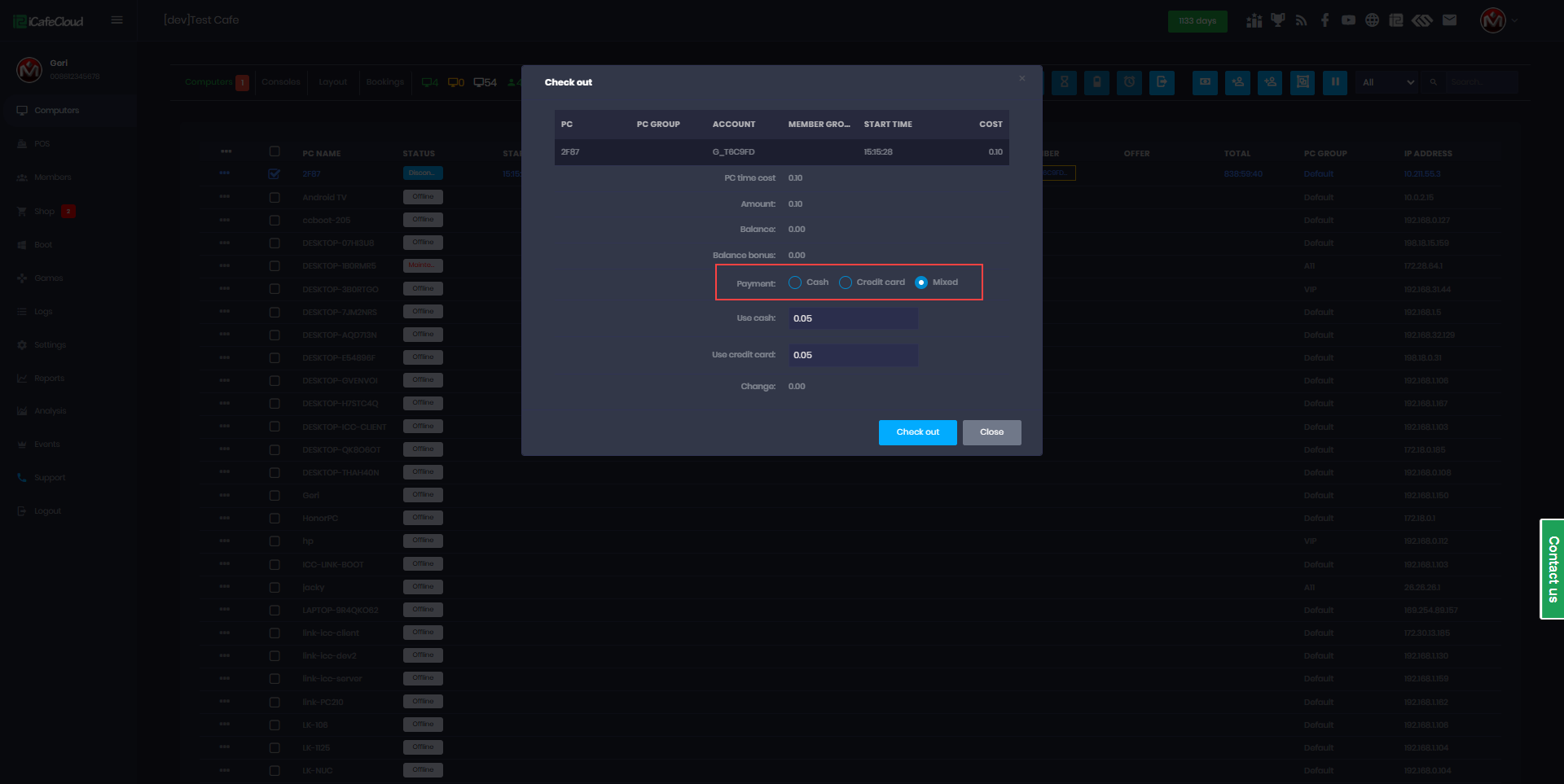
Figure 4
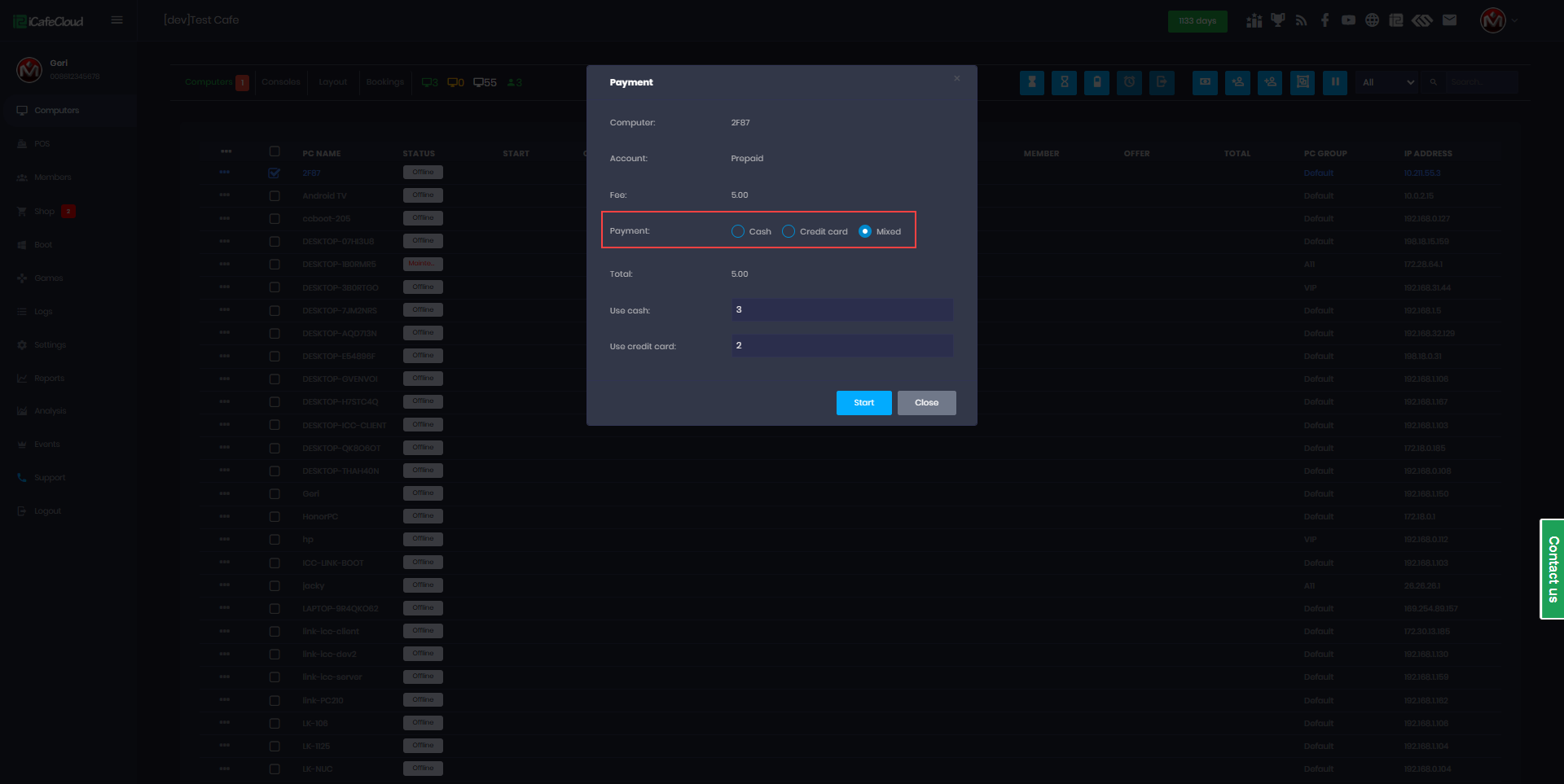
Figure 5
- Also, when adding balance by topping up member accounts (Figure 6).
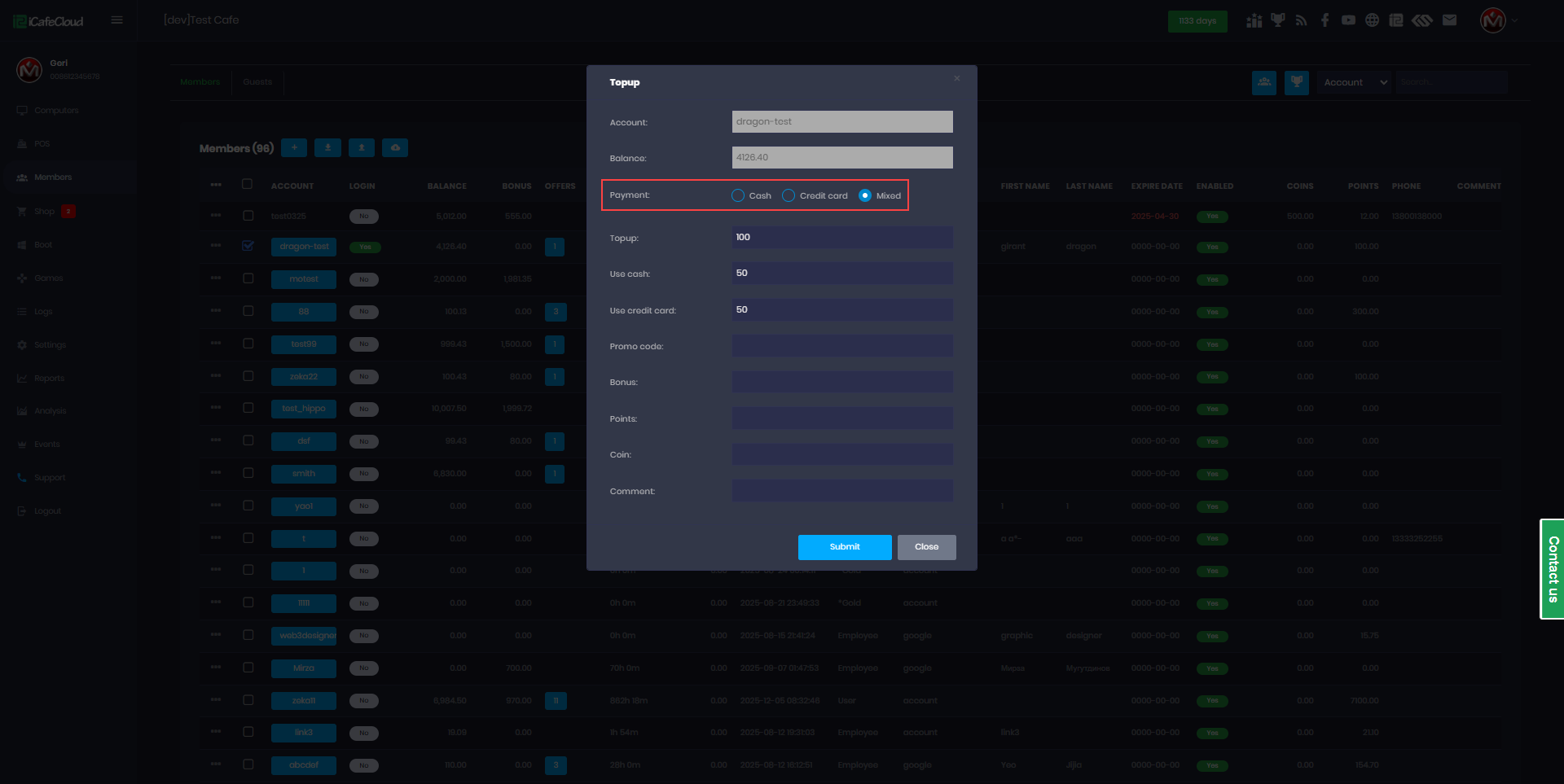
Figure 6
- Mixed payment is also supported when starting offer sessions. (Figure 7)
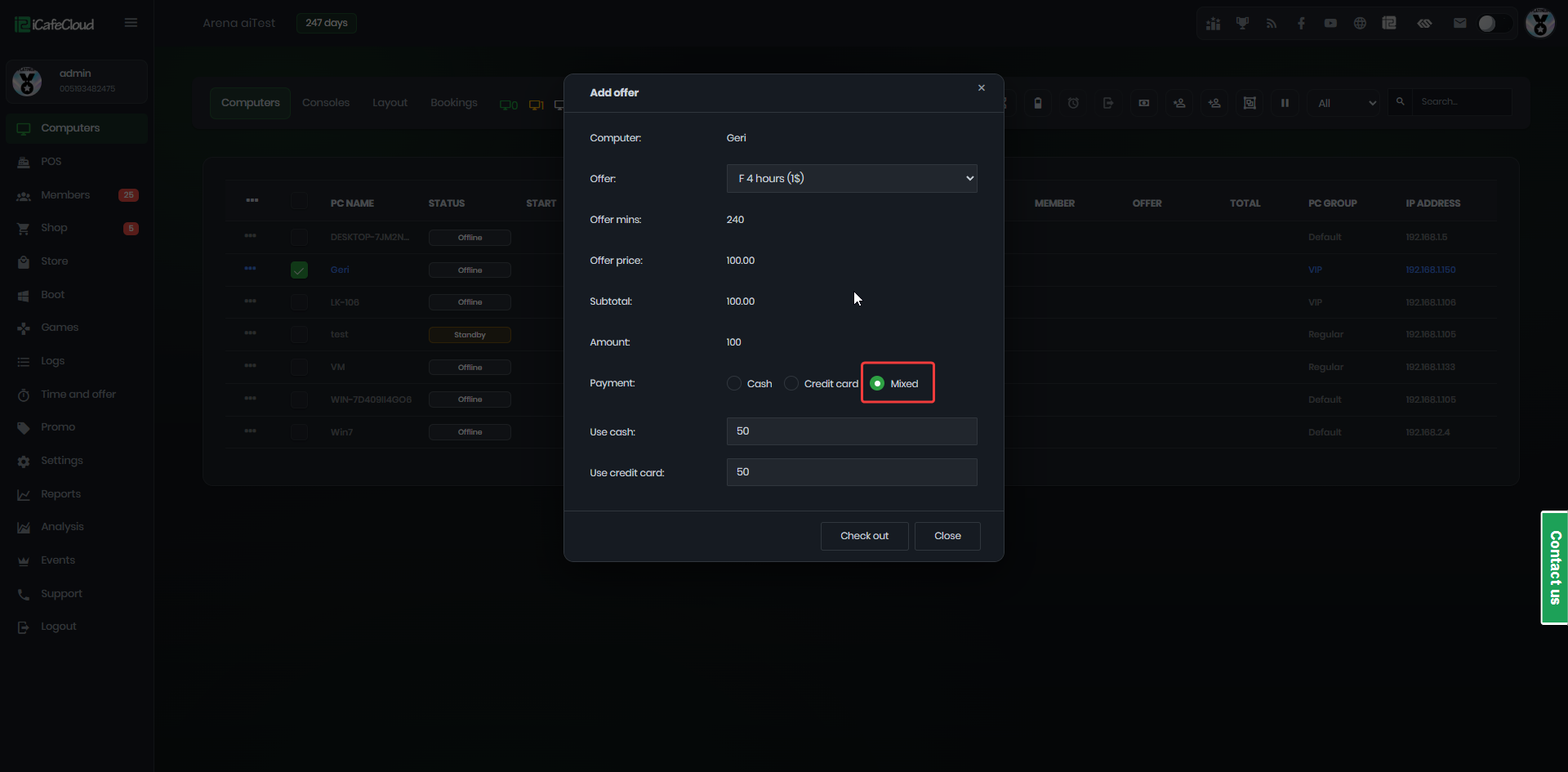
Figure 7