

The following explains how to manually add your own QR code in iCafeCloud and use it for topup and payments.
- Go to Settings > Client Settings. Locate the 'Allow Top-Up in Client' option and set it to 'Yes.' (Figure 1)
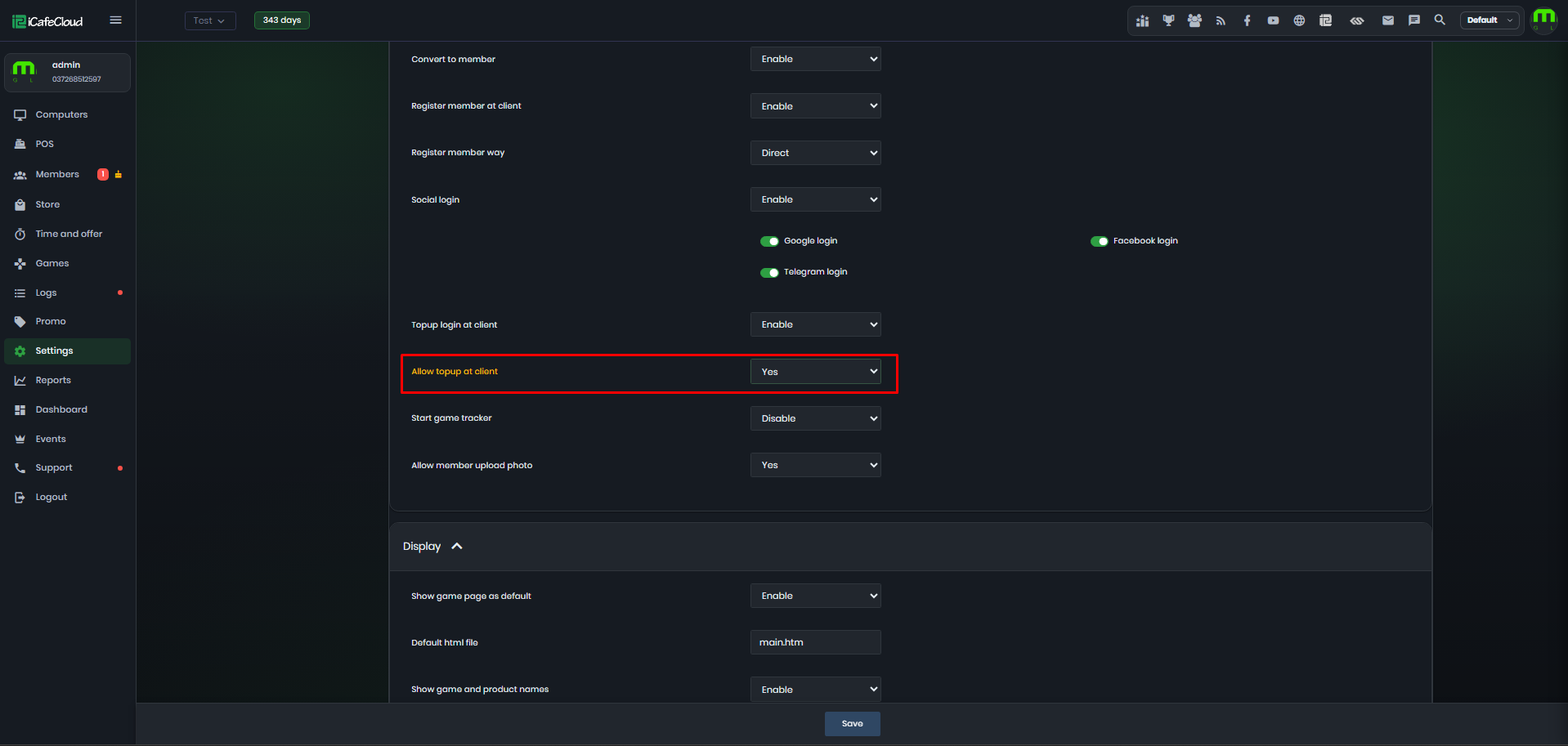
Figure 1
- Then go to Settings > QR and SMS. Select ‘Manual’ Payment gateway. (Figure 2)
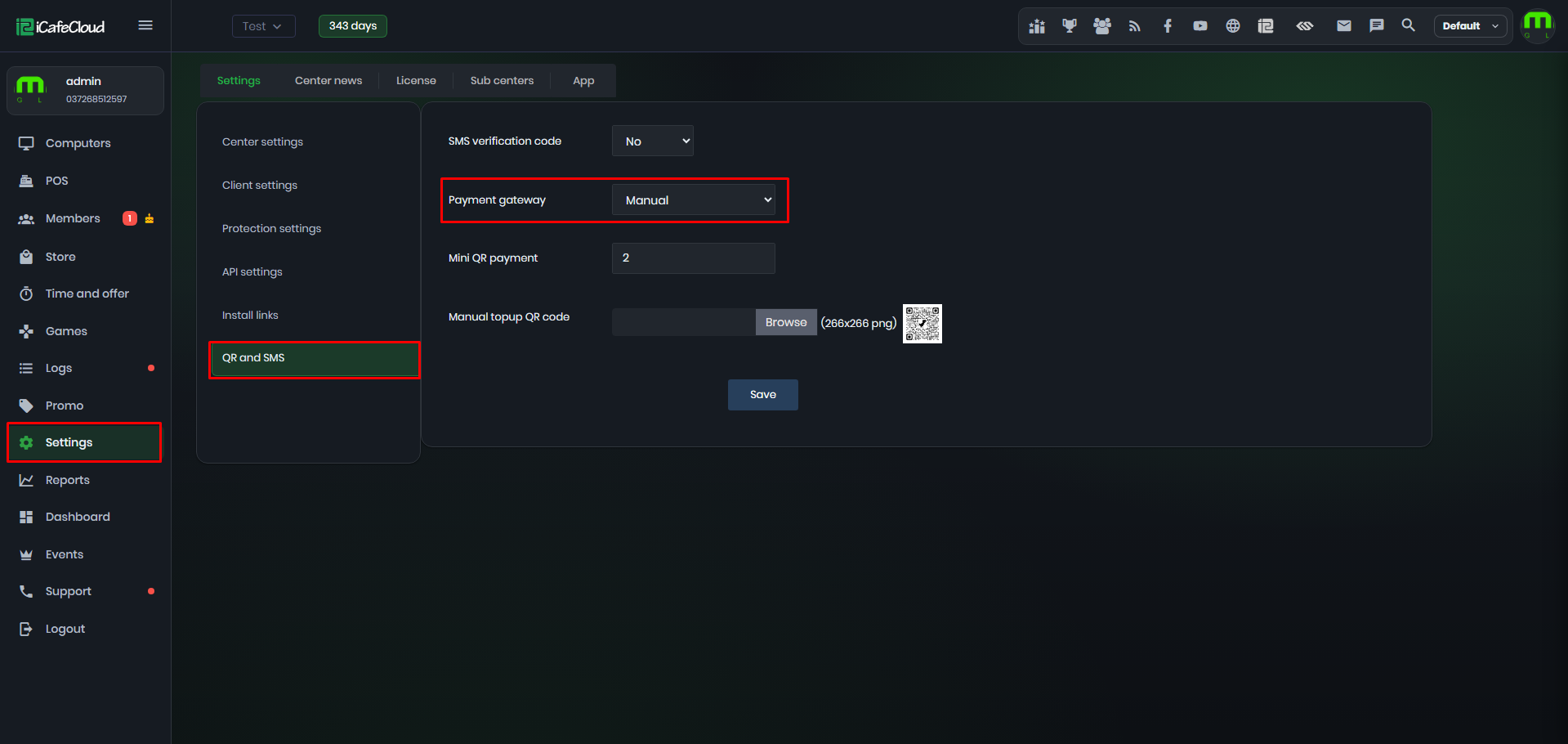
Figure 2
- Under 'Manual Top-Up QR Code,' you can upload a QR code image in PNG format (266 x 266 pixels). After uploading, click 'Save' (Figure 3).
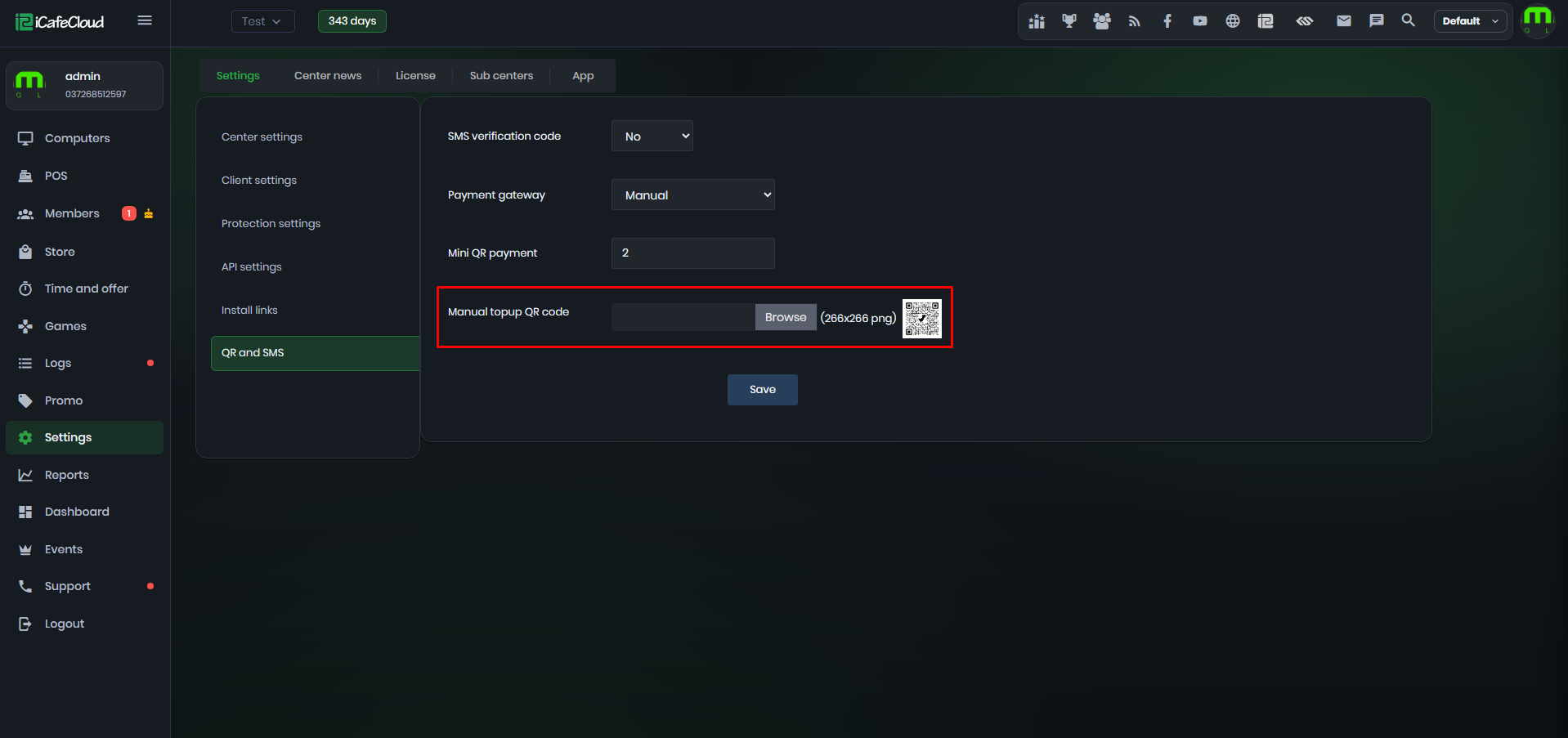
Figure 3
- On the client interface, you can select the top-up method, enter the member account and time, and it will auto calculate how much to pay scanning the QR code you uploaded earlier. (Figure 4)
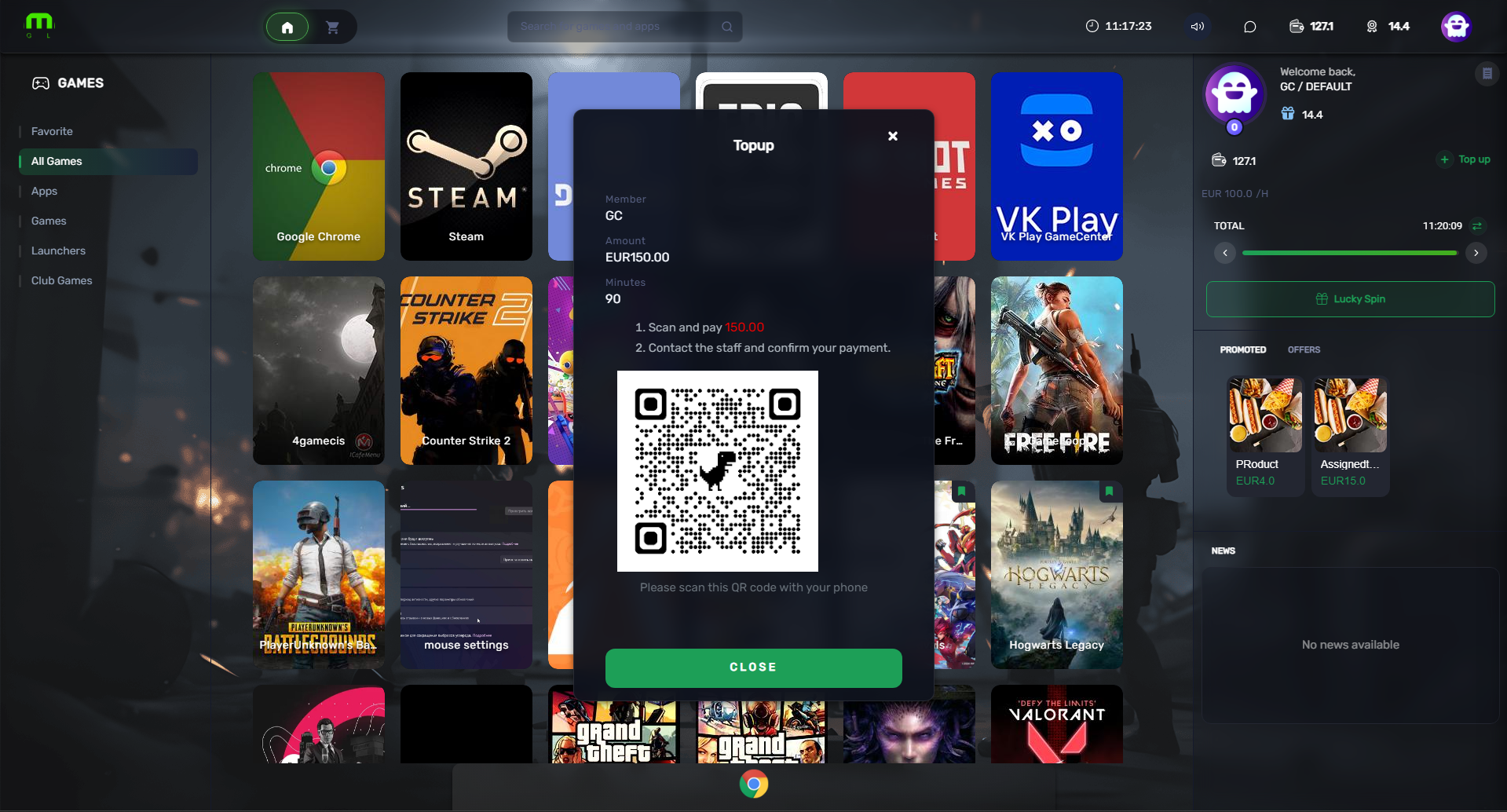
Figure 4