

To specify whether to return or keep the change for a prepaid session when it ends. To set this option, follow the steps below:
- Click on the POS -> Settings and scroll down to find “Prepaid session” (Figure 1 & 2).
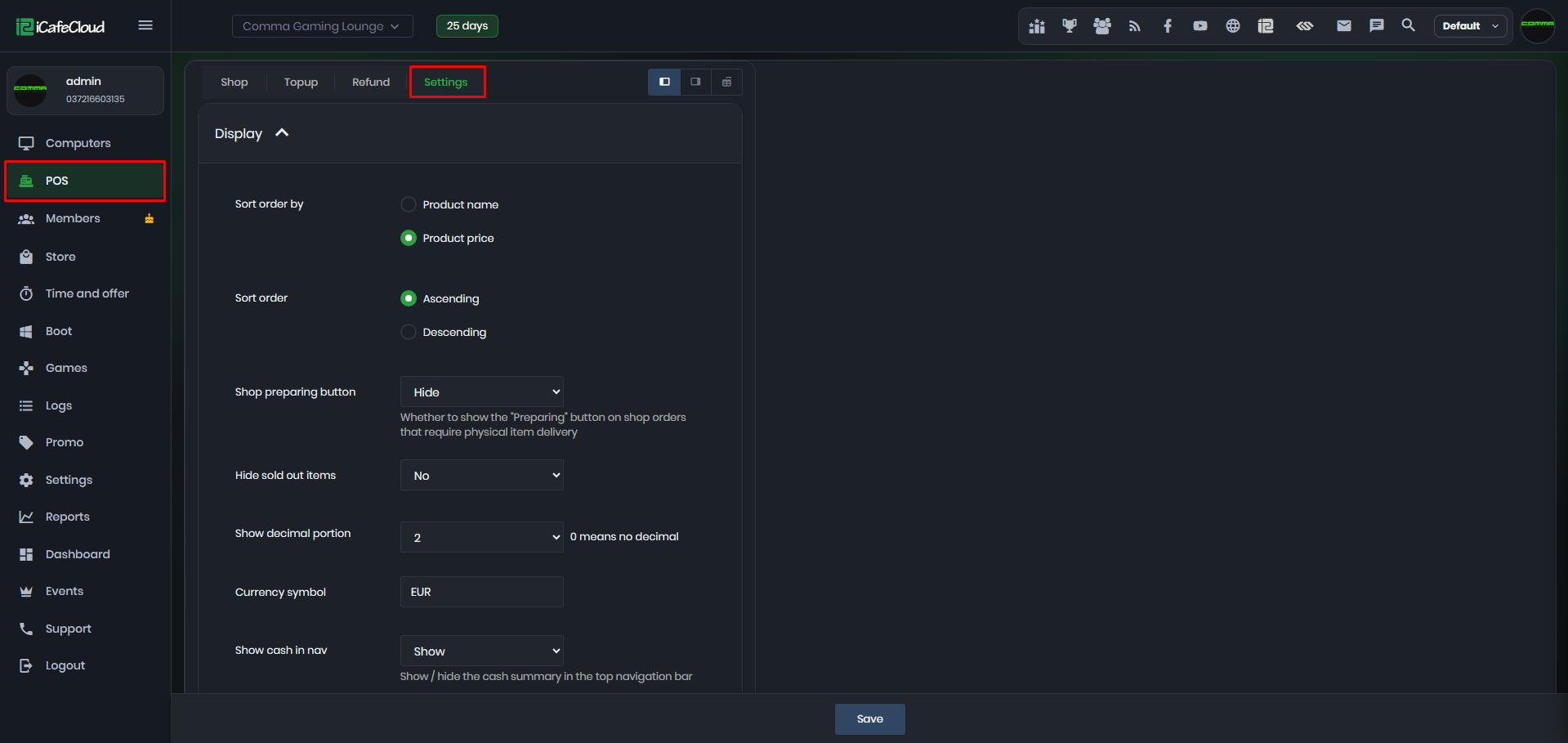
Figure 1
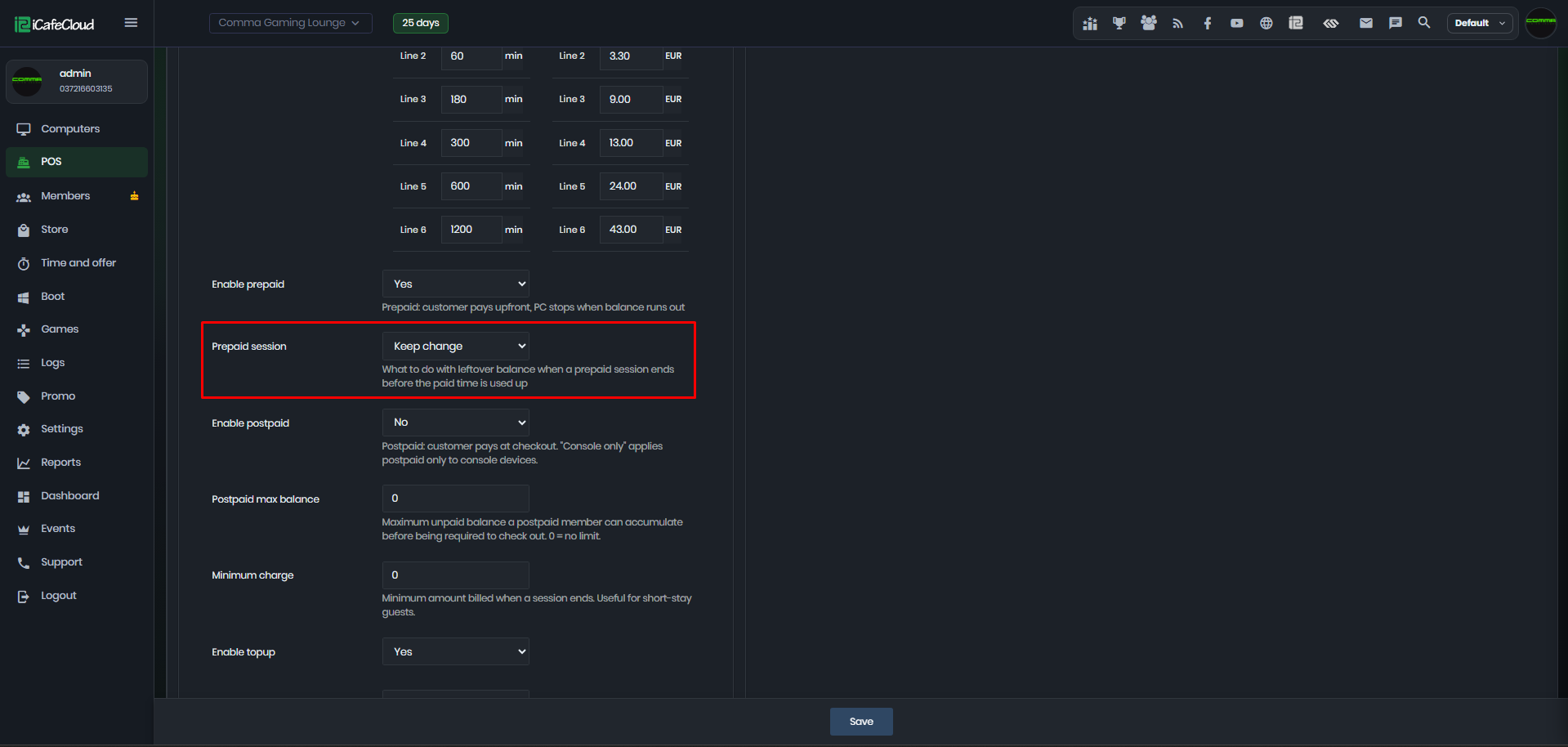
Figure 2
- By default, the option is "Return change”, click the “Drop down” to see other options (Figure 3).
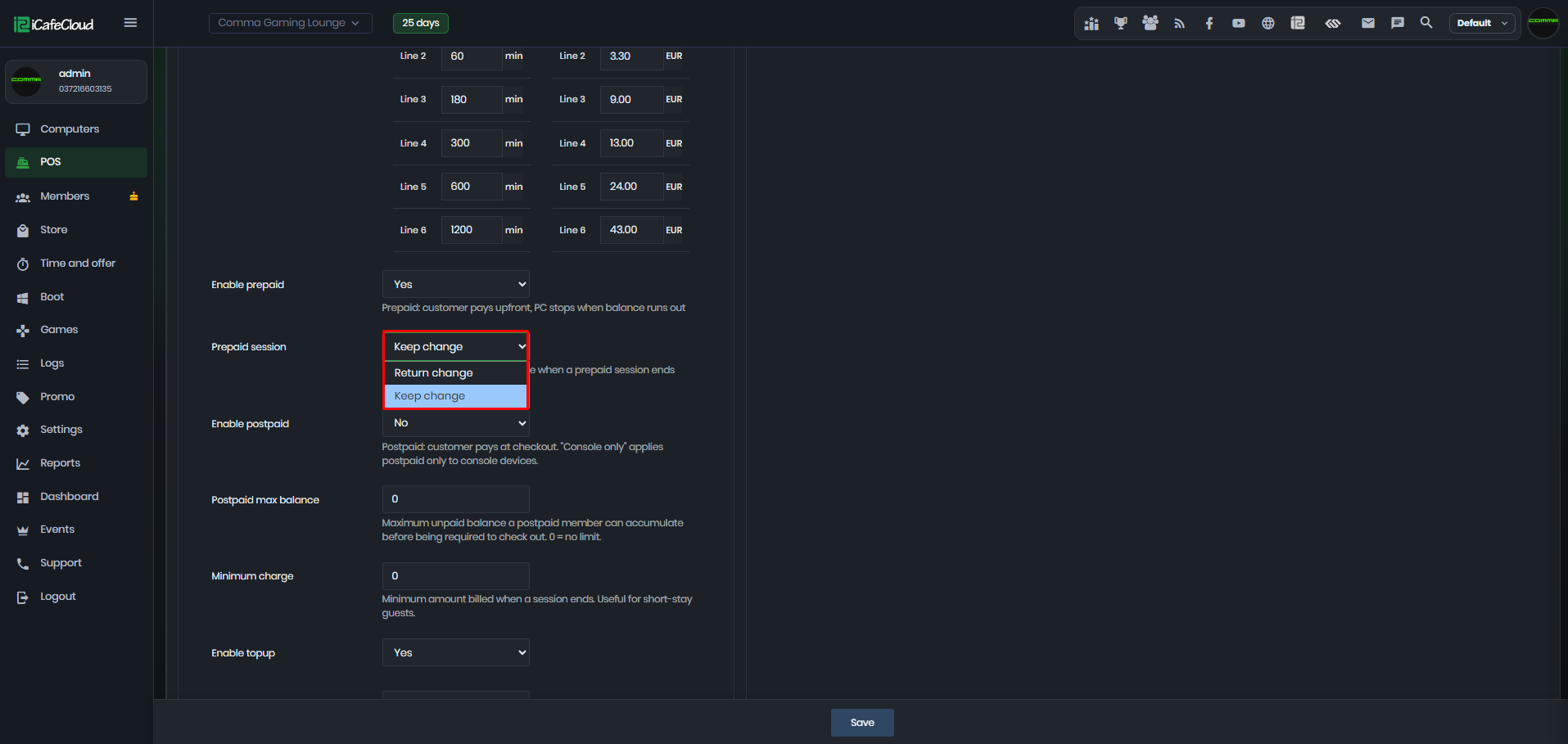
Figure 3
- if you choose “Return change” then when the session ends or checkout the “Change” amount will display the remaining amount after total cost is deducted from balance (Figure 4).
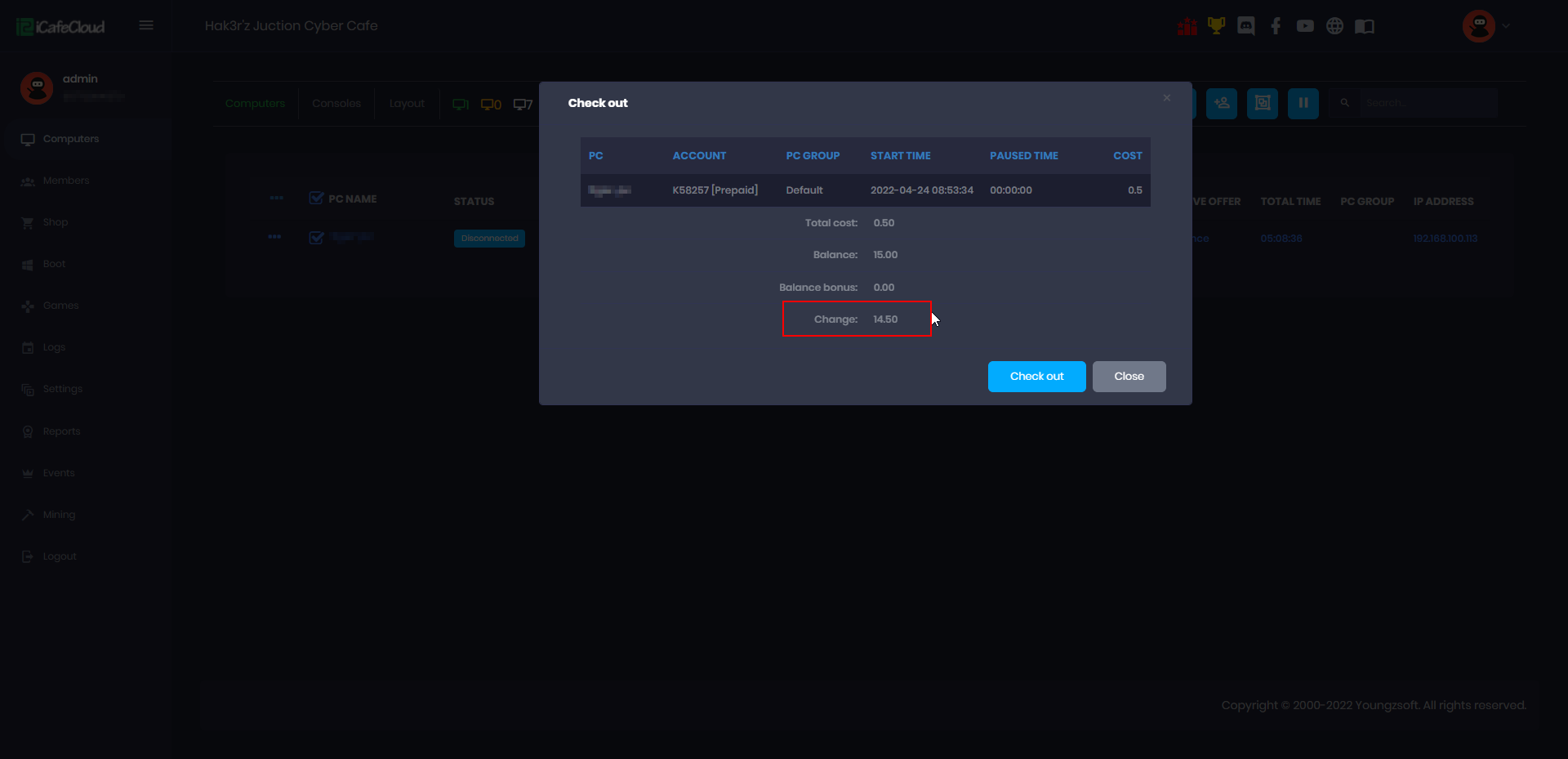
Figure 4
- And, if you choose the “Keep change” then when the session is checked out, the change will be 0 in the checkout modal (Figure 5).
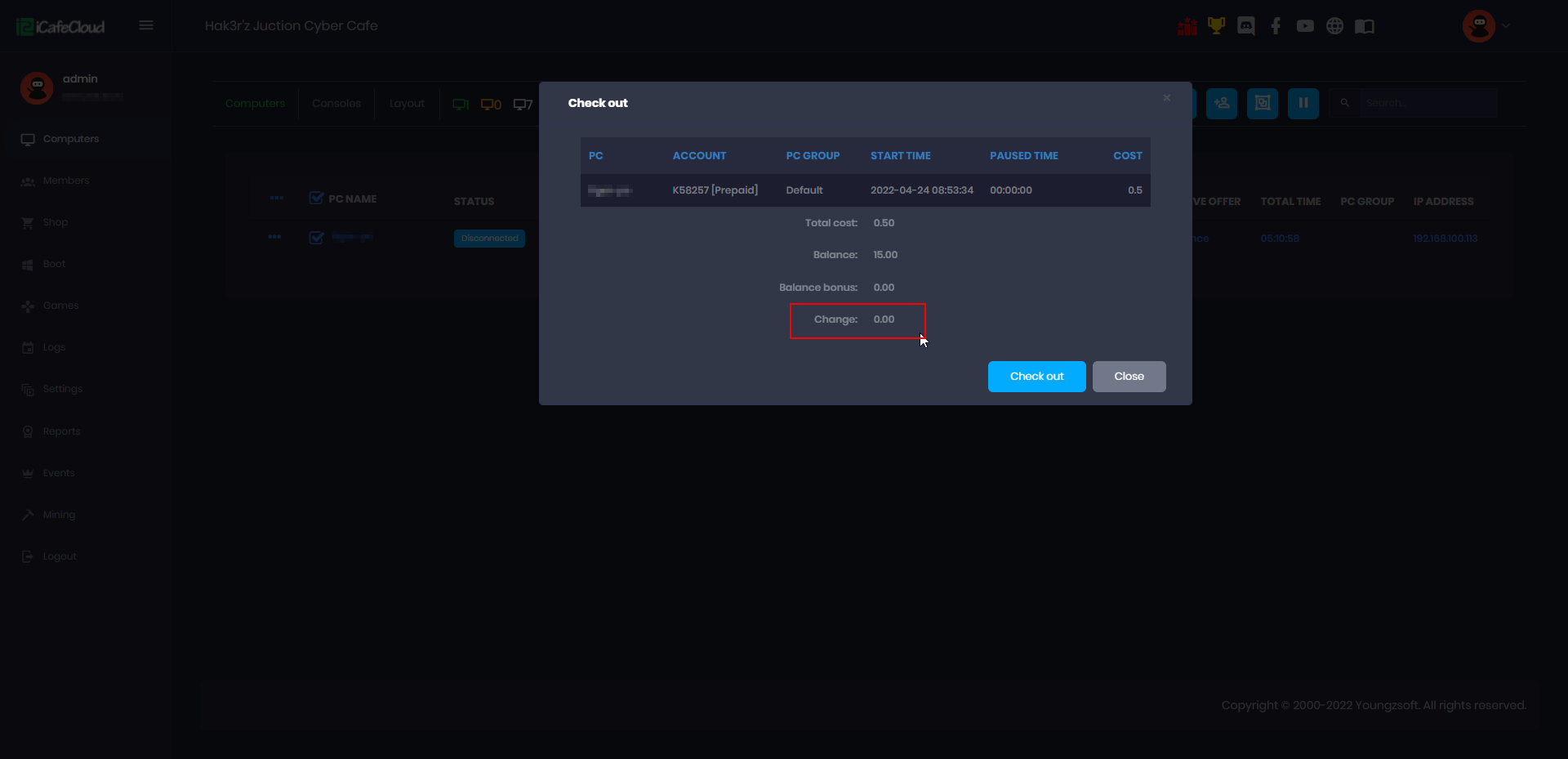
Figure 5