

The following explains how to set a maximum balance limit for postpaid sessions.
- Go to the POS -> Settings page, scroll down to Postpaid Max Balance and adjust the value according to your preference.(Figure 1)
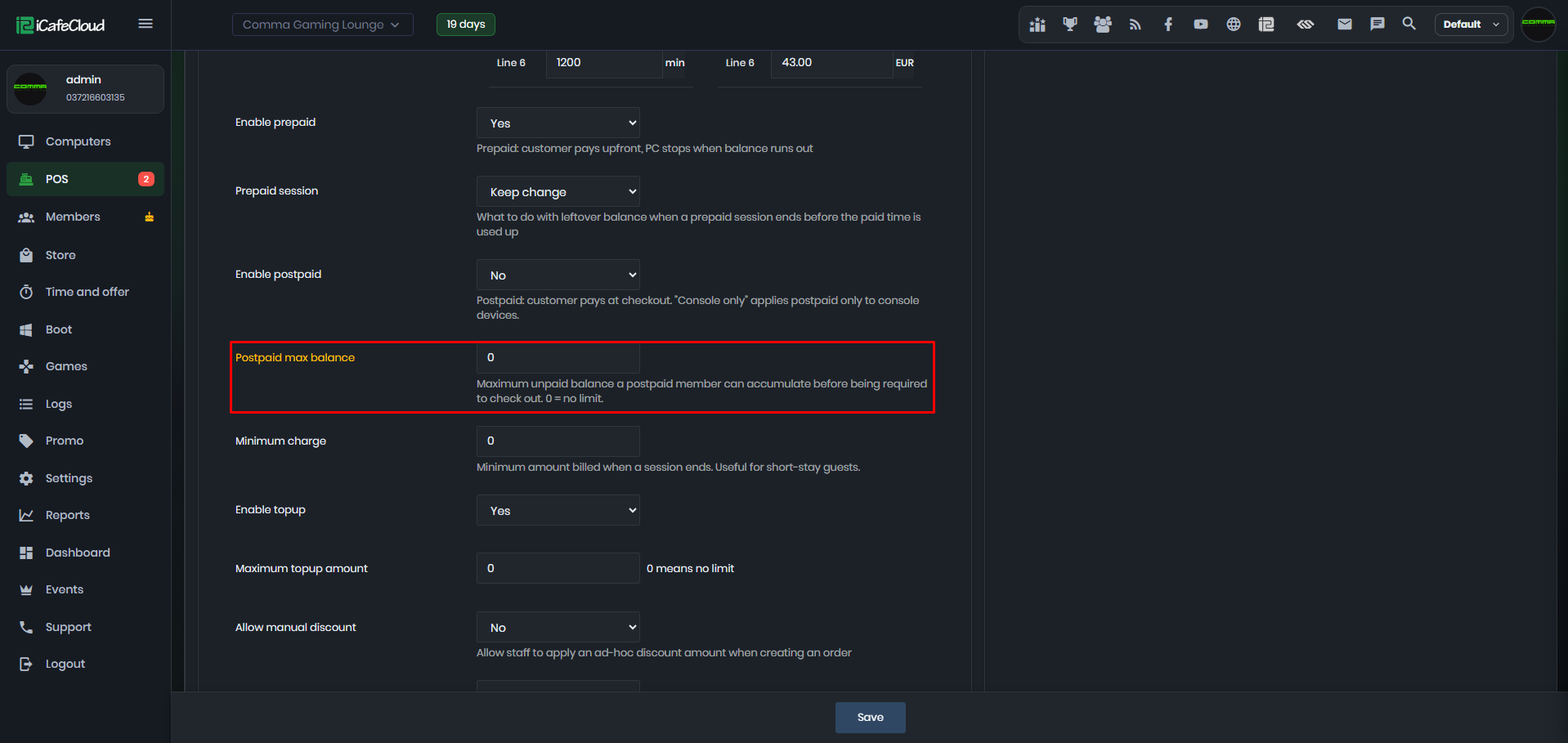
Figure 1
- The selected maximum amount determines the maximum duration of each postpaid session, based on the PC’s price per hour. (Figure 2)
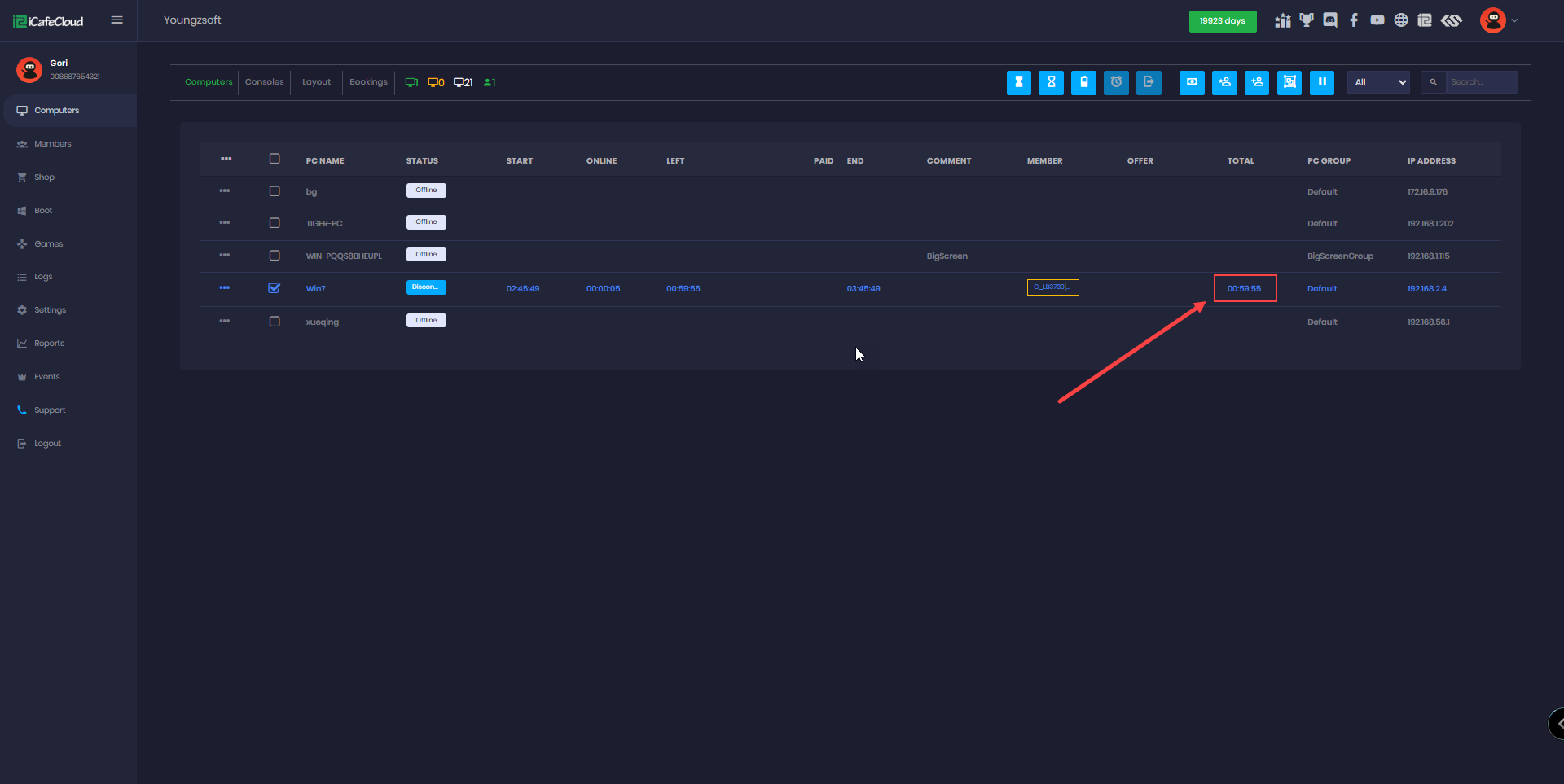
Figure 2
- In this example, the Postpaid Max Balance is set to 1, and the Price Per Hour is also 1. As a result, the maximum time allowed for a postpaid session is 1 hour.
- If there are active postpaid sessions, the Max Postpaid Balance setting cannot be changed.
- When you attempt to modify this value while any postpaid session is still active, the system will display a message informing you that the change is not allowed until all active sessions are finished. (Figure 3)
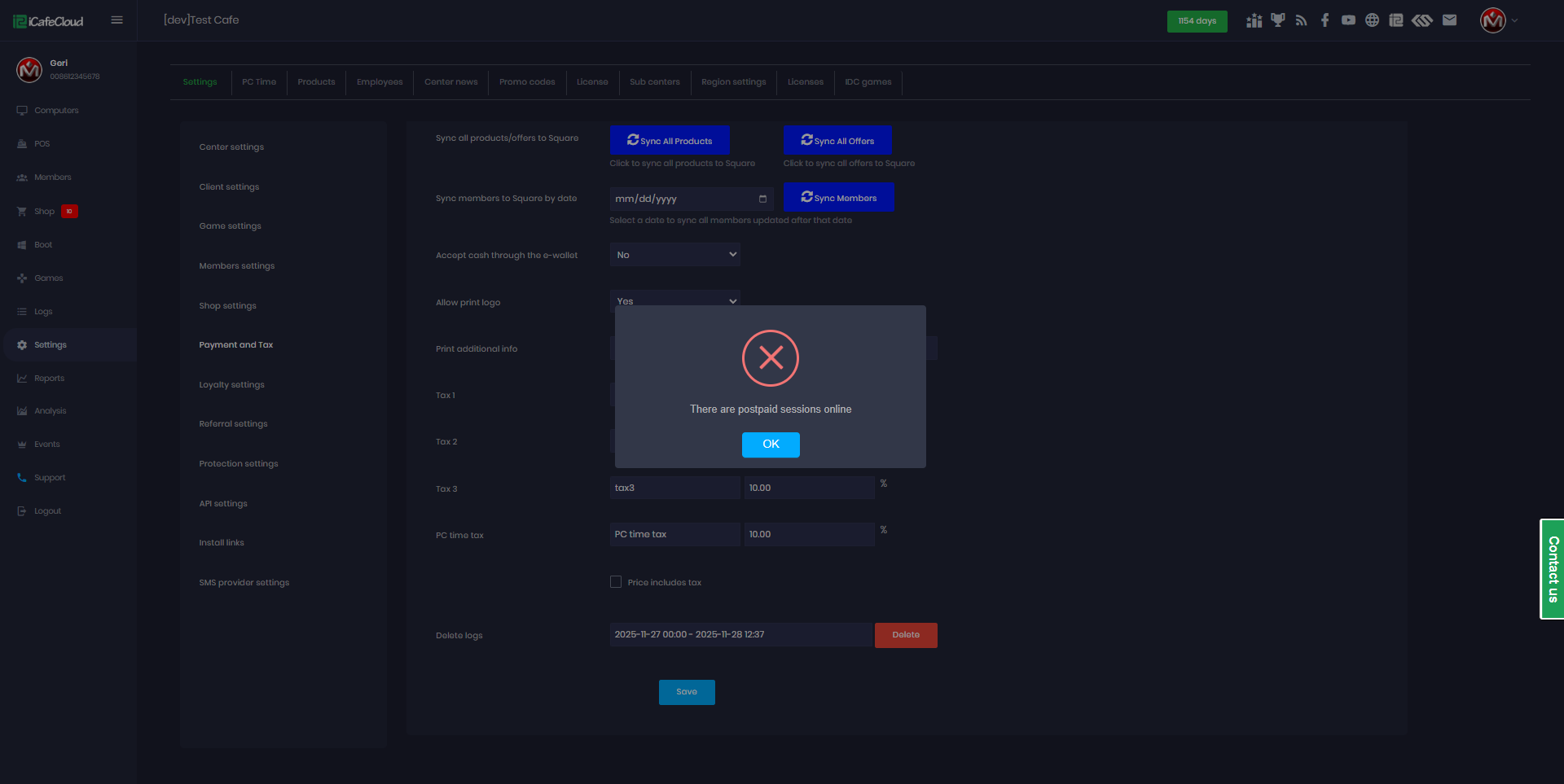
Figure 3