
2025-12-19
power, button, client, interface
The following explains how to show or hide the power buttons on the client interface, including after login, where both the home page and game page display the two buttons.
- By default, the power buttons appear on the login page.
- To ensure they are visible, the client must be in Full Screen mode, as maximized mode will not display the power buttons even if Show Power is set to Yes.
- Navigate to Settings → Client Settings and set Show Power Buttons to Yes (Figure 1).
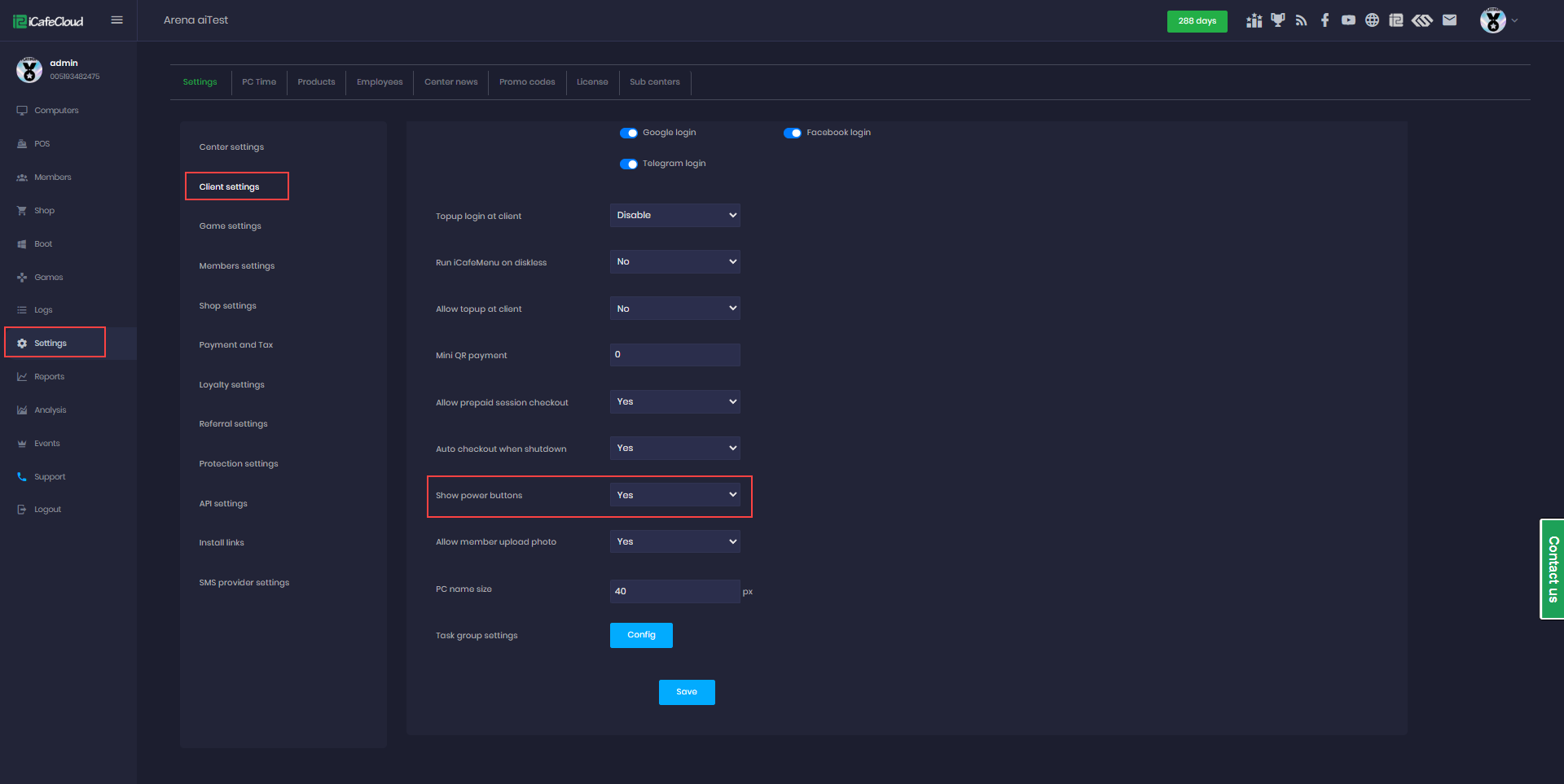
Figure 1
- On the client side, the buttons will be visible after logging into the account. (Figure 2)
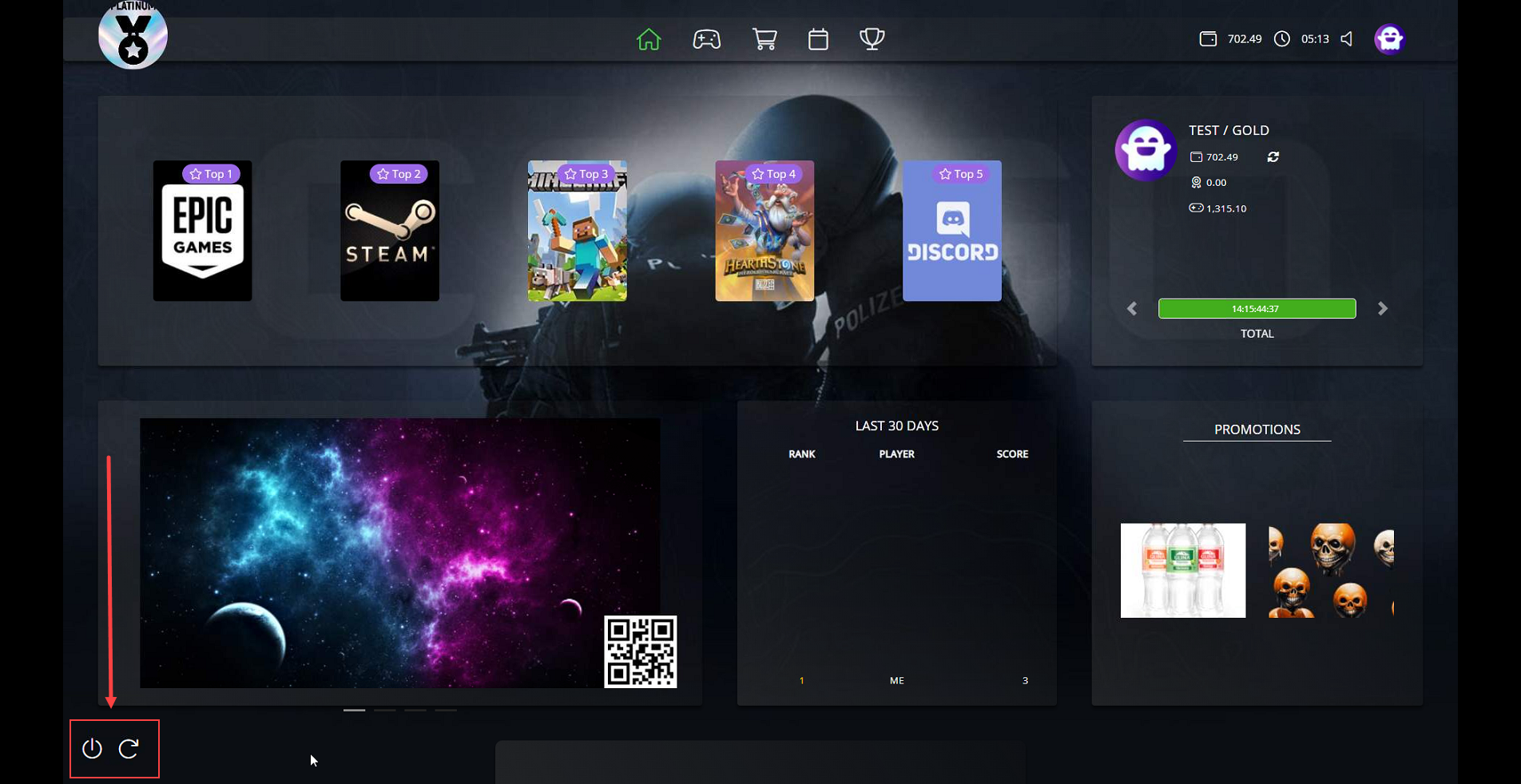
Figure 2
- Same as on Blue theme (Figure 3)
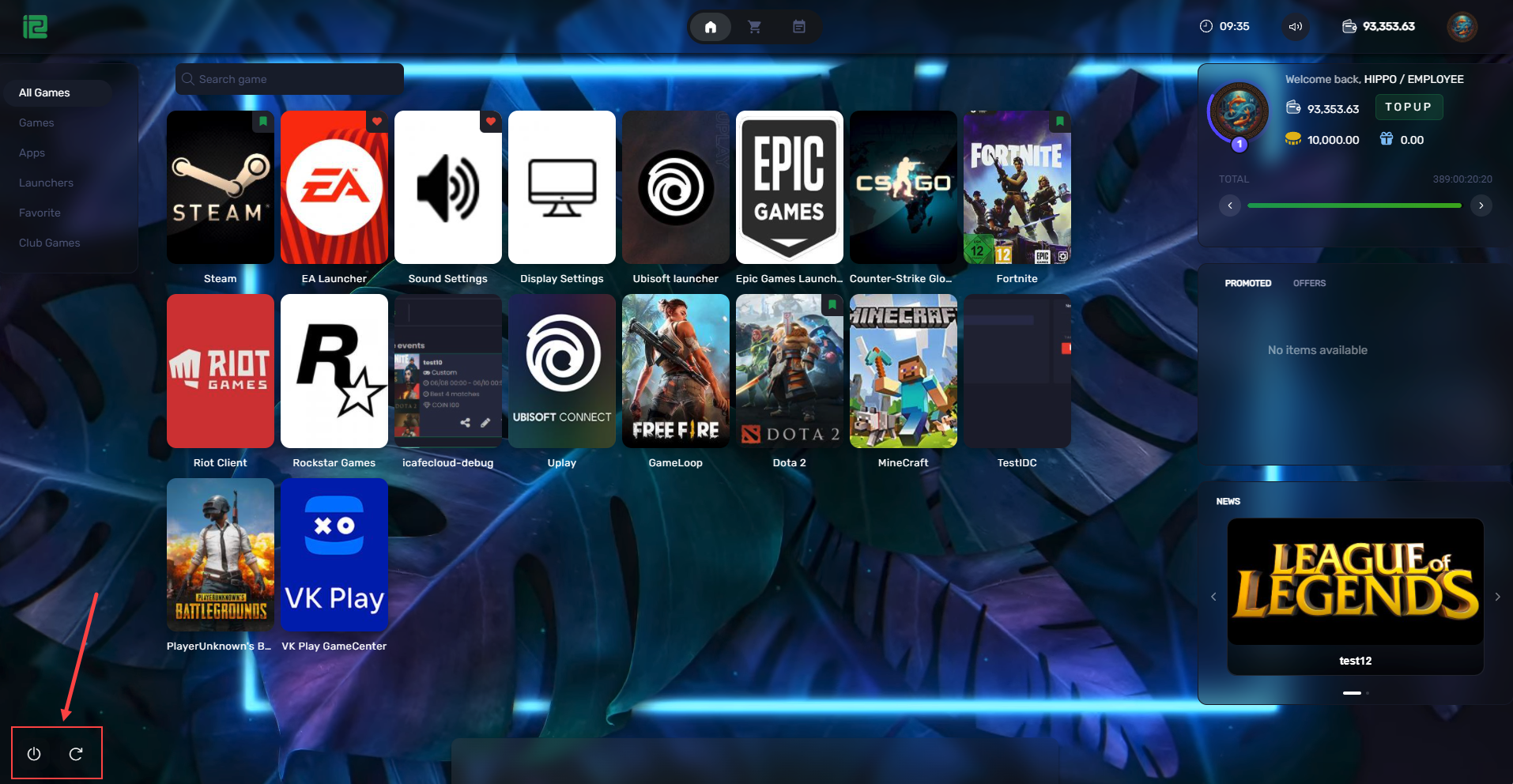
Figure 3