

The following explain how to confirm QR orders manually if they failed from the integration
- If an order is completed and the payment is successful, but the status still shows “In Process” on the Shop page, it means the payment was received but the data failed to sync with iCafeCloud(Figure 1)
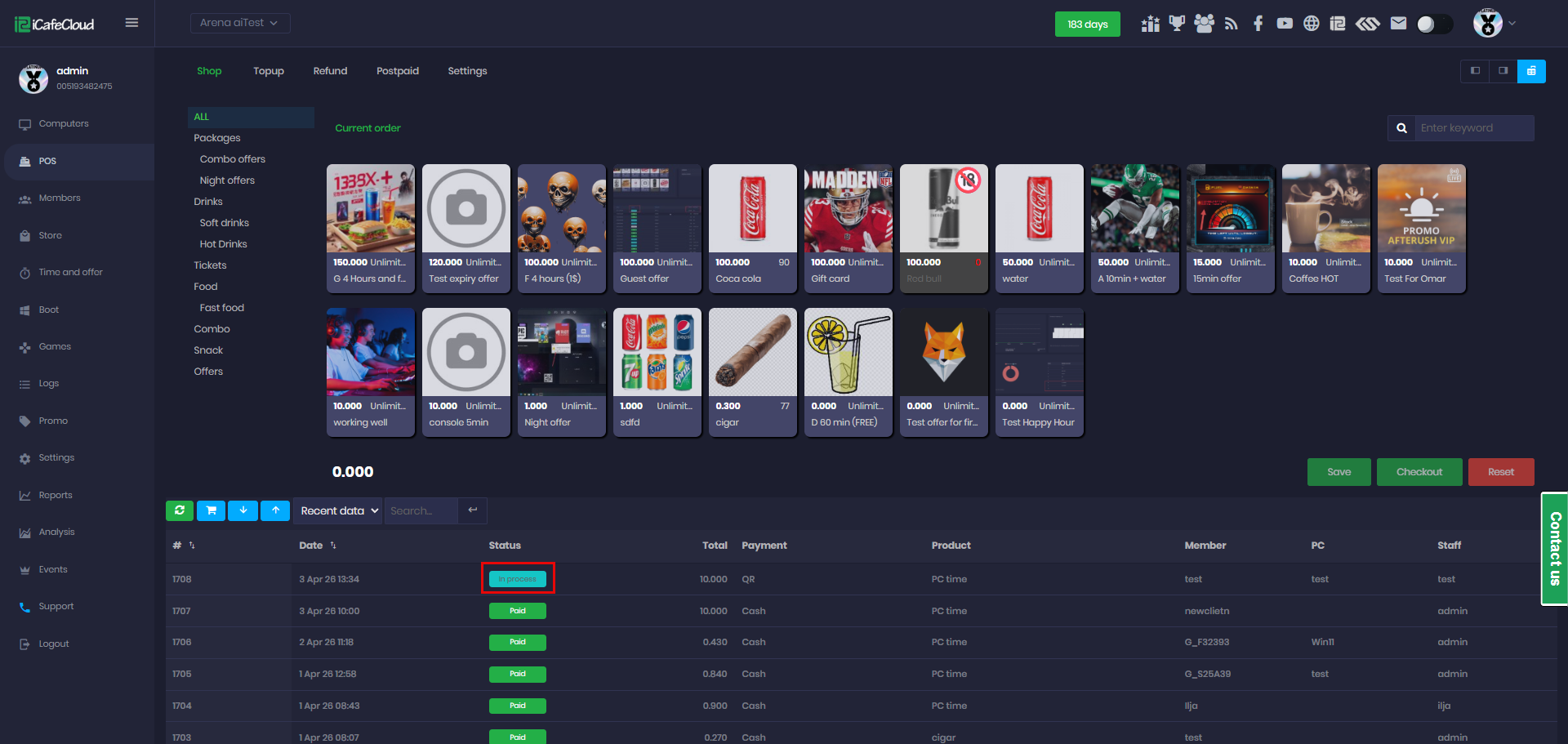
Figure 1
- In such cases, you can manually accept the QR payment from the Shop transactions after confirming that the payment has been successfully completed in your QR wallet. (Figure 2)
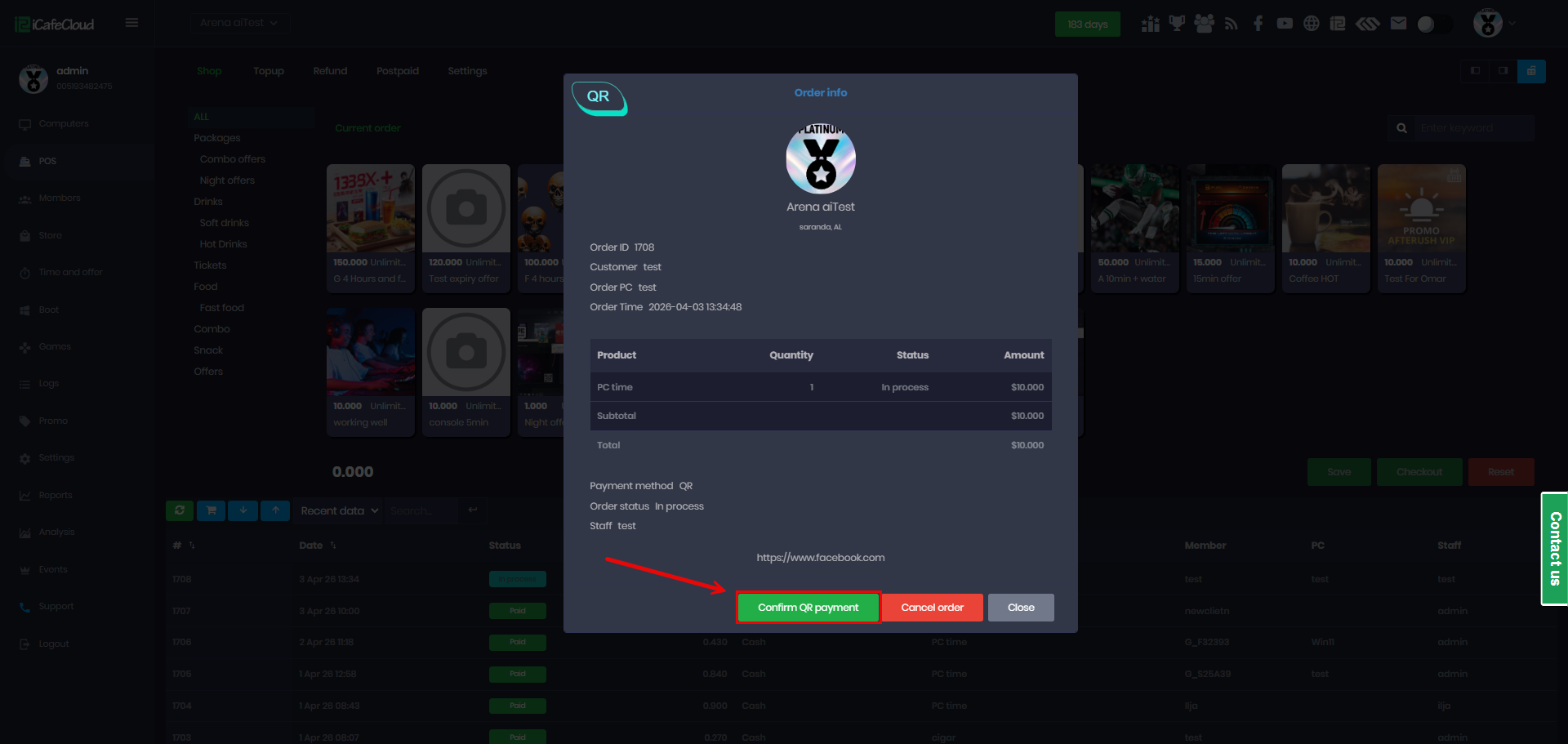
Figure 2
- After manual confirmation, the order will be marked as Paid in the Transaction History. (Figure 3)
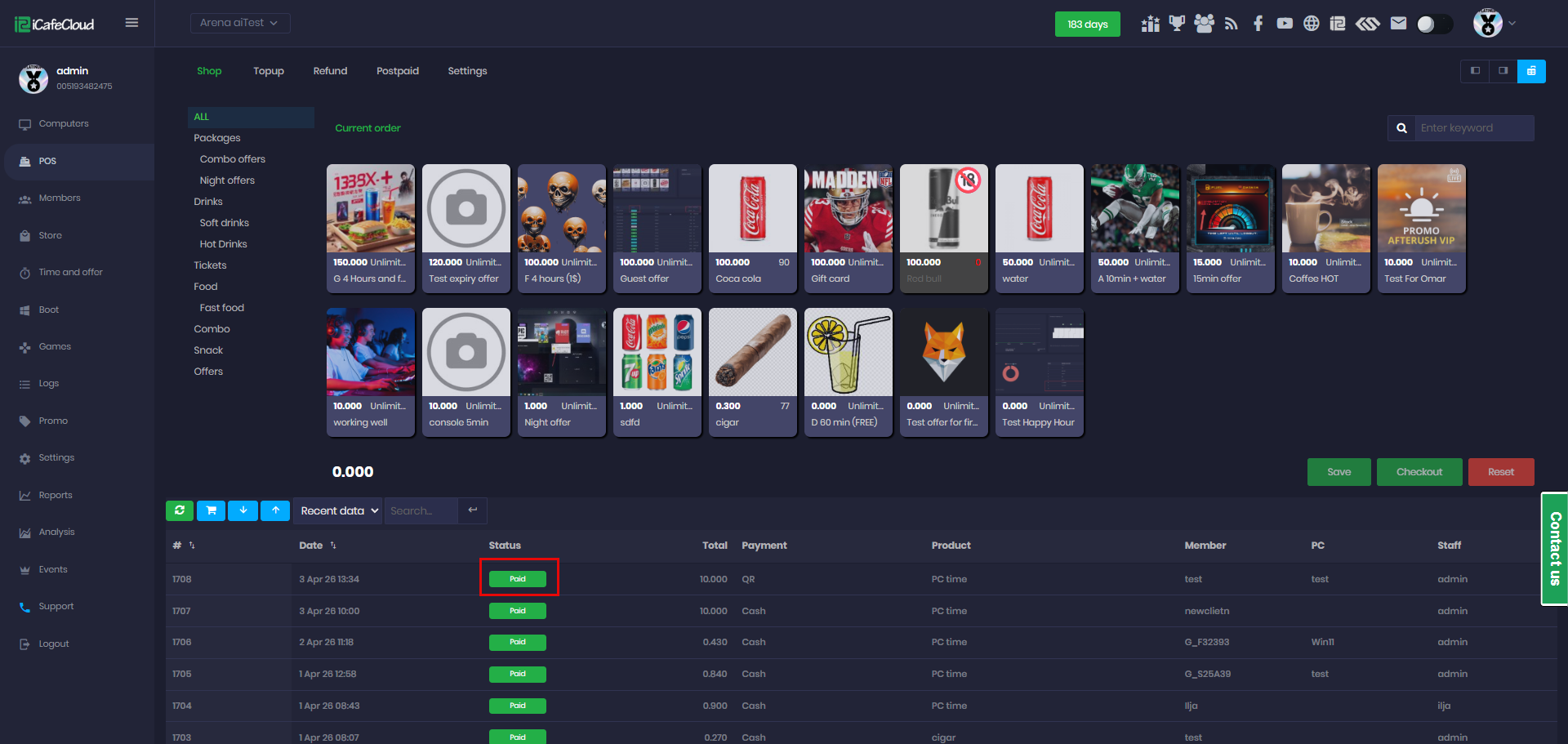
Figure 3
- In the logs, manually confirmed QR payments will appear under a different event labeled MANUALCONFIRMQR. This distinguishes them from automatic QR payments, making them easier to identify.(Figure 4)
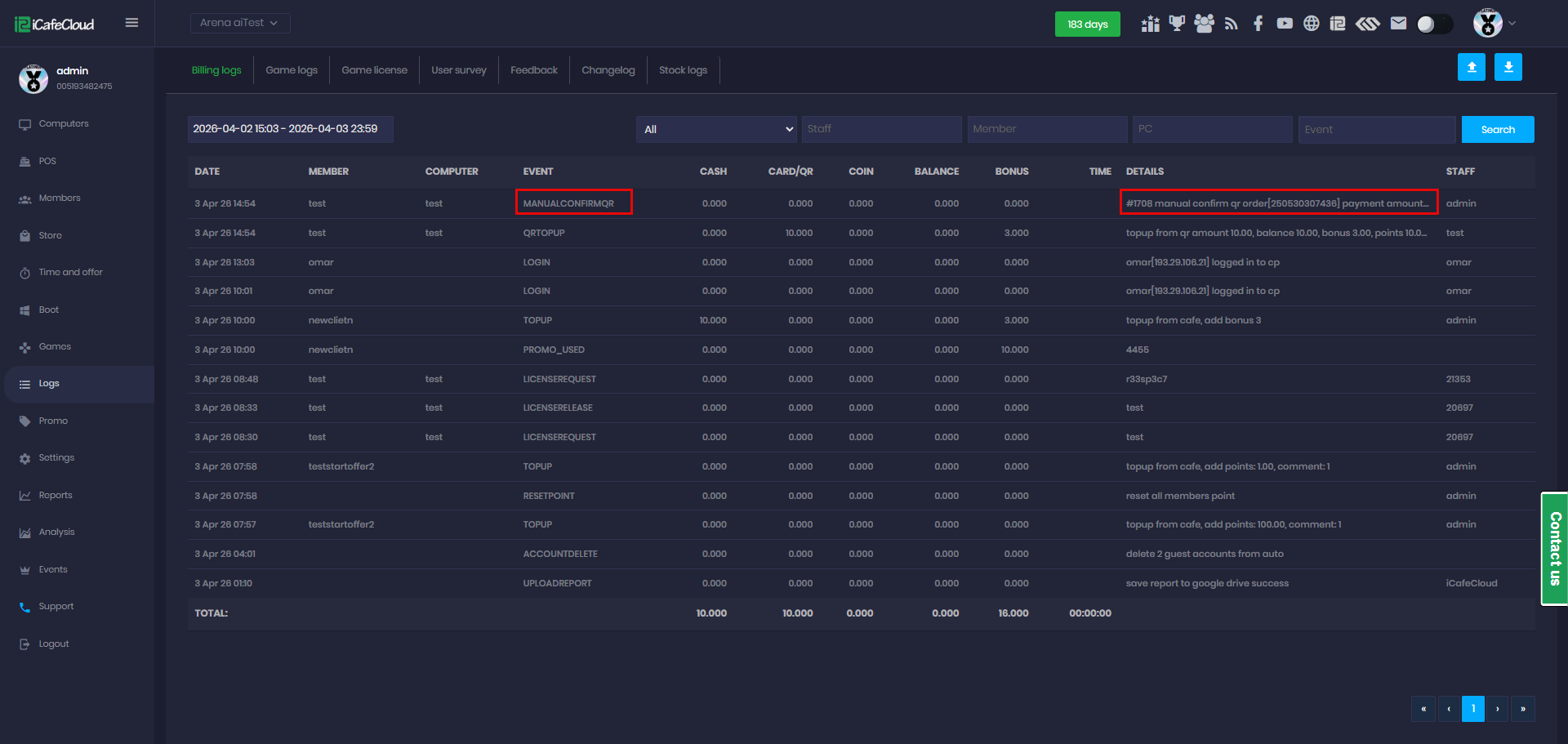
Figure 4