

The following section explains how to configure whether member balance can be used for PC time or restricted to shop purchases only when balance usage for PC time is disabled.
- Navigate to POS - Settings and locate the Allow Balance for PC Time option.
- Set it to No to disable balance usage for PC time. (Figure 1 & 2)
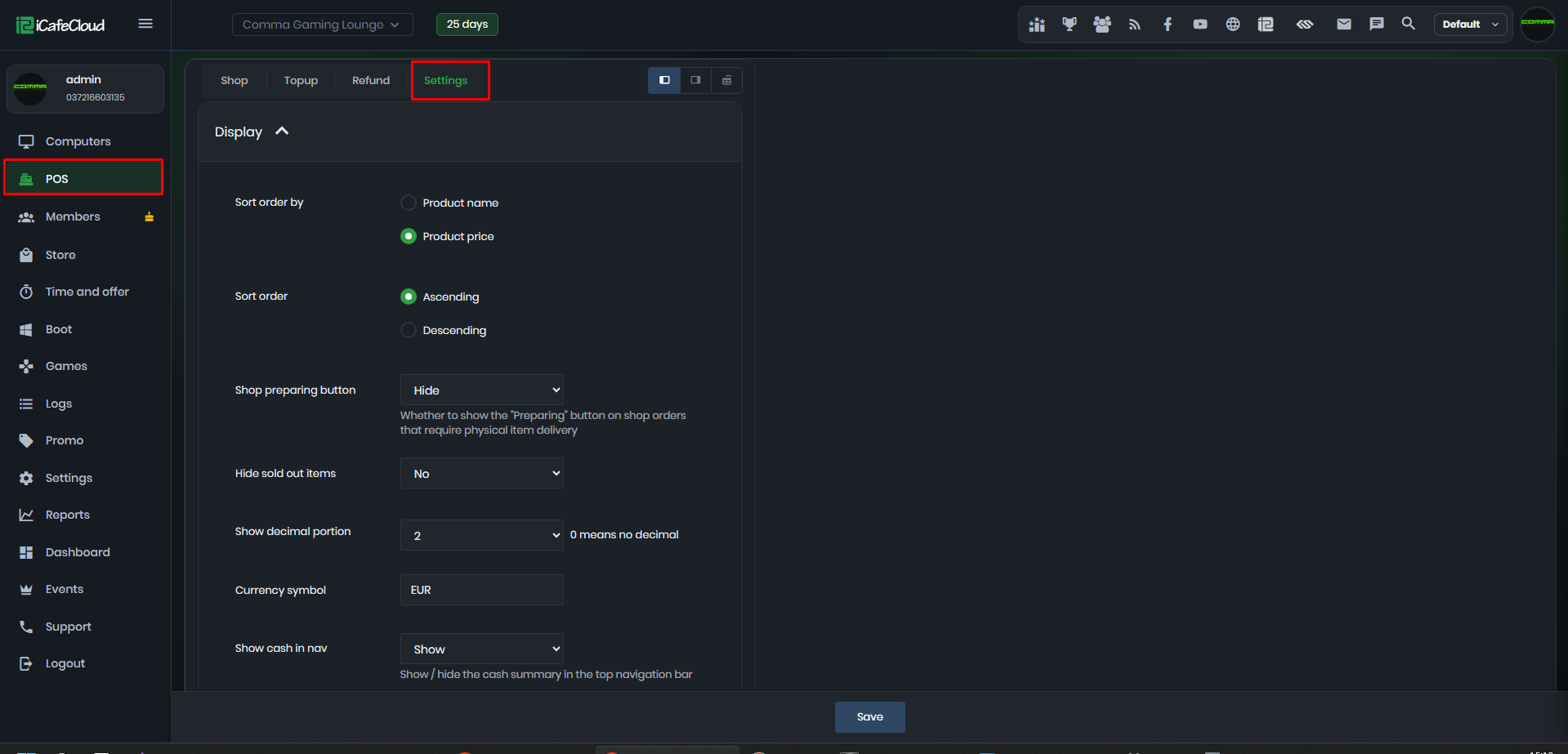
Figure 1
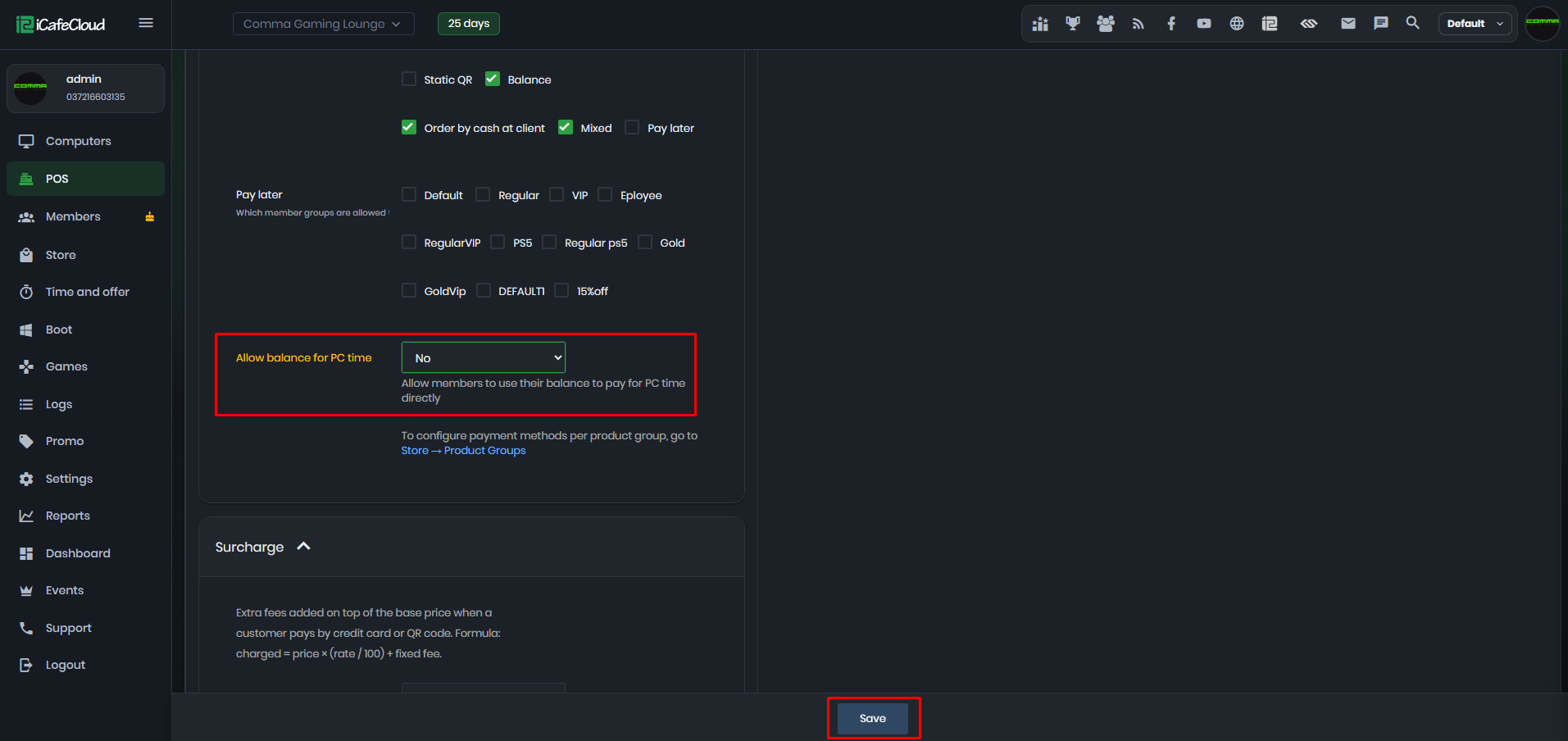
Figure 2
- If you start a session using a member account that only has balance and no active offer, a notification will appear stating that balance usage is not allowed. (Figure 3)
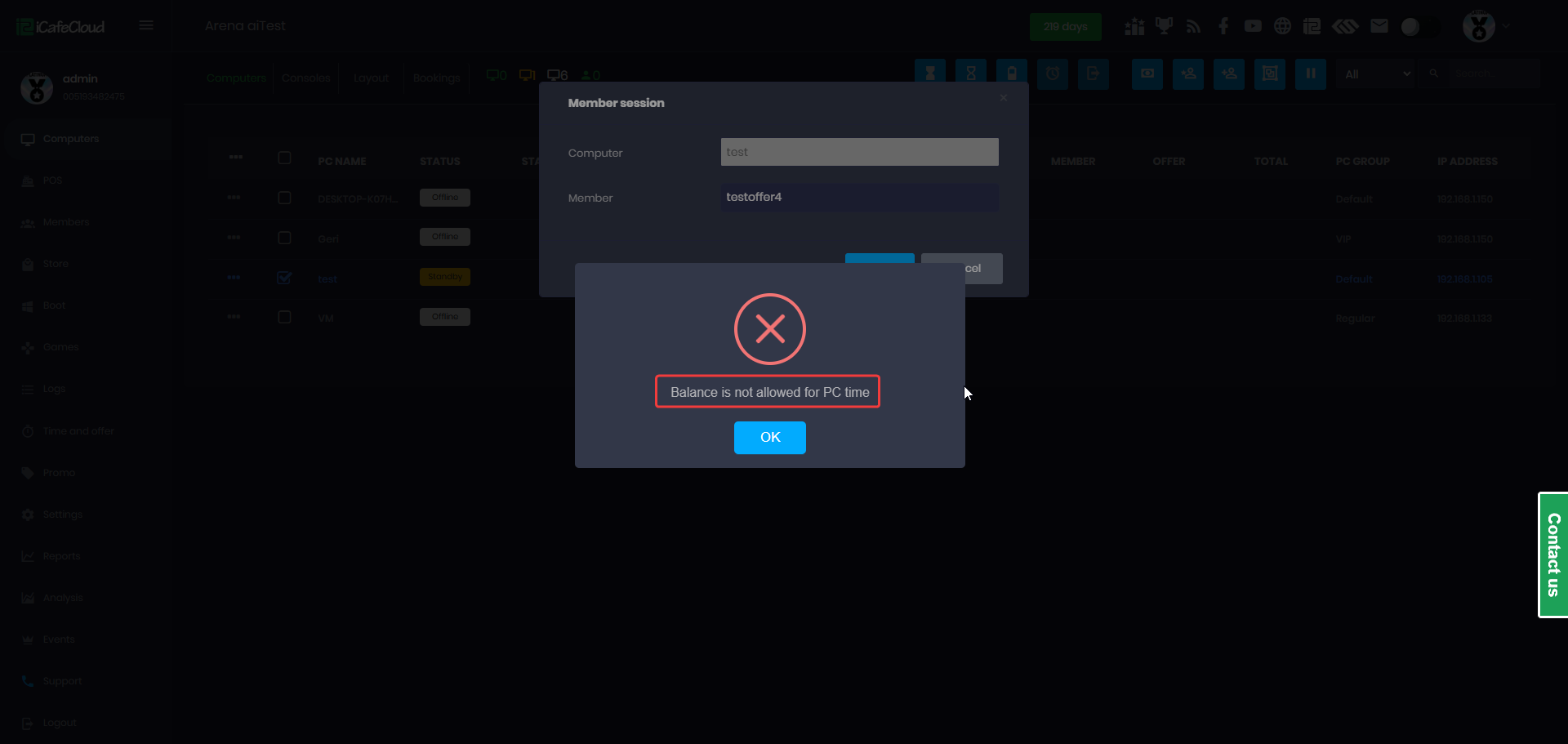
Figure 3
- Additionally, if a member attempts to log in directly from the client interface, the system will only provide the option to purchase an offer. The member will not be able to start a session using balance.(Figure 4)
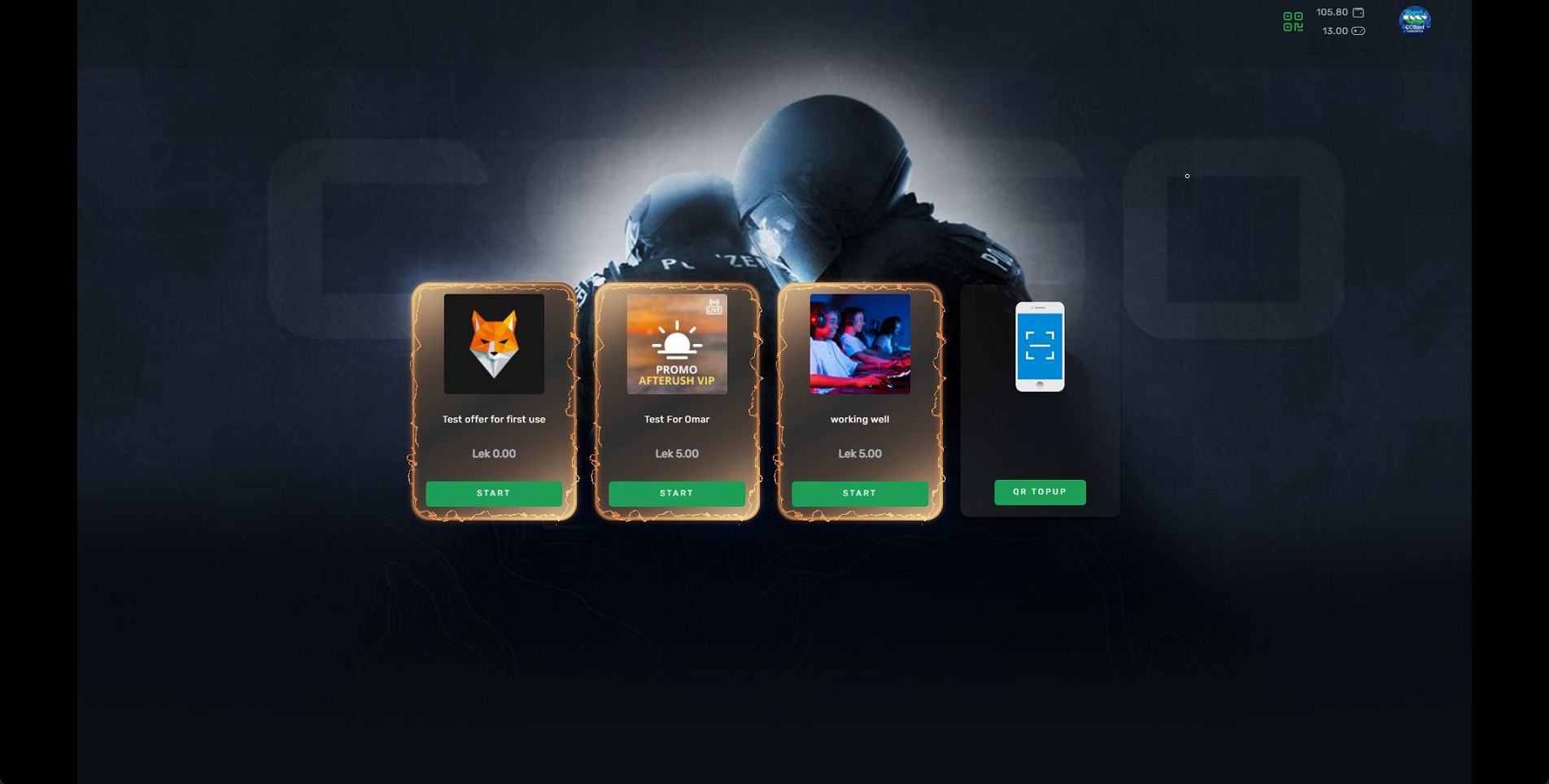
Figure 4
- This setting does not affect postpaid or prepaid sessions. It applies only to member accounts.