

The following explains which SMS provider(Twilio, Red sms,sms Aero,Telegram sms, Custom sms) to use and how to configure it for proper functionality.
- This function is the initial step in configuring reset member password via SMS.
- On the Settings page, navigate to QR and SMS and then to SMS verification code change to Yes.(Figure 1)
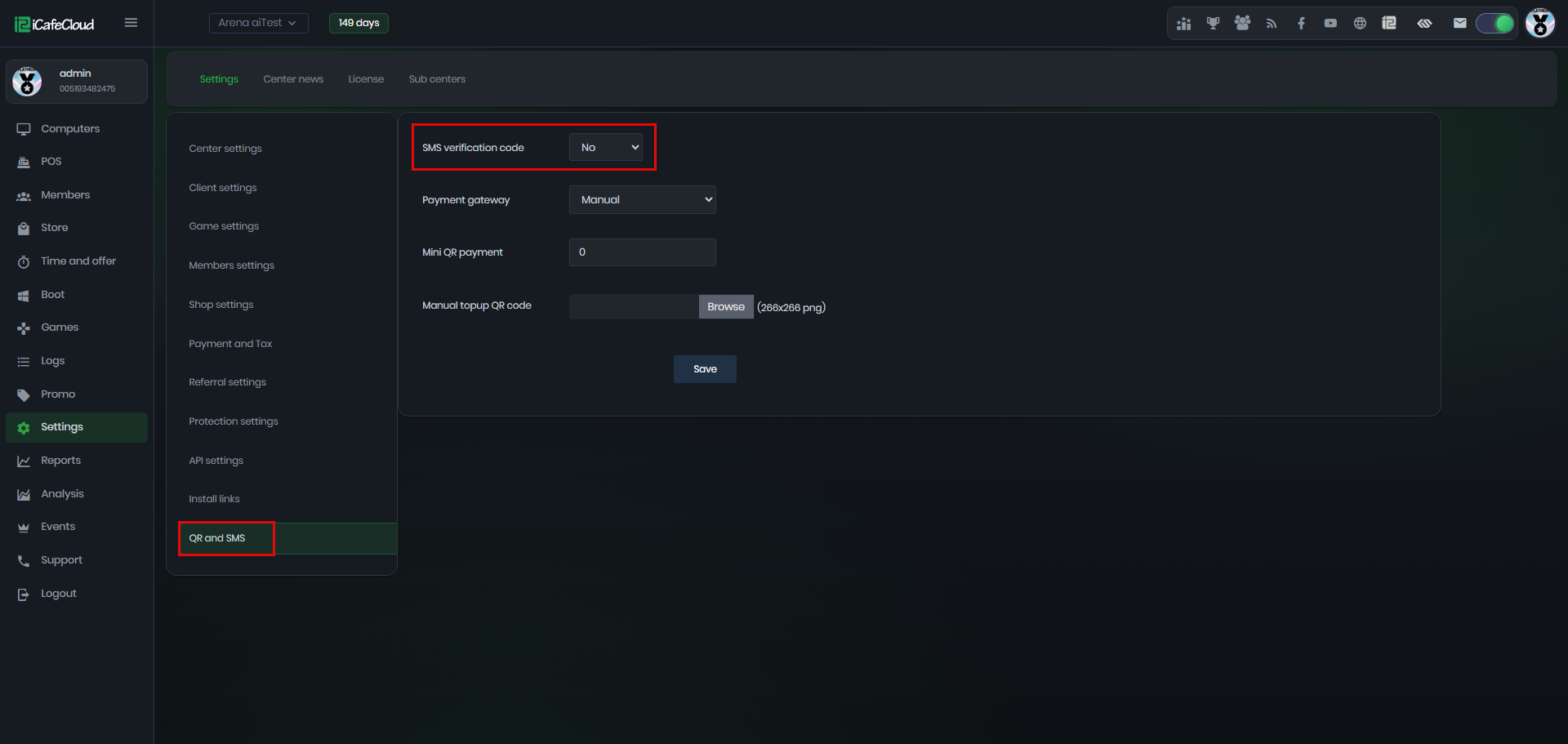
Figure 1
- When changed to YES will display a list with sms providers as RedSMS, SMSaero, Twilion Telegram or add a custom URL link(Figure 2)
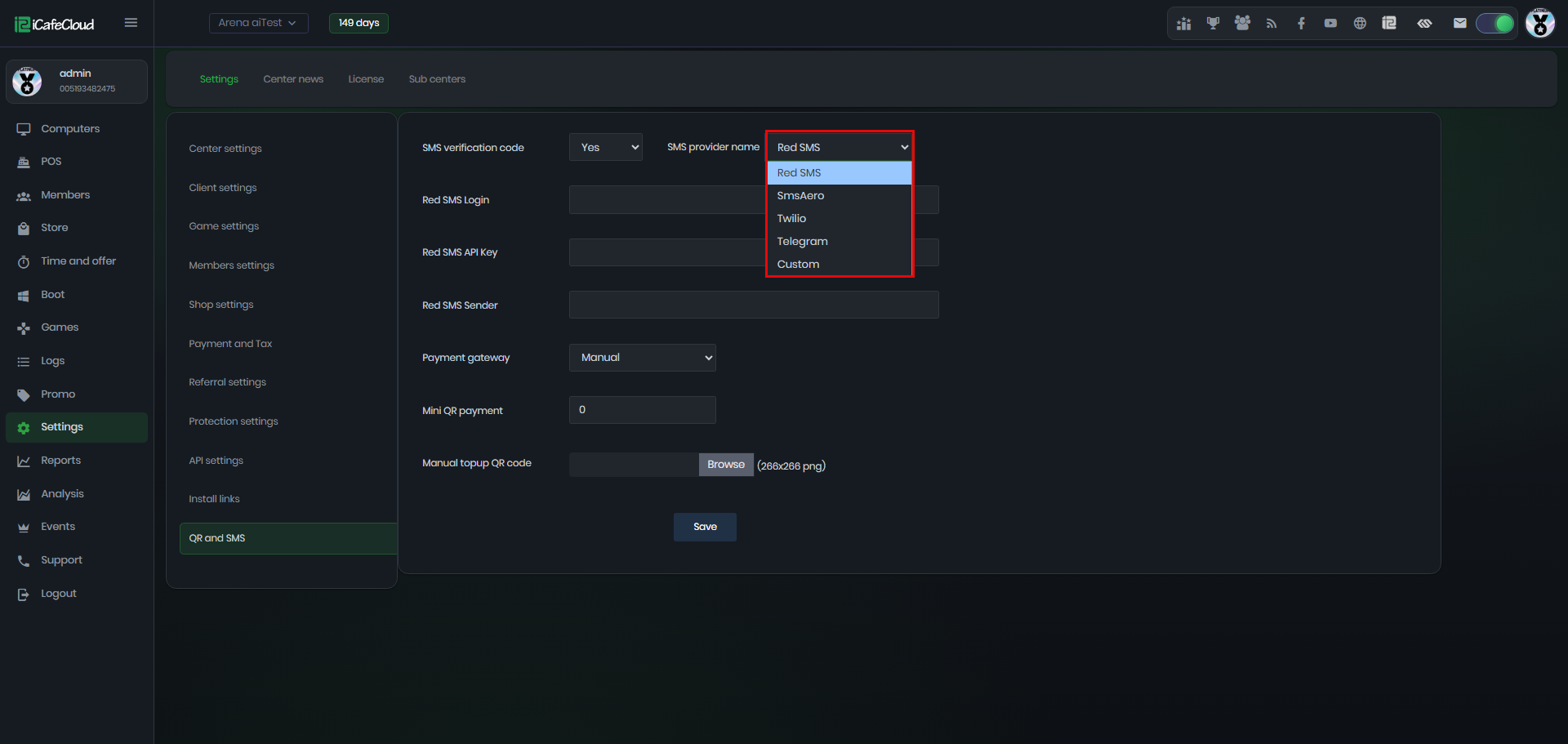
Figure 2
Client interface
- In the client interface of iCafeMenu, at the member registration page, you will find a Phone field and a Code field. (Figure 1)
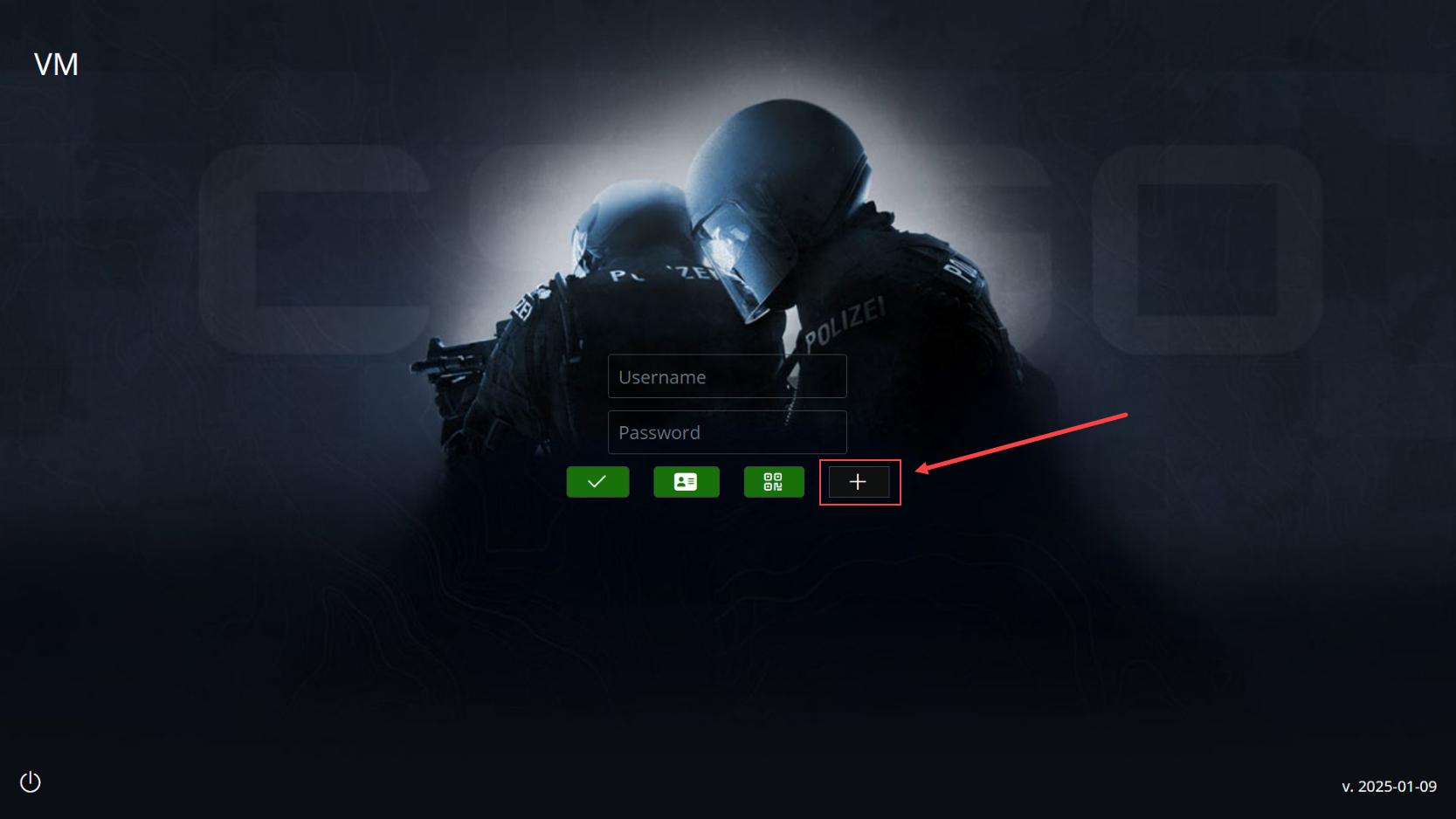
Figure 1
- Enter the correct phone number and click GET CODE. A verification code will be sent to your mobile phone via SMS. Input the code into the designated field before the 60 seconds, complete all the required member details, and confirm the creation. The registration will then be successful.(Figure 2)
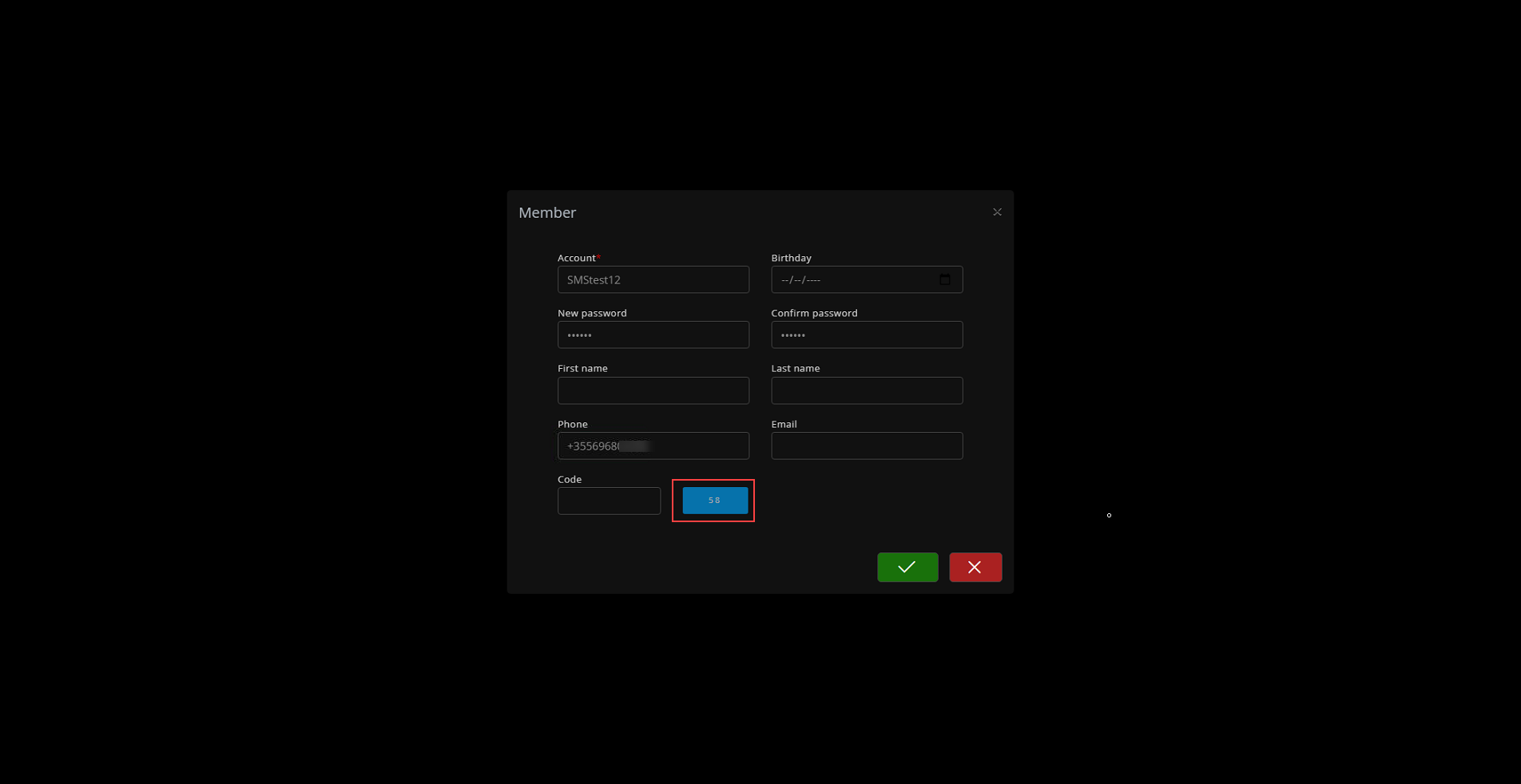
Figure 2