

The following explains how to manage sub-licenses from the main license with a single login, allowing you to easily switch between the main and sub-licenses with one click.
- Navigate to Settings → Center Settings, locate Allow Manage Sub Licenses, and change it to Enabled to activate the feature. (Figure 1)
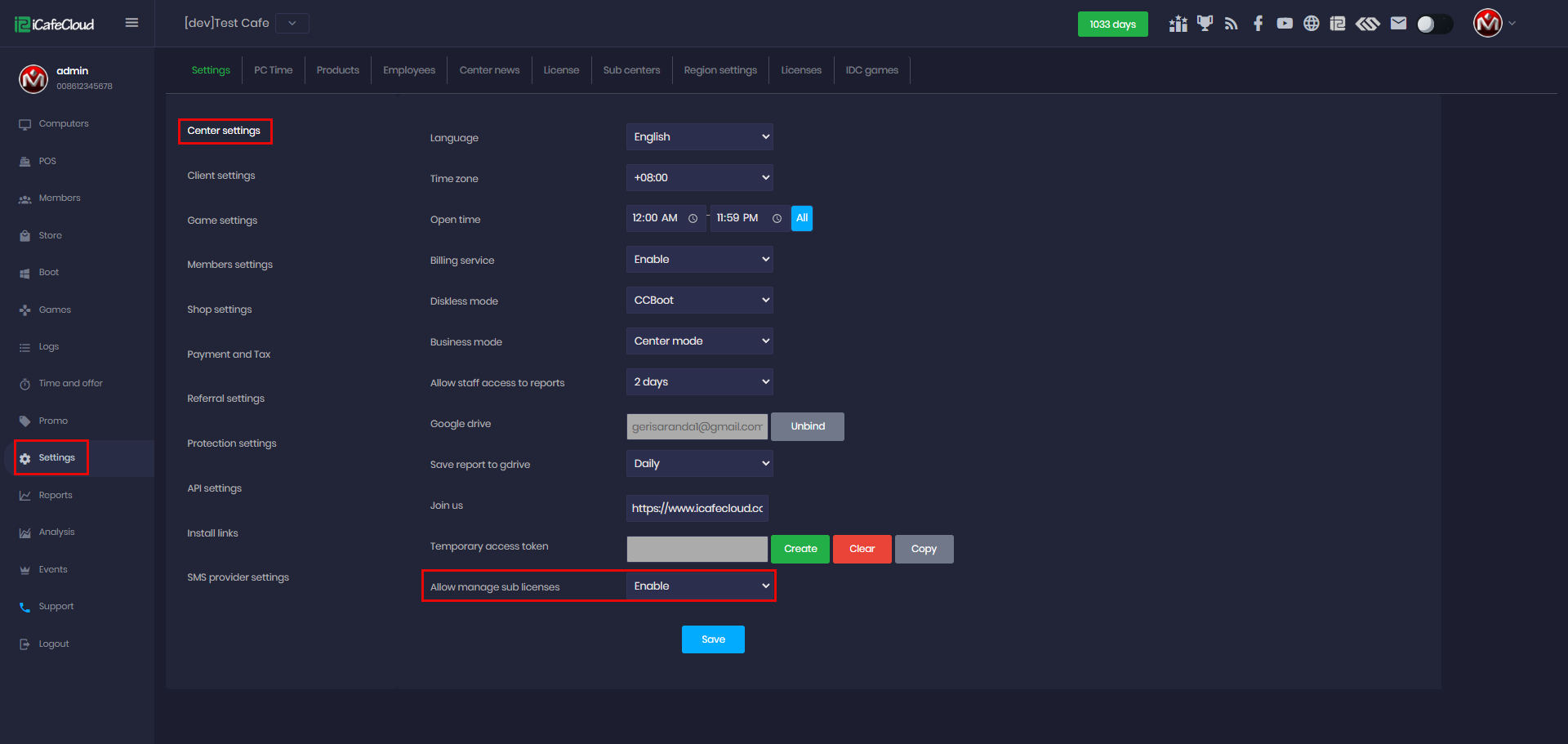
Figure 1
- Next to the center name, you will notice a new button. Click it to display the list of sub-centers, along with their license IDs (Figure 2).
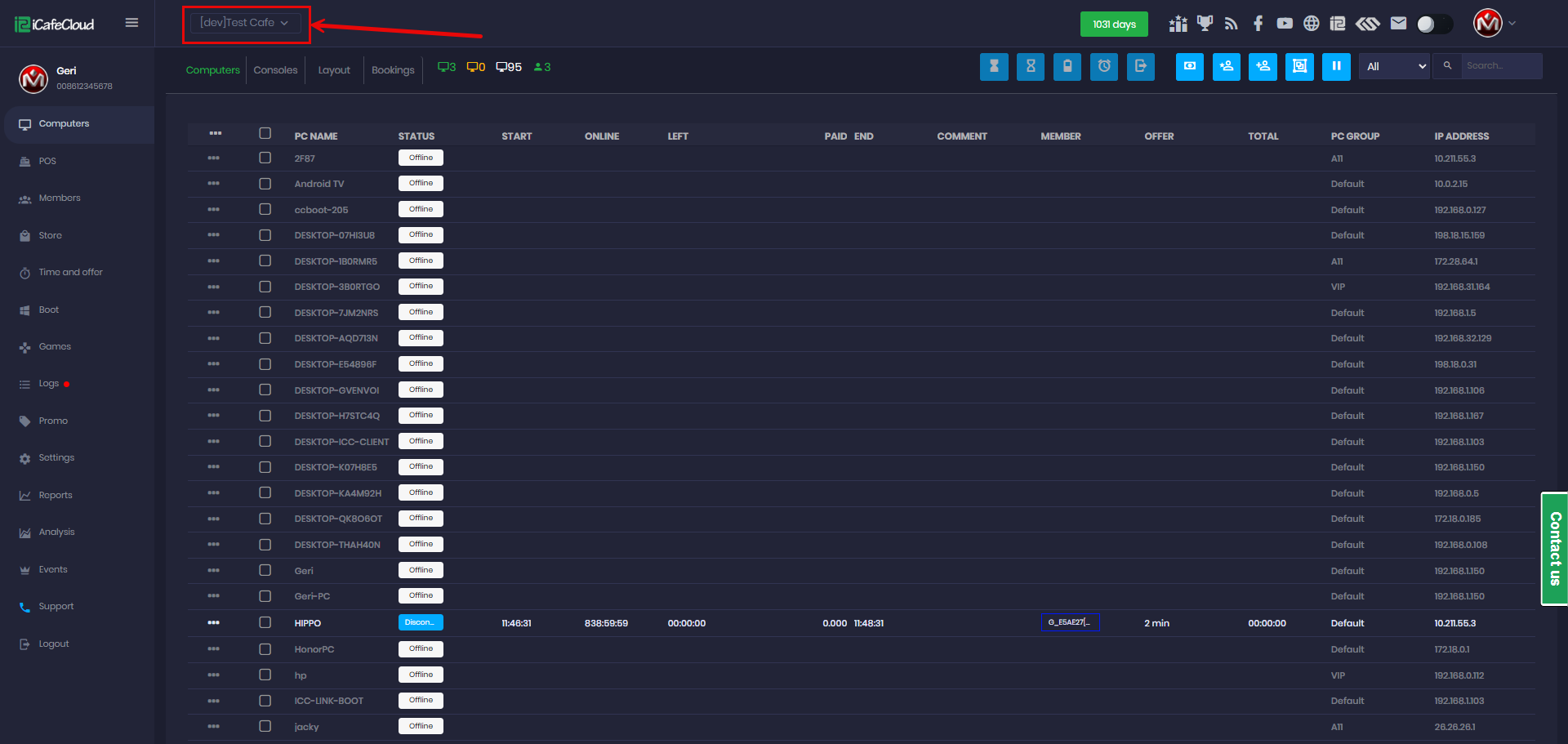
Figure 2
- When you select and click a sub-center, the web panel will switch to that center and display its data. The login label will show Admin, indicating the sub-license switch done. (Figure 3)
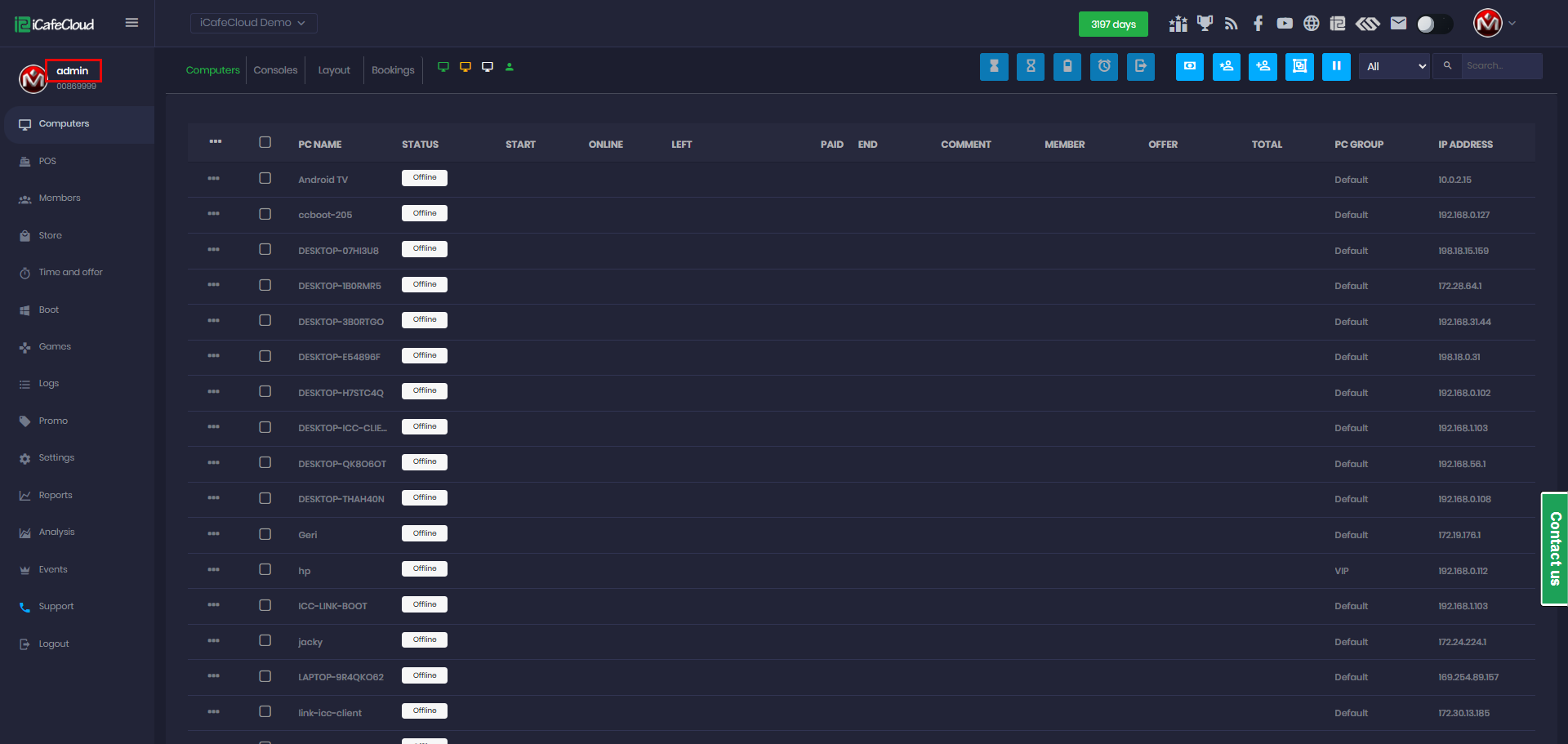
Figure 3
- With this feature, only the “admin” account can manage and access all sub-centers, including viewing reports and active PCs at any time. To switch back, select the center from the list. (Figure 4)
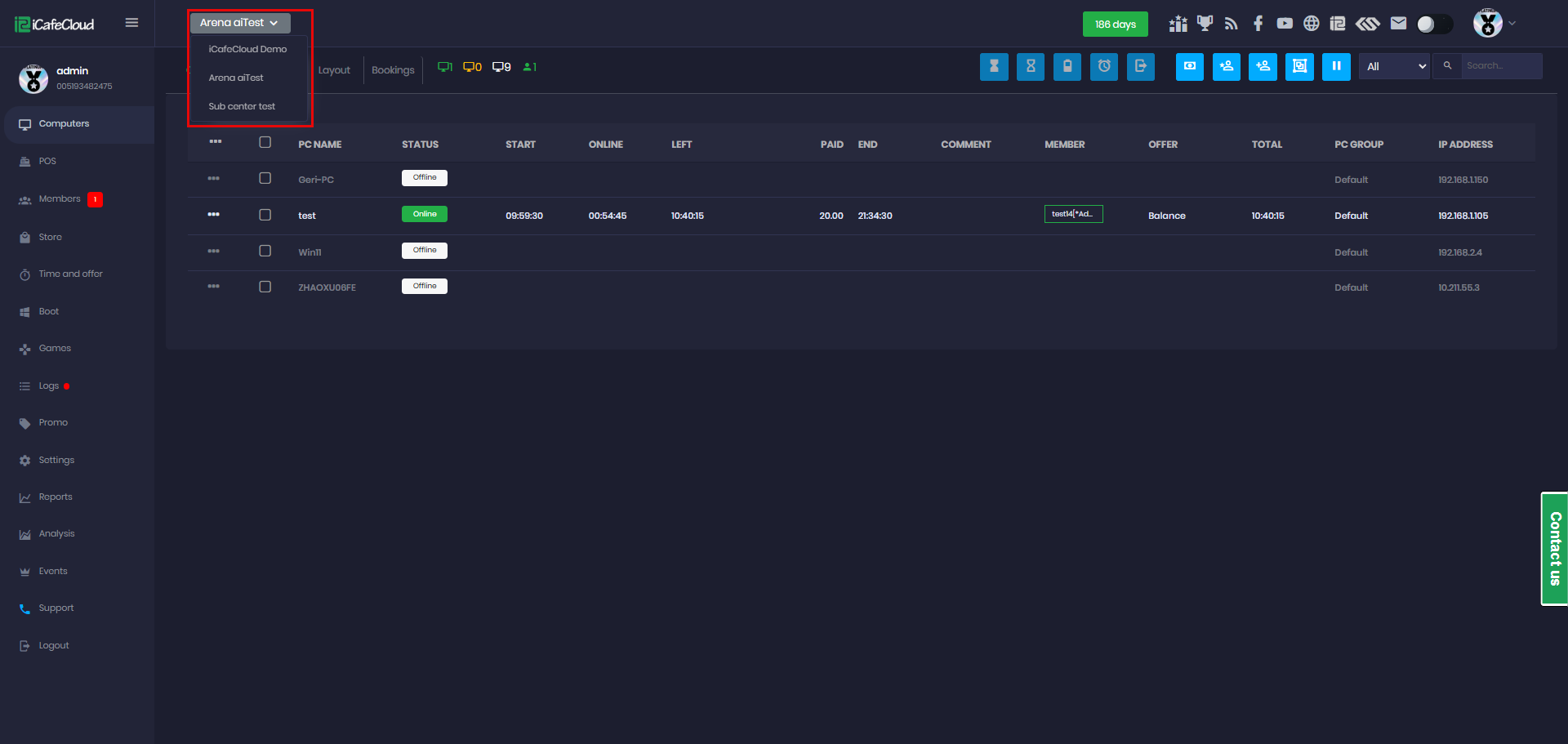
Figure 4