

The following explains how to turn off printing of tax receipts when customers pay with cash.
- By default, tax receipt printing is enabled for cash payments.
- To change this setting, go to POS → Settings, find the tax printer option for cash payments, and select ‘Disabled’. (Figure 1).
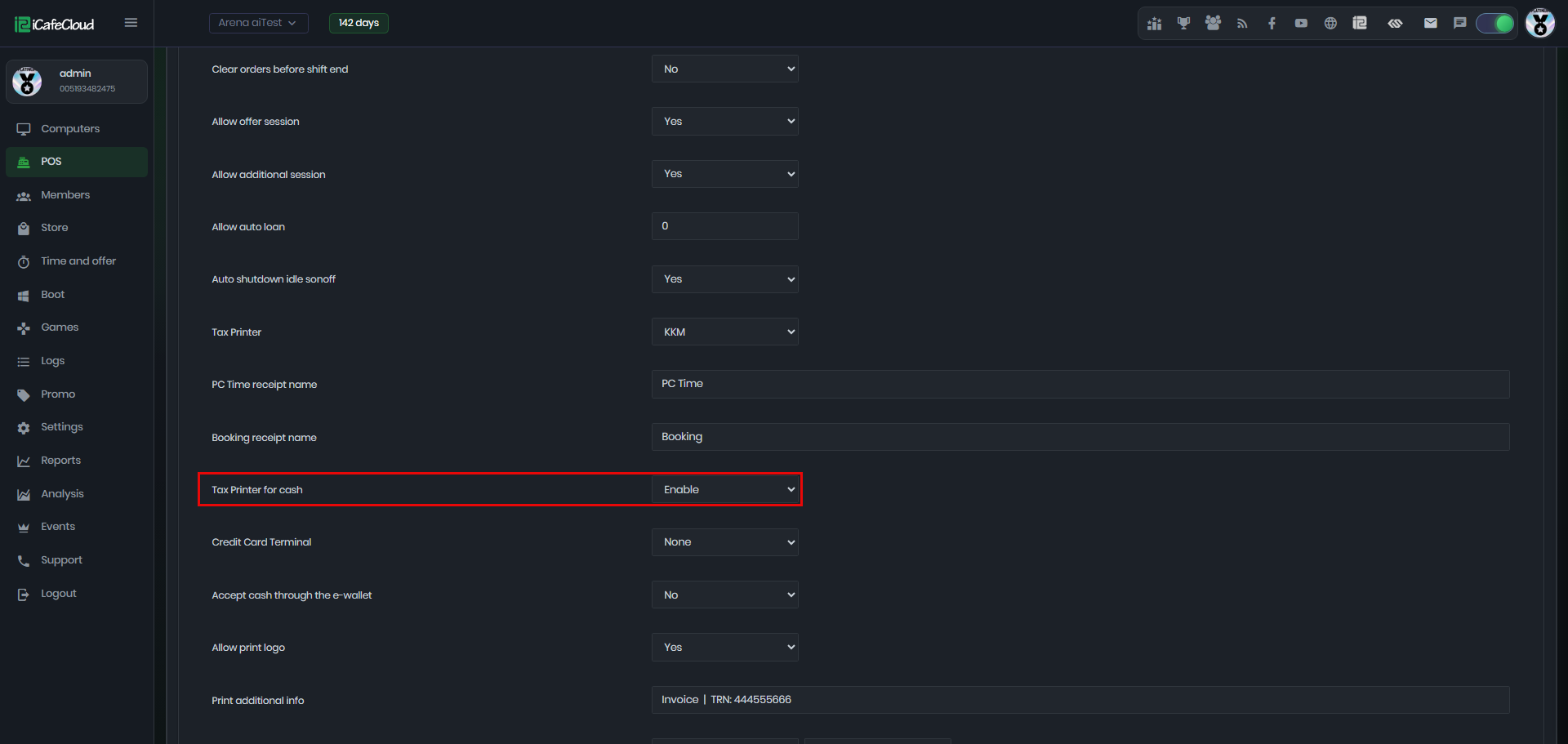
Figure 1
- When this setting is disabled and the tax printer is set to ATOL or KKM, no tax receipt will be printed for cash transactions.