

The following explains how to enable or disable printing orders after topping up member accounts.
- Go to POS → Settings and change the “Print Order After Top-up,” to Enable (Figure 1).
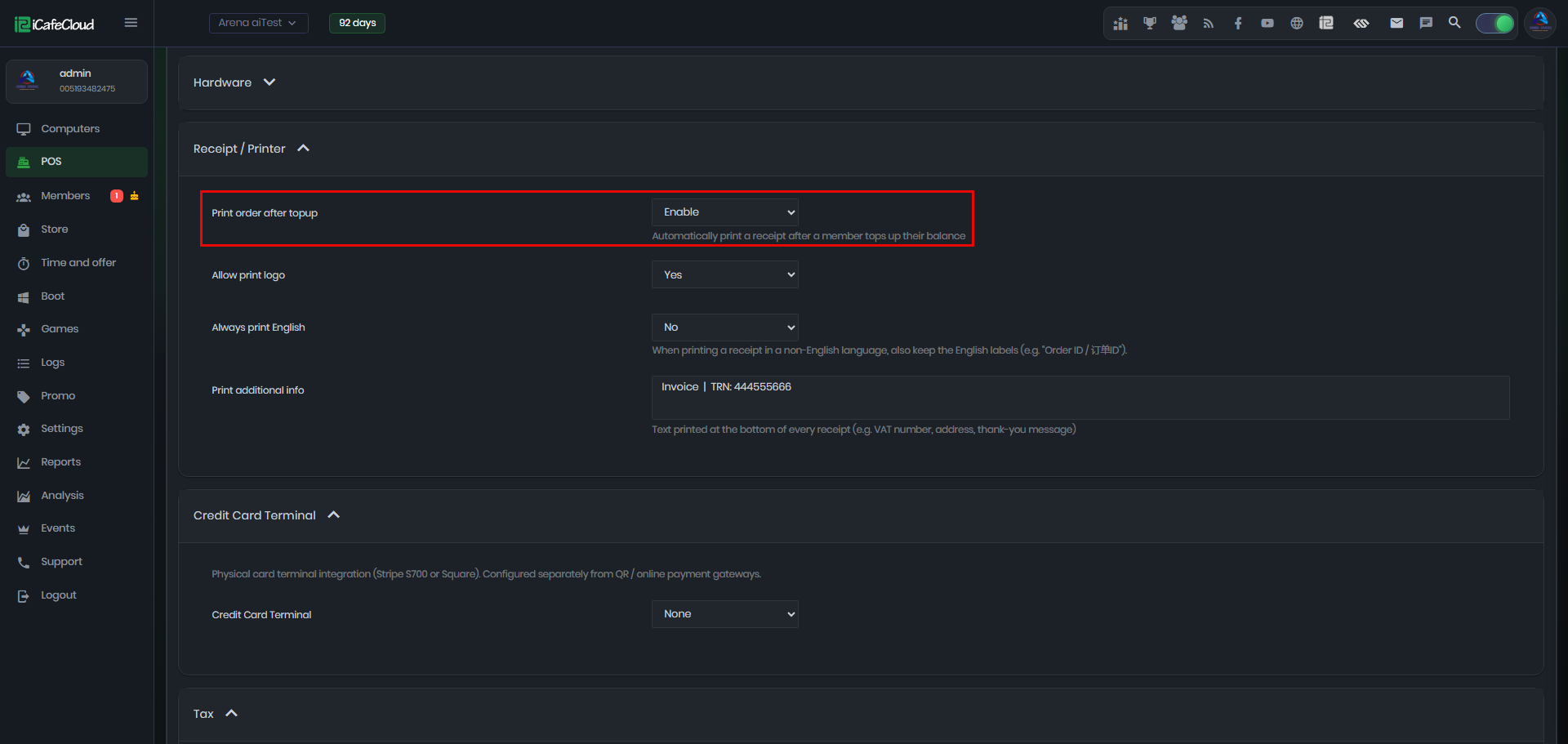
Figure 1
- After enabling this option, a top-up receipt will be printed automatically every time a member account is topped up. (Figure 2).
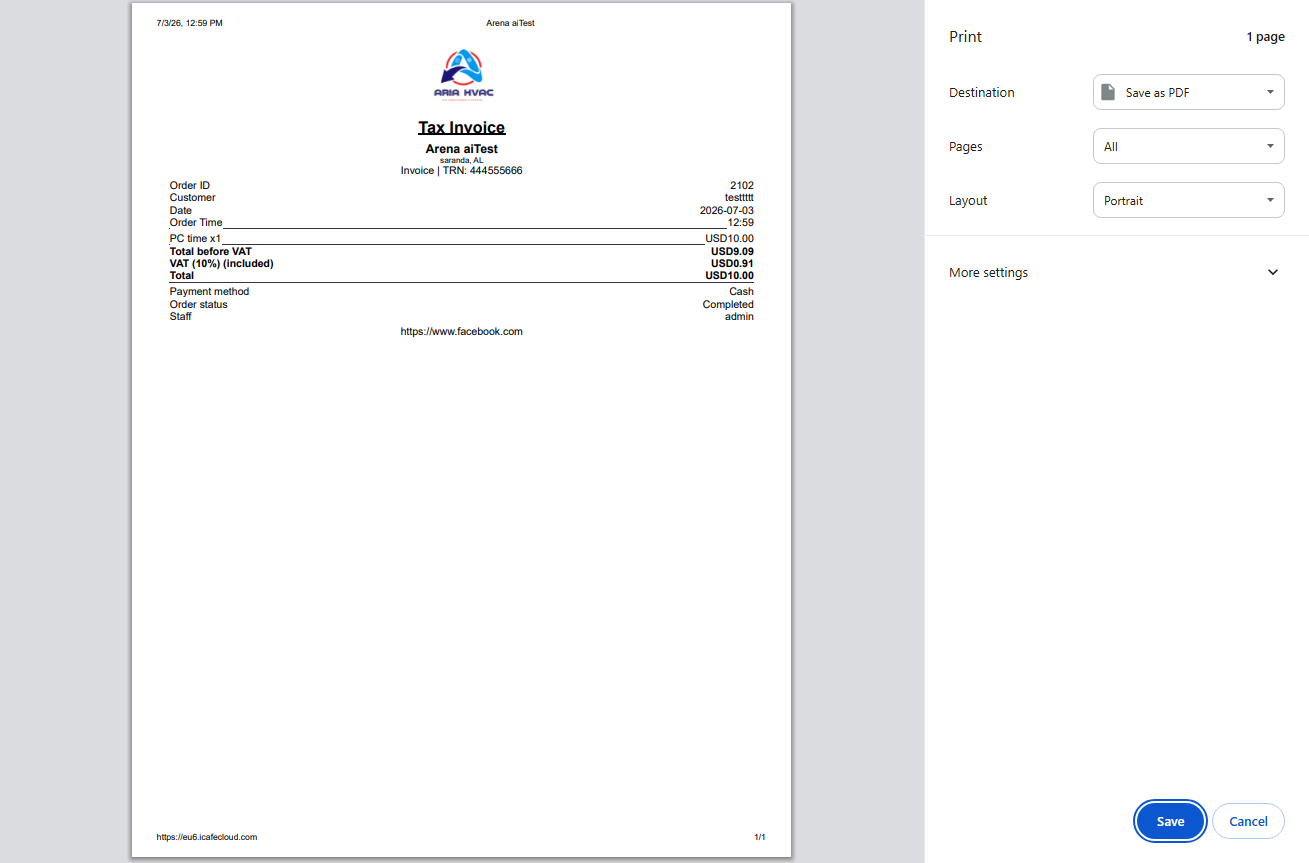
Figure 2
- By default this option is disabled.