

The following explains how to configure the minimum charge amount for both prepaid and postpaid sessions.
- Go to POS → Settings, and under Minimum Charge, set the starting amount value and click save. (Figure 1 & 2)
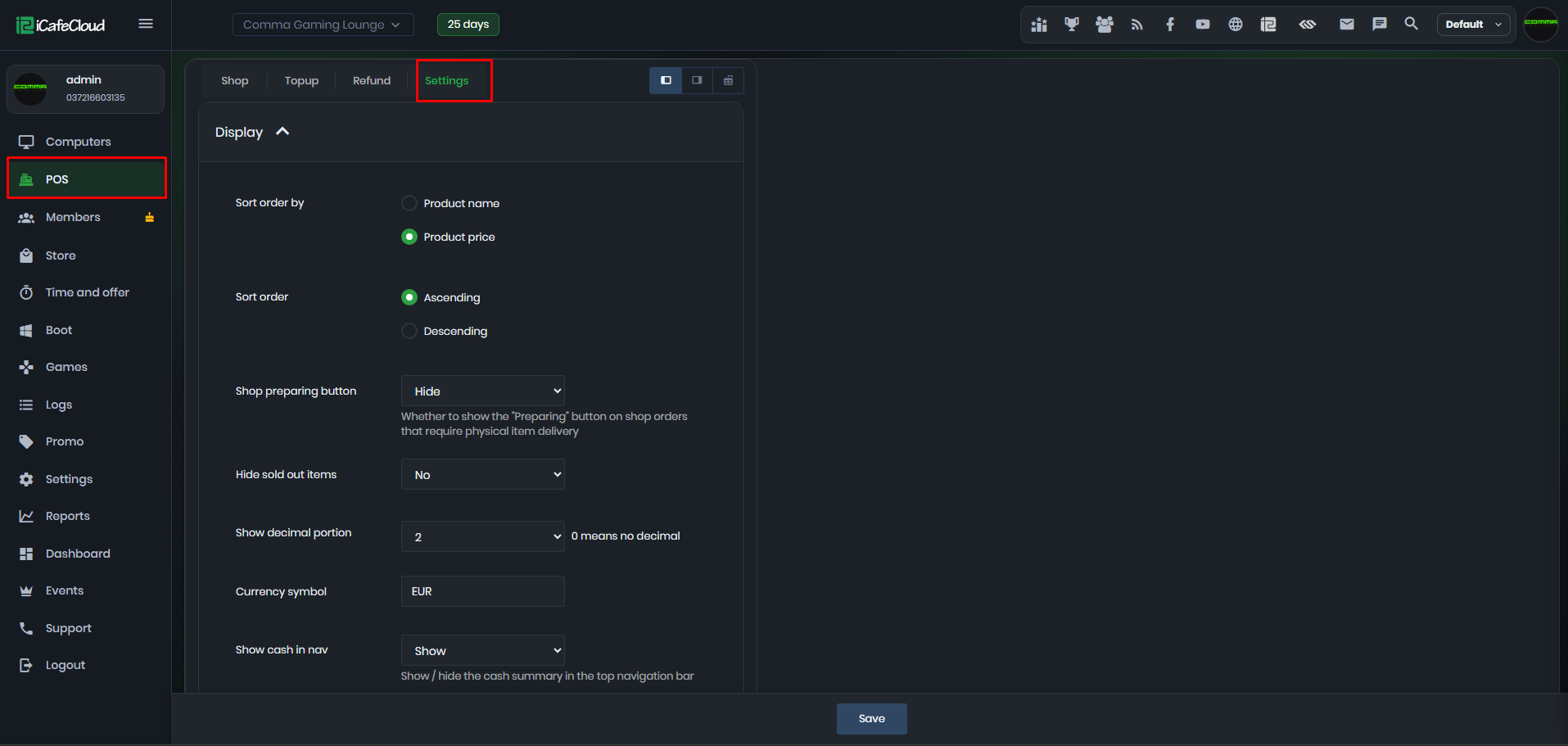
Figure 1
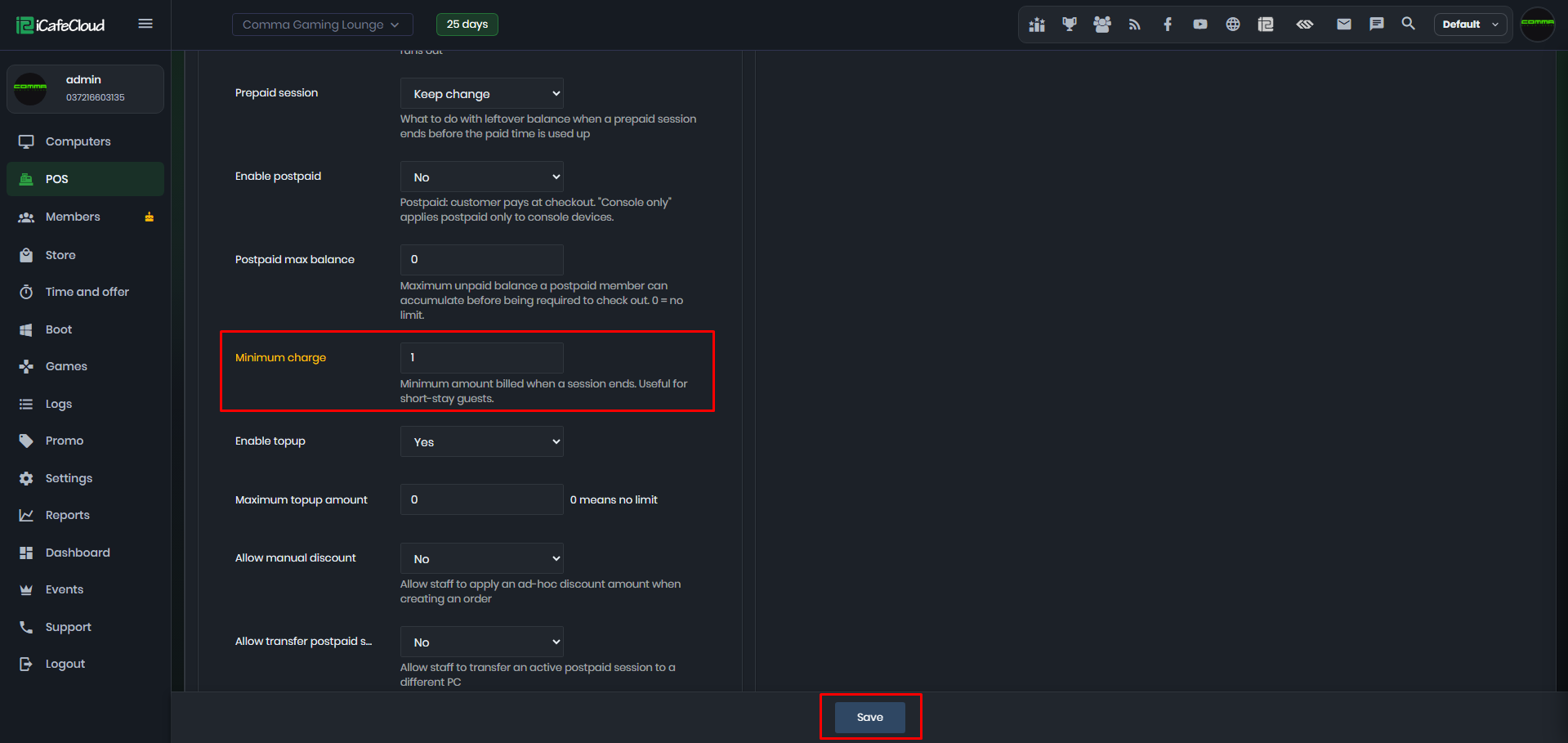
Figure 2
- If you set the value to 1, a postpaid session will be charged 1 plus tax (if configured) immediately at the start. (Figure 3)
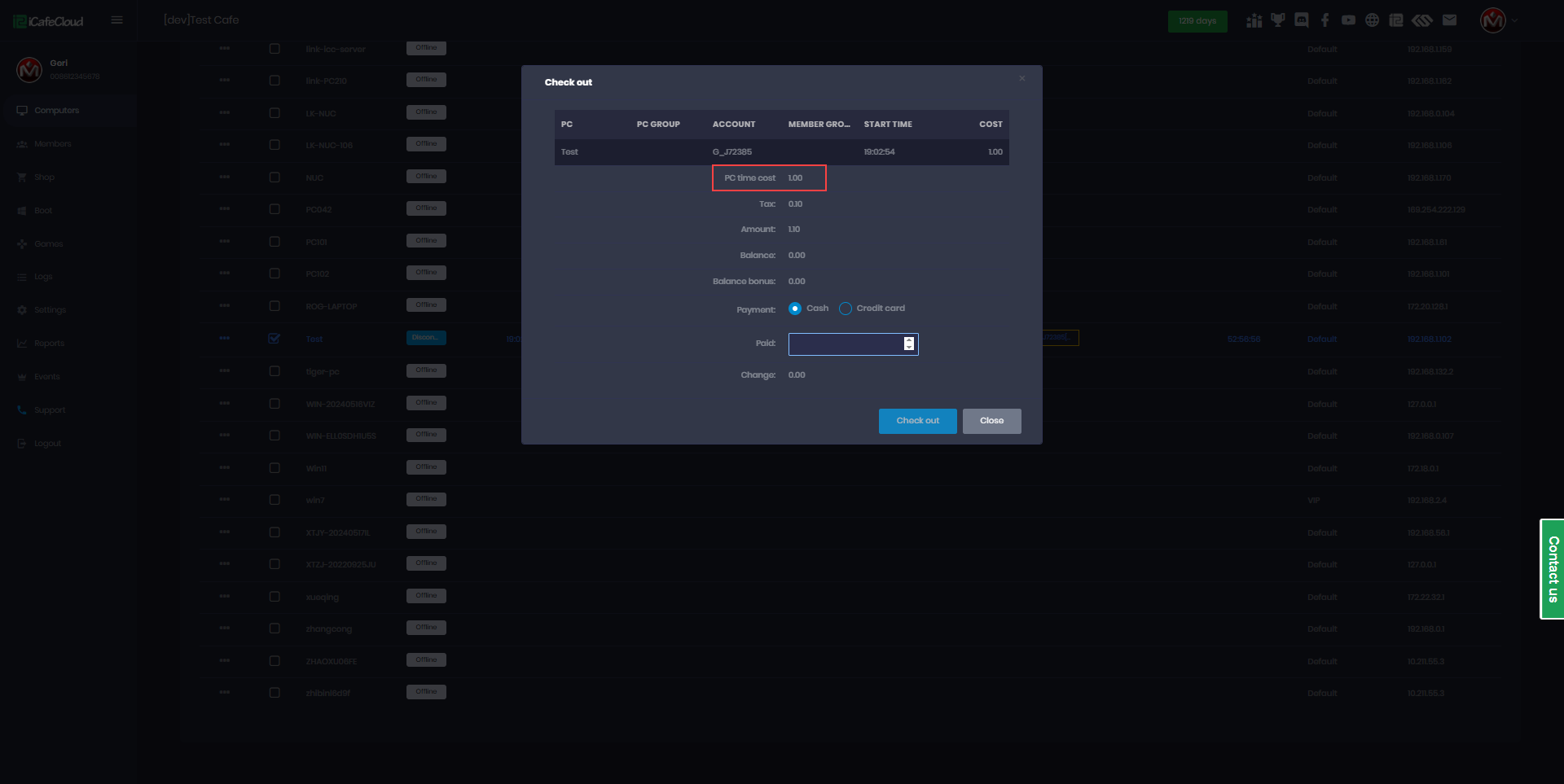
Figure 3
- The same applies to prepaid sessions: even if a session starts with 1 minute and costs less than 1, it will still be charged as 1 plus tax (if configured). (Figure 4)
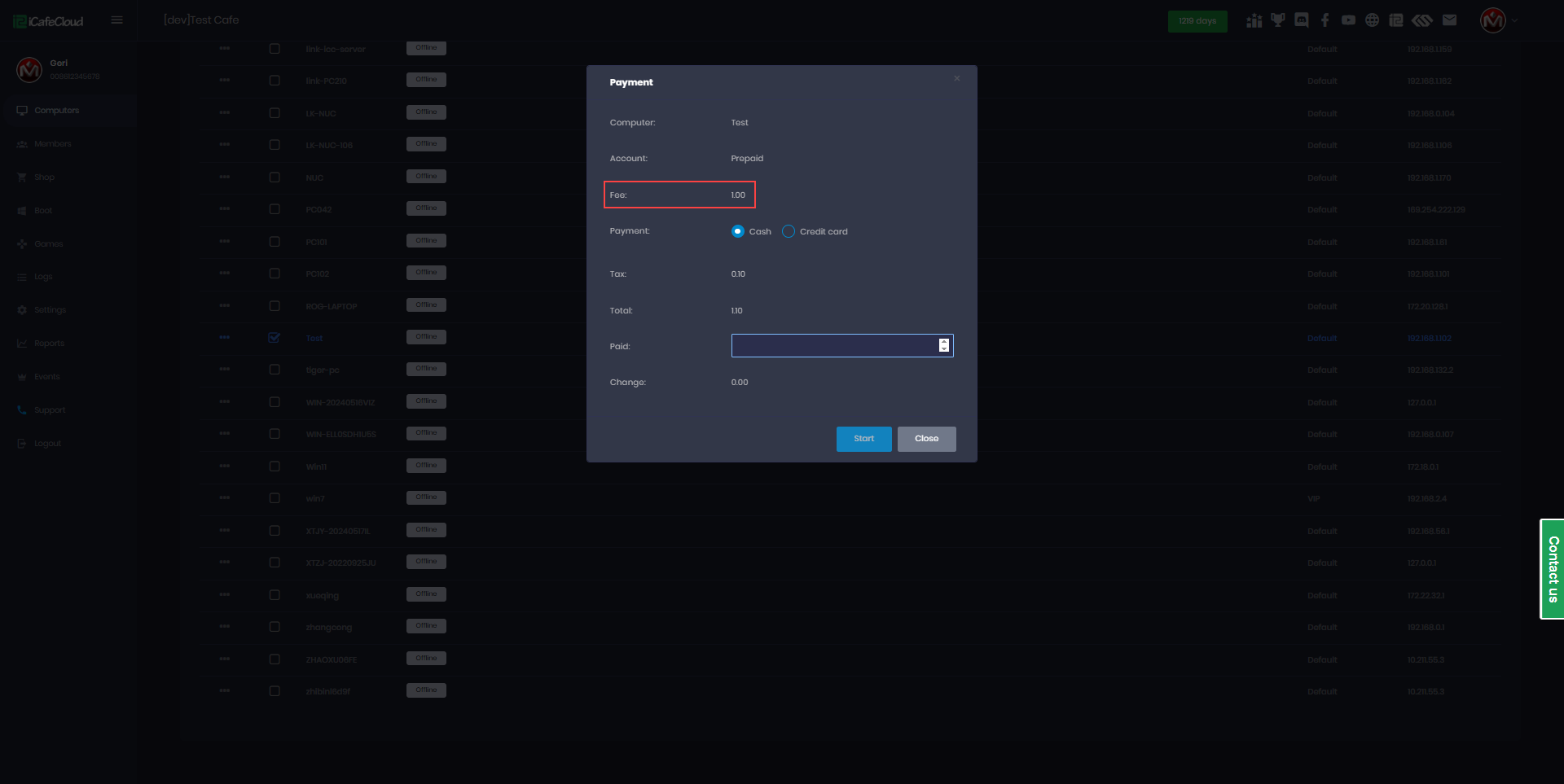
Figure 4
- Rounding will continue to apply normally.