

The following explain how to configure the settings so the client PCs auto checkout after x minutes when there is power outage
- Navigate to Settings → Client Settings, locate ‘Auto Checkout on Power Outage’, and set the time in minutes. (Figure 1)
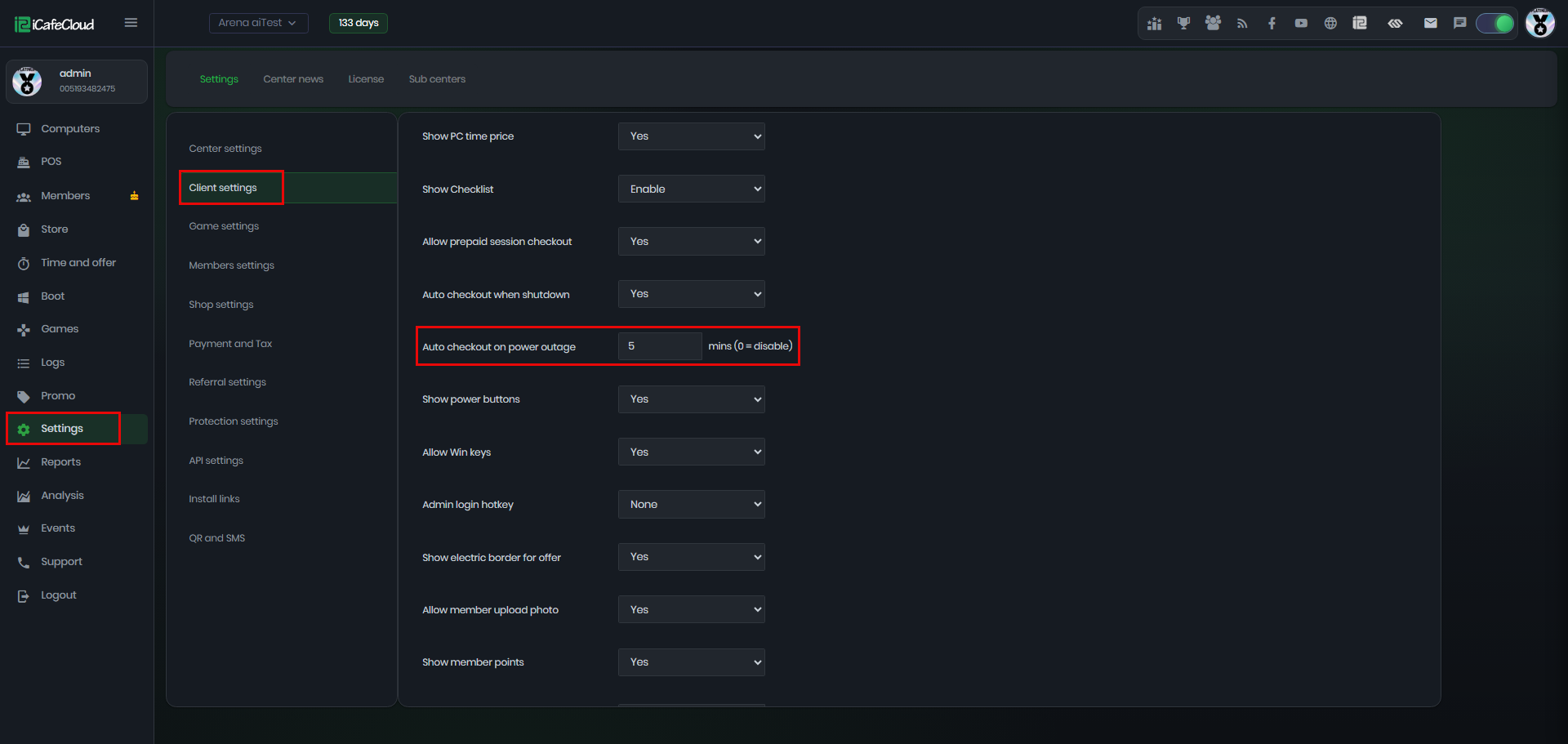
Figure 1
- If a power outage occurs, all PCs will be automatically checked out after the selected time. The logs will show the message ‘Balance checked out by auto’. (Figure 2)
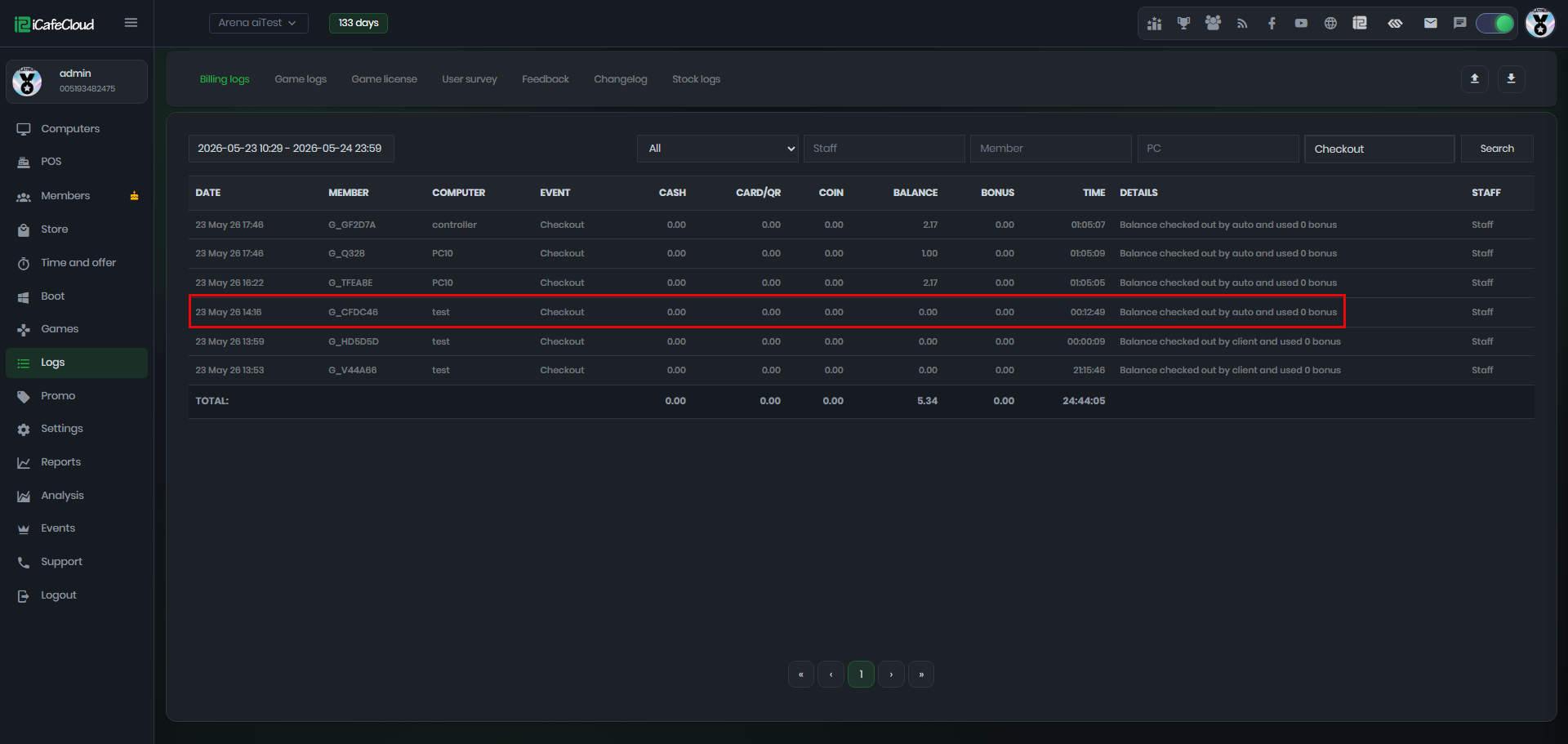
Figure 2
- If this setting is not enabled, during a power outage the PCs will remain in an active session but will appear as ‘Disconnected’ in iCafeCloud. (Figure 3)
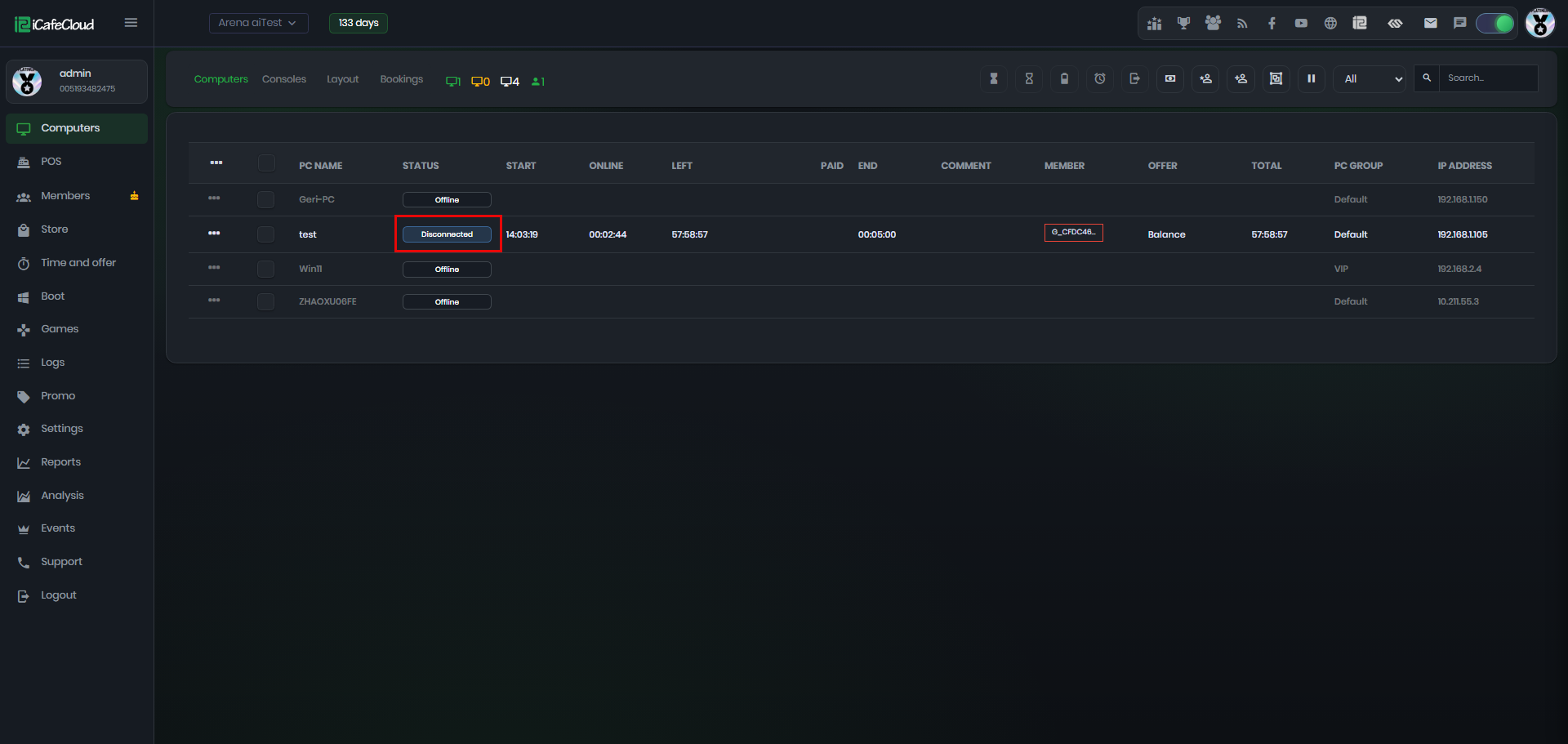
Figure 3