

The following explains how to configure the ID of a member to be in a certain length and use only digits or not.
- Go to Members → Settings, find the “ID Number Length” option, and enter the number of digits you want the member ID to have. (Figure 1)
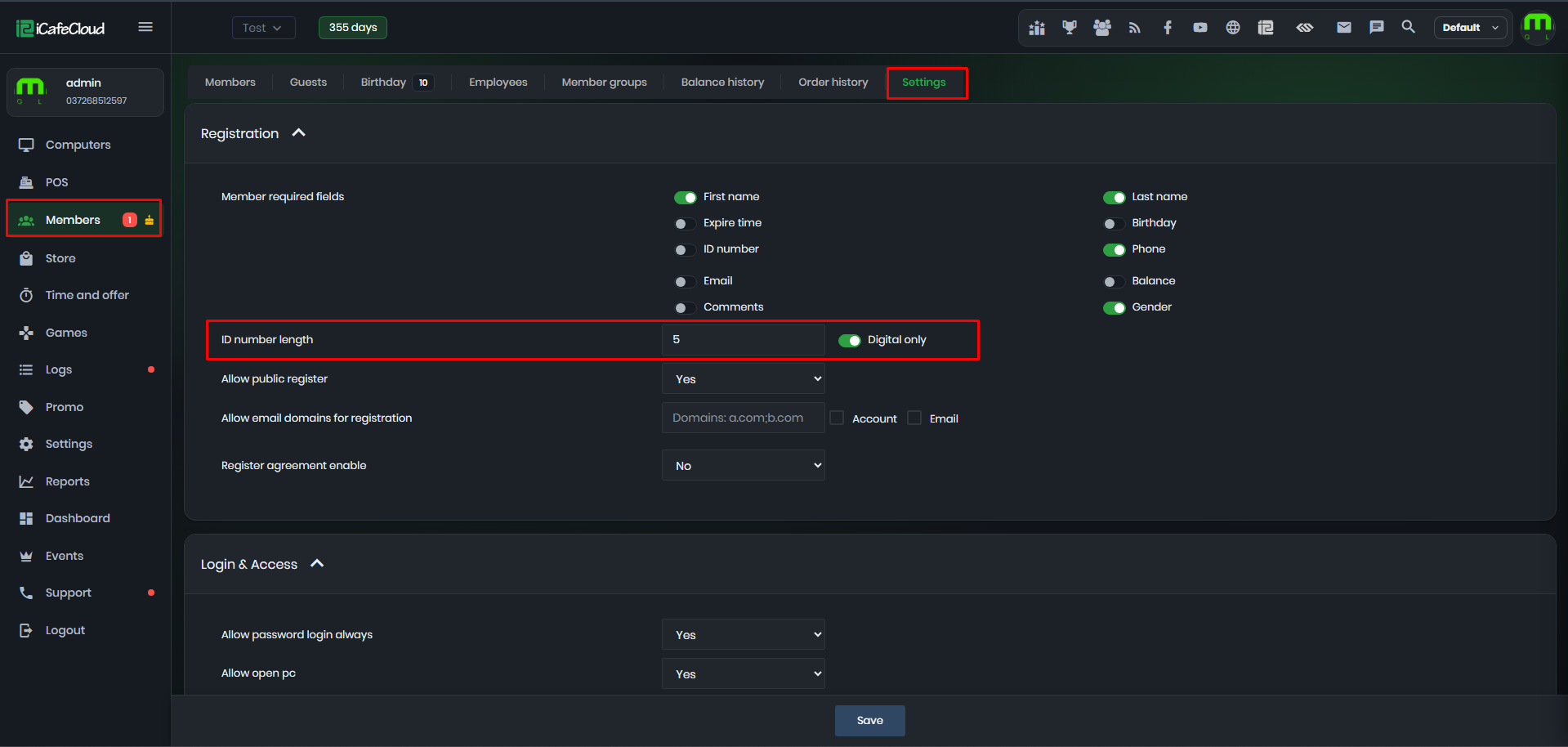
Figure 1
- Next to the number, select “Digital Only” this option ensures that the ID will contain numbers only and no letters.(Figure 2)
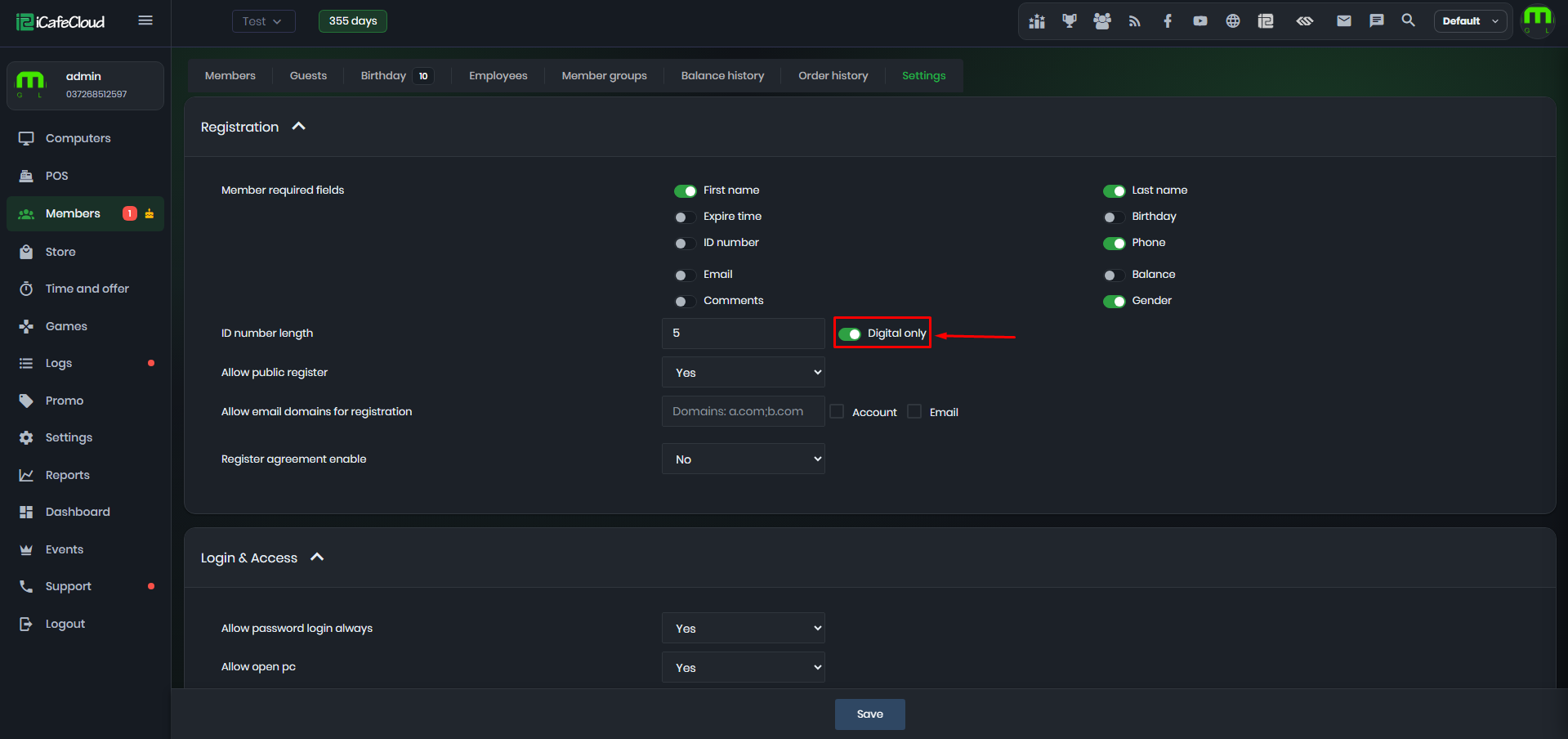
Figure 2
- Once configured, the Customer ID registration will display an error message if the entered information is incorrect.
For example, if a user enters more digits than the set limit, it will show:“ID number length is X.”(Figure 3)
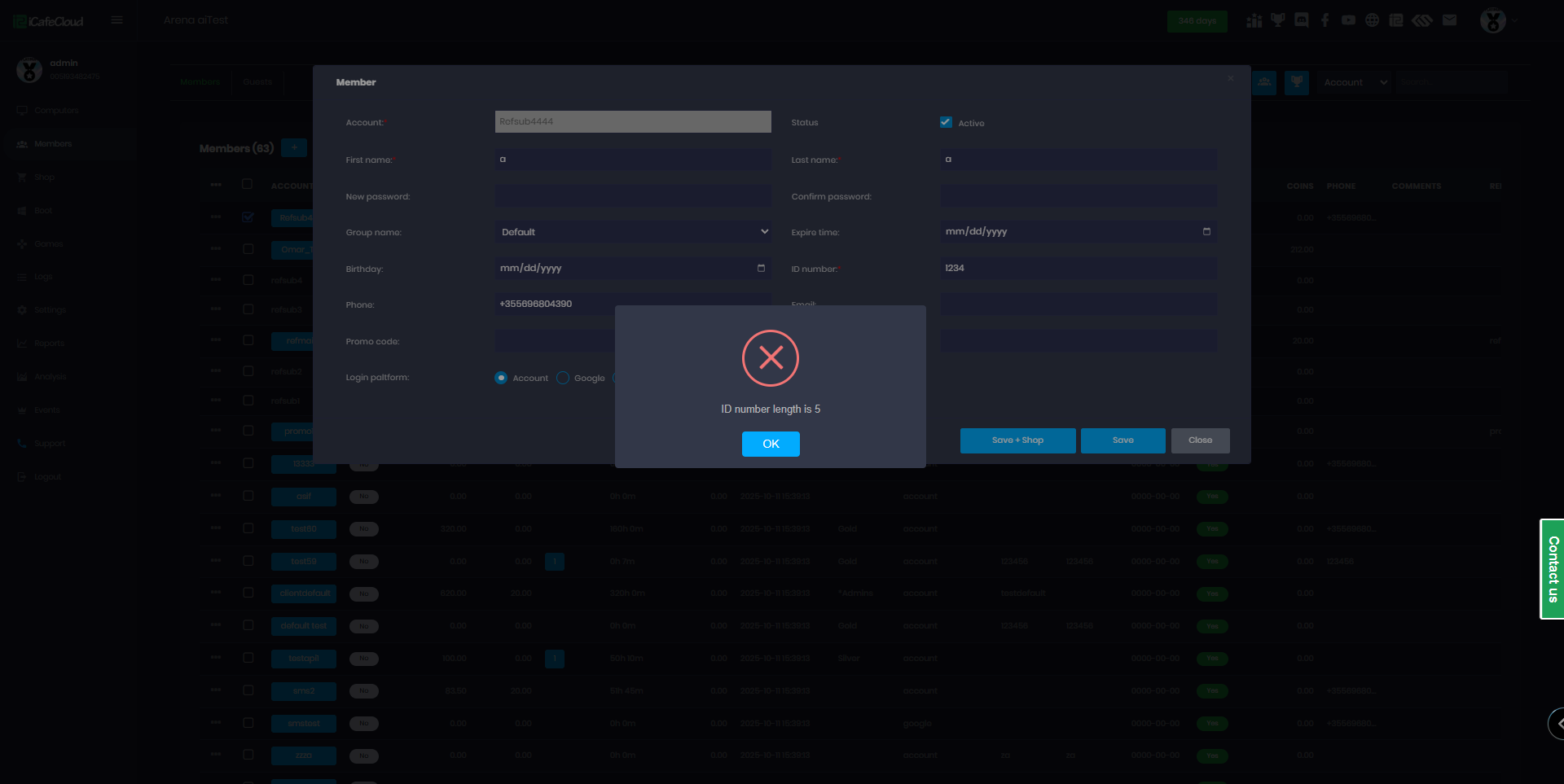
Figure 3
- If you want to use a unique ID number, refer to the duplicate ID member information section.