

The following explains how to purchase available offers directly from the client login page using a QR code.
- If a member with 0 balance logs in, the system will skip the insufficient balance warning and redirect directly to the offers purchase page. (Figure 1)
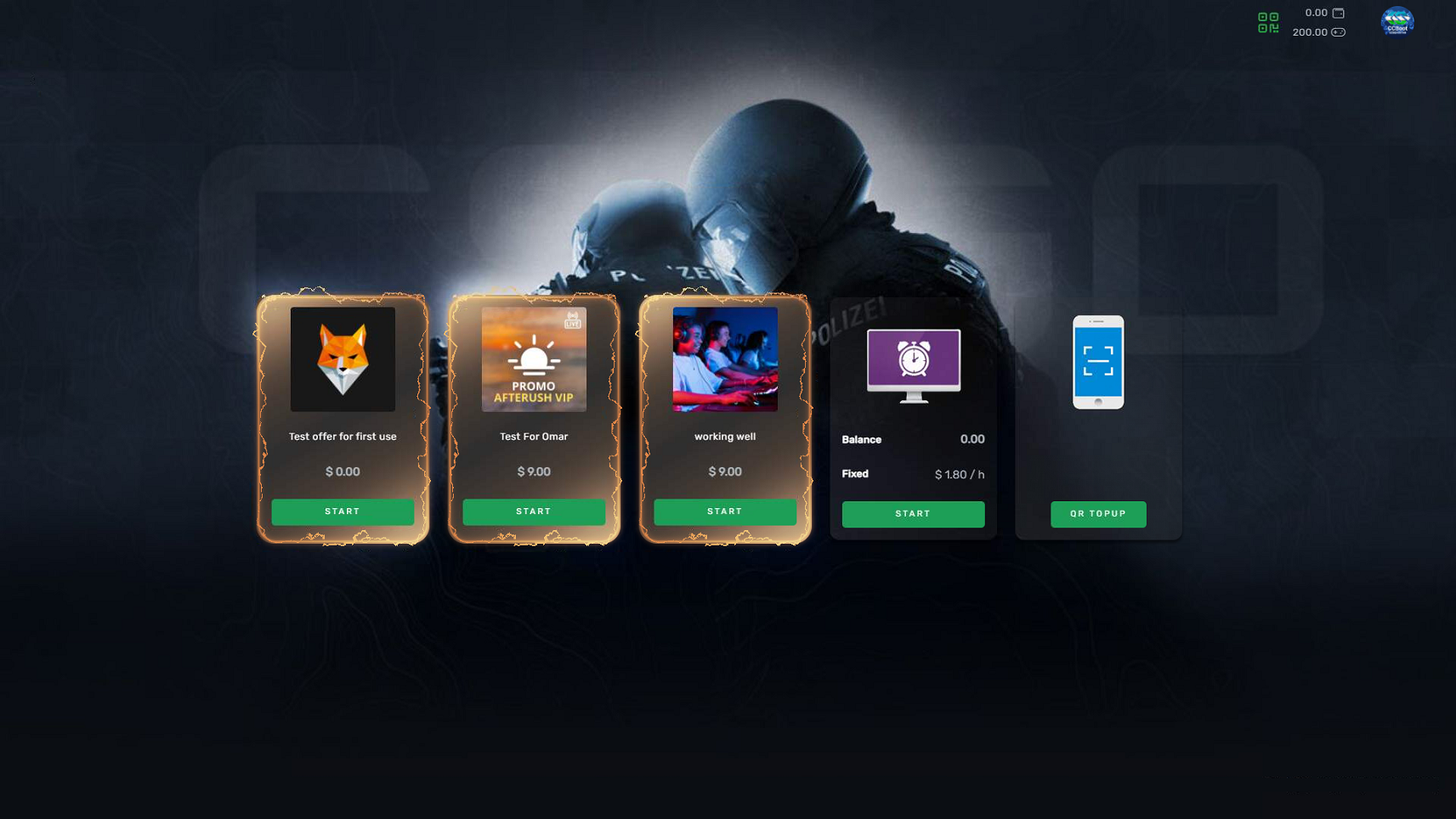
Figure 1
- For QR payment to function properly, you must enable and configure a payment gateway, including its API settings. (Figure 2)
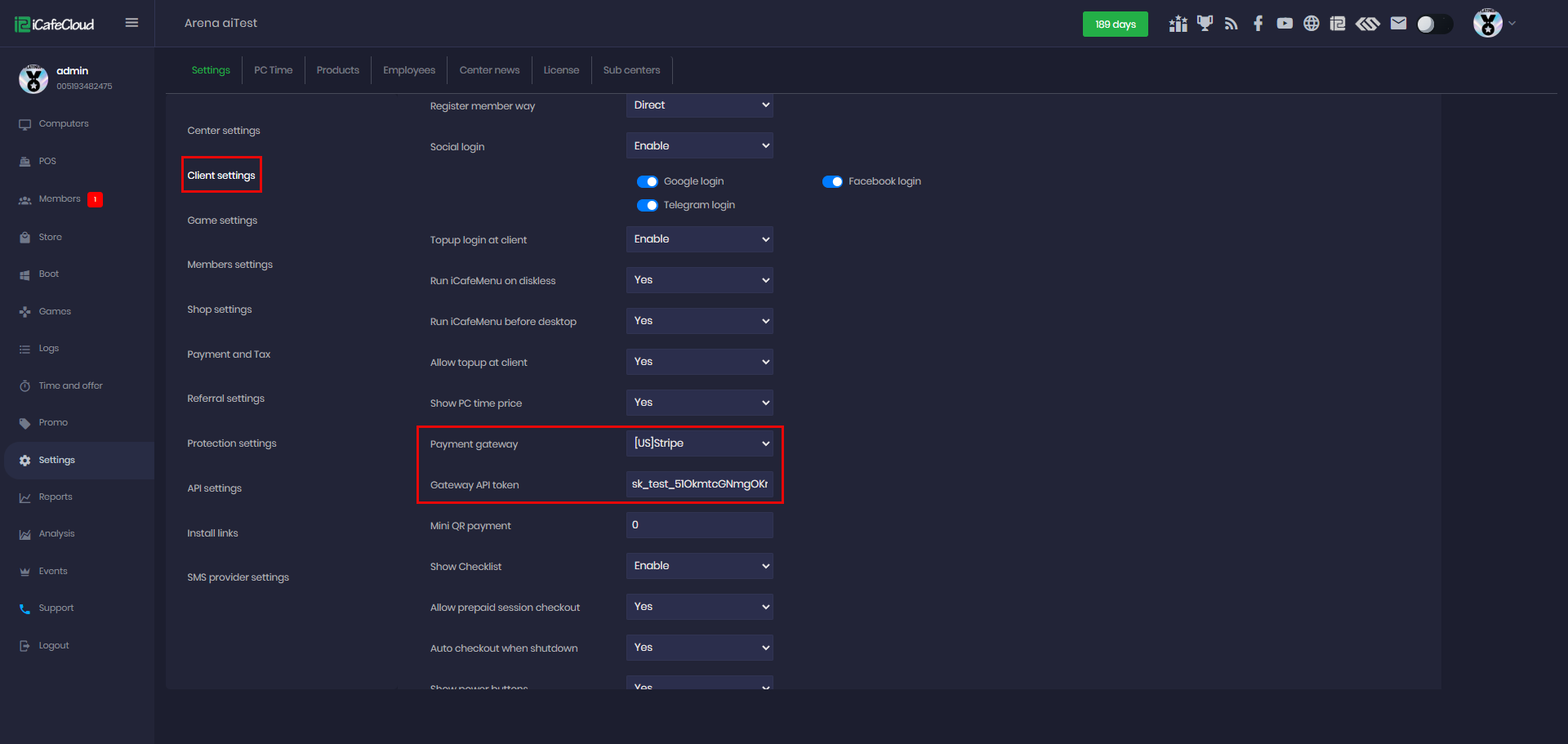
Figure 2
- After selecting an offer, the system will display the QR payment option due to insufficient balance (Figure 3).
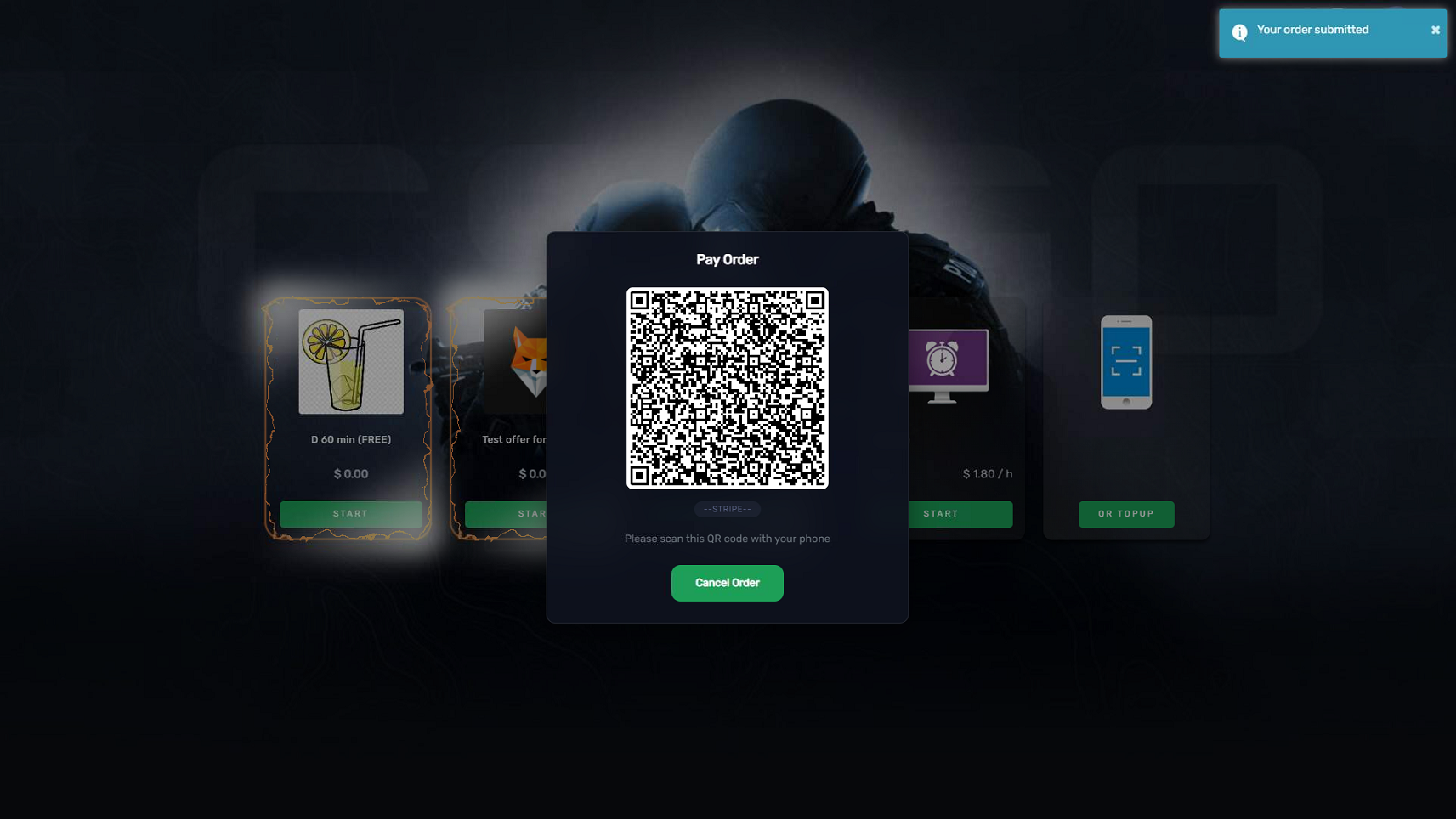
Figure 3
- After successful payment, the offer is activated and the session starts automatically. (Figure 4)
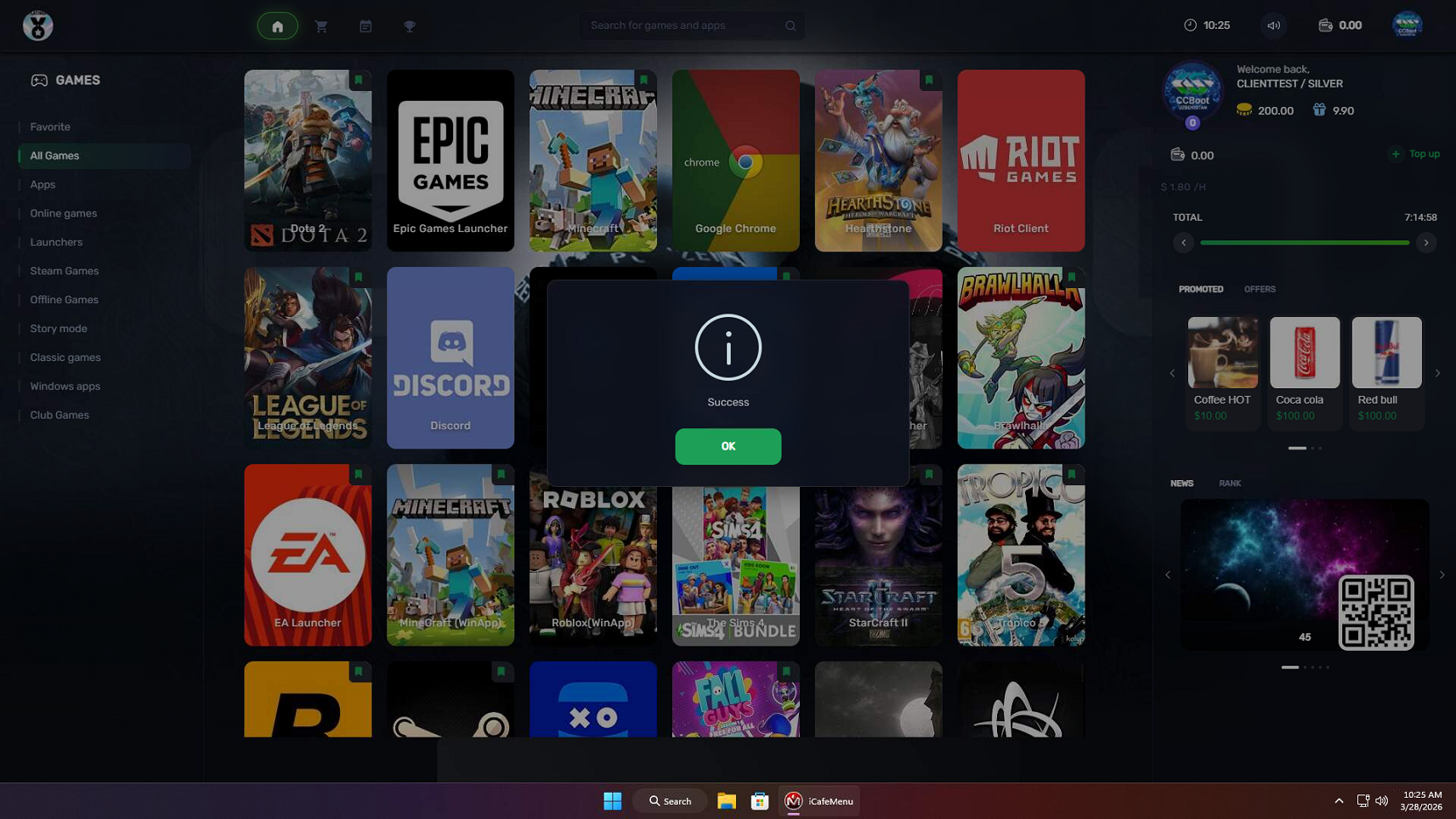
Figure 4