

The following explains how to enable Windows keys so iCafeMenu allows users to use keyboard shortcuts such as Win + Tab or Win + Ctrl + D.
- Navigate to Settings - Client Settings and change ‘Allow Win Keys’ to ‘Yes’. (Figure 1)
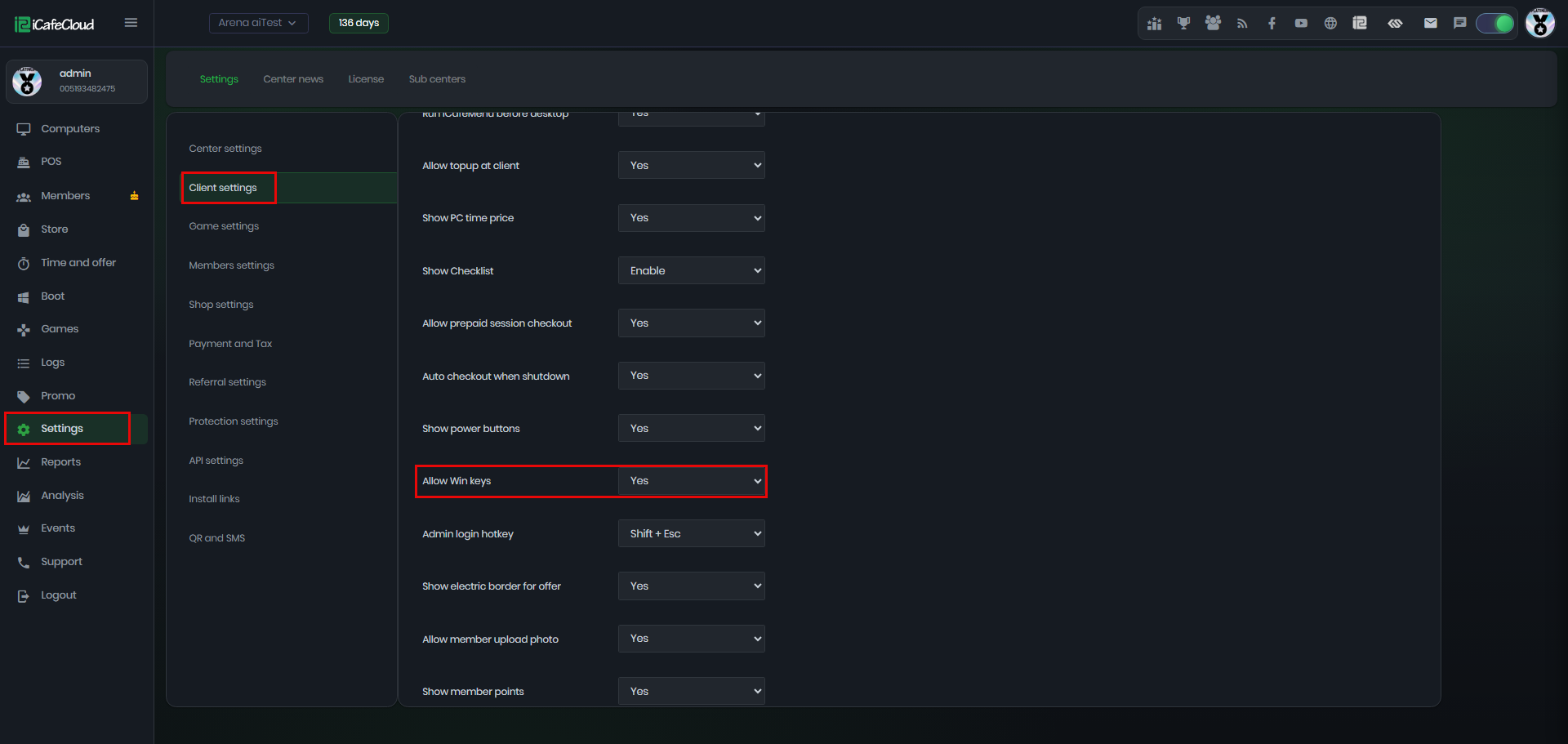
Figure 1
- On the client login interface, the keys combination are still blocked for security reasons. (Figure 2)

Figure 2
- At the Start session after login screen also cannot use the keys.
- On the iCafeMenu home page, keyboard shortcuts are fully enabled and can be used freely. (Figure 3)
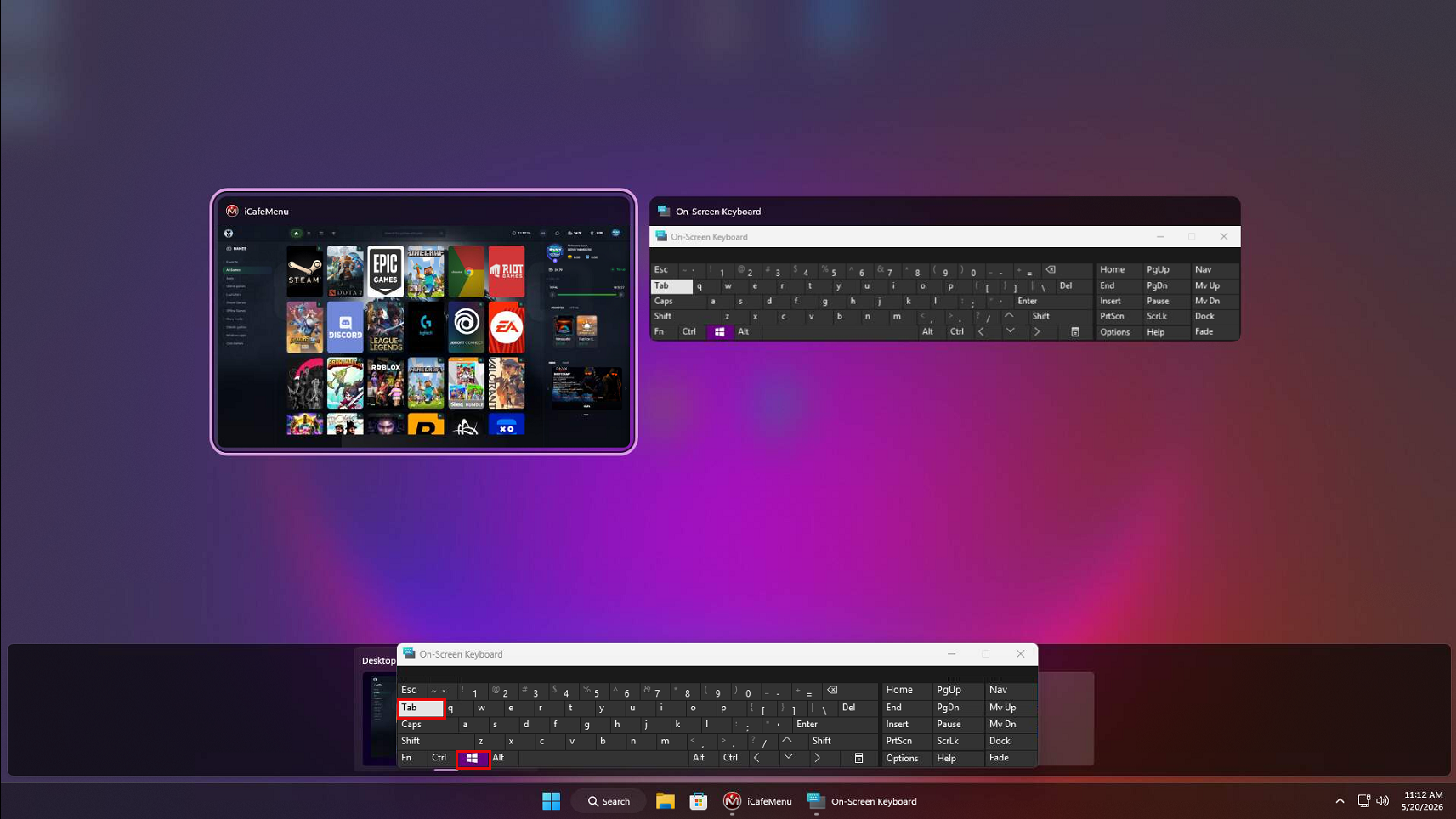
Figure 3