

The following explains this function allows you to choose whether a PC will automatically checkout after shutdown or keep the session running to continue when it is powered on again.
- Go in settings - client settings locate the auto checkout when shutdown and choose between Yes or No (Figure 1)
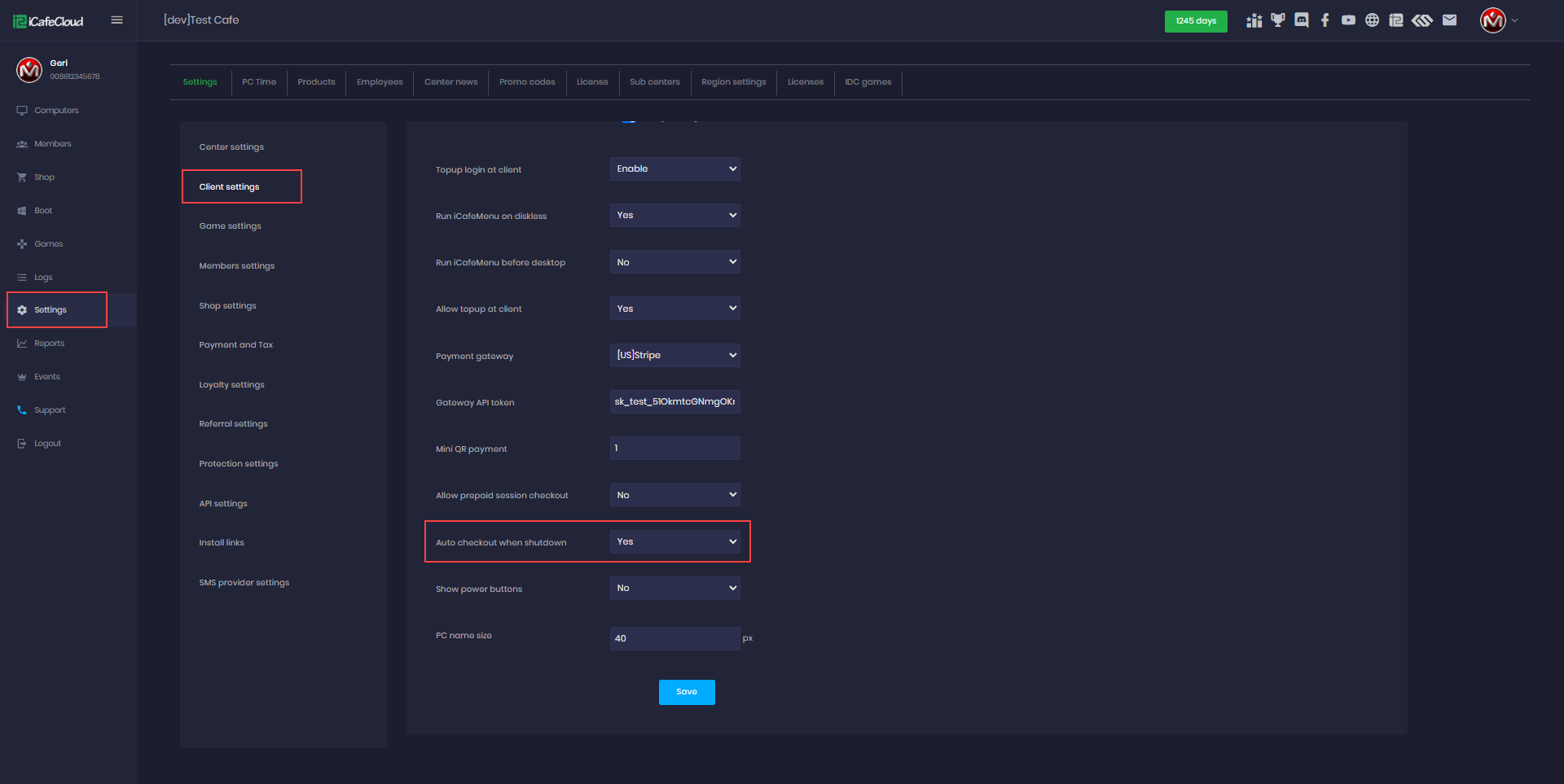
Figure 1
.
- Any shutdown or reboot action—whether from Windows, iCafeCloud, or a forced shutdown from the PC will have the same effect.
- If select Yes - Auto Checkout When Shutdown
Prepaid sessions: Not automatically checked out when the PC is shut down or rebooted from the web panel or client side.
Postpaid sessions: Not automatically checked out when the PC is shut down or rebooted from the web panel or client side.
Member sessions: Automatically checked out when the PC is shut down or rebooted from the web panel or client side. - If selected No → When the PC shuts down, the session will continue and resume after the PC is started again.
- If select Yes - Allow Prepaid Session Checkout
Prepaid sessions: Automatically checked out when the PC is shut down or rebooted from the web panel or client side.
Postpaid sessions: Not automatically checked out when the PC is shut down or rebooted from the web panel or client side.
Member sessions: Automatically checked out when the PC is shut down or rebooted from the web panel or client side.