

The following explains how to configure the iCafeMenu client interface so that, instead of launching a game immediately, users must click the game to view its details before launching it.
- Go to Games - Settings, scroll down and set Show details before launch to Enabled (Figure 1).
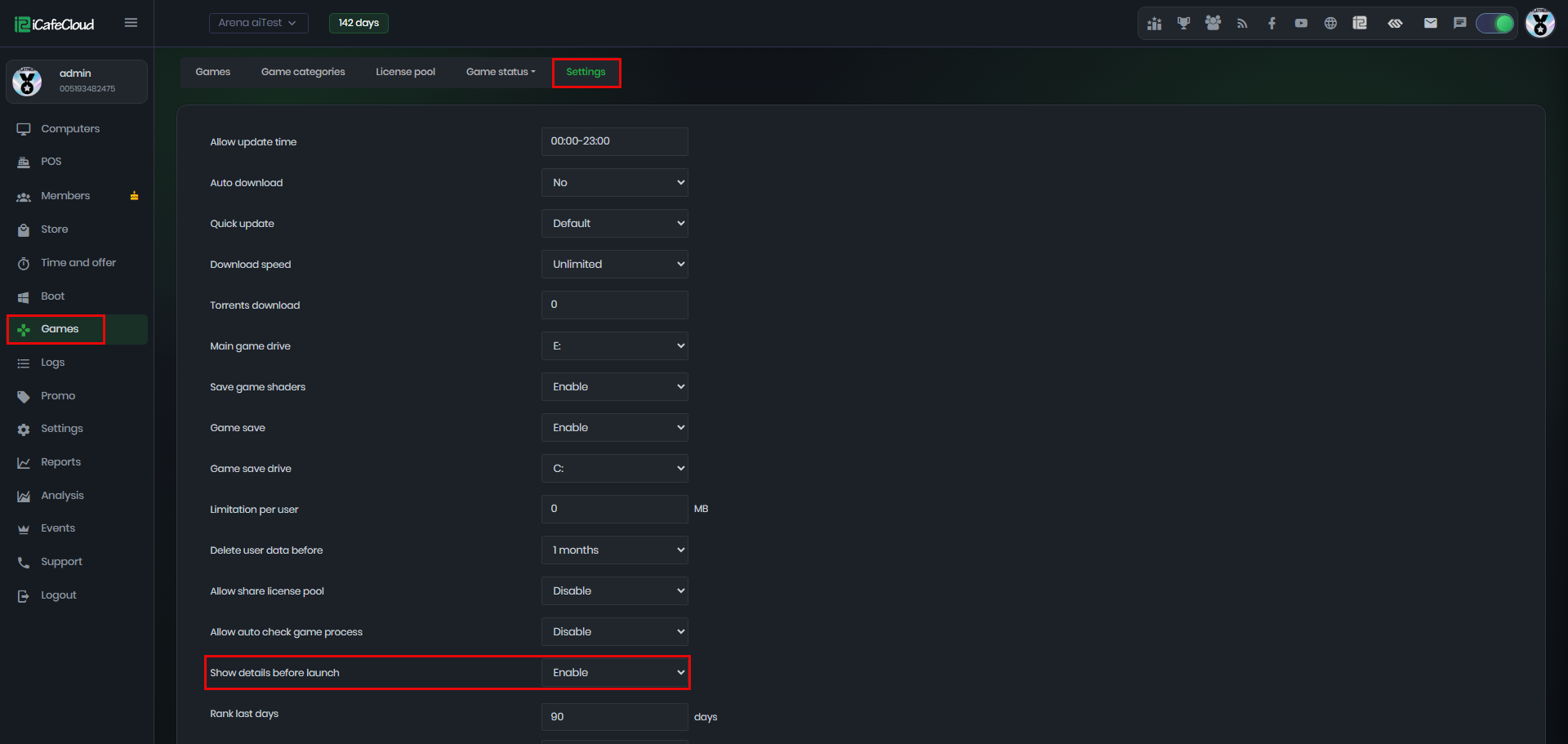
Figure 1
- On the client side, the iCafeMenu game launch behavior will change instead of starting the game immediately when clicked, selecting a game will open its game details page, where the user can then click Start Game to launch it. (Figure 2 & 3)
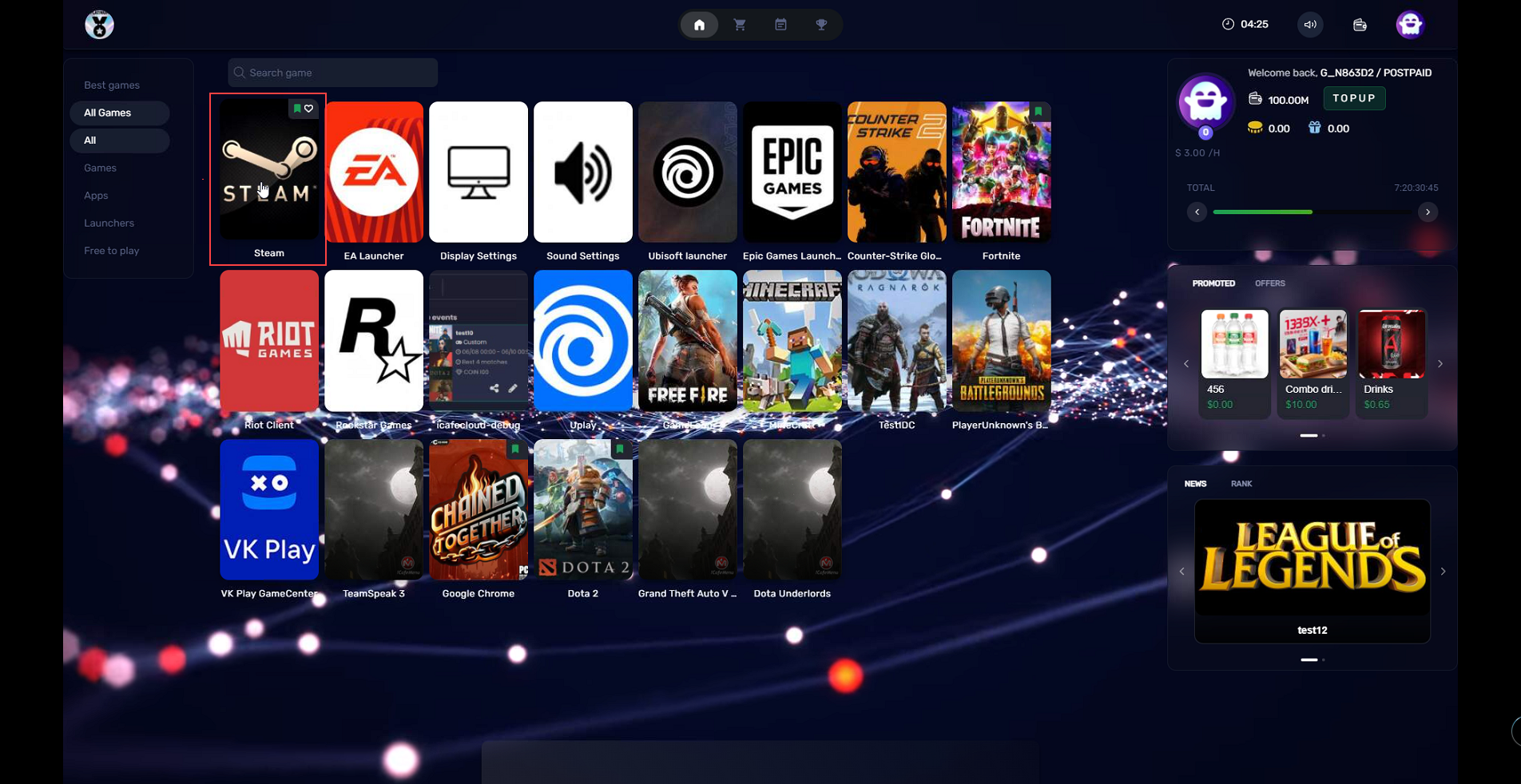
Figure 2
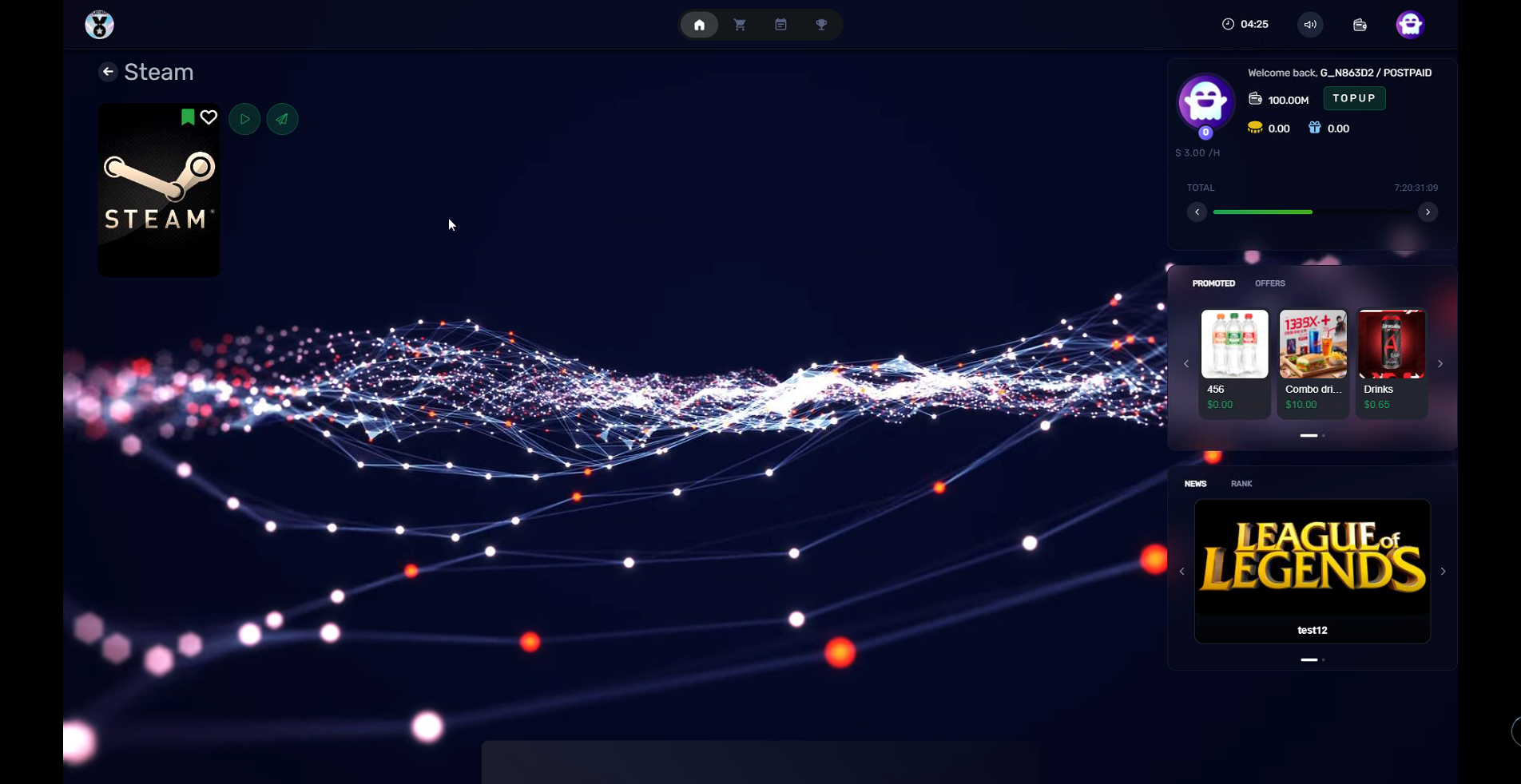
Figure 3
- The game details page will include additional features in upcoming updates.