

The following explains how to set a maximum topup limit for all topup ways.
- Navigate to POS -> Settings and locate the “Maximum Topup Amount” option.
By default, it is set to 0, which means there is no limit on top-ups (Figure 1 & 2).
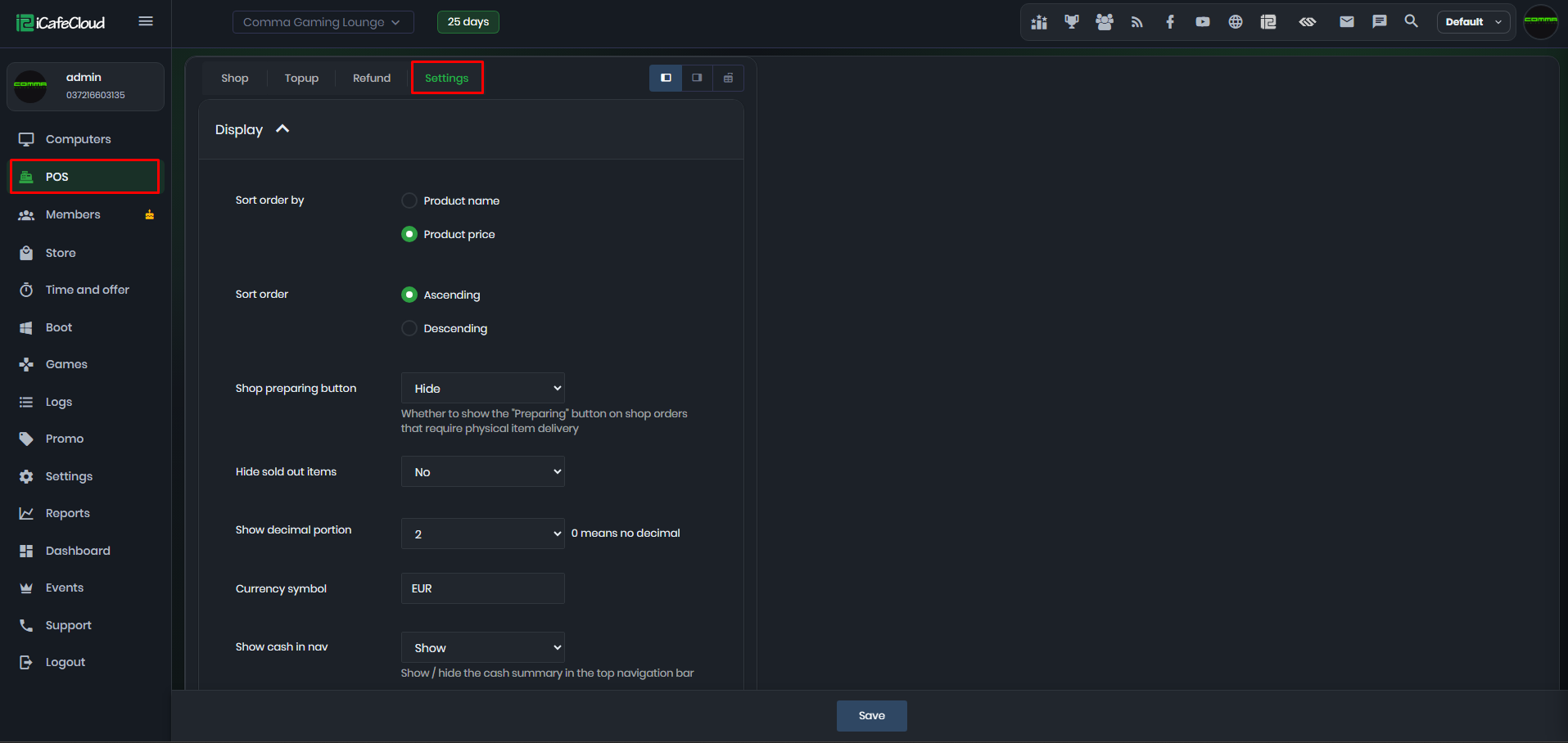
Figure 1
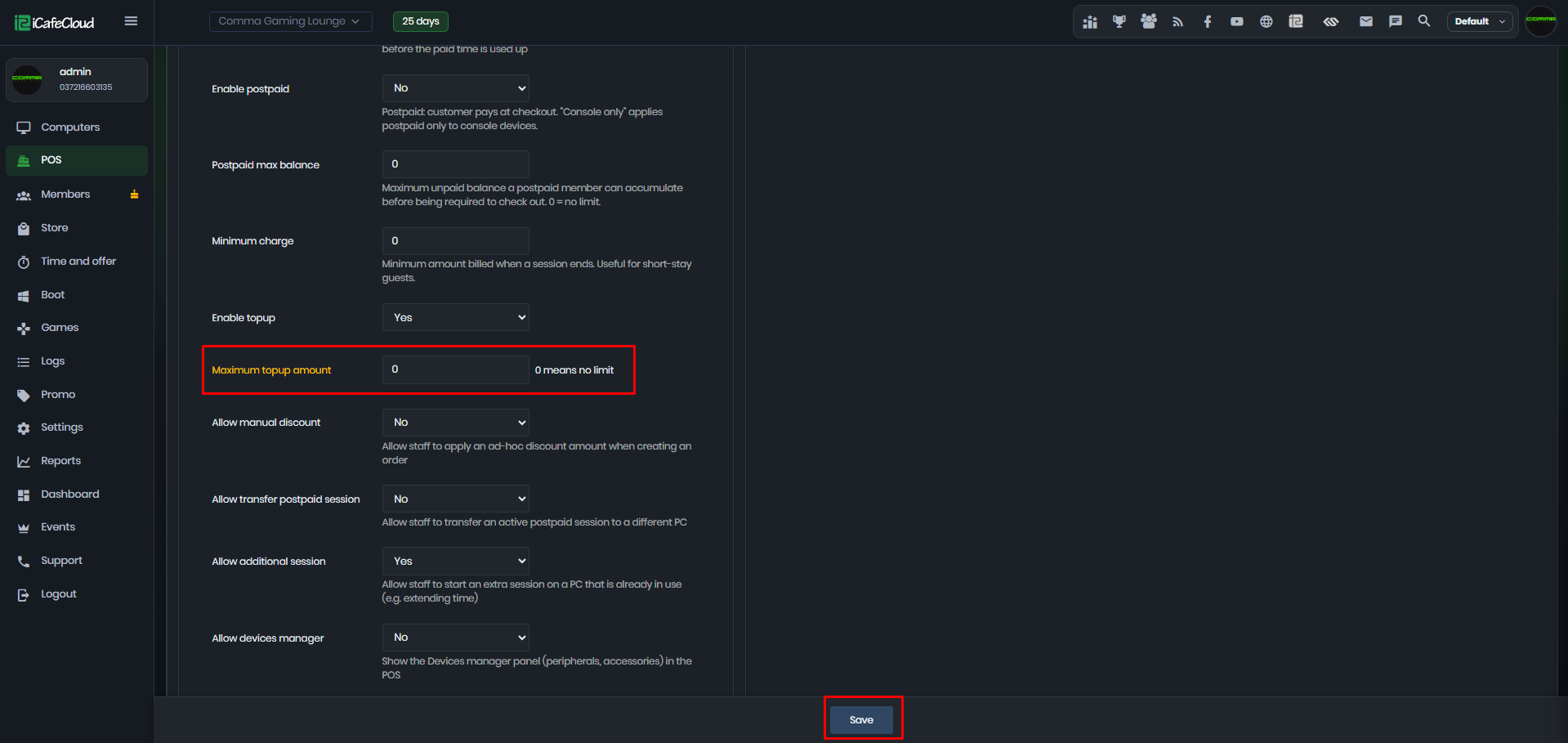
Figure 2
- If the Top-up Maximum Amount is set to 10, any top-up above this limit will trigger an error message stating that the amount exceeds the allowed maximum. (Figure 3)
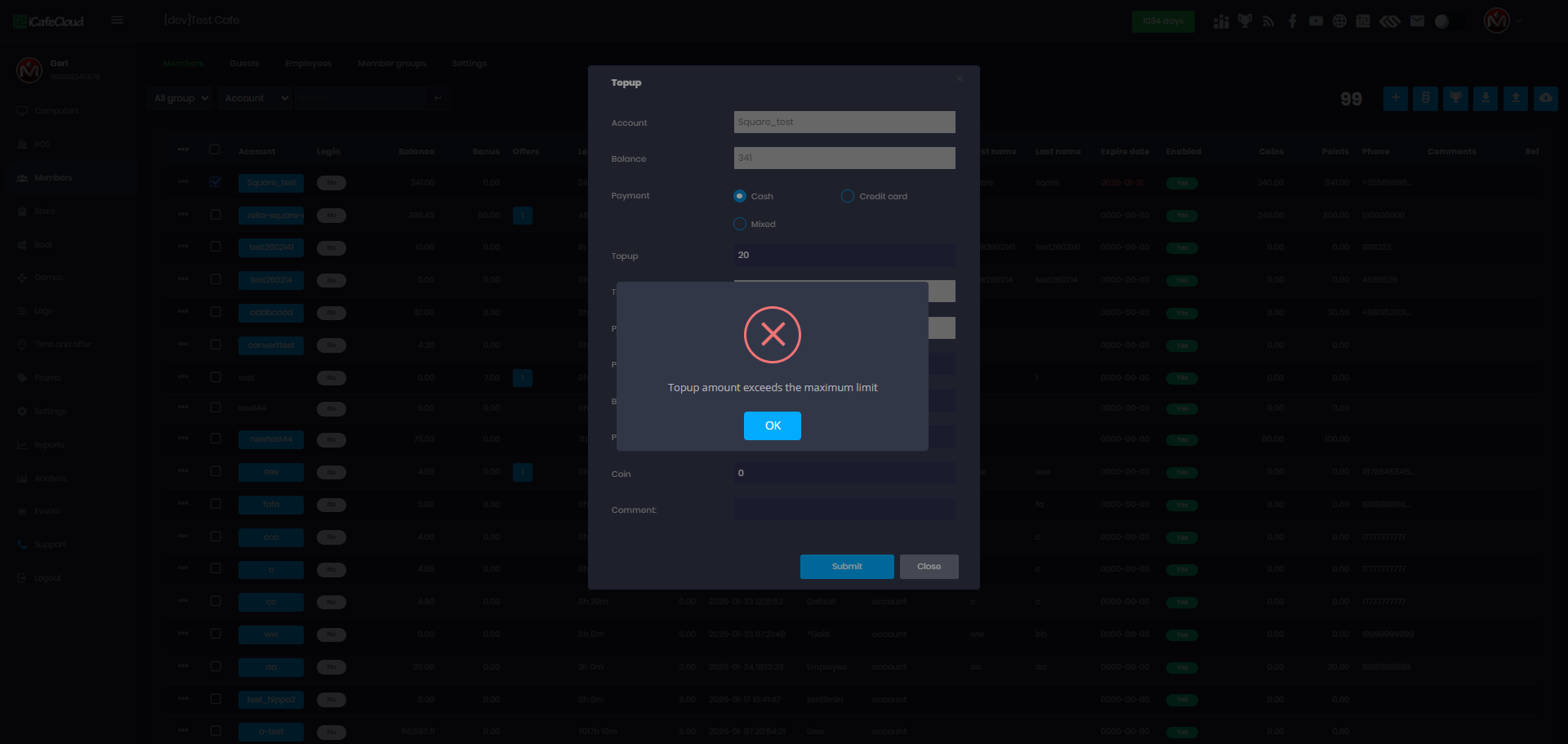
Figure 3
- The Top-up Maximum Amount setting does not apply to QR top-ups, which remain unlimited.