

The following guide explains how to change between the available iCafeMenu themes.
- Go to Settings - Client Settings - Client Theme (Figure 1).
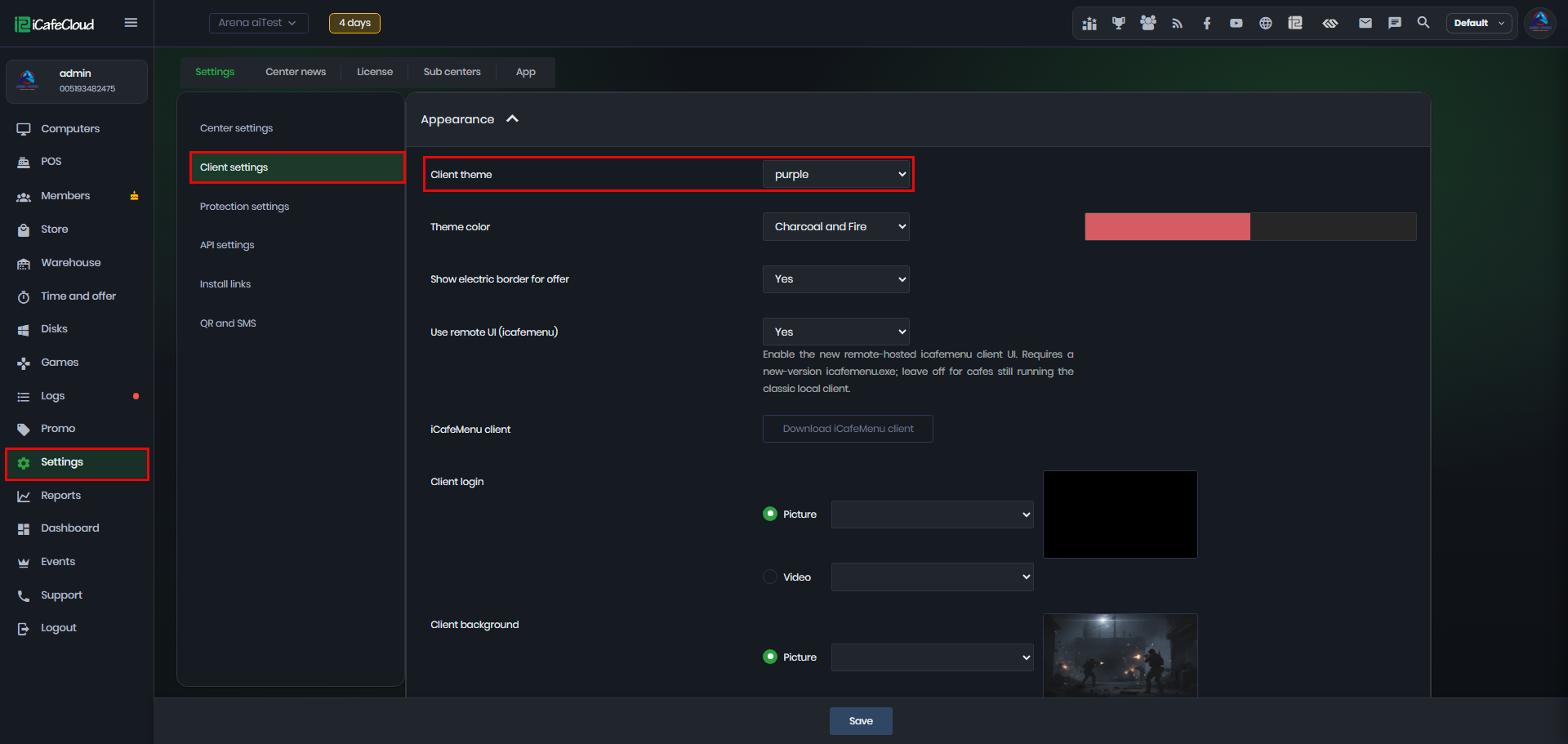
Figure 1
- There are currently four themes available:
Default
Blue
Purple
Custom — allows you to use your own theme or a custom theme file. (Figure 2)
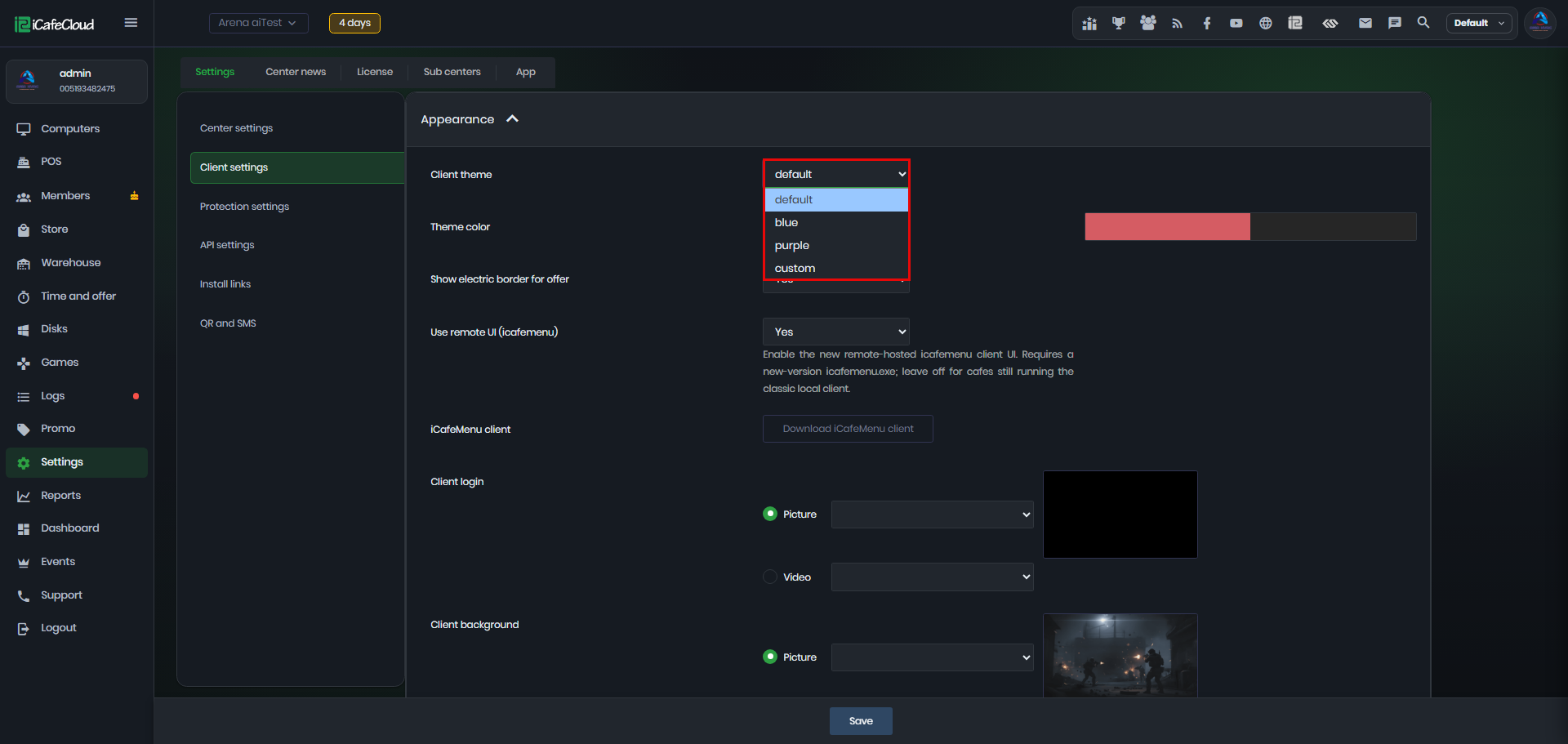
Figure 2
- After selecting the Default theme, click Save to apply the changes.
- For the new theme to take effect on the client side, the PC must be booted or rebooted if it is already running.
- Default theme (Figure 3)
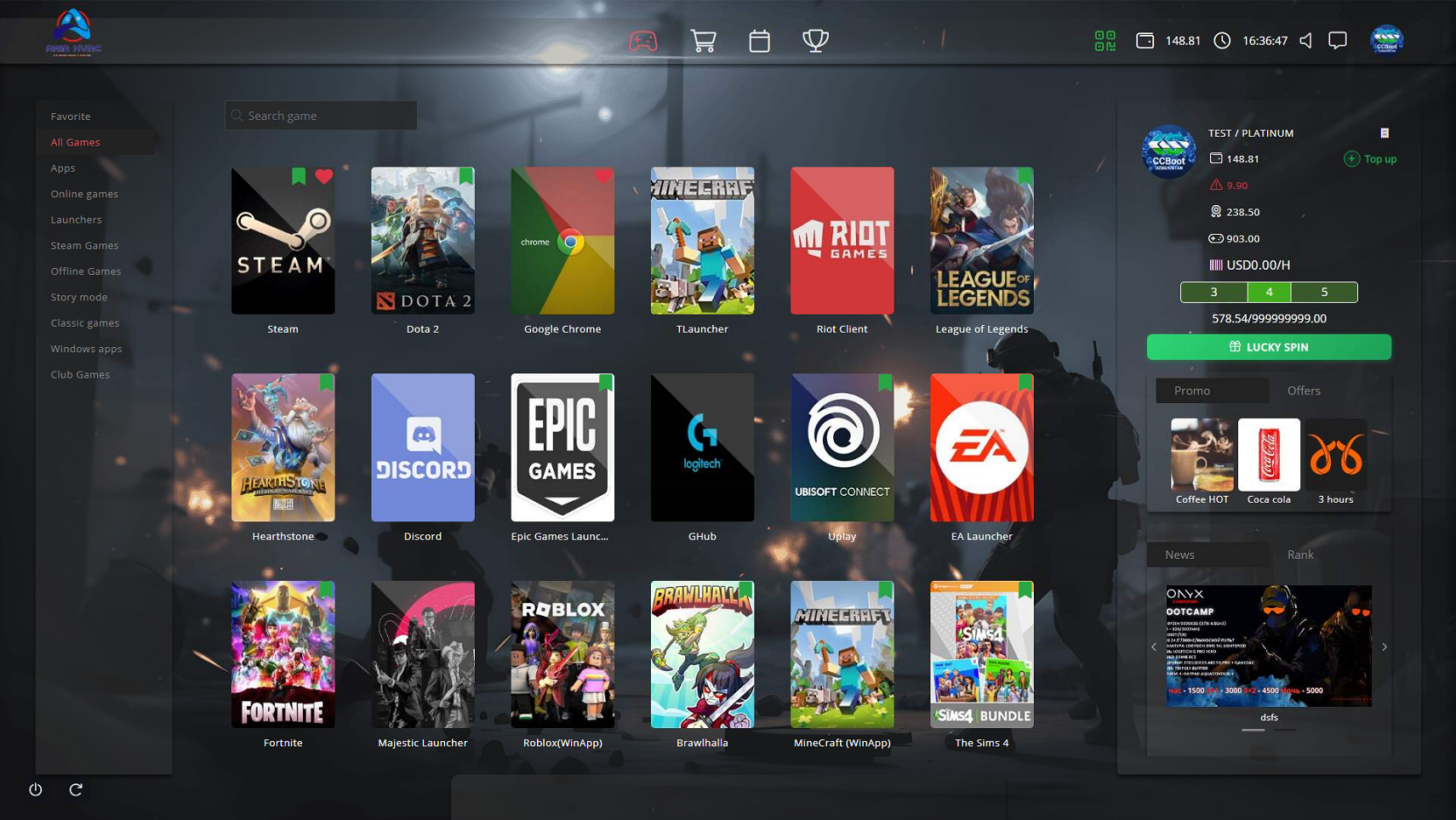
Figure 3
- Blue theme (Figure 4)
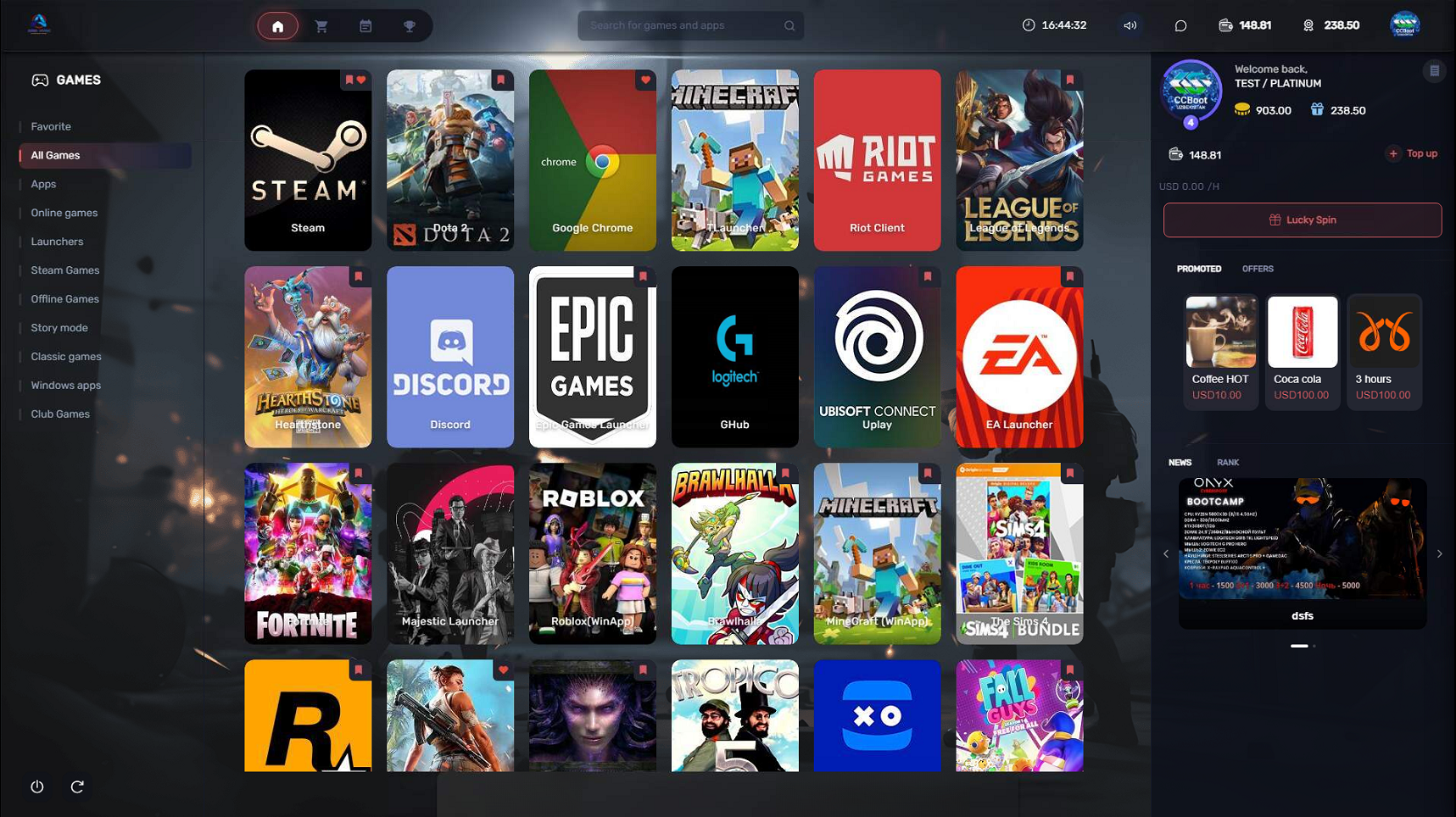
Figure 4
- Purple theme (Figure 5)
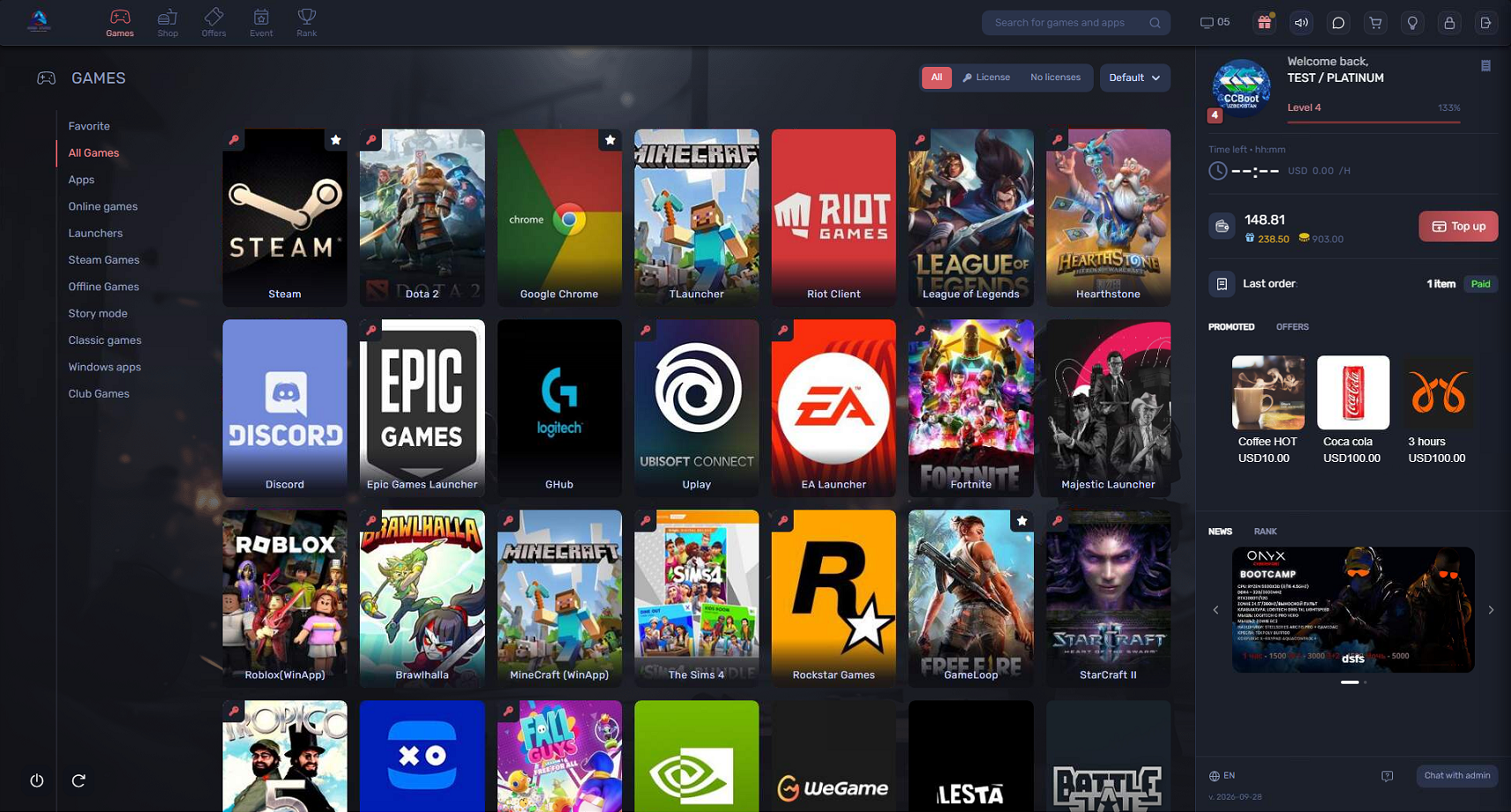
Figure 5