

This option controls whether the Admin Login button is displayed in the client shell.
- Go to Settings -> Client settings, locate “Allow admin login” and set it to Yes or No. (Figure 1)
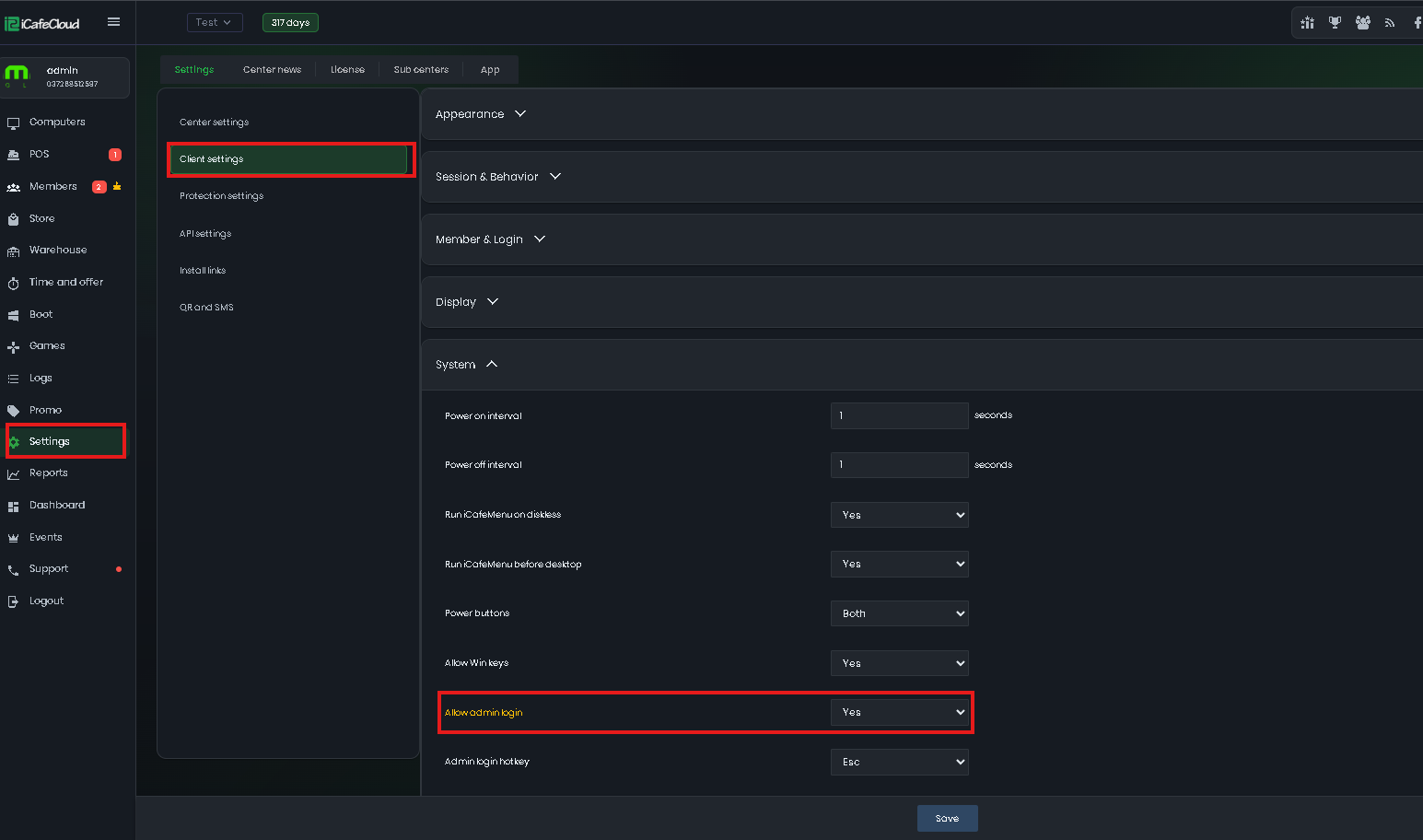
Figure 1
- If you set it to Yes, the Admin Login button will be displayed in the client shell. (Figure 2)
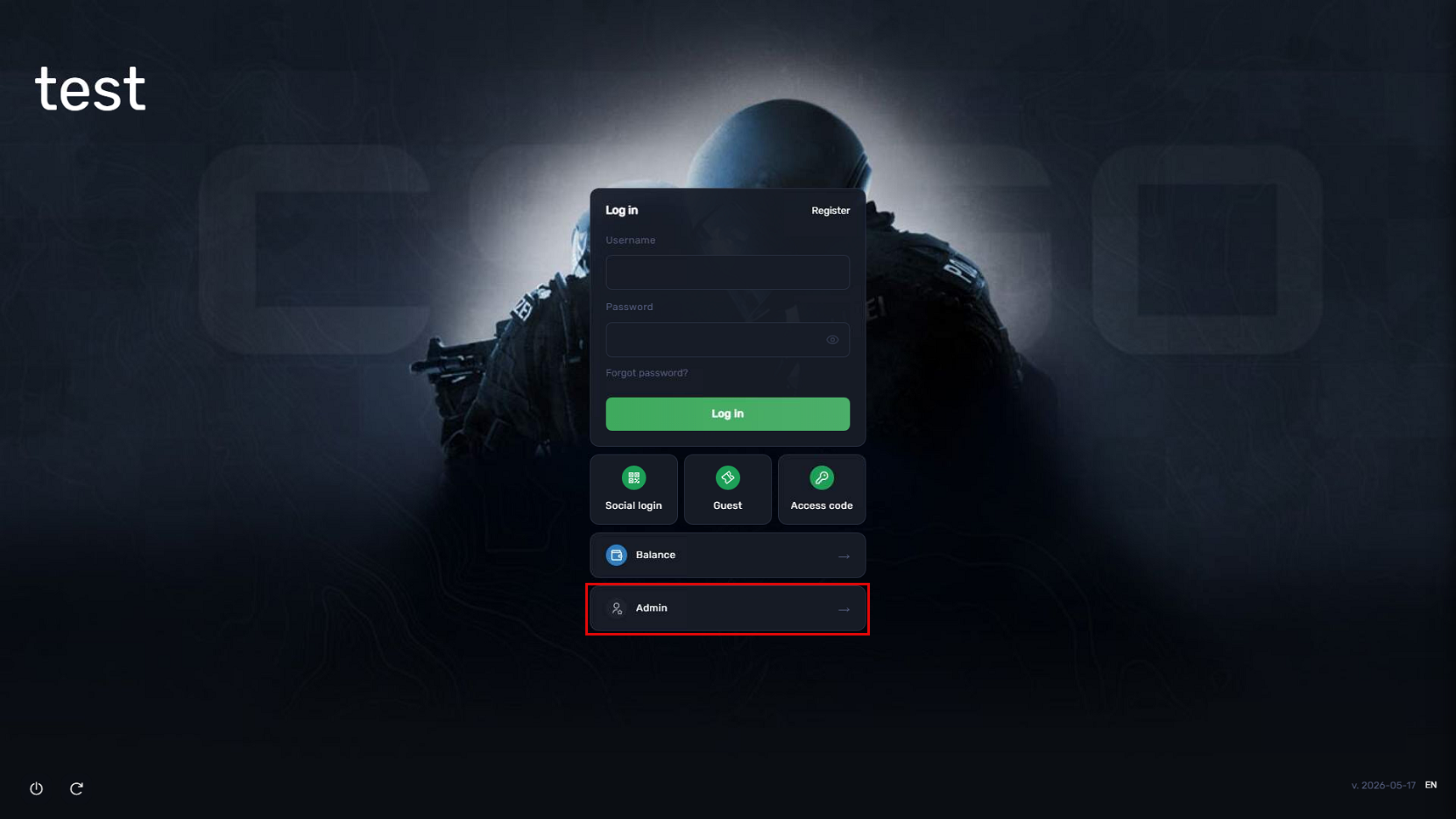
Figure 2
- If you set No, The Admin Login button will be hidden from the client shell.
- This setting doesn’t affect the Admin login hotkey function.