

The following explains how to show or hide the power buttons on the client interface, including after login, where both the home page and game page display the two buttons.
- By default, the power buttons appear on the login page.
- Navigate to Settings → Client Settings and select which power options to display: Both, Shut down, Reboot, or None. (Figure 1).
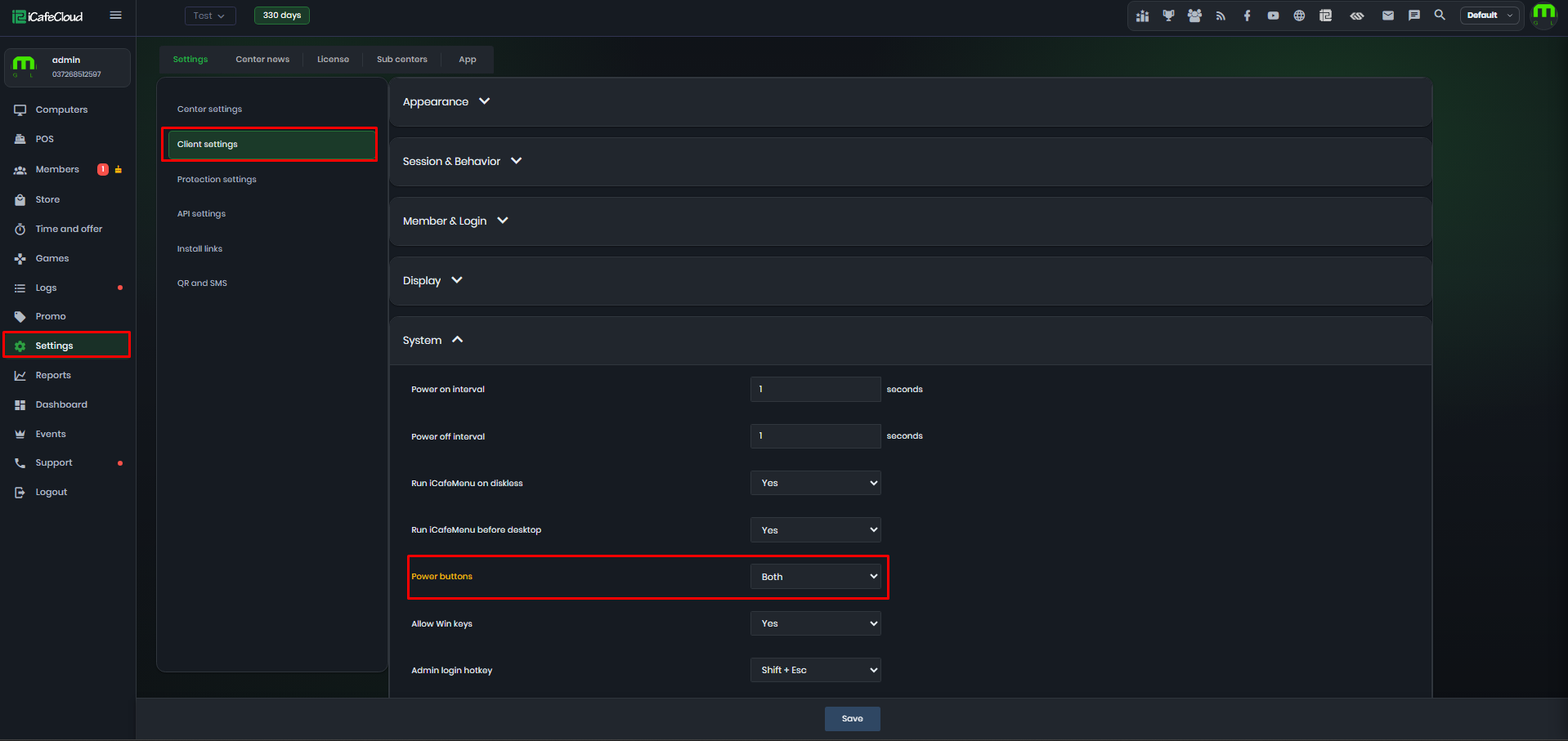
Figure 1
- The selected power buttons are displayed on the client login screen and after the user logs in to their account. (Figure 2 & 3)
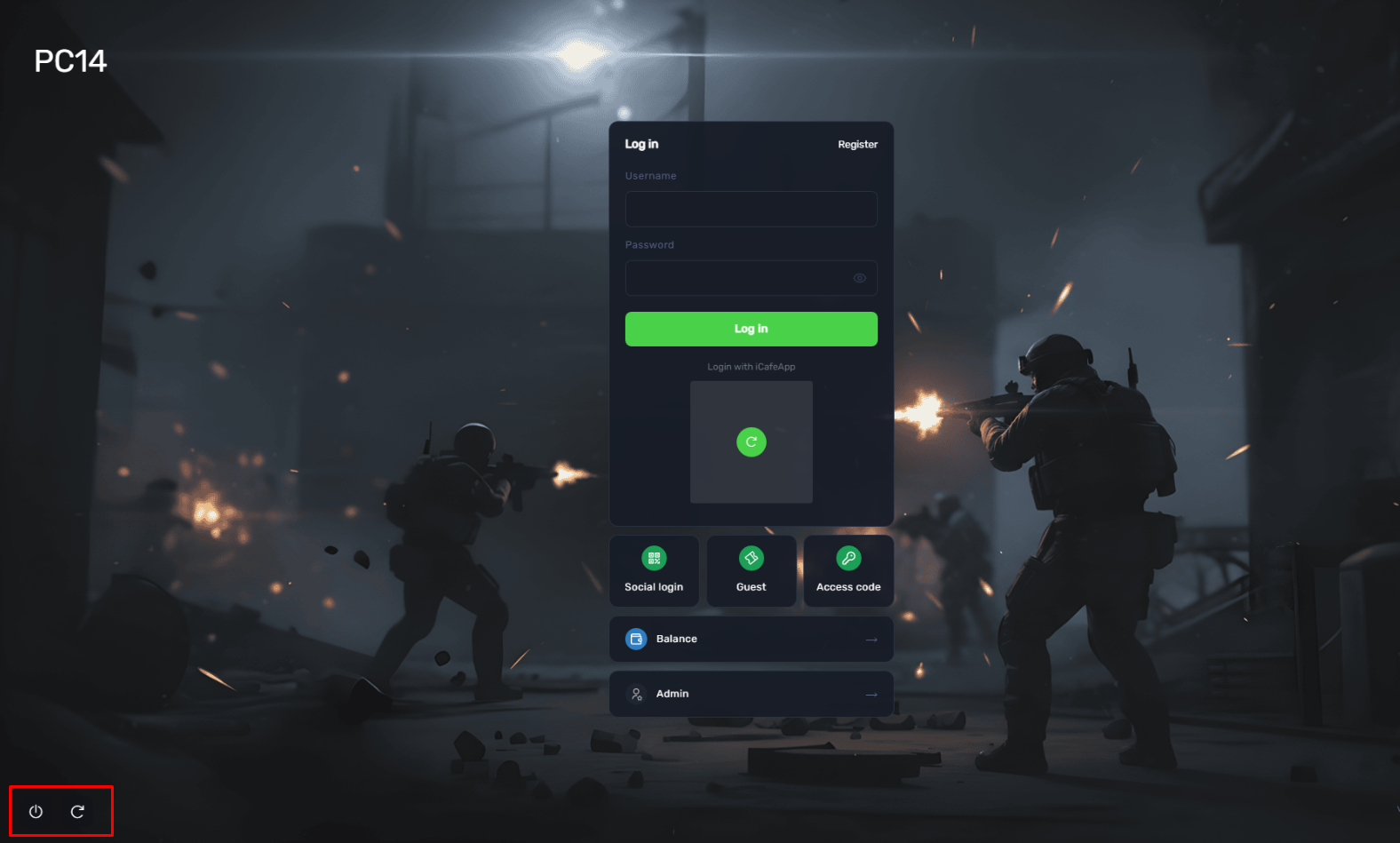
Figure 2
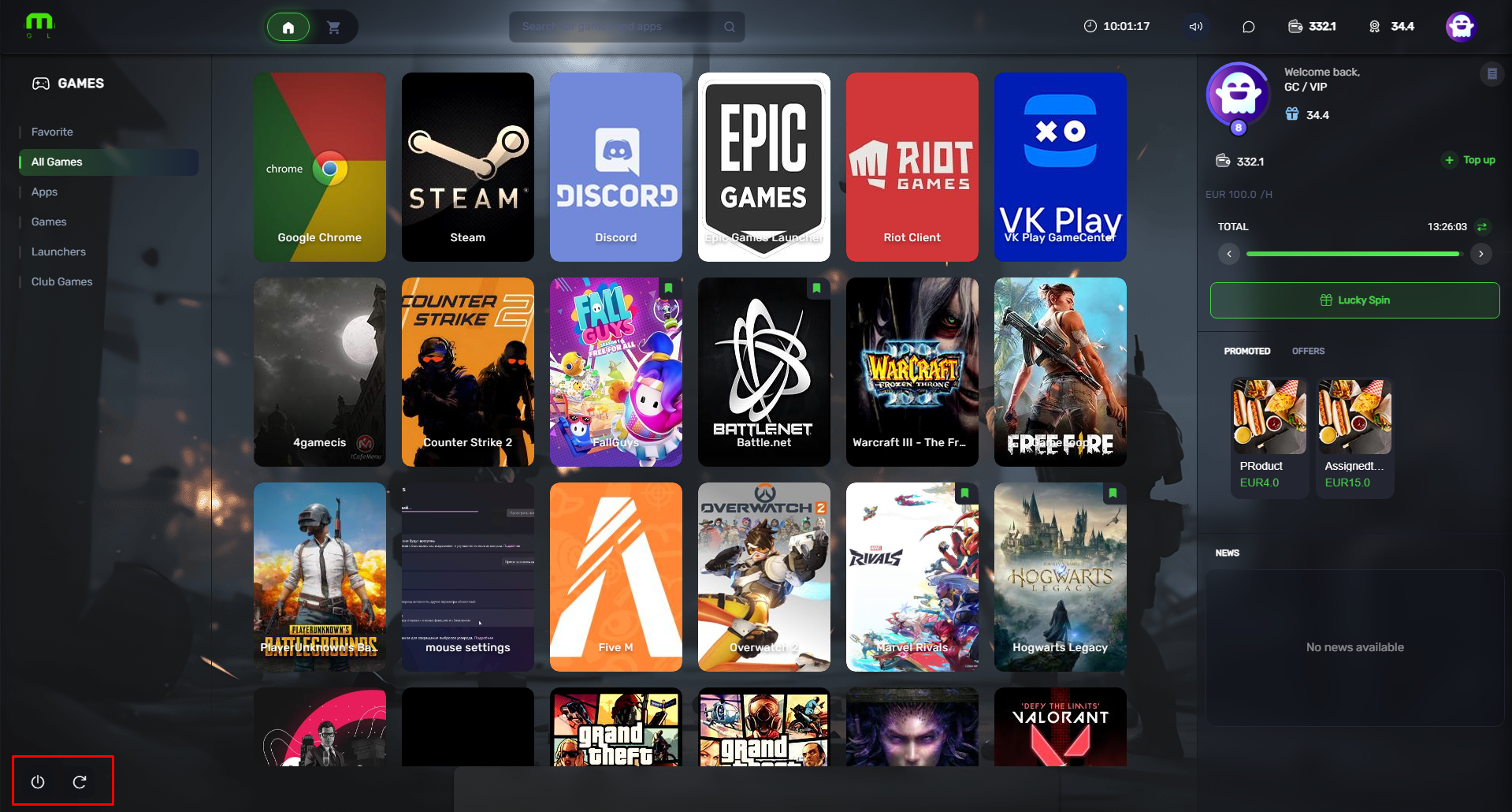
Figure 3