

This section explains how to enable or disable the printing of order notes on receipts.
- Go to POS -> Settings and change the “Print Order Note,” to Yes (Figure 1).
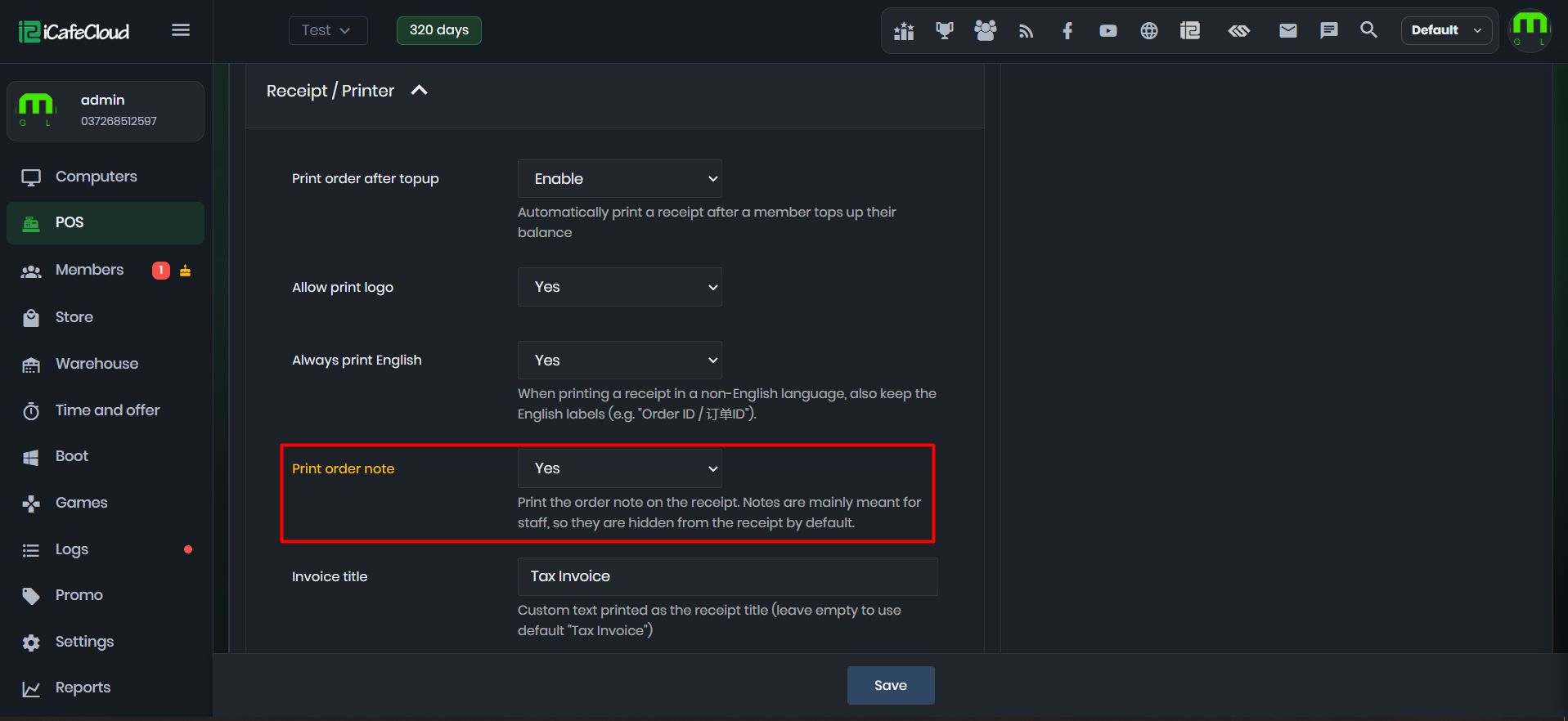
Figure 1
- After enabling this option, Order Notes will be printed on the receipts (Figure 2).
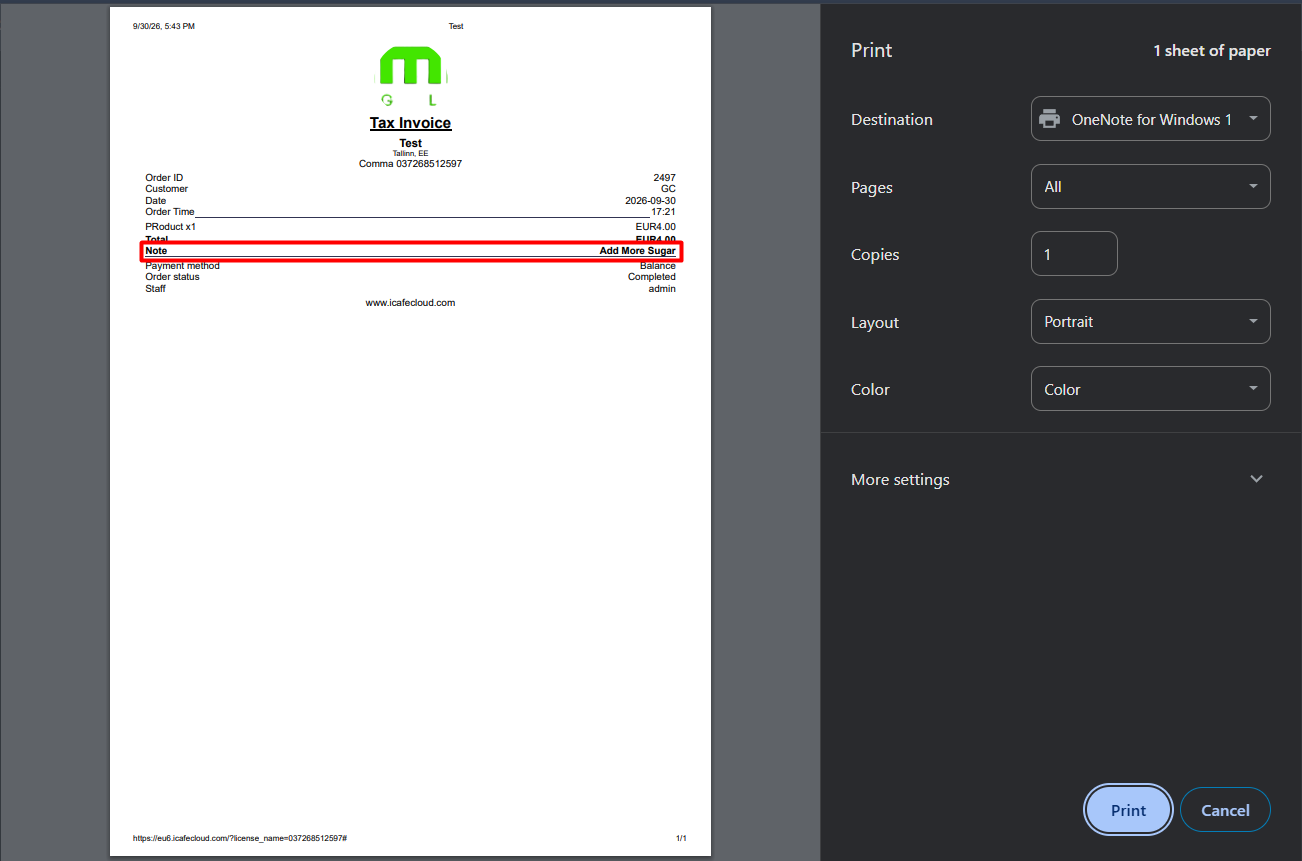
Figure 2
- By default this option is disabled.