

This guide explains how to manually add a custom QR code for Static QR payments in CP.
- Go to “POS -> Settings”. Navigate to “Payment Methods” and enable “Static QR” option. (Figure 1)
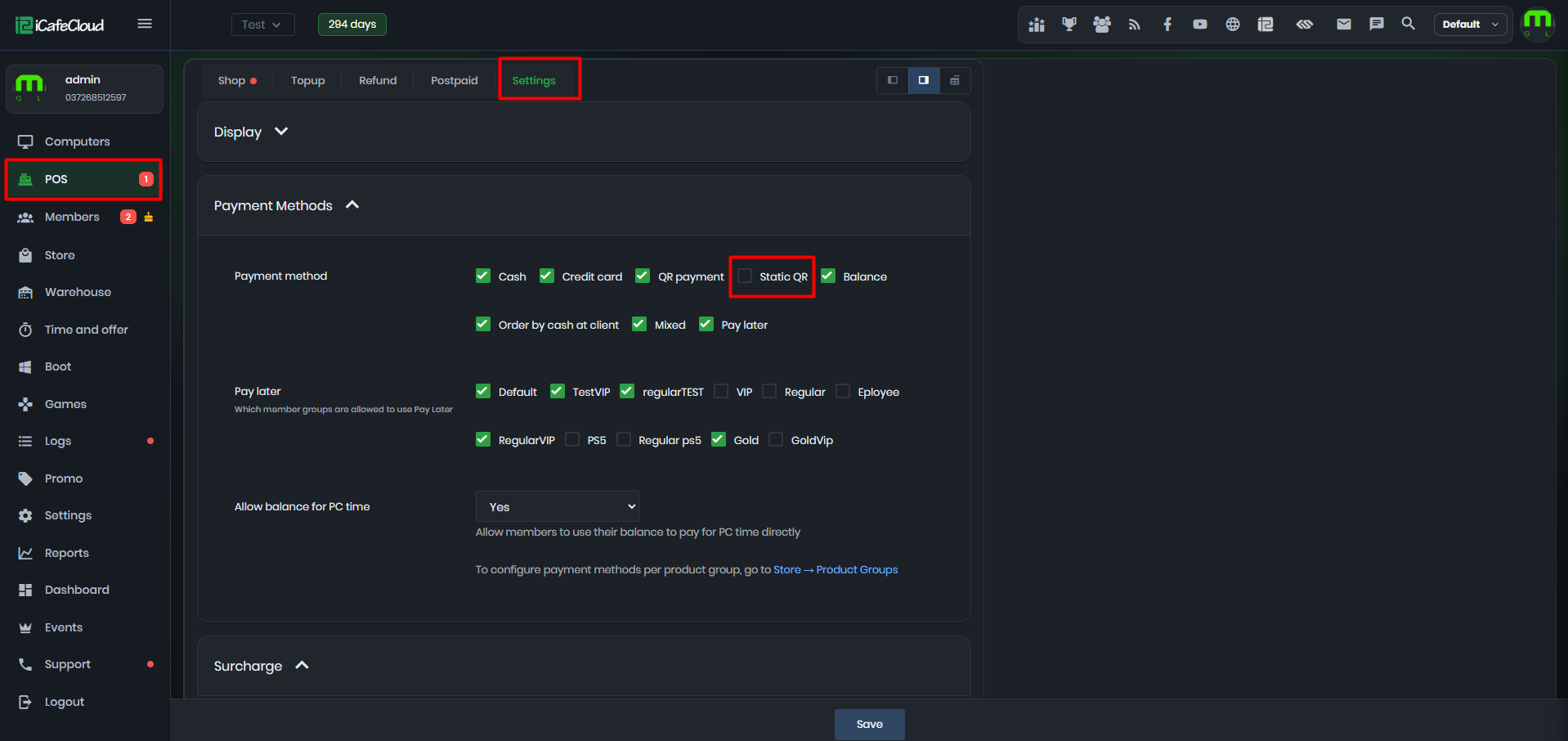
Figure 1
- Once the Static QR option is enabled, the Static QR image becomes visible, allowing you to upload your own QR code image. (Figure 2)
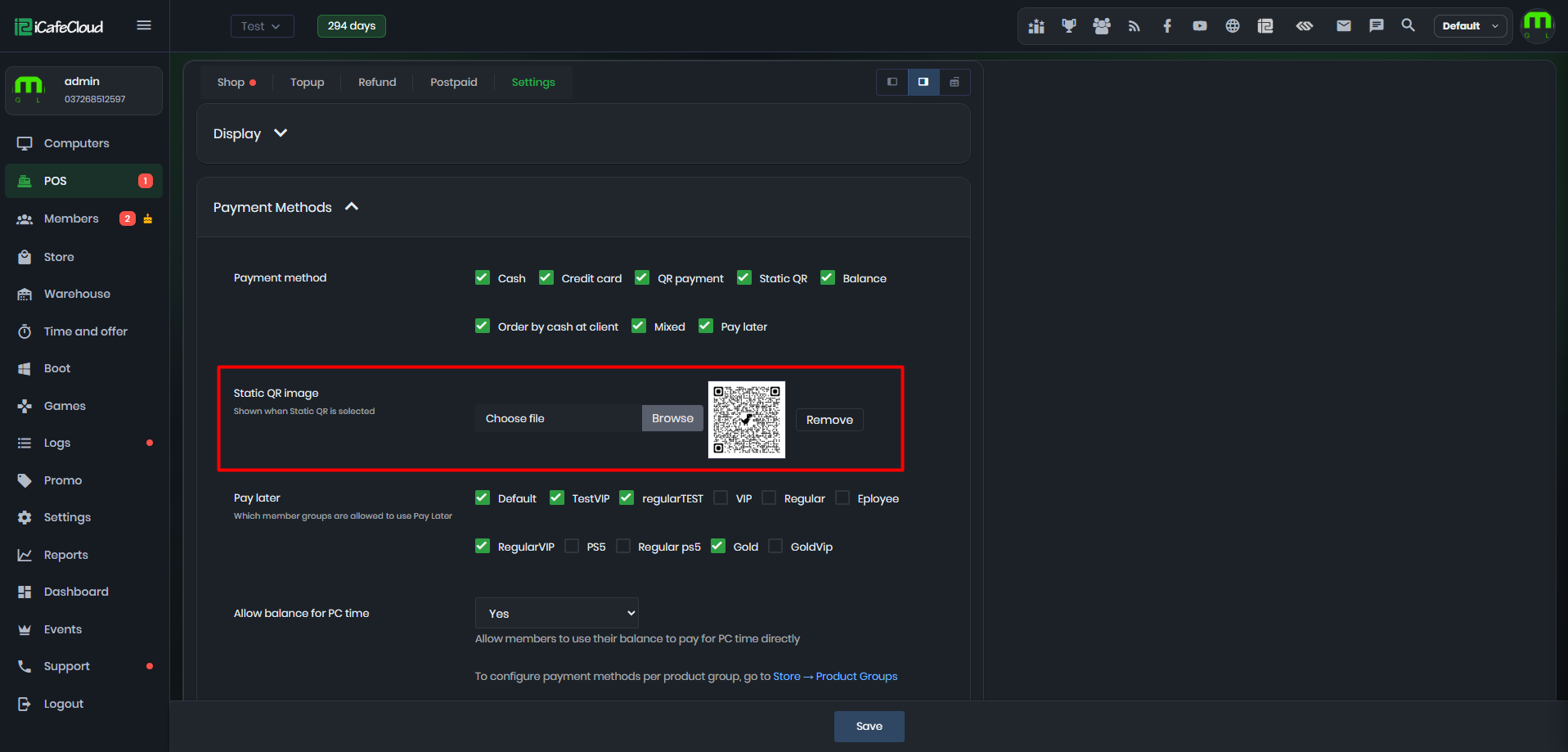
Figure 2
- After saving the Static QR image settings, the custom QR code will be displayed in the Control Panel before confirming any order made using the Static QR payment method. (Figure 3)
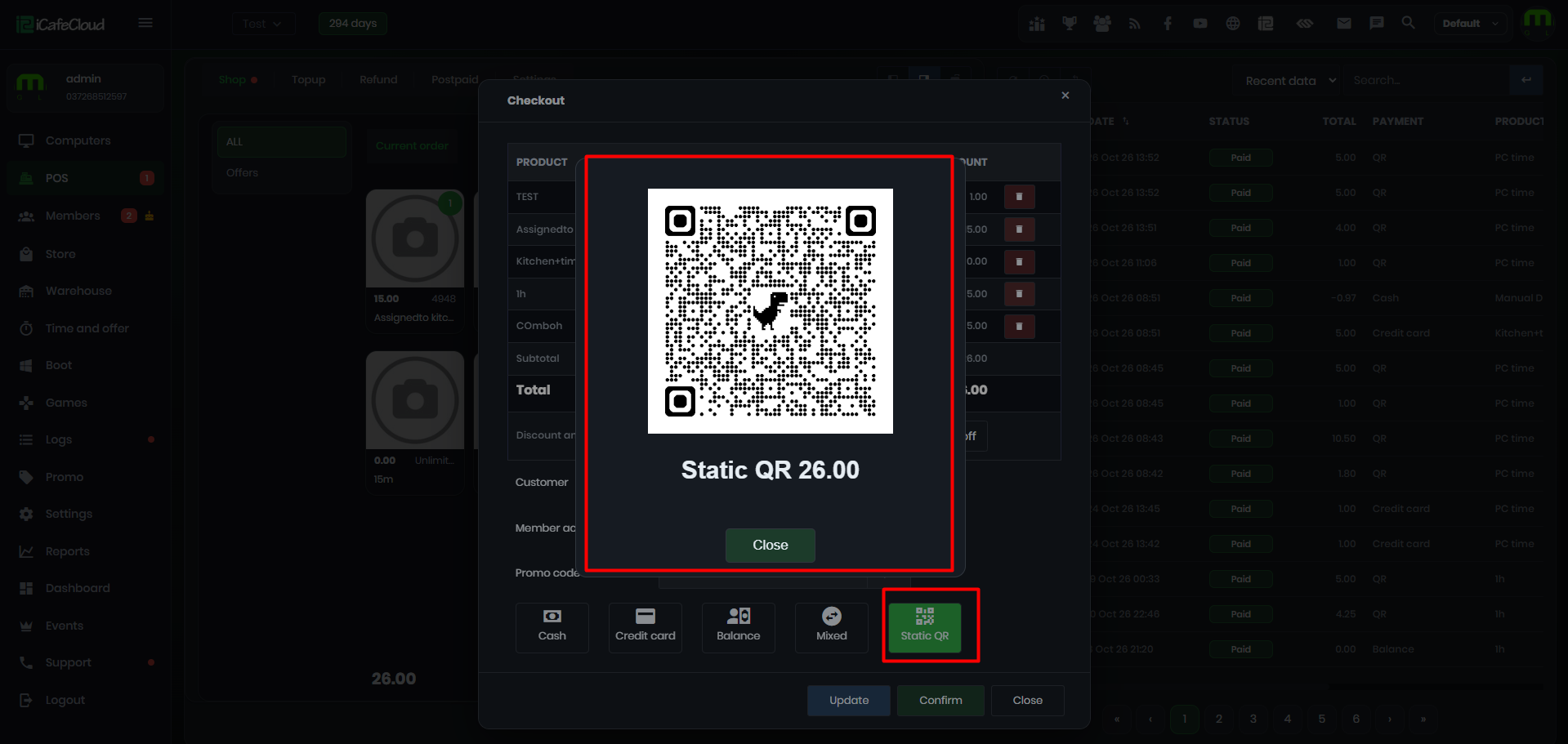
Figure 3